If the issue occur again, set static ip and new dns server from google and not from isp.
Sam- how do I do this? I’m not very tech savvy when changing server settings can you walk me through it?
If the issue occur again, set static ip and new dns server from google and not from isp.
Sam- how do I do this? I’m not very tech savvy when changing server settings can you walk me through it?
all my settings were on that already. And still looping on a black screen. Seems strange how it’s only been doing this since update
Thanks I’ll try it
is anyone else having issues with their B** and I** channels since update? It seems to loop a few times with a black screen and then come back to live and skip those minutes that it was looping. It has done this a dozen or so times since yesterday afternoon. My provider has had no issues reported so could it be the update?

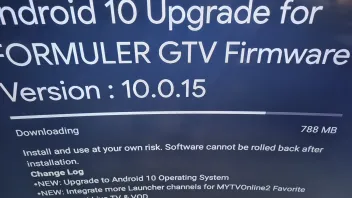
fixed had to restart box 6 times offered me a android update installed and boom
thanks I was just going to post something similar, finally sorted...
 Display More
Itl be ready when it’s ready….
I was one of the closed beta testers and I standby my initial posts at how good the update was during testing…
Then naturally as it’s opened up to more open beta testing, additional things were found that need to be worked on.
These things happen but there’s a lot of negative comments because the update is delayed.
Would people rather it be released and then have many issues thatl take some time to fix or would they rather wait that extra time for a more stable update?
I’ve been critical in the past but sometimes we all just need a little patience, thought and consideration for the devs that are working on things.
Also consider that not only GTV users want updates quickly but also other users of the z series too, it’s a lot to deal with.
I would hope that all users will be pleased when the update arrives, it’s a huge improvement and massive step forward.
so I downloaded this eagerly awaited update to my GTV box and I have not complained once about how long it has taken but it now is not working with mytvonline2 app? Every time I open mytv app it has a warning message to download latest software I click ok and it says all up to date but still doesn’t load and tried rebooting twice and same issue.... PLEASE RESPOND
I am having this issue. Can someone please help. ASAP
same here warning
if you figure anything out please let me know!
Hi I have just updated my software and it now seems to be not compatible with mytvonline 2 app? I try to open and it says warning please update latest software which I have done but it doesn’t go past this? Has this happened to anyone else?
Can anyone help, I have just downloaded the new software this morning as prompted and now my mytv app will not load it has a warning sign asking to download latest software. When I click ok it goes to the download and says it’s up to date and so nothing to download or update how do I fix this? I have rebooted and still same issue.

Tested now same scenario with VLC, but after deactivating "External VOD Player" VOD used the internal player again.
Delete data and cache from your MOL2 App. You can try also with Reset User Preferences.
So the settings have definitely reset as changed the osd timeout back again but the video player options have not changed. If I turn on external player toggle nothing changes. There has to be a way to change back to original player? I also have set the hot keys on my bt1 remote to include FF and Rew to try and solve the issue and they don’t work on vod either.
Hopefully you can help.
I tried clearing user settings asked for a pin code? I used 0000 as that is usually the default, and It’s still the same. I don’t even know if I’m using the internal player now as it never asks me for a choice now, Even if I turn the toggle on, I really need help, as I cannot fast forward on this player on any vod or tv series.
I have had a problem today where I started a tv series episode and suddenly it asked me to pick a player to play the episode. This has not done this before. I picked video player as it was the only one working well and clicked always. Now I can’t play some other shows at all as the circle just keeps going round but won’t start. Very frustrating. I tried turning the toggle option on and off for use of external player but it doesn’t help. Can anyone help?
Device Formuler GTV
App mtvonline2
Ok I tried again today to turn off the sdr to hdr and now it’s looking much better. Thanks for replies
I’m sure I’ll be back with more !

Android Settings > Device Preferences > Display > SDR to HDR > OFF
I tried this after looking it up and my screen went black, no picture?
Hi I’m new to formuler boxes and have just got the new gtv box.
The picture is very cloudy (lack of colour depth) on all channels and a little blurry on Live FHD channels? I had to change from 60 to 50hz also to help the picture as the news scroll ticker was stuttering. Can anyone help as I can’t believe i was getting such a better picture on my old device. Using same iptv provider and same tv.
Thanks in advance.
Hi brand new to gtv box as well as formuler boxes in general.
Looking to find help on recording. I thought I could record without external usb? It says I have 12g storage but not sure how it works.
If I use a usb do I have to leave it on the channel It is recording on?