


Thats nice for you,but of little help to me!
Did you test change EPG mode to UTC/Normal in portal settings?
Thats nice for you,but of little help to me!
Did you test change EPG mode to UTC/Normal in portal settings?
Pull out the batteries and wait a few minutes, if that doesn’t work as a test use the remote control app —> setup hotkeys —> hotkey ii —> single tap —> map a custom keystroke
SAM Is there any difference between resetting the box to factory default via the menu and resetting the box via the button in the IR jack at the back of the box? I can’t imagine so, just want to be sure.
I read a factory reset and a factory hard reset on the helpdesk pages, reset via the menu and hard reset via the jack but I’m nog shure, see the YT clip, I see more options on the screen, I did not reset the box myself because I have no problems for now.
Did you already cleared the cache?
Settings —> storage and reset —> internal shared storage —> cache data
Is is a zip file? Go to addons and choose ‘install from zip file’

Why the GTV?
Can i give me some points why the gtv and not the z10?
Z10 Powered by Android and GTV by the official Android TV software, what are the differences?

Apps for mobile devices are not optimized for Android TV OS. It seems the app works fine in portrait but not in landscape.
Thnx for your reaction but I have a Z10 Pro Max so Android 10 and before the update the keys working fine.
Hi. after the update the control keys don’t work anymore within the Eurosport app (up/down/left/right), can somebody confirm this and maybe have a solution?
All my other apps works fine. I programmed the hotkeys now as a workaround.

Rod-G. thanks for the tips, never tried this.

For the people with problems...
please do a factory reset of the device, it can really help! And its just 5 minutes of work to get back online.
Haha, just 5 min? It takes me hours to install Kodi again with many settings, several add-ons And that’s only Kodi, there are in my case more apps to reinstall.
If you only use a IPTV app then you’re comment is true.
Works fine with me, mytvonline starts slow, about 1 minute, also starting VOD is slow, Tivimate starts within seconds and I like making of groups within the EPG.
Hi. I’m using Tivimate/Z10 with Xstream Codes using Server address, Username, Password and checked the box: Include Vod.
Is there a reason why you don’t use this option?
Display MoreGreat update!
23-->24beta did a good job
24-->25 also did a good job.
Seems that everythings works great, not even a single problem till now.
All channels have perfect quality, no studder (before, sports had a lot of studder)
sound works great on stereo and surround (only not normalized between swithing channels, some are loud, some are little softer)
running 3x z10 pro max on different locations. All updates ran smooth, only some settings had a reset.
for now.... dont fix whats not broken....this box is running great!
+1
See:
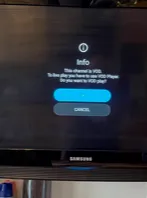


When I stream any media file over about 30gb via Kodi I get buffering. I have tested this connected by cable and by WiFi. I have a download speed 600mbs on the device. I am not using a VPN.
If I connect my laptop to the same router (WiFi) I don't experience these problems so I do not think this is anything to do with my Internet. I also tested this by streaming the exact same 70gb file on both my laptop and my Z8. My laptop streamed this with no issues but on my Z8 this was impossible it started buffering after less than two minutes.
Is there a setting in the Z8 that maybe needs to be changed? I really don't understand why this is happening.
Maybe a setting within Kodi? Are in system - settings - player both allow hardware acceleration active?
 Display More
Hi,
Before the update, I turned on my Z10 and was in MyTvOnline ...
Since the update I open at the Home screen. I absolutely have to choose MyTvOnline to watch TV.
It even happens to lose the chanels... I have to restart to find these ...
Really not a good beta update ...
(STALKER)
Open the launcher settings and choose the startup app.
Yes if you share the map mediaforall in Windows and give permission to everyone

Could not get that to work, it said connect fail.
I did exactly like this;
198.162.1.121/pc1/users/desktop/mediaforall/
Is this the exact format, slash lines & all /
Thanks,
Don’t use the whole path, you can only use the shared Windows map, I’m using the following format:
//192.168.178.34/movies
When I click on the mount button the connection is ok, I don’t see the Z10 on my laptop but I can reach the movie map on my laptop from the Z10 using a file manager (in my case Kodi)
EH764y Despite of smb support in the new firmware I can’t see any smb settings but there is a solution, I did the following:
Quick Settings —-> Network Storage —-> Add Server
Name: pc
Network Path: //192.168.178.2/movies (example)
Push Mount button
Of course you have to share a map on your pc (movies)
You can leave username and password empty if you give permission to everyone
In Kodi File Manager you see the share also
No audio sync issues with livetv even after one hour of watching, using a m3u playlist. I’m not using vod so i can’t test this.
Tested with a cheap HDMI cable directly on my tv and also via a toslink OUT from my tv on my toslink IN receiver.
Using DSL 35 Mb/s