What is AFR?
Start mytvonline2
Menu
Settings
And then somewhere you will find AFR. (Active frame rate)
If its on, turn it off.
What is AFR?
Start mytvonline2
Menu
Settings
And then somewhere you will find AFR. (Active frame rate)
If its on, turn it off.
Goodday,
I want to buy a Sonos soundbar, but Sonos isn't in the list at Formuler Remote app?
Please add it, so Sonos users can use there Remote to control there Sonos soundsystem.

I never clean anything and after almost 3 years my z11 is still working great
And if it broke i buy new one😂

Thanks for reply, have you opened unit up to see if the vacuuming gets all dust?
Never opened. I clean 3 times a week the place were then box stand.
I Clean it with a duster and vacuümcleaner the place.
Just wondering if anyone has a method to clean out dust from Z11,i.e remove cover?
Maby slowly with the vacuum cleaner on low speed around the ports?😉
And do it 2 or 3 times a week cleaning with a duster were the box stands😉

👍 enjoy. Its super fast and all audio is played in Atmos along with yt prime etc.
Will be test😊ng this weekend. All the best.
Stays in my tracking it will be delivered today, but the site says its still in india. Im afraid it will be next week. 🤷🏻♂️😂
I just tested the new z12 and wow, amazing.
Updated software and remote app, picture and sound is amazing.
My fav box was GTV but now this Z12 is my new fav box. Still learning and testing but so far loving it. Mol 3 is fire. 👍 Thks Formuler.
Mine comes today 😀
 Display More
Same here.... :-/
Login in stalker mode in MTOL2 on my Formuler Z8 and Z10 ... no problem
I just bought a Z11 Pro and the connection gives me an error:
Failed to Connect – Check portal URL – Server Returned HTTP 403 – Code: 1005-400
Can someone explain me Why Z10/MTOL2 was working... Z11/MTOL3 not?
Here a possible FIX: Lets us be able to install MTOL2 on Z11 Pro!!
Im pissed! 1 year of same complain... no fix! Come on Formuler
Ah yeah... I tried Hard Resert, alternate DNS... nothing works
Stalker?
Did you give the right macid?
Starts with 00:1E on the z11 i thought, and not 00:1A:78xxxxxx
The 00:1E you need to give to your provider.
Best option is: contact your iptv provider, and let them convert your sub to xtream codes.
You get an url.
Fill it in, and then the username and password and everything should be fine.


Remove some countries to test it
Good one!
Let provider remove all the countries.
Except the one you want to watch.

I have been running two years in Canada using cloudflare with zero issues , just for the record
Its in some regions also started with cloudfare.
In europe in spain last year some providers.
In the Netherlands one provider was this week 3 hours down. And later up and running.
In usa they are also busy.
But the provider changed something on portal site and the cloudfare warning was gone and now i can use it again.
When its time, canada will also get that message.
But provider can fix it at there side.
Saw it at my provider. They fixed it and within some minutes and it was gone.
I had yesterday that all my channels from one provider gives the cloudfare error.
That streaming wasn't aloud and illegal.
I tried everything!!!
I changed private dns to quad9. Didn’t help.
I changed dns to quad9 on my isp router and didn't not help.
I tried i with nordvpn on, with the nordvpn dns. Did didn't help also.
So i did almost everything.
Then what worked was: i contacted my provider.
They asked which portal i used. So i send my portal. http://line.xxxxx.com
And later they answered: we fixed the portal url dns so check again.
I did refresh and cloudfare error was gone! So it was not on my side. Not on my router, not on my vpn and not on formulers private dns.
It was on there side!

Good evening, I have had a very bad connection to my provider's server for about 3 hours. I have been using the DNS server from DNS.Watch and alternatively OpenNIC for months without any problems. I have spent the last 3 hours trying to find and solve the problem with the poor server connection, but unfortunately I have not succeeded. I have used various other DNS servers, restarted the router, assigned a new IP address to the STB. I had a problem like this in the past, then I changed the DNS server and then I had peace of mind. Which DNS server do you use?
Use quad9
9.9.9.9
In spain, portugal etc they are blocking many iptv portals in europe.
so change to quad9.
Reboot device.
If not work wait a day and or contact your provider cause i had it yesterday.
Every channel said. Content blocked by cloudfare or so.
So i contacted them and they changed something and.it worked.
And for safety use vpn. (Nordvpn i advice)
 Display More
I know that
It is perfectly normal for Netflix not to certify this box, which is primarily intended for accessing illegal content...
I don't even think Formuler has applied for certification or wants to pay for it!
The brand should switch to Android TV (because there is no box under Android AOSP that officially supports Netflix) which would bring much less freedom regarding firmware updates and many more problems to manage....
It's not very important to me.
It's just for those who are looking for a versatile box that can do it all, with all the certifications
Goodday my friend,
I had couple years back 4 Formuler GTV's with AndroidTV software.
It was for me the best box then, because ot has the AndroidTV playstore so all apps in the playstore works like a charme with te remote.
Bac then there was also NO NETFLIX in playstore.
Yes you read it food, there was NO Netflix in the Playstore cause the box wasn't certified by Netflix.
But is was only vertified by google what i remember.
But im agree that they should make the step to AndroidTV. But i think android aosp is simpler to make changes on it i think.

the keyboar doesnt pop up. so i cat press return to confirm pin
Go with tour remote to android settings.
Finds apps, find the app gboard or something.
Open it and delete updates.
Restart box.
Try it again if it pop ups.
And or go to playstore and update gboard.
Just do factory reset.
All should be fine then
Also in spain there are a lot of blocked portals.
So people need to use vpn there.
I have also one provider what works in my homecountry with vpn.
But when i connect to UK it wont work anymore.
 Display More
Hi all, my Z12 ultra works pretty well, here is my config :
TV: samsung the frame 2020 with Z12 ultra plugged on HDMI,
Sound : I connected a DENION AVR-1650H to the TV with a 5:1 set of speakers
Everything works super well, dolby digital, dolby surround, stereo sound is super good with movies with a sound encoded in these formats, image is super slick, MyTVOnline 3 is smooth etc.
Only problem : with some TV programs the sound is out of sync, and I need to put some values like -250ms, -400ms etc. and this is not saved anywhere. Another user said that setting "surround sound : never use" solved the problem, but this is ok if you are not looking for surround sound support, I have a home cinema connected: I do not want surround sound to be disabled !!!
Any suggestions of what I could do to fix this? Thanks in advance !
I understand you.
But with normal tv channels is surround not nessesary.
With movies you need it for sure! Thats my opinion.
I totally understand you my friend.
You have a surround set and want it have to work.
I can only advice to turn off surround like others do, but you want use it cause your denon set.
I cant help you, maby a future update will fix it. But can also be provider related etc etc.
All backgroud apps are closed?

Hi Lucky13 thanks for the reply.
My box is a GTV. I do not have a green Market app, like on the older Formuler boxes. I only have the green Formuler update app (which fails to download) and the formuler remote app.
GTV box uses regular Google market, plus the 2 Formuler apps listed above.
Any other suggestions for me to try?
TIA
I had also a gtv. Now a z11.
But i thought there was really formuler market app on it were you could find mytvonline.
Check it again please.
You factory reset box etc.
Can you help her?

Z12 Ultra will not play HDR and Dolby Vision streaming from a Win 11 computer. Video doesn't start. FF 30 seconds just show a freezed picture. Known problem?
Try it with mx player, kodi, vlc player and check tour box settings.
I don't own a z12 yet, so i cant barely help.

I downloaded files to my flash drive on the formuler z11 pro. I put the flash into my windows computer, which came up with an error message and asked me to repair the drive. I did so, and it altered the file structure and cut each downloaded program to 4gb max files. Is there any way to recover the original files? I am using diskdrill and stellar data recovery, and neither appear to be working.
Thanks for any help
Fat32 can have max 4gb of files.
If you can download the files again. Before you download. Format your usb to ntfs. Then the files can way much bigger.
What files are it? .rar .par or?
If its rar and par files you need to install multipar on your pc.
Then click on a par file and all files will be checked if they are good.
If all good.
You can with winrar program extract files to usb or hdd
I have GTV Box. I was having trouble with my EPG loading (got EPG only on catchup channels) so I uninstalled updates on the MyTVOnline2 App. Now I'm trying to update the app, and it's telling me "IPTV Download error". Doesn't even start the download. IPV6 is off.
Any ideas on how I can get it to download updates? I have a working internet conenction.
I tried entering "0228" in the software update screen which then prompts me for the firmware code, but I don't have the firmware code for the GTV. I only see the firmware codes for the Z series boxes.
TIA
Goodday,
Don't use code 0228!
Your gtv is already uptodate. You need to go the "market app" (green logo) and there you find mytvonline2

Good day
iOS version
URL is correct, try Xtream code and 3MU SAME RESULT 🤷🏻♂️
Uninstall mytvonline
Restart tablet.
Reinstall mytvonline
And fill in credentials and test again?
Application always crash at 82% when I try to put one of my XTREAM-CODE
Any cues ?
Goodday,
Did you check in the app if url, username and password is correct?
Check also its http:// and no https://
That can also give sometimes problems.
Android or ios version?

This is still happening. I have factory reset the box and even got another provider to see if it made any difference. But no 90% of the time when I go to change to a different channel it freeze for about 30 seconds and then kicks me out of the app. Should I just return the box at this point?
Yes i would do that, and buy a z11 pro max bt1 edition.
Hi, I'm having a major issue with the sound on my Z12 Ultra. It's truly awful and makes it unbearable to listen to anything, as the sound is shaky and distorted. The update they rolled out today didn't change much, so they need to do something quickly. This is a very unpleasant user experience, and I'm almost regretting my old Z10 Pro Max.
Thxs
In surround sound settings choose never use surround sound...
Try it

Thanks again Lucky133.
No problem. I watch only usa and dutch channels. The rest deleted mine provider from my sub. It load also faster 2 countries instead of 100.

ive just installed an update on my z12 ultra......i like the 12.....its smooth and everything is fine.
dont like the remote, its far too big, but i do have an older one that is lighter in the hand...
volume buttons on the side on the new remote is not an issue for me.
I really hope that in future you can use the volume buttons on top of the remote can use for volume up.and down.
Just my opinion.

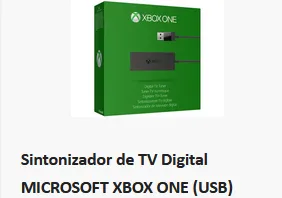
Good morning friends, I would like to know if the Z12 Ultra works well with the Microsoft Xbox One Digital TV tuner, so that it can capture the channels (RF) that are injected at home via my Vodafone operator's router, if so, does the MOLD3 do this capture work and create its own folder? Thank you to anyone who can give a tip.
That's a thing my friend, normally xbox brings it out only for there devices. Like ssd etc. And works only on xbox.
Try it out, and if not work sent it back. In my country there a shops with free returning the parcel.
Edit : it's working now. I just had the wrong MAC address. Thxs
You were on xtream codes you said before?
and if you have wrong mac, then also no channels.
anyway, it works.
Goodday.
So I tried what you said and it worked, for how long I don't know.
I'm disappointed in Formuler that they would continue to marked an STB with this known issue...makes me Leary of buying Formuler.
Thanks for your feedback.
Glad it works out for you.
Maby you can ask your iptv provider to delete countries that you don't watch. If you only watch france and belgium as example then youb don't need the rest of the world channels..they can remove that. Is less epg and cache memory. Maby it helps also a little bit.
I am currently performing an update and I have changed the EPG, specifically the EPG at 3hours
Edit : its the
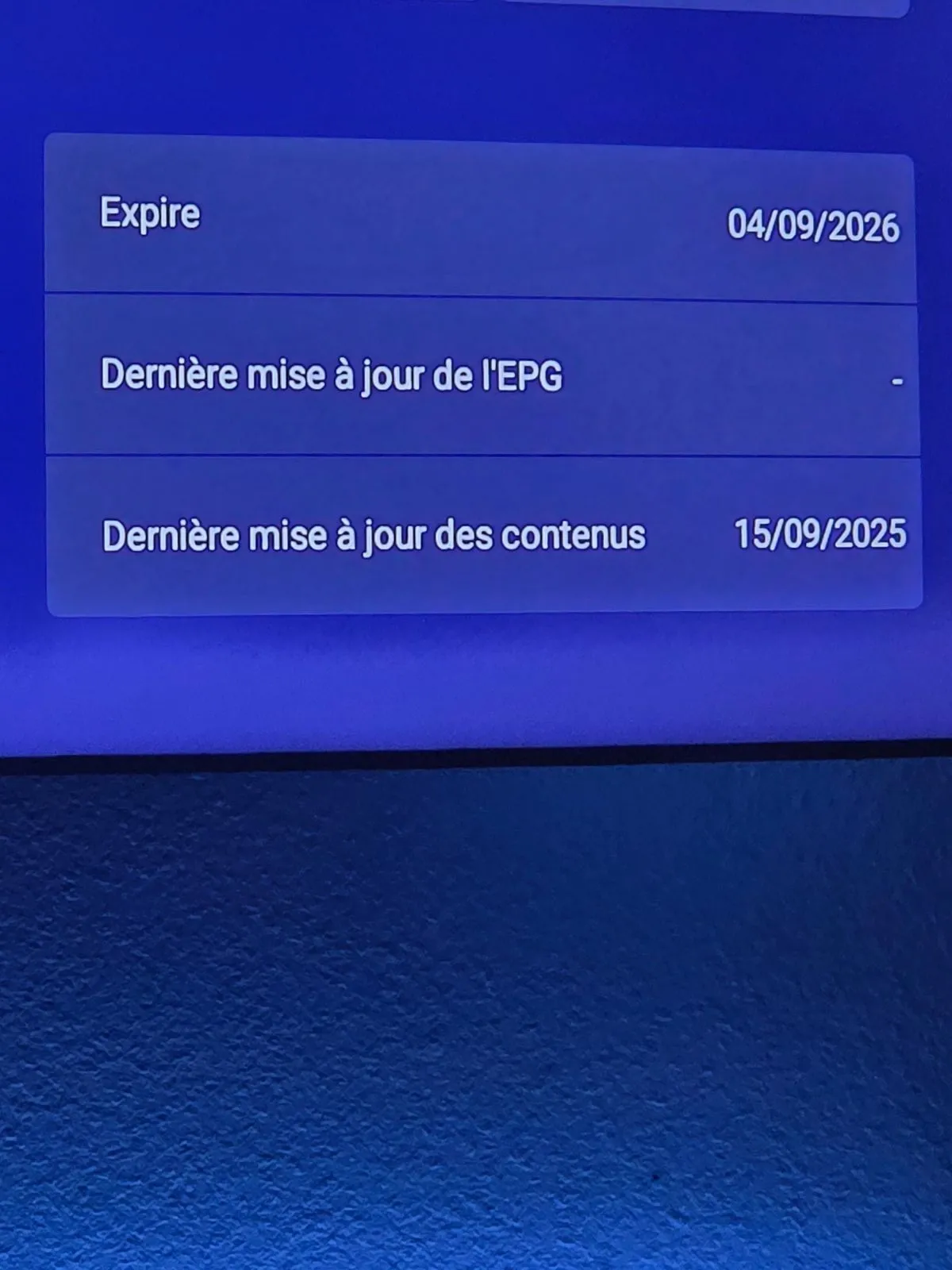
same
If you have after refresh still no epg.
Contact your iptvseller if they have epg problems on there side at france channels.
Display MoreHello everyone,
I'm writing to share my experience with the new Z12 Ultra. I've encountered several issues so far.
First, the remote control is too heavy for me. I found a solution by switching back to my old Bluetooth remote, which is much lighter and more comfortable to use.
I also have problems with the decoder constantly disconnecting. I have to restart it to get it working again. The sound keeps cutting out, and it seems other people have this issue too.
There's a problem with the EPG. The programs aren't displayed for the channels, so I have no information on what's playing.
Finally, I also had an issue where my decoder suddenly went to a very dark color. The only way to fix it was to restart the device
Please fix these issues as soon as possible, as they are very annoying for a device that costs 189€. I hope the developers can find a solution quickly.
Thanks for any help or information on these issues!

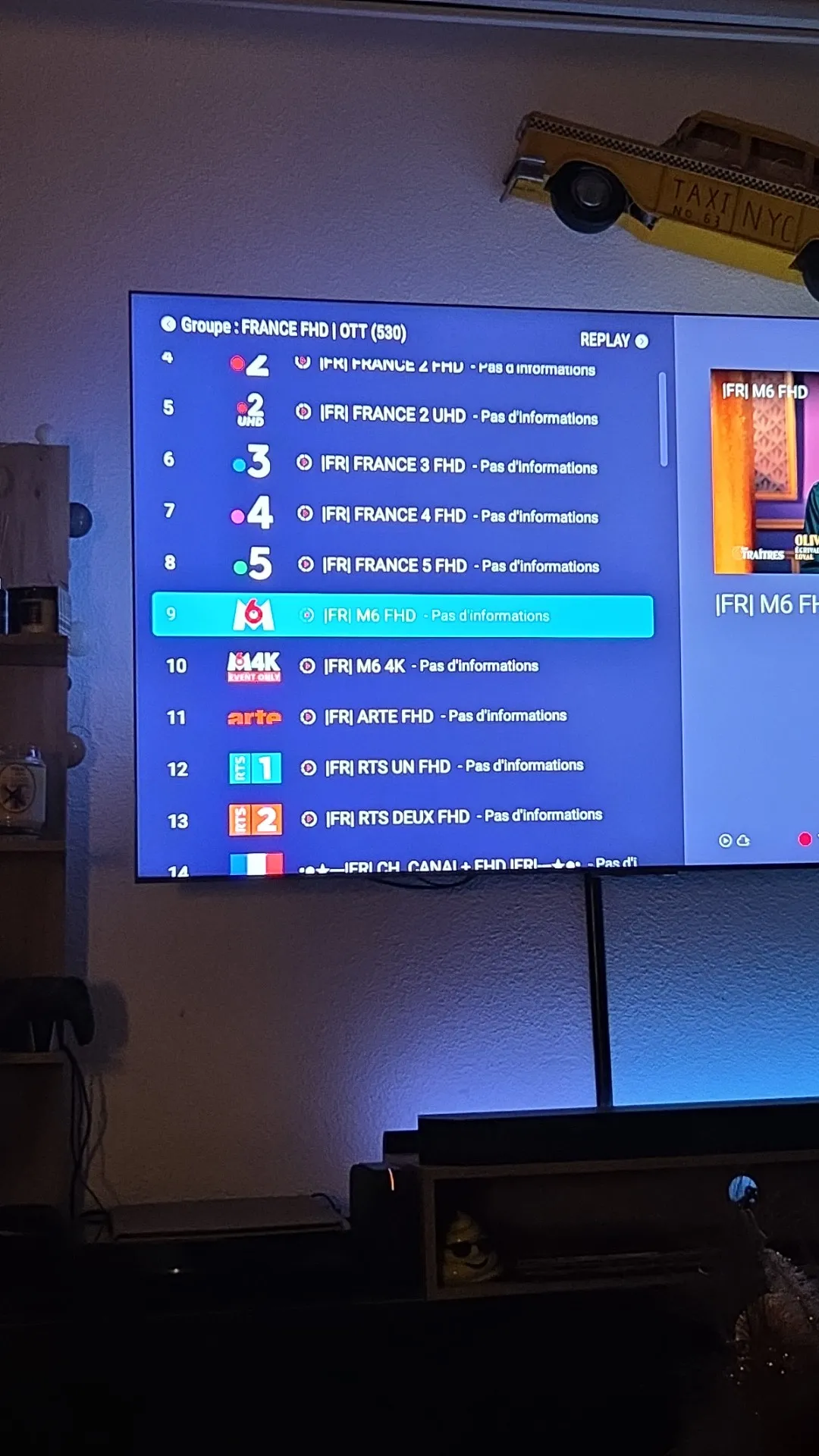
Ate you on xtream codes connection?
Do: menu, Contentmanager, edit your provider, change epg interval to 3 hour. Then do apply at bottom and then do the refresh button?
You know, refresh your content.

does the z12 have the ability to run a built-in SMB or FTP server that can share folders from an attached USB drive over the local network... in other words i would like to transfer files from my laptop to the usb plugged into the z12 ultra over smb
No smb build in, but...
File manager plus app can make an ftp server.
Try it.
I have a raspberry pi 5 with ssd attached to it. And with file manager plus app i can connect via that app and smd to my NAS storage.
Im blowed away my friend.
Same url, same tv provider and in mol3 you get the cloudfare message, and in other app not.
And what a unF*... believble long username you have 😂😂
Is the other app (smarters) fully closed when you start mytvonline3?
can you hold ok button on smarters, and then do "info" and then "force stop".
So you wont look on both devices at the same time?
You say you have vpn on your router, is it possible to connect to other country for test? Netherlands, germany, belgium, canada or so?
And then restart router and then z11 and refresh mol3.
(Menu, Contentmanager, data sync, contents data, refresh.)

My mother in law bought the z10, today i played around with it but man what am i happy with my z11 model. The app she has totally different and slower then my model (mytv2). I did noticed their z10 remote has a epg button, i cannot find that button on my remote. Is it hidden somewhere?
Yes i am happy with what i have and it is indeed very stable.
Its on your remote my friend. For sure.
Guide button is right next from the info button.
Under the yellow and blue button on the remote.😂

isn't it the fasters way to let it happen automatic?
Like mytvonline 1? When it starts it connects to your service. Yes can be.
But it goes already at my side around 16.00 hours automatic.
But sometimes its much later and later new content added.
I've tried all the suggestions given but the problem persists (above). Is there another launcher I can try?
Many you can try to delete cache from mytvonline.
Then delete whole mytvonline.
Restart device.
Reinstall mytvonline from market app (green logo)
Fill in your portal credentials in mytvonline.
Install from market the audio optimizer app and run it once.
If it says, already done. Then you can delete the audio optimizer app.
P.s. save money for a z11 pro max or so. Expensiver but yes, no more space problems.

RE: Issues connecting IPTV
You can directly change the DNS Server on your Router to Google DNS,quad etc. or on Box under Android Settings->Network->Private DNS->Private DNS provider hostname to quad or similar.
If after change and new reload/refresh the same issue comes, then it could be that your Provider still use Cloudflare and need to change. I had this once.SAMSeptember 14, 2025 at 12:54 PM
Like i said. But he tried private dns already to quad9 and google.
Also i say check your router.
Omukiga you see?
Please check your router, change dns there if its needed.
And after change private dns do a refresh in Contentmanager. But you did that right?
But check all again and try it.
But the answer from your supplier that they found it strange is for me also strange.
Just like SAM SAID: if above not works then its provider related. And your iptv seller needs to know if there lines traffic over cloudfare or not.
Keep us up to date please what you did already like checking router and change private dns and then do refresh etc.
Sorry: post from same question in 2024, but after year still no refresh button.
I love to see just 1 refresh button in the mytvonline 3 menu above the Contentmanager button or so.
If we press on that "Refresh" button, that is update the portal(s) and tv epg at once and apply the content also directy.
Exactly as in mytvonline 2. It was a great solution!
That goes much faster then do:
menu, Contentmanager, contentsources, refresh and then after the refresh push ok button to add the new content.
Hello friends, I received my Z12 Ultra today, price in Portugal in all stores €189 and from the first tests I am happy, a little more elaborate in relation to my Z11 Pro Max, I would just like to ask those who already have the box if we can change the time location manually because the Operator via net cable always goes to the capital of Portugal and not my area of residence.
On z11: go to right corner, cog wheel, device preference, date and time.
There you can change it.
Should be almost the same on z12.