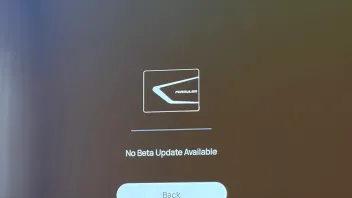
says its up to date..
14.1.0-189-cb87adb in left corner
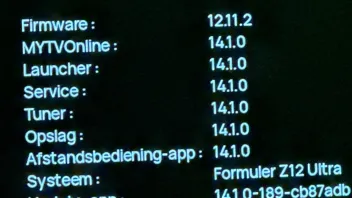
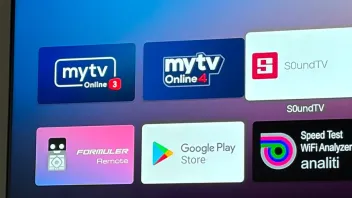
It seems like you already have MOL4 installed. If you have MOL4 installed, you can't install MOL3.
Please wait for the MOL4 update.
says its up to date..
14.1.0-189-cb87adb in left corner
It seems like you already have MOL4 installed. If you have MOL4 installed, you can't install MOL3.
Please wait for the MOL4 update.

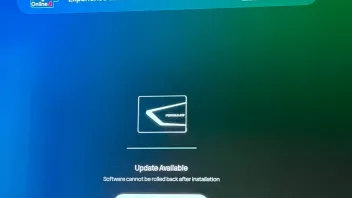
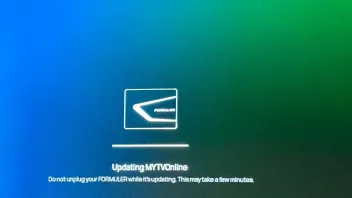
A friend tried to upgrade to MyTvOnline4 now. Pressed 1339 and and the upgrade started. After a while, the box started, but the appscreen showed version 3. When he presses on the 3, it is just a black screen. Been so for an hour now. What's the problem?
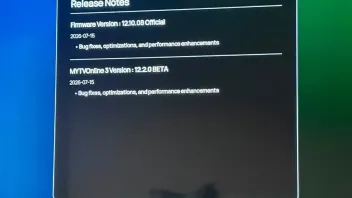
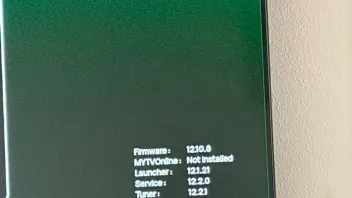
EDIT: Difference between his and mine box. (Both on Z12 Ultra). He has firmware 12.10.08 official. I have 12.11.2 Beta. The info says he has MYTVOnline 3 Version 12.2.0 Beta (even if he just downloaded ver 4).
EDIT 2: He tried another time, and then there was a difference. Now it looks different. It started to download, but he received an error-message. Tried several times now, but different results every time, but no luck to get v4.
could you get the video of the issue?
You can upload the video to streamable.com and send me the link to it.


Nothing has been working since today.
I have a Samsung S26 Ultra.
It still doesn’t work even with USB debugging disabled.
Could you please fix it?
Could you try changing the language setting to get the popup message in English, and send it to me?
It seems like there's translation issue with the app name in the picture you attached.
 Display More
I did, but I don't seem to be receiving the new 12.1.08 HOTFIX BETA.
how were you able to get both MOL3 and MOL4 installed? The launcher also seems like the old launcher with the old Formuler Remote app.
 Display More
Hello, I've been testing the beta for several months now. Today, while browsing the forum, I saw that a new beta update was available.
I just installed it, but unfortunately, after restarting, I got this message: "Warning
MYTVOnline4 is exclusively available on select Formuler devices." Has anyone else had a similar problem? Do you have a solution I haven’t thought of?My box : Formuler Z12 Ultra
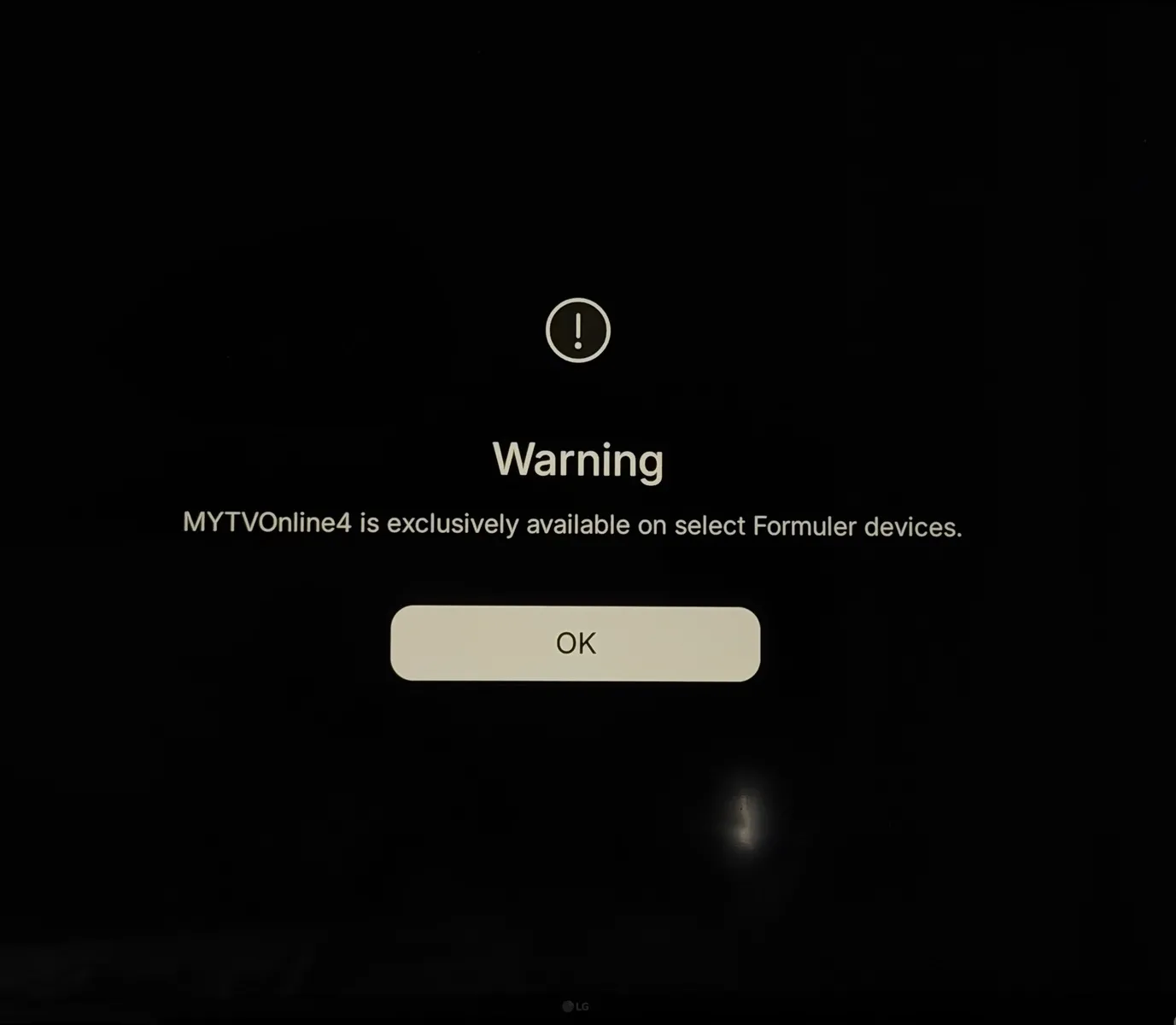
I want to try everything before doing a factory reset, which will make me reinstall everything without any guarantee that it’ll work...(Yes, I know it’s a beta—I’m not complaining; I’m aware of the issues that can arise—but if anyone has a solution, I’m all ears 😉)
Thanks in advance to everyone for your help!
Looks like the issue occured because the MOL4 version doesn't match the firmware version. We've reopened the firmware.
Please access the Software Update app again, and install the update.
For my part, I tried it with and without a VPN, and I also tried changing the DNS settings by using those from Quad9, Cloudflare, and Google, but none of them solved the problem 😅
Hi guys! I just got the Z12, is the beta still available or it got removed?
Hello,
Could you try accessing the Software Update again and install the firmware? We've reopened it.
Let me know your results.

When auto refresh is off, then its works.
Yes, the issue happens when the portal is refreshed. The devs are aware of the issue, but this will take some time for the fix.
please DM me with your device info, and also send me your log tracking #.

I just updated it, but it's still a no go for me, having Shizuku installed. Turning it off and turning USB Debug off isn't enough, it still requires Shizuku to be removed from the phone.
Can't you just change it to just require Shizuku to not be running and USB debug to be off? While not 100% happy, I could accept that, but I can't accept having to uninstall an app if I want to use yours.
Unfortunately, allowing the apps that can potentially bypass security measures is not something that we consider.
Hello, and thank you for your reply.
Even with Developer Options and USB debugging disabled, it still doesn’t work.
The phone is not rooted.
The message is the same as the one in the post below mine, except it does not mention which application is causing the problem.
New updated version has just been released. Could you update the MYTVOnline+ app to the newest version and check again?
Let me know your results.

No mention of a work account or profile. Only the registered account.
The new updated version is available. Could you try updating the MYTVOnline+ app and check again?
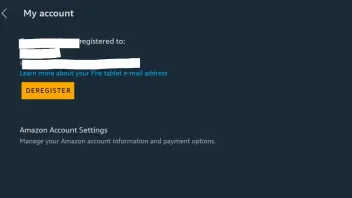
This is running on a stock Amazon Fire tablet.
While I have used work/personal profile setups on other devices, this one does not have multiple profiles. Or, any special kind of profile setups.
I'll note this happens if the VPN is turned on or off.
Is there any documentation on what specifically causes the app to trigger the error?
What changed in this latest version to cause this?
Could you double check? Settings > Accounts > Remove work profile > Delete
Hi.
Since updating MyTvOnline+ to version 1.4.54-2747-e0393454 I get the error App Cloning Environment Detected [D12001] when I open the app. It then promptly closes.
I've been running the app previously without issue on my Amazon Fire HD 10 (13th generation) tablet for 6 months.
Clearing the cache, data, and reinstalling hasn't helped.
Any help would be appreciated.
The message appears when the mobile device is not in a regular-use environment. Please check the environment on your mobile device.
Display MoreUpdate :
I just performed a Wipe Data / Factory Reset on my set-top box. After it restarted, I updated to the beta version again (because the app wasn’t installed after the first boot).
Then, after the installation and the set-top box restarted, I’m back to having exactly the same problem.
When I follow these steps: Home screen > Software Update > enter 1339 using the remote control. I am, of course, taken to the beta page that offers the update, but I don't see a red dot, and when I press the red button on the remote control, nothing happens either.
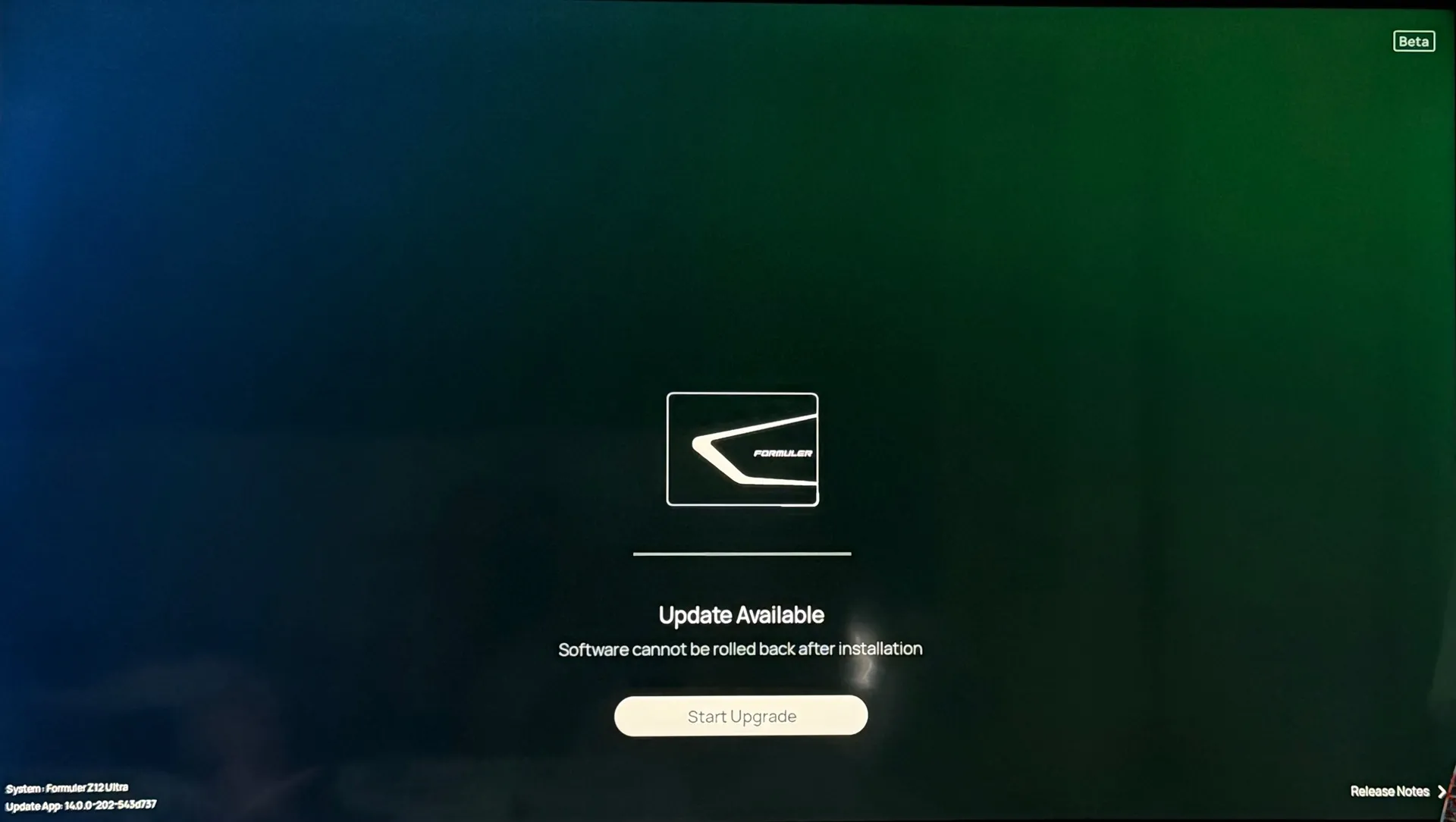
My Formuler set-top box is now completely unusable because MyTVOnline 3 cannot be installed, and I’m getting this error with MyTVOnline 4.
SAM F_Peter Do you have any feedback regarding a similar case?
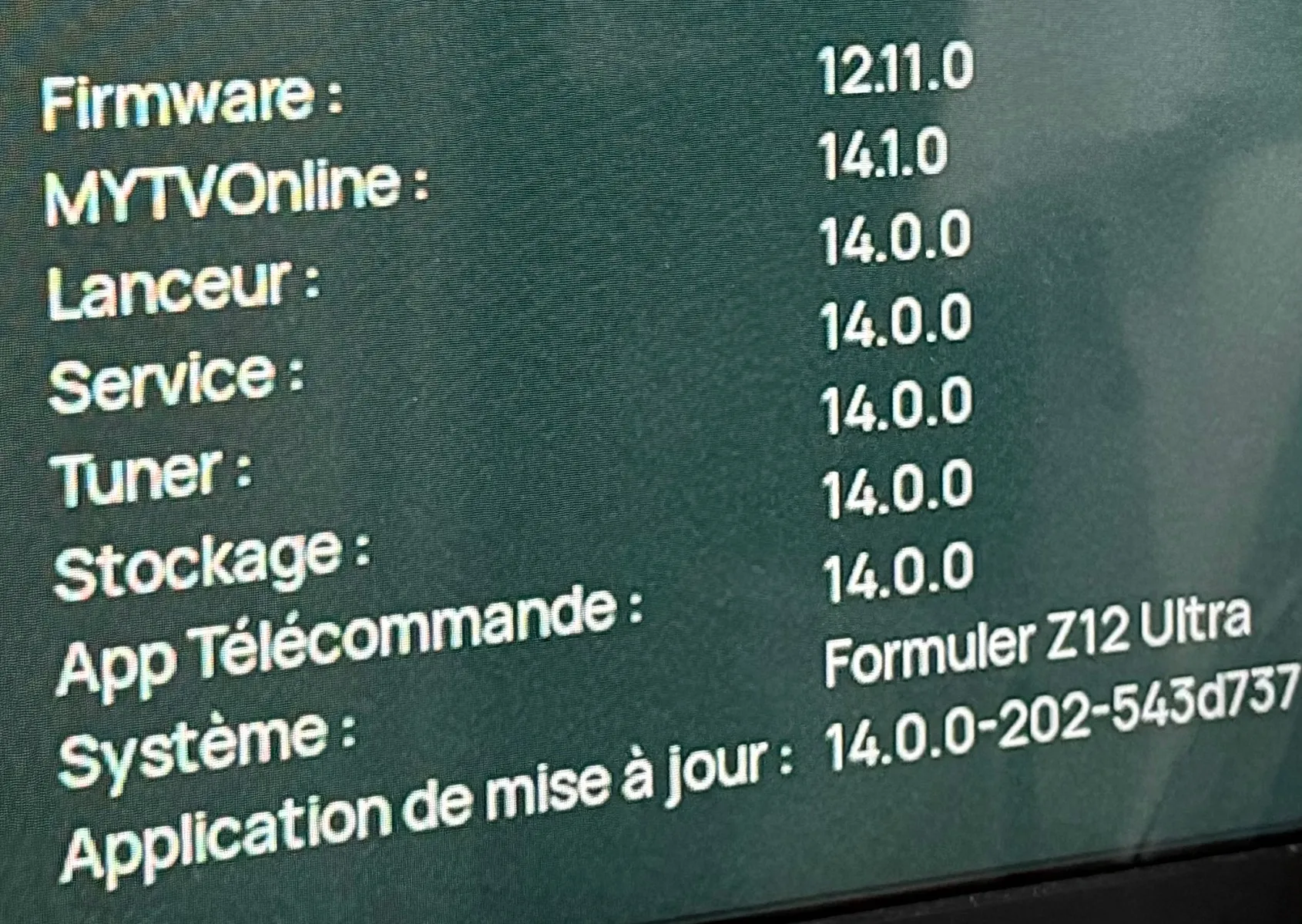
I’m sending logs : #0000001FE07F2
Thank you in advance for your help.
I couldn't find your logs in our system.
Could you send it again, and also DM me with a picture of your device info? (MAC, SN, PN)
Some restrictions will be eased off on the next update (which will come very soon).
MYTVOnline app is a big asset to the company - if not the biggest.
Protecting it, is our highest priority, and we also try to make the best possible balance with the end-user experience.
USB debug isn't needed for MTVO but many need it for other purposes.
I'm using it in conjunction with Shizuku for other duties, and the fact that I'm expected to disable USB debug and even remove Shizuku -not enough to have it off- is frankly ridiculous. They haven't reinvented the wheel, I understand they want to protect their work, but MTVO does things competing apps do as well, what the hell are they so afraid of they could get stolen, to impose such restrictions at the expense of the end user experience?
To have IPTV on AI Box in my car I had to buy a competing product because of the "external screen" limitation. It's obvious that when I'm at home I use the box, but I want IPTV in my car as well. Once MTVO will require $, just forget about me. If Formuler is happy this way...
It wouldn't be a big problem just having to turn off Shizuku and USB debug when I want to use MTVO, but to pretend me to completely uninstall it every time...is this a joke or what?? The competing player I got (IMP) doesn't have these idiocies.
I see your frustration, and we are looking into ways to secure the app and also ease up the restrictions for end-users.
The majority of the normal end-users do not need the Shizuku app or the USB debug.
However, I am trying to gather the use cases of these two so that the devs can refer to it for further development on the app.
If the use cases of these two apps out-weigh risking the app's security, having it available could be an option. Currently, this is not the case.
Your aggressive tone towards other forum users isn't helping either. So please calm yourself before writing to other Forum members.
Display MoreJust noticed a new update is there. I installed Shizuku some days ago for other purposes, and noticed MyTVOnline+ refuses to start with it around. I guess it was already like this in the previous versions.
You guys are becoming too restrictive in several aspects. Even my ebanking apps aren't crying beacuse of Shizuku being there. I know I can just stop it, but dear...
EDIT: not even enough to stop the service, you pretend me to uninstall it, utterly nonsense!
I had to buy another app because yours refuses to work on my AI Box in the car, "no external screen supported". Of course it's an external screen, my Carlinkit box doesn't have its own, come on!
You'll loose quite a bit of customers because of these things.

I have been using this app since 2024, but today—unfortunately—I am announcing that I am deleting it for good. The app's strict security measures have become unbearable. It demands that I disable developer options and uninstall apps I’ve installed on my phone—what kind of nonsense is this? It’s my phone; I should be able to do whatever I want with it. Even banking and government apps don't go to the lengths you do.
Which feature(s) from USB debugging do you need?
External display has always been not supported. Use the app on your mobile devices, and use the set top box if you want to use it on a TV screen.
For the majority of users, the USB debugging feature is not even needed to use the MYTVOnline app.
Some users, seem to have been taking advantage of the debugging feature which can lead to critical security issues.
Why not disable the USB debugging feature when you are using the MYTVOnline+ app, and enable it again when you are not using it?

Latest beta.
Now when you pause VOD/Series. When resuming picture freezes but audio resumes for a couple of seconds. Before it works perfect.
couldn't reproduce this issue on my end. Does it happen to all contents? Which portal type are you using? (XCAPI or Stalker)?
Hi, i have set start screen as live tv, but when you open z12 ultra it doesnt go to live, it open as home screen.
Any other have same issue on beta?
Could you try turning off auto refresh and check again?
Please let me know your results.

How is the status with developer mode inside MOL3. Still message to disable? I need it for monitor over local network with scrcpy. ITS SAFE!!!! my local network is safe, please allow it!!!
Or at least can i stay with the old release? Or are you going to even make us download the new version or it won't open??
Let me just tell you this is an amazing move backwards, not allowing stuff due to security reasons (and not telling us what kind of security reasons) instead of improving it's outstanding. Good luck selling your products in the future!!!
Which feature from the dev mode do you use?

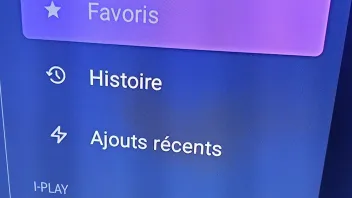
Good evening. Could you tell me if the My TV Online 4 version is stable? I’m still waiting for the official release, but it’s taking a while to come out. I’m hesitant to update my Z12 Ultra to the beta version. Also, for some time now—specifically in the VOD and series sections where the list appears on the left (Favorites, Recently Added, etc.)—I’ve noticed that instead of "History" (*Historique*), it says "Story" (*Histoire*). Am I the only one seeing this, or do others have it too? Thanks.
Bonsoir , pouvez vous me dire , si la version de My Tv Online 4 est stable ?! jattend toujours , la version officielle, mais elle tarde a sortir . j'hesite pour mettre mon Z12 ultra , a jour , concernant La verzion beta . Autre chose , depuis un moment , je ne sais pas si tout quand , sur la VOD , et series , a gauche , il y a la liste , Favories , Ajouts recents , et ce qui a changé, cest que a la place de " Historique " , il y a ecrit " Histoire " ! Suis je le seul , ou les autres aussi , ont ça ?! merci
It is still in 2nd beta. The translation issue has been fixed on the 2nd version beta.

Okay 3rd time i have asked on this
The developer option on MOL3 & MOL4 has been removed purposely for security reasons.
Please let me know more details about your use cases on the developer option. We're looking closely into the feedbacks for now.
We have a few Samsung TVs here, but couldn't reproduce the issue.
I suspect it could be a hardware issue with the HDMI port on the Z12 Ultra.
If you can find another TV to test it on, please test with it.
Otherwise, I suggest you check with the seller for further inspection on the device.

If I plan a recording in my Mol4 it turns on the television when the recording starts. I like the fact that the television turns on if I turn on the Z12, and would like to keep that, but not with a recording of course.
please try turning off the HDMI CEC settings from home screen > settings > device preferences.
Try to access Home screen > settings > apps > show system apps > Gboard > clear cache.
Let me know your results.
With latest update 1. Sometimes after refreshing Vod /Series recently added shows a few new items then lots of blanks.
2. Clicking on History. The last you watched will be at the bottom. Not the top.
3. Still doesn't remember correct episode in series. On the splash screen of the series you're watching.
Lots of improvements thou.
Weather and Nord doesn't work for me.
I tried to reproduce the issue #1 and #3 but couldnt.
If you can, could you provide a video of the issues? You can upload the video to streamable.com and send me the link.
I did manage to reproduce issue #2, and will look into it.
Today the bug is back. Live TV>standby standby>no live tv but Homescreen again😭

Hello all. I’ve been using BETA since the start and for the most part it’s been working fine for me.
Still when refreshing live TV, movies or series, after the action is completed, it returns the user to the MTOL4 Home Screen?
it would be great if this small thing can be resolved for final release.
Very frustrating having to keep going in and out of menus.Still some things to check out but for now that’s what I’m seeing.
Both of these issues are currently being worked on. However, fixing these issues is a bit more complicated than it seems, and will take a bit of time. Will try to push this out on the official release.

Had to de-enable developers mode constant crashing when going into any system menu and on start up. Weather app still not working with a VPN turned on or off.
The weather widget is showing fine on my end. Which region are you in? It could take couple of minutes to show up on your launcher screen.
You can also try access home screen > settings > launcher settings > weather > disable or enable lock current location, and see if the weather widget shows up.

New update to MOL4 came out about an hour ago, updated and now I get this error when the device restarts and it won't let me do anything, keeps opening this error even when I close the error, I can't get to the apps to remove it:
I didn't get the error before this update, please see attached picture. How do I fix?
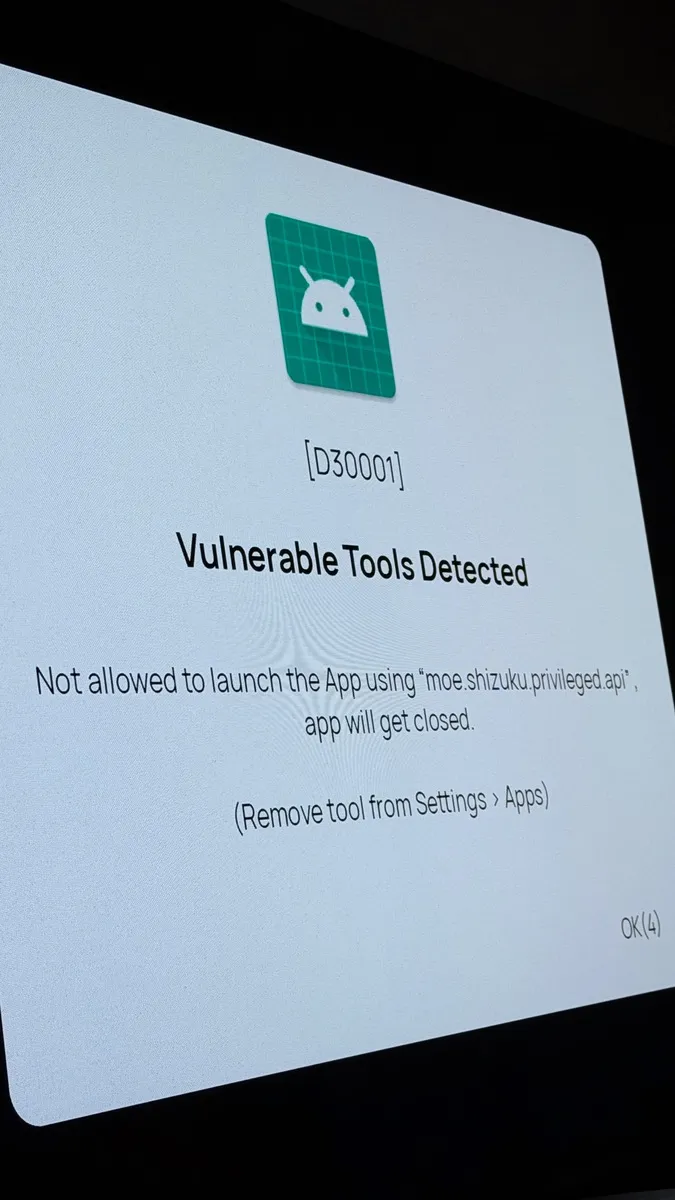
try to access home screen > settings > apps > system apps.
From here, you should be able to locate the shizuku app and delete it.

Can someone point me to the Content Manager on MTVOl4?
I have searched the forum and have found nothing.
Press the menu button to access menu > app settings (at the bottom) > Content Sources.
 Display More
Hello everyone,
I’m experiencing a recurring issue with my Formuler Z12 Ultra and I’m wondering if anyone else has the same problem.
The box is fully updated to the latest firmware, and I have already performed several factory resets, but the issue remains exactly the same
Whenever I quickly zap through multiple channels without staying on each channel for a few seconds, the box eventually freezes. Once this happens, no channels will open anymore and the only solution is to reboot the device. After restarting, everything works normally again until I start fast channel surfing.
Interestingly, this only happens when zapping rapidly between channels. If I change channels slowly and stay on each one for a short time, the box works perfectly and never freezes.
What surprises me is that I also own a Formuler Z11 Pro, using the same setup and provider, and I have never experienced this issue on that device. The Z11 Pro handles fast channel switching without any problems.
This behavior has been present since day one, even before any updates, and despite factory resets and keeping the box fully updated.
Has anyone experienced something similar with the Z12 Ultra? Is there a known fix or is this a firmware issue that needs to be addressed?
Thank you in advance.
Are you using MYTVOnline 3 on the Z12 Ultra?
Please check which version you are using. Also let me know if it is the same version installed on your Z11 Pro.
 Display More
Okay with MYTVOnline 3 Version : 12.1.33 no problems with recording
MYTVOnline 3 Version : 12.1.40 and MYTVOnline 3 Version : 12.1.41 no recording possible...
Red dot appears in the right upper corner and no messages that the recording failed...
When i stop recording (manual or scheduled) the file can not be played back and in the info it says 0:00
So i uninstalled the mytv online and go back via the market and i install the MYTVOnline 3 Version : 12.1.33 it works perfect...
Is there a bug in the new mytvonline or is there a setting i missed ?And i have done a hard reset to defaults and the newer versions after V12.1.33 does not record
Formuler Z11 Pro max
Firmware version V11.3.6
Launcher version V12.1.20
Iptv version V12.1.33
Service version V12.1.3
Tuner version V11.2.2
Storage version V10.10.31
Are you running the recordings on ATSC channels?
If so, please try with a different non-ATSC channel, and let me know your results.
Meta api is OFF in mytvonline4.
I turned box on. I push favorite button.
I select my own created favorite folder.
And then selected channel 1 and i got image and direct back to homescreen.
Logfile: 00 00 00 1F E6 A4 1
Is this reproducible?
What happens if you enable the metadata?
I tried to reproduce it on my end, but it is working fine. Maybe it was a one off?

PM
Just a quick update: I now have 12 customers who have removed their Bluetooth connection and are now operating the box using only IR. All of these customers are complaining that the remote control can no longer 'transmit' to the box when using Bluetooth.
couldn't find much information from the logs you have sent. Do you have some pictures of the BT1 remotes?

I can't change the home screen on the profile that is incorrect as it restarts immediately. I have now created a new profile for myself (Svenne 2) and started adding favorites etc. But the corrupt profile (Svenne) is still there if anyone comes up with a solution. I have sent log 0000002008098.
svejoh
Thanks for the info.
Will check this with devs, and update you.
Display MoreMy Formuler Z12 with MOL4 has been working fine for several weeks until today. I have 2 profiles, main is (Svenne) and secondary is (Maud) my wife.
So today when starting up I choose Svenne but then it restarts immediately. If I instead choose the other profile Maud I get in and everything works according to her settings.
Then I try to go back to my own profile Svenne but it just restarts. Logged out completely and also restarted the entire Formuler. The big problem for me is all the settings I have such as favorites etc. on my profile.
I can see everything via my wife's profile but would love to receive tips on what I can do. Made a movie that I attach here.
svejoh
Could you send the logs after reproducing the issue?
Also, please let me know which setting your start-screen is set to. If it is set to Live or VOD, please try changing it to Home and let me know your results.
Audio issue after normal shutdown
Every time I shut down the box normally and turn it back on, the sound is gone. A full restart seems to restore the audio.
Is the audio gone for all apps? or are you just not getting it on MYTVOnline 4?
 Display More
Hi Peter,
Thanks for the reply.
I honestly don’t believe the number of channel groups is the issue here, but I can try to count them and reach out with a dm.
What makes me question that theory is that both devices had been working flawlessly for well over a year and a half with the exact same provider and portal before this suddenly started happening. Even after full factory resets, the problem still returns after a couple of days.
Also, I personally know around 8 other people using the same provider with the same devices (Z11 Pro Max units), and
somenone of them are experiencing similar behavior.What’s even more interesting is that other IPTV applications can load and run the same portal without any issues on these exact boxes. Because of that, this really feels like some kind of MOL3-specific bug or compatibility issue rather than a provider issue.
I’ll be honest, it’s a bit disappointing because these are premium-priced devices, and I recommended them to friends specifically because of their reputation and stability. Now I’m left a little embarrassed having to troubleshoot ongoing crashes for them.
Hopefully this information helps narrow things down.
Cheers
Some stalker servers send all channel group list data at once. This can cause out of memory issue and result in app crash.
Most of the times, these servers have a lot of channel groups.
If your portal was working fine previosuly, maybe more groups have been added recently which is causing the issue.
The fix for this issue will be added in the next update
This is just my assumption for now.
To know for sure, you can follow Sam's guide above and send me the logs.
it should be working fine now. Please try rebooting the app and check again.
It should be working fine now. Please try to enable the metadata api, and check again.