1. Dashboard
  2. Articles
  3. Forum
    1. Unresolved Threads
  4. Blog
    1. Articles
  5. Filebase
  6. Gallery
  7. Formuler TV
  8. Formuler Helpdesk
  • Login
  • Register
  • Search
MYTVOnline 2
  • Everywhere
  • MYTVOnline 2
  • Articles
  • Pages
  • Forum
  • Blog Articles
  • Files
  • Gallery
  • More Options
  1. Formuler-Support Forum (English)
  2. Articles
  3. Z Series
  4. MYTVOnline 2

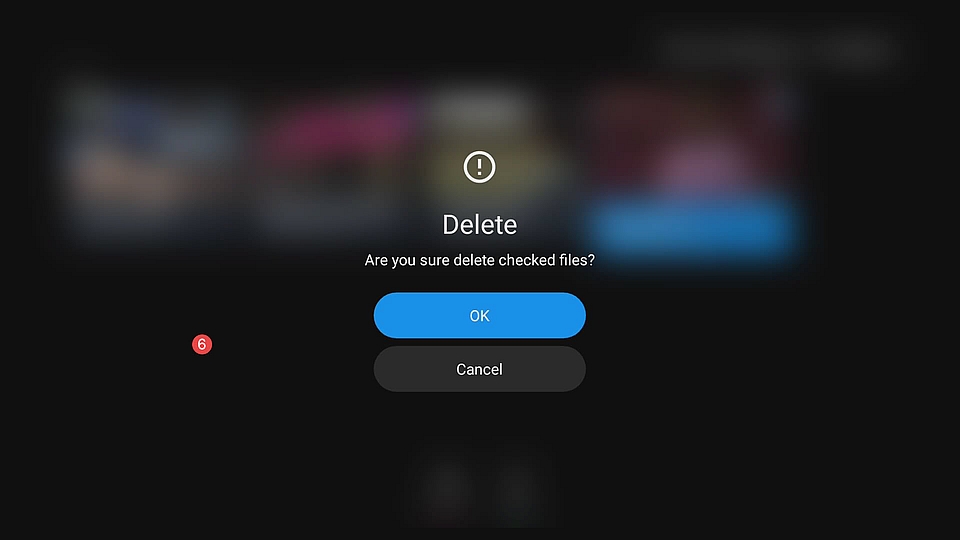
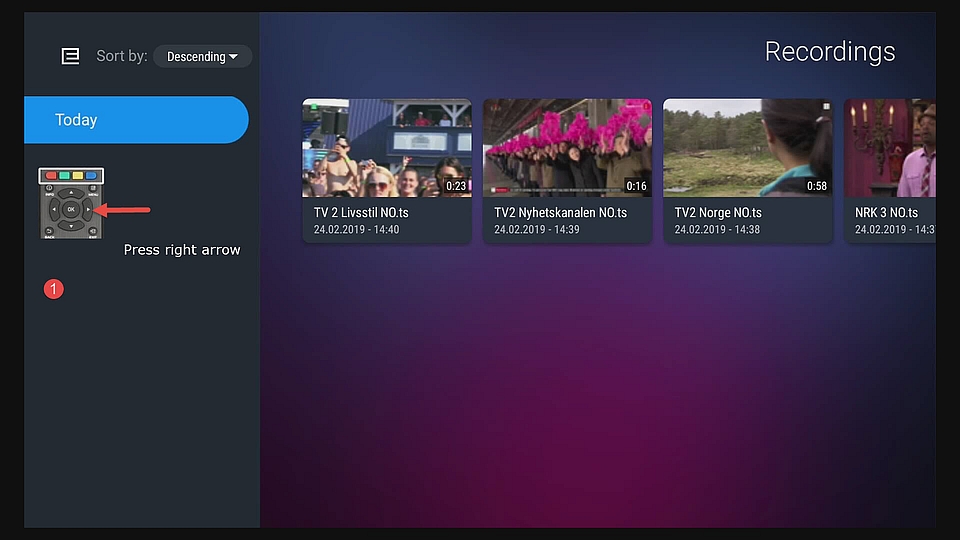
How to Delete Recordings in MOL2

  • SAM
  • February 24, 2019 at 6:14 PM
  • 6,868 Views

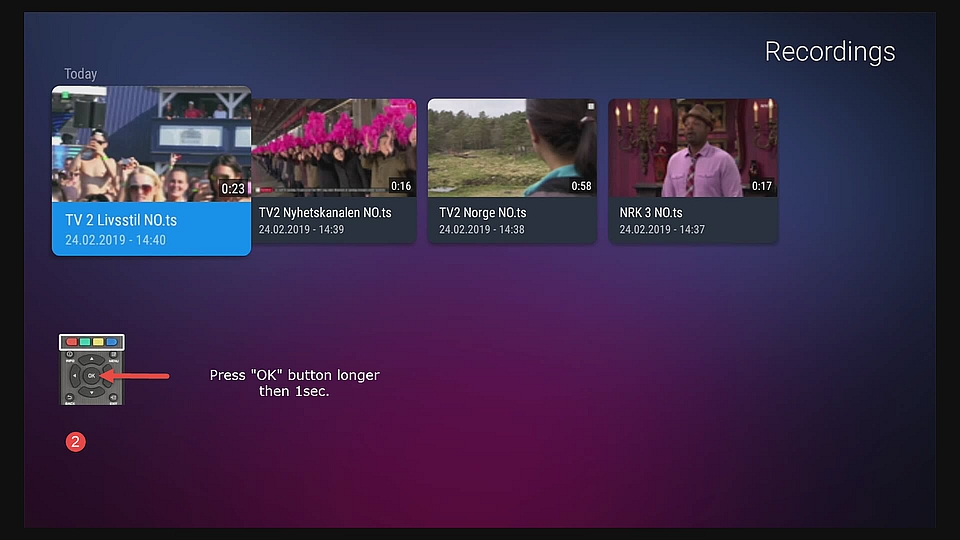
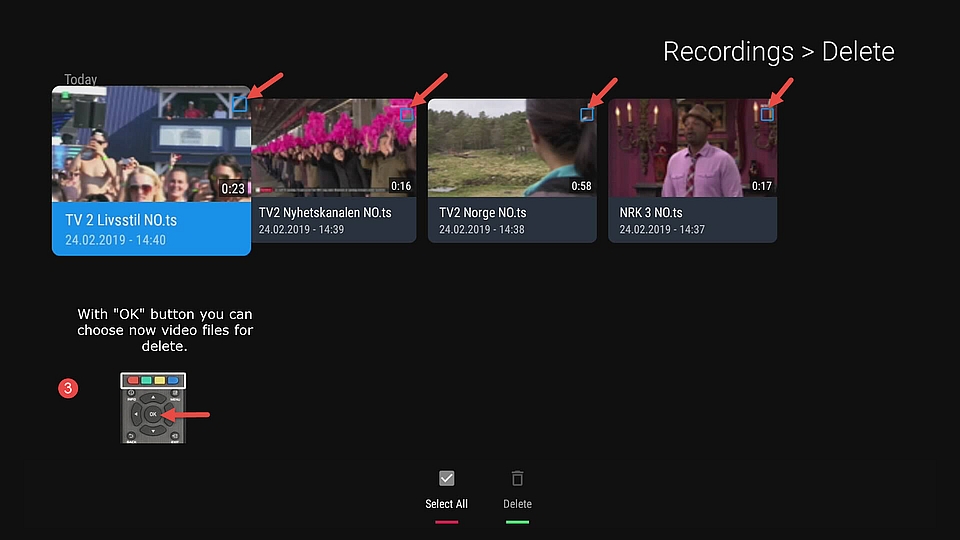
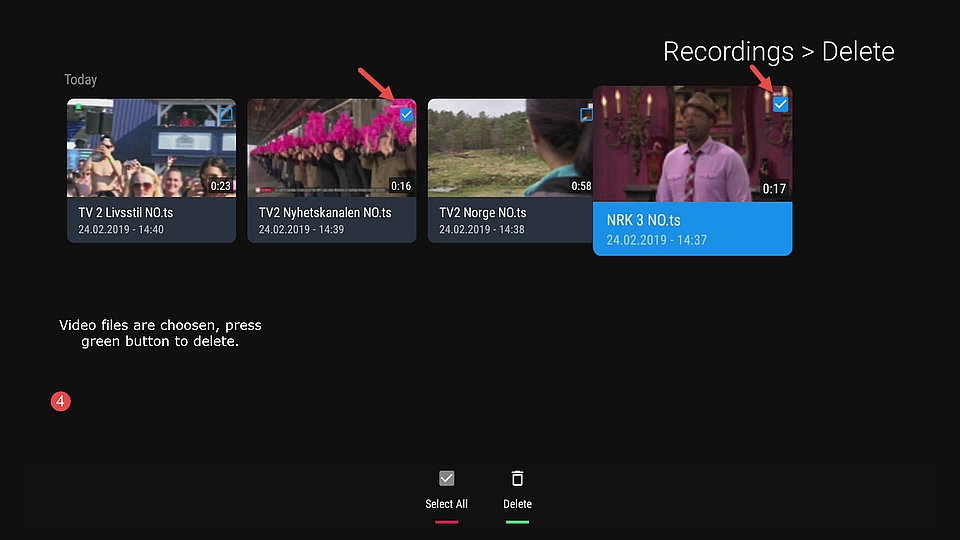
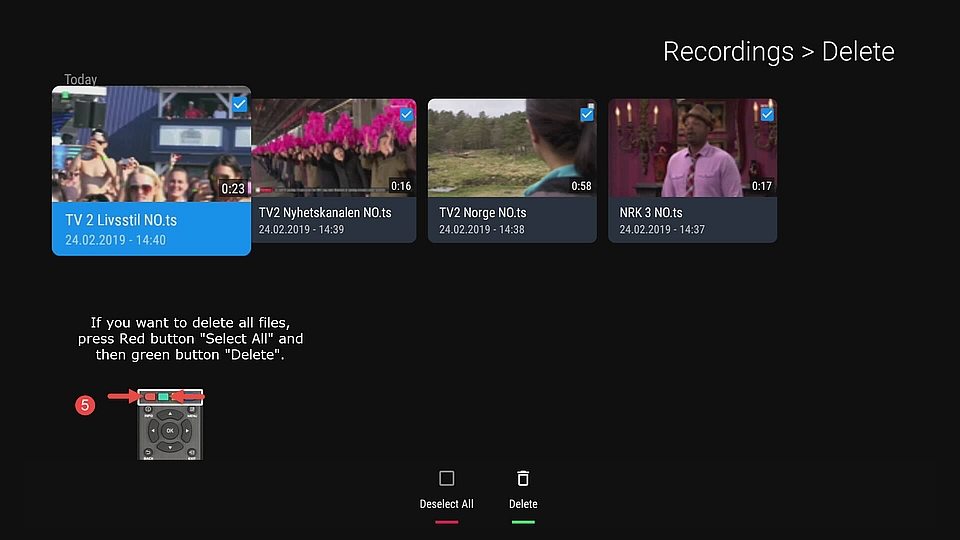
How to delete Recordings in MOL2

There are two ways how to reach Recordings.

1. Menu -> Recordings

or

2. Press on RCU Button "Playlist"

Please see pictures and follow description inside.
Previous Article UHD/4K resolution in MOL2

Next Article How to use MAC/ID portal, Xtreme Codes Api (XC) and M3U Url on Formuler Boxes.

Instructions

  1. Forum 4
  2. S Series 2
  3. Z Series 21
  4. Instructions 6
  5. MYTVOnline 5
  6. MYTVOnline 2 7
  7. MYTVOnline 3 2
  8. Accessories 1
  9. Z and S Series 2
  10. Reset Filter
  1. Privacy Policy
  2. Forum-Rules
Powered by WoltLab Suite™