1. Dashboard
  2. Articles
  3. Forum
    1. Unresolved Threads
  4. Blog
    1. Articles
  5. Filebase
  6. Gallery
  7. Formuler TV
  8. Formuler Helpdesk
  • Login
  • Register
  • Search
S Series
  • Everywhere
  • S Series
  • Articles
  • Pages
  • Forum
  • Blog Articles
  • Files
  • Gallery
  • More Options
  1. Formuler-Support Forum (English)
  2. Articles
  3. S Series

HowTo "Channel Editor" S Series

  • SAM
  • April 9, 2019 at 11:06 PM
  • 3,746 Views
Channel Editor S Series

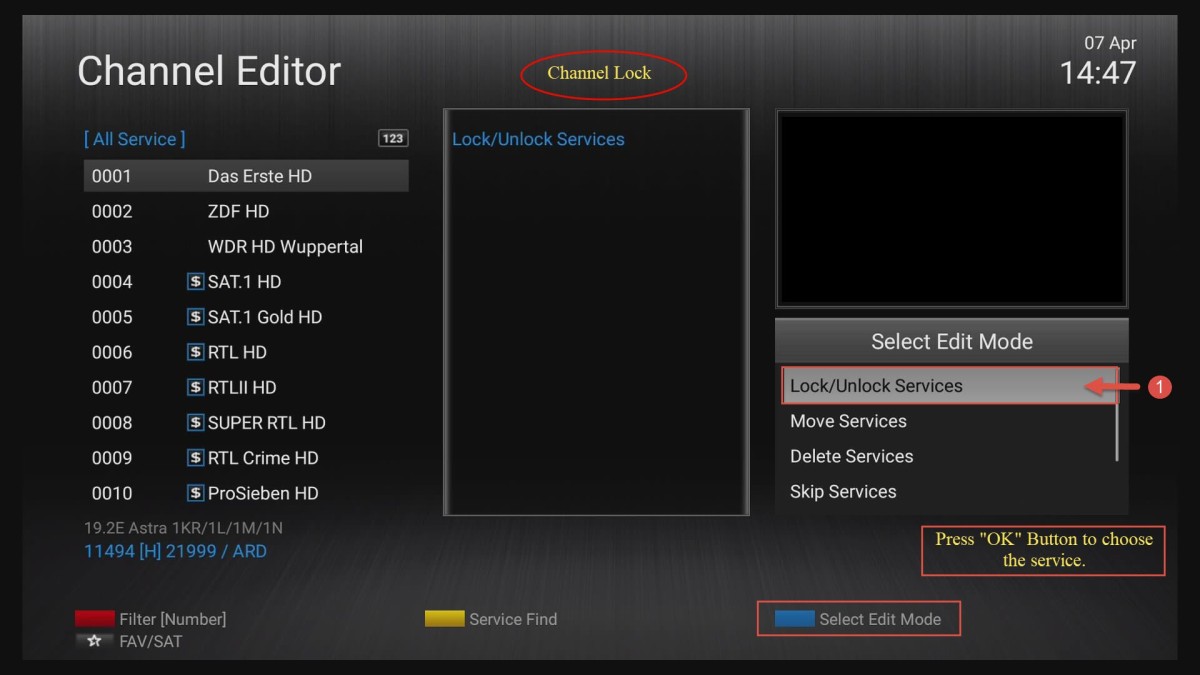
How to use "Channel Editor" and edit existing channel list.

In Channel Editor exists following services:

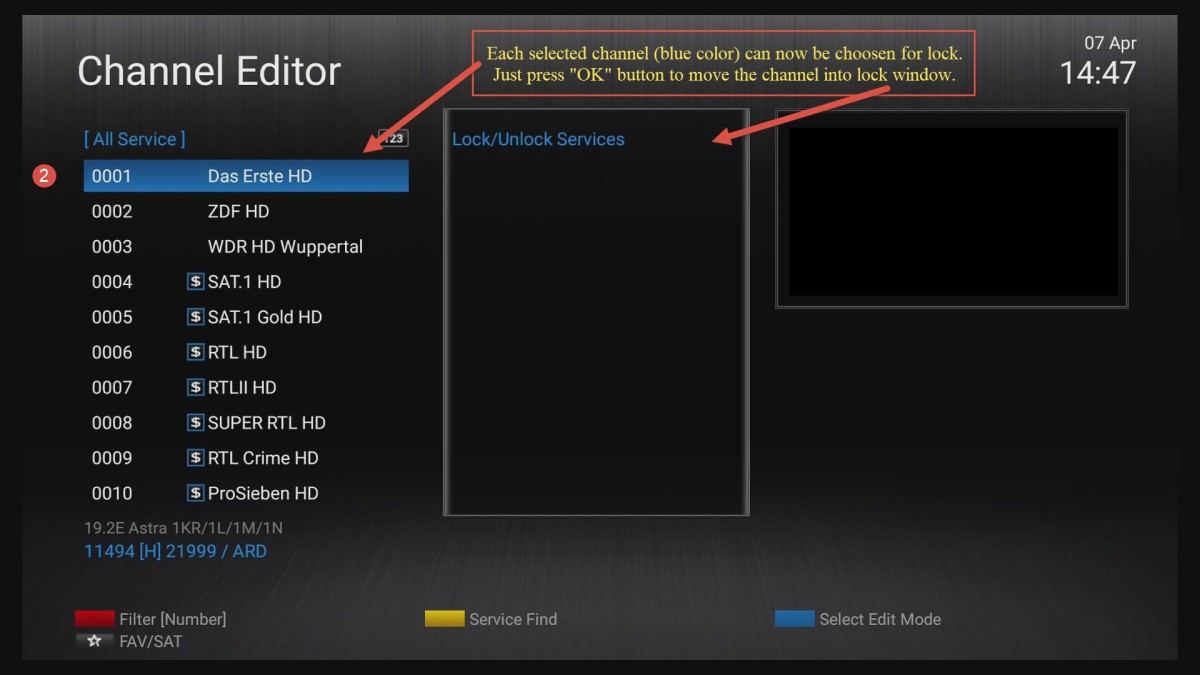
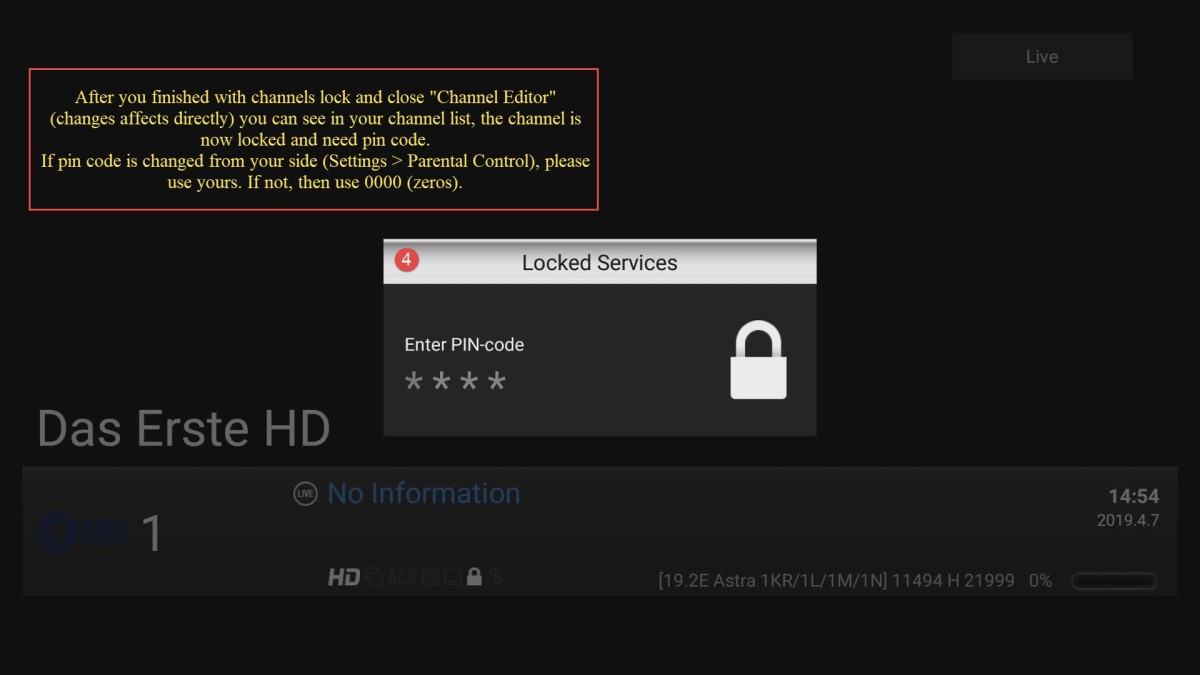
  • Lock/Unlock Services
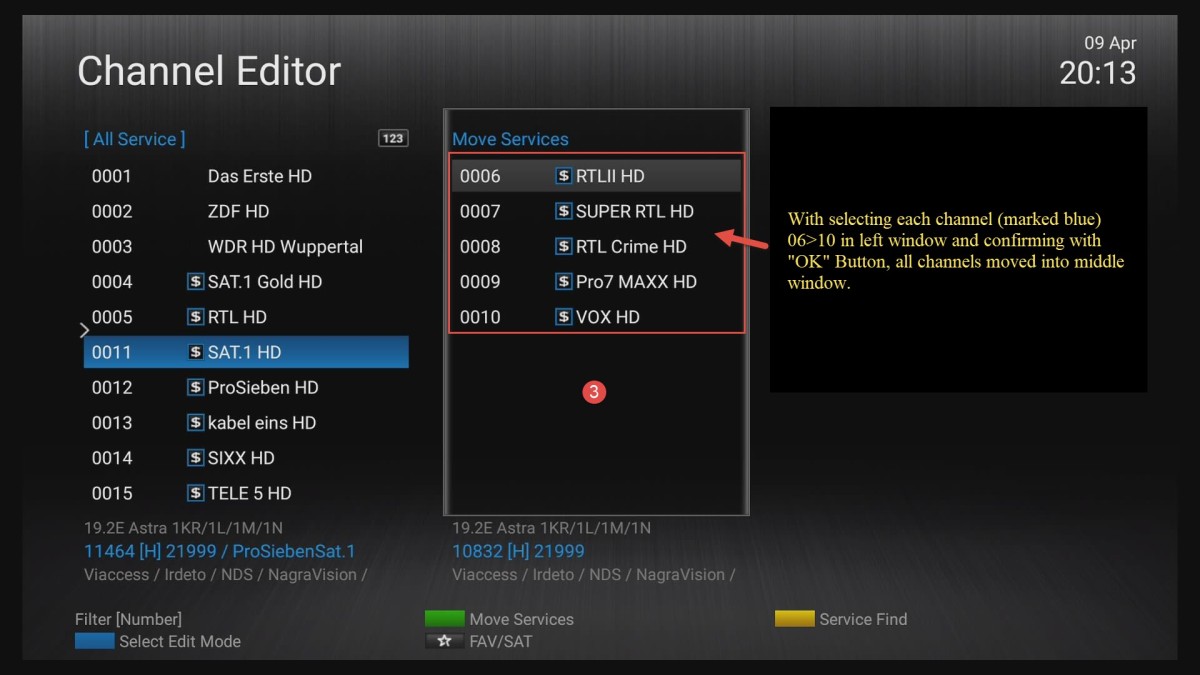
  • Move Services
  • Delete Services
  • Skip Services
  • Set Favorites
  • Edit Service Name

Please see Pictures and text inside.


Lock/Unlock Services:


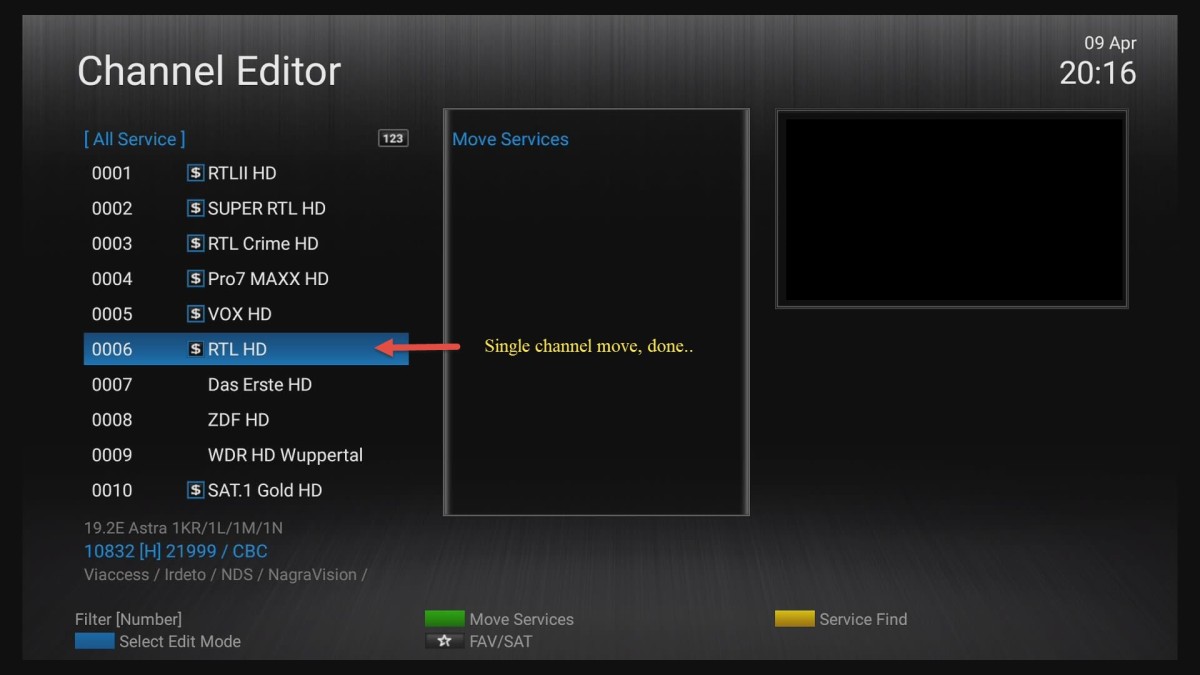
Move Services:
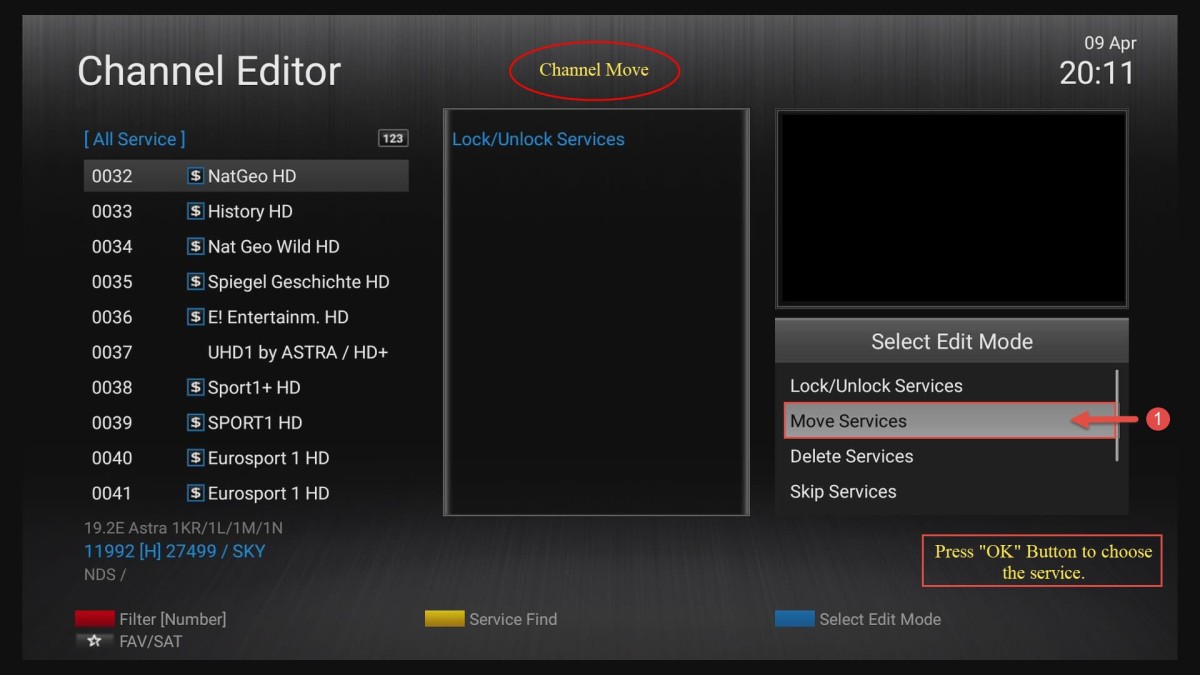

In work.....

Delete Services

Skip Services

Set Favourites

Edit Service Name

Next Article Official Formuler S - Series Factory Reset Tool and how to

Instructions

  1. Forum 4
  2. S Series 2
  3. Z Series 21
  4. Z and S Series 2
  5. Reset Filter
  1. Privacy Policy
  2. Forum-Rules
Powered by WoltLab Suite™