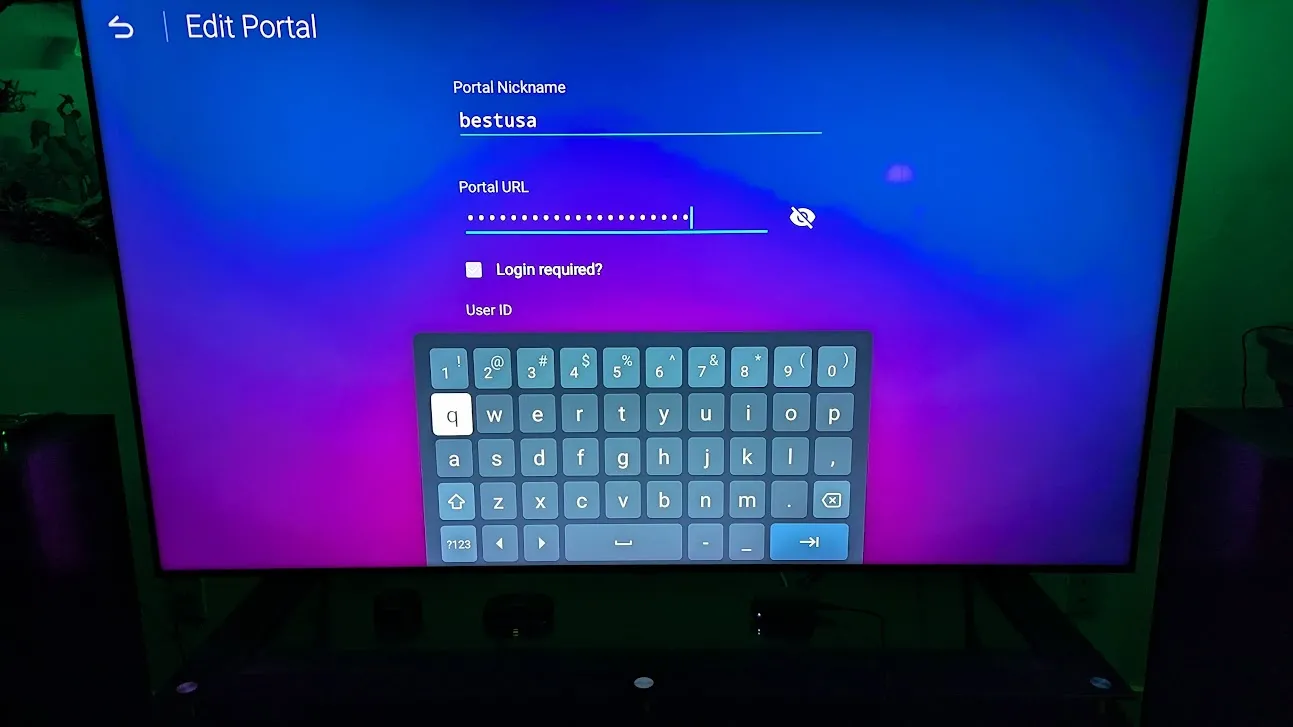
How do you stop the virtual keyboard from popping up. I've turned off the virtual keyboard in settings in all locations I can find, I use a hardware USB keyboard to setup new portal or make changes, but the virtual keyboard will not stop popping up and this causes me to not be able to see what I'm inputting. Thanks
Posts by dpdurst
-
-
Issue resolved - not a restart and not a bad remote either fixed it
-
-
What remote are you using then? I have a legacy that the device does not detect and the IR remote that works. Your actually telling me that even though the OK button works, Holding for more than 1 second is broke?
-
-
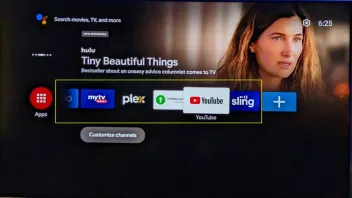
The Apps in the yellow area highlighted I used to be able to Hold the OK button down and it would bring up a menu that allowed me to move or remove apps showing here. After the last update or the one before I can add Apps to the main screen, however when holding down the OK button to bring up the menu it no longer works and I can not move or remove apps from the main screen. Is there another way to do this?
-
-
Its apparent that the Z10 Pro Max box has some sort of hardware issue with power. I've replaced it with a GTV box that has been 100% perfect since installed using the IR remote from the Z10!
-
Yes using the original Formuler remote device and then purchased a second one to test with
No do not have the IR extension cable plugged in
I've already replaced the battery which was useless since I have two remotes to test with.
Unfortunately I've given up, we are getting no where in resolving the issue and I'm tired of doing the same things over again. Is there an address to send this back? I'd rather take my sledge hammer to this waste of money then deal with this issue. I've gone back to my T2 that works perfectly. Should have never upgraded to the Z10 pro for the price I paid its a waste of money.
Thanks for your time.
-
We can rule out any apps, I have nothing installed but the MyTV2Online app that's it. I've already factory reset. I'm only use Shutdown already. Any other suggestions?
-
And today its not powering up again and I have to pull the power plug and plug back in.
So do we have any next steps on trying to resolve this. 2 Power supplies, factory reset, 2 different remotes and still having a power on issue.
-
I've tried two different power supplies with the unit now, Its even worse and now its almost every other day it will not turn on, but turns off just fine. The issue seems to happen when the unit has been off overnight or more than 8 hours. When I do turn it on, I get no indication on the front light its even sensed the command. I've tried changed the batteries in the remote as well and have tried another remote and same thing
I've gone ahead and factory defaulted and set back up to see what happens
What is next step to resolve?
-
Will give it a try and let you know what happens. Thanks
-
Over the last 2-3 months I've noticed that every 4-5 days the unit will not power up with the power button. I pull the power on the unit, then it works fine for another 4-5 days and then nothing again and it needs to have the power pulled and plugged in again to get it to start up. I have not had any power issues, its cool to the touch and have nothing plugged into it but the power cable, ethernet cable and HDMI cable.
I have not reset the box as of yet, not sure that's even going to help out. For the price I paid for this it sucks!
MyTVOnline 10.10.30
IPTV version 10.10.31
Service version 10.10.29
Tuner version 10.10.21
MyTVonline2 App 10.10.31.5491.66cd8f91d
System version 10.10.30-r26983
Suggestions anyone?