


Okay, I think I got it now. When it's paired I can switch to the BT STB mode when pressing the button (STB/TV) for 3seconds.
Posts by AcidDemon
-
-

Correct.
Here is also bigger how to -> BT1 set up instruction
When I switch to TV mode IR and want to go back to BT mode. How do I archive that? I can press menu+ok and bind again but there is another way I'm sure.
I just tested it and after IR STB mode it works in BT mode again. So the question is answered.
-
its described in the short manual. To pair hold Ok+Menü until the LED flashes white. Then pair.
-
I have to ask: I can't switch between STB and TV but how do I switch to BT mode?
-
Hello,
I have two boxes next to each other. A GTV and an Z11 Pro Max.
Today I received my Bt1 for the Z11 and added it as explained in the sheet which comes in the package. The problem I have is that I can control both boxes with the old&new remote.
Is there a way out of this misery?
-
The answer to my question:
Open it, and you are getting TV series displayed based on the selection you make. Then click to the right and select the series you want.
// Your provider needs to be offering VOD to use the feature.
Haven't tested it yet. But I thought the answer by SAM should be here as well
-
Hi,
when pressing the menu button there is a menu entry called "TV Series". I opened it but couldn't find out how to use it or if it has any value for me.
Maybe someone can tell me how to use it.
-

I am also seeing very similar issues with my GTV. Major issue is I can't record one chnl and watch another (exact same details on my Z8 works without any issues - I raised another post for this)
I also get this exact same issue you guys are speaking of. If i do record something from the guide, more times than not it doesn't actually record the entire recording.
On my Z8 ZERO issues.I have tried switching the drives out in case it was that, made zero difference
I haven't followed the thread (the past weeks). It's really interesting to finally see other people with the same problem. I hope it will be fixed soon because currently I can only rely on my Z8 for recordings.
-

Try to work around the issue by setting the start time of your recording to T+5min or T+10mins.
I have already tried that as well. But this isn't a fix. I still have some recordings that fail.
But like Sam said I'll send in logs and keep the video material and upload it.
// Hopefully Formuler dev team will fix it on the GTV like they did on the Z8. The GTV is one of their top tier devices...
-
3. Make video with your phone and show the problem or timeline issue. Please upload the dl link to video.
What should the video include? I can record how I schedule the recording and then the failed start or incomplete recording, which can take a moment. That's why I'm asking.
-
I have found the best way to reproduce the error is recording an event on a channel where only this one event will be streamed.
If I set my timer to the beginning of the event and add x hours (because I don't know when the event will end) I almost get the error 100%.
I'll make more recordings the upcoming days and keep the videos created. And if I'm still awake I'll send the logs in ASAP when the error occured.
But I'm "happy" that you are the first person who had the issue. Everyone else is telling me that it's an error on my end.
-
What I'm trying to do is recording an event with my GTV on a channel without EPG. So I set the start of my recording timer to the start of the event and add x hours to be sure to capture everything. That's how I'm doing it on my Z8 since the beginning.
The problem is, that the GTV produces no correct recording. Sometimes the recording is only a few seconds long, sometimes a few minutes.
If you haven't tested it, would you be so kind and test it please? Especially interesting would be a test on a channel where something is aired at time x and has no end defined.
-
I have done a factory reset on the device but the problem still exists.
Small recordings 30-60min are working fine but as soon as I want to record a longer series/movie I'm still having the problem.
For example: First show 2h and on the same channel directly the next show with 2h. Then I get (when I'm lucky) one recording with 2h length and the other with only a few minutes to 30mins.
-
Hi,
please post also the tracking no. Thank you.
Could you find anything in the logs? Or shall I upload more specific situations?
-
And another strange thing:
If I insert the USB stick and look at the DVR Settings it's listed correctly. But Timeshift isn't working. I need to manually select the device and then Timeshift is working.
I have uploaded a log after inserting.
-

Last night my recording dropped again, as it did a month ago and I thought it was corrrected. I am also getting the "Exception Error" again. The recording is dropping at different times and sometimes not recording at all. I also have the Z8 and recorded the same program with no problems, but the GTV is not providing the same level of performance. I like the GTV, as it is a more powerful STB, and the quality is excellent, but this continual problem with recording is not making my watching enjoyable. Any other ideas. I once again, rebooted everything, including formating the usb and it continues to under perform with recording. Many thanks as always.
Interesting to hear that someone else has a problem with recording. The Z8 recorded always very stable and I could be sure to get what I programmed. The GTV produces sometimes nothing, only half of the show or breaks up at any other position
-
Ok , understand. Did you recheck, with same login data how the Z8 react, does Z8 with same Provider and USB Stick records without issues?
Yes, the Z8 records with the same USB stick and the same provider without issues.
-
That was a try I just did. It recorded nothing.
Last night I wanted to record a sport event and it stopped after the first half. Then I manually hit record to have at least something.
Tracking number: B6591C
-
Hello,
I'm having problems with recording since I switched from my Z8 to the GTV.
For example: On channel x there is a show from 10:00 to 11:00 and then another one from 11:00 to 12:00 and I want to record both.
Most of the time only the first show is recorded or the recording stops in the middle of the show.
Or it doesn't start recording at all.
What have I done:
Changed USB stick, reformatted the USB stick (NTFS, one partition).
I have send in some log files and can give you the time they where send in including the ID. For those with access.
It's a really annoying issue because it's not reliable when it comes to recording.
Firmware: 10.0.15
IPTV: 10.0.16
- Model: GTV
- Retail Box or Provider Box: Retail
- Firmware version: 10.0.15
- MYTVOnline 2 version: 10.0.16
- Connection with provider: XC
- Box connected with: Wifi
-
I would like to have a Formuler GTV to experience AndroidTV which will enable me to download most of the apps I use directly from the Playstore.
Beside that the GTV has a new CPU and GPU which both are faster than those on the Z8.
This should make the experience a bit snappier.
But in the end: Every Formuler is a win.
Number: 763
-
-
What a pain... I just read that I had won. I didn't take a look at the forum for a while and then this...
-
434
I currently down own a Formuler CC "just" a Z8. So I know MyTVOnline2 and it's greatness.
What was a problem with IPTV are the local channels which missing with most services.
The Formuler CC would merge both worlds. IPTV and DVB-T2 to receive the local channels. That's what I want and many others as well. No need to switch between the TV anymore, everything is coming from the set top box, the CC.
-
-
Welcome to the board Sir!
-

Telegram nothing to do with shout/chat box on forum home page which we now have
Sirs both things are totally different. It was just a suggestion based on the fact that most people won't have the Forum page open all the time.
Telegram on the other hand is optimized for chatting etc. But to each its own
-
I'm very happy with my Sony MDR-1RBT. They offer a nearly linear sound reproduction with a bit bigger bass.
They aren't produced anymore but the successors are performing great as well. I tested the WH-1000XM3 and XM4.
Both are great choices
-
Most bigger VPN service provider are offering properitary protocols now. NordVPN, ExpressVPN etc.
Some of them perform better on Formuler boxes which don't have the CPU power or a dedicated chip for OpenVPN e.g.
-
You could use Aptoide to get a more recent version for your device.
Typically the Android TV version.
But remember that you will only get non HD content unless you installed the update which included the Widevine L1 codec.
-
Can we have a chat box. could answer quick questions and say morning to more social peeps
The Telegram channel might be a solution for you. It's packed with people who are willing to help and have lots of knowledge.
-

Good morning all
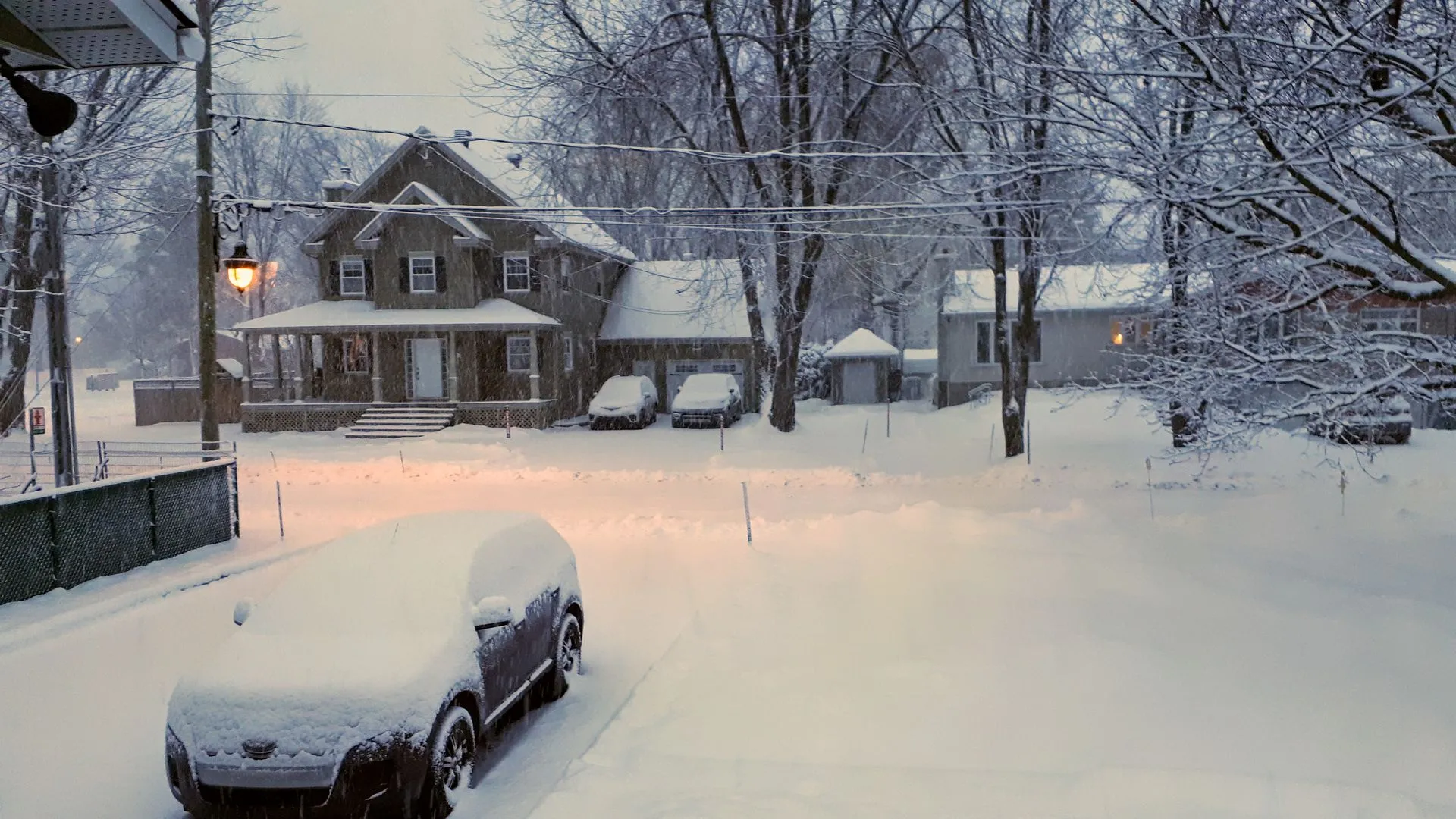
I wish we would have so much snow for a few days here in Central Europe.
Last years we nearly had no snow at all
-
I have created my account here in the forum a while ago but used it only to passively read other posts.
Now after having a Formuler Z8 for more than a year I'll try to support other people and help them with their questions.

-

Hi , I would like to know if real dedrid can run on the z8 box apps if it can Please please tell or show how
There is no option to globally set the Real debrid login info for apps to use these.
-

Hi
Why can't I log in to Netflix on Formula?
Get it on Dreambox's IPTV
What error do you get when trying to login?
-
The newer NordVPN versions update themselves or at least give you the choice to do so.
Sometimes after an update I had to enter my login info as well but not after every restart.
-
The apps on the market are selected and will run on the Formuler device for sure.
But you are free to download a more recent version from the app store and test it if it works. I use most apps from the Play store and haven't had any problems so far.
-
Settings->Samba Service and enable it. It's the top checkbox
-
-
I'm owning a Z8 at the moment and I'm very happy with it (see my two reviews I've written for more info).
The only thing what would make the system more complete would be the new Bluetooth remote with Google assistant support which is part of the Z8 Pro package.
Beside the small changes of the Z8 Pro Look compared to the Z8 I don't see any big difference between the two boxes (beside the remote).
Number: 741
-