Posts by Lucky133

    I’ve had Z Mini for about 18 months. I synched it up with MYTV on my iPhone. All good. Until a couple of months ago, when live tv stopped working on MYTV and then VOD stopped working too. I tried refreshing. Nope. Tried deleting the MYTV app and reinstalling. Got an error message when I tried importing my data. Been told by my provider that many others having the same problem. Any ideas?

    Ask your provider to reset your subscription and or ask for other url.

    Is it fault code 1010? Then you need new url.

    If live tv stops working and vod, it's your whole subscription.

    So they need to reset it our give you other url.

    Is it your iPhone app what doesn't work and or your z mini? Or both?


    Goodday my friend.

    The Z12 BT offers the possibility of programming the Color Keys to connect directly with apps. I did this, it worked, but just a day later it doesn't. Instead I'm getting the remote's search screen, or just nothing. And yes, I have installed new batteries. Any good advice?

    If it won't save your keys, is that after a reboot or standby?

    Im on holiday, so can't reproduce it.

    If it's to reproduce, it can be a bug.


    henkie can you try to add app to one of your colored keys? And theb try standy and reboot.

    Did it save the key and the app you setup at it on your side?

    Thanks in advance.

    Goodday

    Hi I have a Z11 pro max that I can only say is probably bricked, it wouldn’t go past the loading page and have tried many times to do a factory reset and it just doesn’t work, can you help?

    Remove usb and or sd card. Only hdmi and power comnected!

    Try tree times hard reset.

    If don't work.

    I think it's bricked yes.

    We have a few Samsung TVs here, but couldn't reproduce the issue.

    I suspect it could be a hardware issue with the HDMI port on the Z12 Ultra.


    If you can find another TV to test it on, please test with it.

    Otherwise, I suggest you check with the seller for further inspection on the device.

    This is his 2nd brand new Z12. Today came it. He used original cable and plugged all in on his samsung tv and AGAIN strange colors.


    @all (new) samsung tv users: who's had this problem with the Z12 and fixed?


    skillzo1: try to reset your Samsung tv to factory settings. With the z12 ON! Maby after factory reset tv gives a good hdmi handshake because you left your z12 on! Check this google search link!


    skillzo1:https://www.google.com/search?q=stran…dmeDU9k&csuir=1


    skillzo1 Facebook page: https://www.facebook.com/share/p/194PMhX1AV/

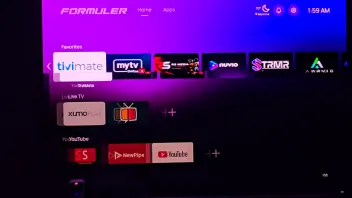
    Lucky133  SAM this is a software/setting issue. This is a BRAND NEW OPEN AND UPADATED z12 ultra. NO SETTINGS HAVE BEEN TOUCHED OR CHANGED. This is the hdmi cable that comes with z12 in a totally different hdmi input in back of the tv. Same result as original. Look at the bottom under the apps in the photo.


    Looks to me a hdmi handshake or other ploblem.

    F_Peter and team: can you think this about this?


    add all (new) samsung tv users: who has this more? Who knows about samsung tv's settings?

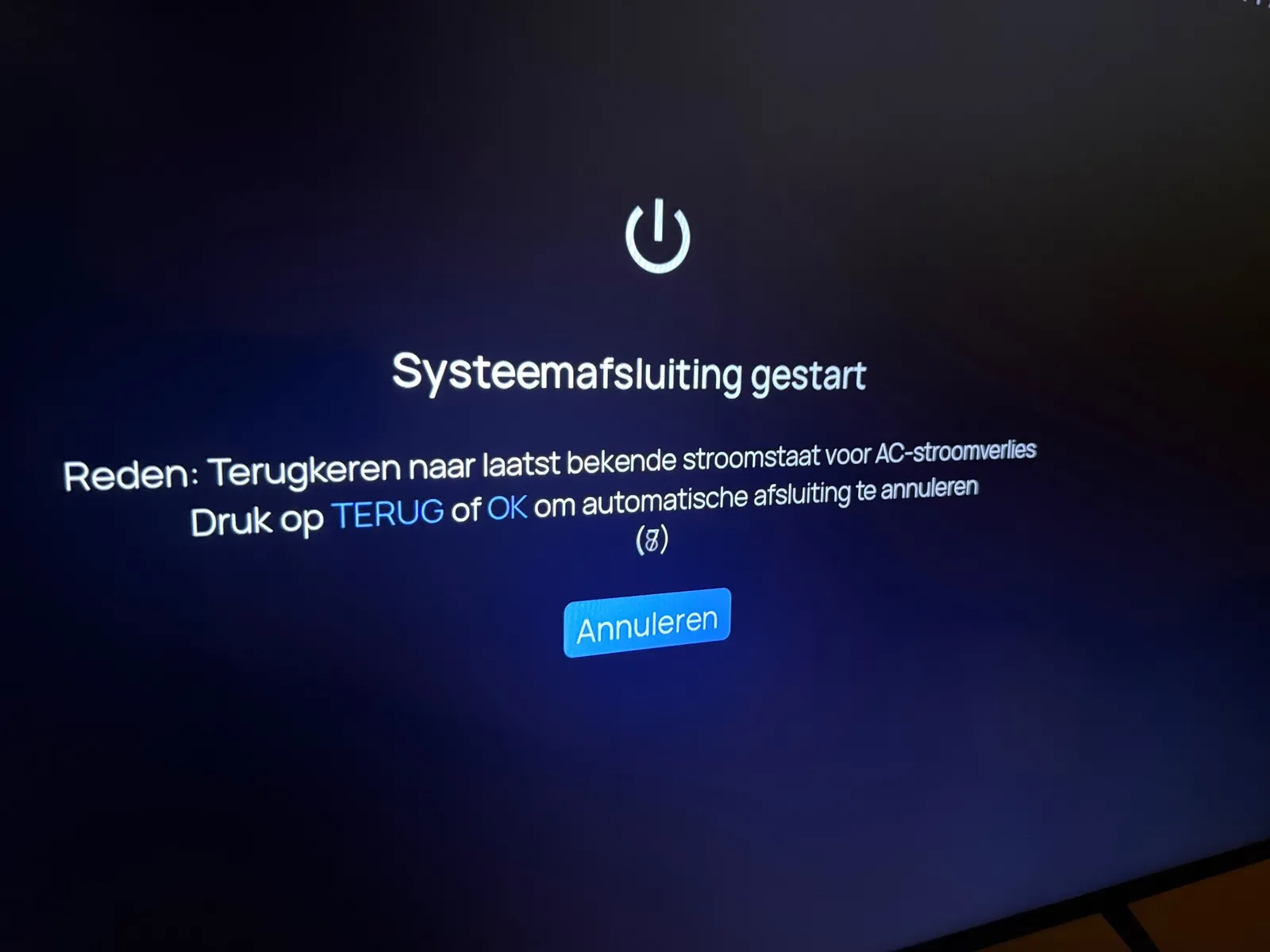
    The box closing automatically when started with this message. However box does not respond to remote in order to go back or ok.

    Otherwise the remote works perfectly.

    I always need to start the box by unplugging/replugging the power as the hdmi port does not regconize the box.

    Check batteries of your remote and

    If battery change doesn’t work you can try reset your remote.

    Hold zero (0) button and OK BUTTON for some seconds.

    If led blinks, the reset is done.

    If your remote doesn’t light the led on top of remote after changing with good alkaline batteries, it's probably dead. The led should always light up by pressing a button. If not...

    Sent back if you got warrenty.

    You checked in android settings (cogwheel upper right corner)?, device Preferences, display and sound, screen resolution, and test there some options?

    in Display mode, (from auto to other setting)

    In Color Space Settings an other option. 10BIT is the max for your tv! So if it's 12bit, change it to 10 bit.

    Hdr output mode in display and sound to: adaptive!! (or try off)


    If you have warrenty, reset box and sent it back for new one.

    Sometimes (very rarerly) the bluetooth is gone yes. After long watching a channel or movie via nas. You see orange led by pushing buttons and after 1 minute it’s back again the bluetooth and led change to white.

    And very rarerly after starting a heavy app for cam it hangs. I can push back button once. But fore close with 2x home button don't work or after very long time.

    had only once with beta 2 version that device fell black and had to cut the power.

    And yes, the back button in vod/series still does't work. We need to use menu button.

    Not just one refresh button, all to do apart yet.

    And i love to see ONE refresh button in the menu for updating all portal(s), live tv, epg, vod and series.
    but these are points I have noticed.


    But beta 2 is such hughe update. Via fireware more private dns's.

    And in mol4 tizentube for watching trailers. No more spontanius closeing app.

    Very happy so far.

    You could also try on formuler apps screen hold ok button on mytvonline.

    Then info and then remove cache.

    Then do a refresh of your sub at contentsources.

    Goodday, but you fixed it already but it's word a try. Maby you can use your usb again.

    During about ten times over the day i tried to install the beta2 update,each time with the same result,after home>SW update >press1339 nothing happens,no red block on the right lower side,simply NOTHING,anyone else having the same issue?

    In android settings, go to apps, find "formuler update", and clear data?

    Then reboot device.

    Try again?

    P.s: red button isn't in Z12. After pressing 1339 a new page is coming up with a beta logo in upper right corner.

    What kind of update is this? The box is constantly lagging; it feels like a €20 Temu box now. Why isn't there an update to Android 14? Everyone knows Android 12 sucks for TV boxes—the devs are doing a terrible job here over 2 moth for a second beta reales and than this Garbage sry don't sell boxes with this firmware

    Android 12 is fine.

    Android 14 isn't nessesary.

    I advice for you: do a factory reset.

    Some boxes need a factory reset after an update.

    Goodday

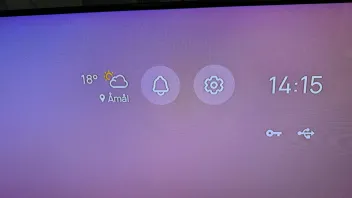
    At my side the weather app is just there.

    Without vpn and with vpn.

    Im living in west Europe.

    Where do you live? Do you use vpn?

    Thanks for your suggestion, however the right side only controls the tv volume which is not what i need the sound bar remote i used on other boxes to control their volume and never need to go above max 10 via soundbar remote. Here need to go to 17+ also effects are loud and dialogue not so loud. unless ramped up.

    In formuler remote you can change a setting.

    To not control the tv but your soundbar.


    Note: normally when using hdmi arc you control tv and bar goes louder right? Anyway, please have a look in Formuler remote app. And search for "volume control" and choose soundbar. Give it a try my friend.

    Lucky when you turned on Weather Widget was Nord already connected? In my scenario if I turn on Weather Widget with Nord off it shows up. If I then connect Nord , Weather Widget goes away.

    Nordvpn starts automatic with booting device.

    But when i turn off Nordvpn it's still there my friend. It changes direct to my country. (West europe)

    Will try auto connect off and reboot device. Have a look if i can reproduce it.

    Oh and i have nothing done with developers options.


    Goodday my friend, i let you know.

    Edit: after reboot and not starting nordvpn the weather widget is still giving the place and temp.

    Took awhile, because every time I went to apps to uninstall it, it kept bringing up the error and closing the settings, but I finally got there fast enough to uninstall it and now at the "Installing MYTVOnline4" screen that shows a USB going to the Z12 Ultra Box and a line with a percentage, been at 40% for awhile now. Gotta walk the dog, will give it some time and let you know.

    You had to do factory reset. Then you know for sure it was gone


    But you fixed it already. Good job my friend

    Check in android settings (cogwheel upper right corner)?, device Preferences, display and sound, screen resolution, and test there some options please.

    Display mode, (from auto to other setting)

    color space settings, try an other option. 10 bit or so?

    Hdr output mode in display and sound to: adaptive!! or try off.

    Hdcp from 2.2 to 1.4?

    Image settings: everything 50%


    Hopefully you find a solution.


    Goodday my friend

    Reset again and try it on a computer screen if you have? Try other powersupply (with same specs)


    Or simple way like my friend Belgiumuser already said: send it back for warrenty.

    Hdmi handshake doenst look good.

    Can you check other hdmi port in tv?

    Use original hdmi cable and have a look at screen settings in android settings.

    Do you live in europe country? Or usa?

    Hi all...
    A polite request for 2 more apps to be added to the "Market" place app...

    Proton VPN

    Planet Free VPN....

    BTW.... I havent seen the BBC or ITV apps in the "Market" place ....... :smiling_face_with_sunglasses:

    I will ask of they will add them what i downloaded last time for you.

    Some apps you can also download from there own website and sideload and or playstore.

    Proton vpn: https://github.com/ProtonVPN/andr…ect-release.apk

    Planet free vpn: https://cdn.freevpnplanet.com/tv/planetvpn-tv.apk

    It was my VPN, I turned that off and it worked, thanks for your help

    Good job my friend!


    Note: open your vpn and search for "splittunnelling" option.

    If you find that option, you can add that app in it. Then you can use vpn, but due the app is splittunneled it won't use your vpn.

    That's why the create splittunnelling.

    Try it.


    Maby nordvpn? In settings you find it direct. Include rugby in splittunnel and save.

    I love rugby, so I watch RugbyPass tv, but the online login doesn't work

    It gives me a numerical login or a Q-code, but although I'm logged in the App doesn't register, just says I'm logged out

    Is this a known thing please?

    Maby you need new version?

    What kind of color has the app logo? And what is the exactly name of the app. Maby you know the android package name?

    And in which country do you watch?


    Maby i can create or search a new one for you?

    Is it a orange logo with games and scores? Please tell me

    Please make photo and answer my questions.

    Hi. I performed the "software update" procedure, then got error code 1339. The update started, and after restarting, I still have My TV Online 3, and not MTO4! Does anyone know why? On one hand, I think it's a good thing, if MTO4 isn't finalized yet. Thanks.


    salut . J'ai fais la manipulation , " mise a jour logiciel " , puis code 1339 . Demarrage de la mise a jour , et apres redemarrage , jai toujours My Tv Online 3 , et non le MTO4 !? Quelqu'un sait pourquoi ?! d'un coté je me dis tant mieux , si MTO4 , n'est toujours pas finalisé . Merci

    Mytvonline4 beta is not available anymore. See first post.

    It was +- a week online. Only beta mytvonline3 if not installed for mytvonline3 is online.

    Private dns changed at internet settings at bottom to quad9 9.9.9.9 or off?


    Reproduce and sent logs please. Don't forget to write down logfile number here in forum.

    Photo's should be nice too.


    Goodday my friend.