


Mediakoning.nl (they have multilingual website)
Bol.com (Benelux).
and probably Amazon.
Have fun with it,looking forward to your experience

World-of-Satellite are also a distributor in the UK.
Mediakoning.nl (they have multilingual website)
Bol.com (Benelux).
and probably Amazon.
Have fun with it,looking forward to your experience
World-of-Satellite are also a distributor in the UK.

what's wrong with commenting that ?
Almost seems as if the comments are purposely bashing Formuler and I believe it’s unnecessary.
The person provided their thoughts and comments already but to continue with sarcasm seems a little over the top.
Person hasn’t even used the device yet so really is only commenting on the “specs” without seeing if there’s been any refinements in the devices performance overall.

Yeah, let’s all wait for the Z12 Non Plus Ultra. 😆😆😆😆
Your comments aren’t necessary. Settle down!

I can't understand how they havent implemented a new chipset.
its blown my brain. But...... the z11 pro max was a good box, unfortunately I think formular have missed a trick beings as 🍎 are releasing their new box very soon
The new box by said company has no bearing on the Formuler device especially as MTOL is the preferred client and is only available on Formuler
Will the blocking of sideloading apps be a problem for this box? My understanding is only certified andriod/Google boxes are going to be hit
Should be fine with this, no blocking expected especially as it’s AOSP build
Absolutely nothing that's worth the price of the Z12 Ultra, especially if you already own a Z10/Z11
Subjective.
Some may see things differently
Does the remote have a mouse button?
Likely it will function similar to the other Bluetooth remotes in that you assign a key to enable mouse by using the Formuler remote app
Or even a z10 or GTV?
It’s Bluetooth so I expect you’ll be able to pair with the devices mentioned.
Just put the remote in paring mode and head to Bluetooth settings
 Display More
Might be throwing a spanner in the works here......
As much as i loved the initial idea of this game day, and it could be amazing.... am i the only one ending up not actually using it?
The reason for this is i know where to find the football match, or ice hockey match i want to watch anyway, so i go straight there - usually within specialist streaming directories my provider has on their system....
As if i go through game day, by time i've gone through the additional search option, and then clicked on 3 or 4 of the "possible" streams that come up - it's been longer than just going to the football or ice hockey directory.....
I don't know how we get around it, because as i said - i love the idea of this, but formuler have to cater for all the different providers, who structure their feeds differently, call them different, and then many of the providers feeds don't have any info!.... but i'm just finding myself not using it....
Maybe one day it could be an overlay menu?
So when you’re already watching something, when game day is selected, it could appear on the screen semi transparent or on the lower half of the screen so you have the flexibility to watch what’s on but also use the feature?
I think it would be amazing if it could read you’re channel lists and provide you the channel you have, if you don’t have a channel Itl tell you. I do think that’s been mentioned before but it would be quite a task to implement in reality.
But in the main a semi transparent screen / menu would get my vote

Thank you very much for your valuable message. Clearing the cache didn't work. I uninstalled Mytvonline 3 and reinstalled it from the store. And now Mytvonline 3 opens in ***6 seconds with a single M3u playlist. Thank you again.
Thank you for confirming all is now working as expected.
Enjoy
Consider clearing your cache for that app as the starting point and see if that works better for you.
It shouldn’t take that long to start, quite unusual.
If it persists, consider uninstalling the app, reboot and then open Market app and download Mytvonline3 again. Log in and see if that resolves it.
Hello all.
Not strictly a post for support or a particular Formuler device, but thought it’s worth noting that a certain popular streaming stick has begun to drop the axe on sideloading apks on some devices.
They’ve started before the release VegaOS (These sticks eventually will phase out Android)
Stick update 8.1.3.6 will disable 3rd party apps which are flagged.
you can’t stop the update either.
I expect Formuler will need to stockpile, ready for the influx 🙌
Hello all.
I have noticed that the Export Portal Data feature within Z Alpha and Z8 series is not showing within the connections menu.
Meaning that I can’t automatically link provider details to the Mytvonline+ app.
Works perfectly for Z10 upwards so I wondered if this was by design it’s not possible due to discontinued support or has others seen the option is available?
I’d like to know if this is an anomaly just for me.
It could be that it’s been mentioned in the past and if so, apologies I missed it
Many Thanks

HI All
I am looking for recommendations on the best BLuetooth Headphones to connect to my Z11 but which also allow the sound to continue to come out of the TV at the same time as my headphones. Any ideas?? Thanks
This wouldnt be possible with headphones alone, the Formuler also doesn’t support this option.
There is a workaround. Some Samsung and Sony TVs have “multi output audio” which allows you to have sound through tv and Bluetooth device at the same time.
You’d have to research to see which offers this option.
Alternatively, you could try a Bluetooth transmitter connected to 3.5mm jack on the tv.
This may work in the same way as the tv multi output audio.
Would be best searching online for “how to” in both scenarios
Hi,for z mini you state ethernet not available,it is however possible viaUSB adapter,so the option is there
It’s showing standard out of the box info really. But yes quite right, with an adapter it can have Ethernet and of course storage
Edited, does that seem
More accurate?
If there’s inconsistencies please feel free to free to point out as I’d like to make the post accurate and as such will edit accordingly
Feature | Formuler Z Mini | Formuler Z11 Pro | Formuler Z11 Pro Max |
| Processor (CPU) | RealTek RTD1325 | Quad-core Cortex A55 | Quad-core Cortex A55 |
| GPU | Mali-G57 MC1 | Mali-G57 MC1 | Mali-G57 MC1 |
| RAM | 2GB LPDDR4 | 2GB DDR4 | 4GB DDR4 |
| Storage | 8GB eMMC | 16GB eMMC | 32GB eMMC |
| Operating System | Android 12 | Android 11 | Android 11 |
| Media Platform | MYTVOnline3 | MYTVOnline3 | MYTVOnline3 |
| AV1 Decoding | No | Yes | Yes |
| Video Output | 4K @ 60fps | 4K @ 60fps | 4K @ 60fps |
| HDR Support | HDR10+, HLG | HDR10, HLG | HDR10, HLG |
| Audio Support | Dolby Digital & DTS | Dolby Digital Plus | Dolby Atmos, DTS-HD |
| Wi-Fi | Dual-band 802.11ac (Wi-Fi 5), 2x2 MIMO | Dual-band 802.11ac (Wi-Fi 5) | Dual-band 802.11ax (Wi-Fi 6) |
| Bluetooth | Bluetooth 5.0 | Bluetooth 5.0 | Bluetooth 5.0 |
| Ethernet | Not available | Gigabit Ethernet | Gigabit Ethernet |
| Remote Control | GTV-BT1 Bluetooth Voice Remote | Standard IR remote | Optional BT1 Bluetooth Voice Remote |
| USB Ports | 1 x USB C | 2 x USB | 2 x USB |
| DRM Support | Widevine L1, L3 | Widevine L1, L3 | Widevine L1, L3 |
| Dimensions | 83 x 60 x 12.5 mm | 105 x 105 x 21 mm | 105 x 105 x 21 mm |
| Power Supply | 5V DC / 1A | 12V DC / 1A | 12V DC / 1A |
Here’s what I’ve got to include mini, hopefully accurate
Feature | Formuler Z11 Pro | Formuler Z11 Pro Max |
| Processor | Quad-core Cortex A55 | Quad-core Cortex A55 |
| RAM | 2GB DDR4 | 4GB DDR4 |
| Storage | 16GB eMMC | 32GB eMMC |
| Wi-Fi | Dual-band 802.11ac (Wi-Fi 5) | Dual-band 802.11ax (Wi-Fi 6) |
| Audio Support | Dolby Digital Plus | Dolby Atmos and DTS-HD |
| Remote Control | Standard IR remote | Optional BT1 Bluetooth Voice Assistant Remote |
| Operating System | Android 11 | Android 11 |
| Media Platform | MYTVOnline3 | MYTVOnline3 |
| GPU | Mali-G57 MC1 | Mali-G57 MC1 |
| AV1 Decoding | Yes | Yes |
| Ethernet | Gigabit Ethernet | Gigabit Ethernet |
| Bluetooth | Bluetooth 5.0 | Bluetooth 5.0 |
| Dimensions | 105 x 105 x 21 mm | 105 x 105 x 21 mm |

I have use the vpn for months with no problems all works fine,since 2 or 3 days when iam connected to vpn black screen, if i disconnected from vpn play all with no problem
Some providers block the use of VPN as it’s easier to locate persons who shouldn’t be on the service.
If your provider blocked VPN, it would allow you to log in to your subscription but channels will not load / give blank screen.
That appears to be the case confirmed if VPN turned off and all worked OK

PIP whilst using VOD would be interesting for those who have the right amount of connections available.
Example:
Watching a tv series through VOD and keeping an eye on a football game through Live TV at the same time.

I keep getting the backup failed message. The backup seems to begin and get to 25% then I get the message every time. I’m trying to backup from on box and restore to another. Does it matter that they are with different internet providers.
Don’t think you can backup on one device and “restore” it on another.
Used to be able right at the start but it’s been a long time and the ability is no longer possible.
I believe citing security restrictions.
This is quite normal. Many providers have moved away from providing a url as they’re a security risk.
Most “providers” or “resellers” have options in this case which means providing apps with DNS controlled by a panel seller side and therefore only allows you to use a username and password to log in.
Same for Formulers, providers can have access with Formulers permission to use the option for custom config in which the url is hidden and the user again logs in with just username and password. The custom config is deployed to the end users device.
If your seller has not provided this option and simply told you no url, it’s poor form on their behalf. Either thy have no experience of Formuler devices and or don’t know about configs or they’re simply being difficult.
If you’re connecting via XC login then you can’t retrieve the url.
If you connect via M3U / Stalker you can’t retrieve retrieve it but I’d hazard a guess your supplier won’t provide M3U because they too are a security risk and many have moved away from them and solely using XC.
Maybe you can set your audio delay on the soundbar so it retains the setting?
out of curiosity have you ran the app “Audio Optimiser”?
if not, head to the market app, download and run audio optimiser and let it reboot your box. Once done, test your audio. It may have resolved it for you.

You can already do this using Stalker.
Interesting. Useful to know.
Stalker is no longer used by many providers now as most lean to XC, in my case all use XC so if it can be implemented for that, it would be excellent.
I’d like to see the ability for those who provide configs to send messages to their users device.
Full appreciate users are notified of expiry etc but there’s occasions where a provider needs to send additional information and a quick message would be perfect.
Third party apps allow this feature but It would be excellent for this on MTOL.
Goodday my friend adrilang,
I dont think it should help. Cause dns Is only domain name server. And not a vpn to change the country.
But a try is always possible.😃
Thanks for the reply Lucky, your perspective might be right.
VPN not always used in some cases because Cloudflare and Google DNS are considered Smart DNS which is why I believe Formuler implemented these Instead of relying on Broadband DNS.
Smart DNS does help against geoblock. There are services people can subscribe to for Smart DNS instead of VPN.
It may not resolve in this case but it’s worth trying.
I wonder if you change your DNS from Auto to Google and or CloudFlare and see if that helps.
Formuler Home Screen > Settings > Network > Private DNS

adrilang does time shift work for you?
I only have the mini for one week, but I really love it. The only thing that doesn't work is time shift.
I am running a similar setup like yours
Normal recording works well and I tried everything I read here to solve it, but without luck.
Works OK for me.
Within DVR Options in MTOL3, have you toggled on Timeshift?

Will there be an option for casting to tv in the future update?
Doubt it.
They have boxes which has a more comprehensive interface so I expect they’ll keep with this setup
I use similar as I_D
No Ethernet but not needed.
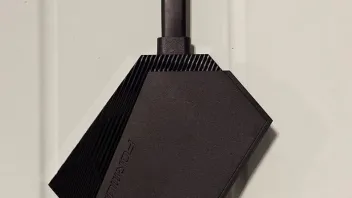
Outstanding and compact. Looks super smart for clean and tidy Z Mini look.
I also use mini usb drive which isn’t shown in the pic but you get the idea

I’ve found a solution with ******* of MOL+ running with ******* on mac.
Not perfect but it works
Maybe that would have been better in a private chat between you both?
Seems unfair to Formuler you’re on a support forum expecting assistance on things and then you advertise to the world on a substandard possibility.
There’s many ways to do things but advertising to the world isn’t the one.
Just my thoughts of course!
Yes installed it and didn’t have any problems anyway but can confirm it remains the same based on my usage.
> Notifications “Delete All” button works as expected, great little detail for us who like a clean sheet.
> Moving channels position in Groups also works as expected.
> QR Code for IOS app is present.
> I didn’t check Timeshift previously but have this time and it seems when selecting a show, it starts at the advertisement stage before the show and not at the start of the show. Approximately 2mins before, so if this is the issue some had previously then I see it at the moment and potentially not resolved if that’s correct? Maybe someone can confirm…
Everything else I’ll monitor and report back if there’s an issue
I believe a hotfix BETA has arrived today: V12.1.19
06.01.2025
I wasn’t having any issues but it may help some if you’ve not seen it.
Couple of nice features added 👌🏻
Software Update, Press 1339 on RCU > press red for beta

I am unable to get the voice commands to work using the GTV-BT1 remote. The Formuler firmware version is current.
Please help.
Be sure the Google Assistant is enabled by toggling ON.
Formuler Home Screen > Settings > Device Preferences > Google Assistant
Once you do that it will take you through a short setup.
You can then select the apps to communicate with.
I wonder, are they attempting to use both devices at the same time when they might only be enabled to use one device at a time as part of their subscription?
If they are enabled for one device, are you certain they are turning one of them off to either standby or full power off?
I ask because if they are enabled for one device use at a time, if the other is left on and connected to their service, it will most certainly cause glitching and freezing.
 Display More
- HOTKEY PORTALS FOR SEAMLESS SWITCHING. The ability to hotkey directly to Content Sources for fast and easy portal switching. Because I have 2 Stalker portals added by the same Provider, I can only have one active at a time and can't take advantage of MOL3's new feature of running them both actively. It is very tedious and many button clicks to swap back and forth, and can be confusing more many older, or less tech savvy individuals.
- Option to remove Live, VOD, or Tv Series buttons from menu on respective portals. I have 2 separate portals from the same Provider, one for Live TV, and one for VOD/Series, both Stalker protocol. Interestingly, if I hide all the 24/7 groups included on the Live TV section of the VOD portal, the play screen will default to an all black screen with the side menu always open, and Live TV button has been automatically removed. However, the Live TV portal has no VOD or TV Series groups, yet both options still exist on the side menu when in the Live TV Portal. Being able to remove those two options manually will reduce a lot of confusion for people like my 74 year old father about what portal he is in and what is available.
- VERY POWERFUL FEATURE "Similar to" option that can be selected when previewing a Movie/Show Title. Example, you are clicking through your history, and find a movie you enjoyed, being able to click that title, and then select "Similar Movies" from the preview menu.
- Option to re-order the MOL3 menu list
- Move the universal search button in VOD/TV series from the top right corner inside a group to the top of the sidebar outside of groups, above favorites/newly added/history
- Create multiple Favorites lists for VOD/TV Series in Content Manager. I have a ton of Series in my favorites, being able to separate them by genre/type would be incredibly useful
- Option to sort favorites, so we can move most viewed/liked to the front of the list manually
- Delete all, or group delete history. Anything so that we don't have to delete them one at a time.
- Auto hide groups that have nothing in them
- Filter options for favorites folder(s)
- Predictive real time search results, eliminating the need to type out entire titles
- Search VOD/TV Series by actor
- Showing Favorites lists on the home screen for Live, VOD, and TV series even if they are split between two Stalker Portals. As of now it will only show the one that corresponds with whichever portal i was connected to when I exited to the main menu
- Option to schedule routine clearing the cache same as content refresh/hotkey clear cache
Is that everything? Haha 
So I believe from what you’re saying is that currently you’re using mytvonline+ (mobile) and would like to sync your lists with the Formuler Z11?
I don’t believe it is possible to do this in reverse.
Ordinarily you would export your lists from Mytvonline3 on Z11 to Mytvonline+ but not the other way round.
I second this. Others that have replied may or may not understand exactly what is being requested here but.
If users have a provider box, and the provider offers 2 or more portals to choose from (one for live tv and one for VOD for example). If the portals are created via MAC ID, users already have to navigate to content sources in order to change portals for their preferred use. On this screen, there is a significant amount of Portal details and information readily available. Even if some of this information is censored, from a security perspective, as well as a user experience/brand image perspective, it would be beneficial to be able to hide the information on this screen in favor of a wallpaper, or a different design for portal selection, more similar to what it would look like to select an app or similar.
Area to be hidden attached:
Providers can reach out to the Formuler team for the solution to this. It is possible!
You can reformat the drive on MAC through Disk Utility.
Use Finder and search Disk Utility
Select the drive and then erase. It should put it back to factory setup and thus allow you to use it again.
In my experience, MAC has been much better at recovering drives than other third party software or windows machine.


