


ddd, you know what we testing, right?
I just realised I read "that" instead of "what"... and that "what" meant "dark mode"... fast reading doen't always work... 
ddd, you know what we testing, right?
I just realised I read "that" instead of "what"... and that "what" meant "dark mode"... fast reading doen't always work...

A better question is: does it work any better on MOL2?
For the channels that have the timeshift icon it works fine for me on Z8/MOL2 7.5.6.
I would say it works because the provider is doing a good job and the Formuler software is already stable in this functionality area for a long time.

Is this what you mean in your reply?
Yea...
I am logged into my router right now but I don't know the tech of it to know what to look for. I have contacted my ISP in the past and they run their checks and say all is good.
Perhaps we should keep it simple first... for example, does this 2160p60fps youtube video play for 30+ minutes without buffering?
Changed what?
Jawohl, that's why I provided a nice oldstyle testbild 
It basically means that they want to limit p2p/iptv or other very specific type of traffic.
The offical term would be "enforcing QOS" or "bandwidth throttling", we have seen people from UK and France reporting about that.
Even if ISP does this they sometimes instruct a helpdesk to deny such policies or not tell the helpdesk about it so they cannot tell customers about it.
Either way, the root cause can only be one of three directions, local network (devices), ISP network (devices) or IPTV provider network (devices). If the last two can be trusted as 100% truthful about them not being the issue, then what rests you can do locally is reboot your router(s) or (enable and) check the (traffic) logs.
If you don't have VPN it could be your internet provider capping the traffic.
If you have a free/cheapish VPN it could be the VPN provider capping the traffic.
testing likes

Think choosing a NordVPN is totally crap after they gone hacked.
That hack is "old news"? And what is "totally crap" about that VPN provider now?
MyTVOnline2
Beta version?
Did you already try to set: MOL2 > Menu > Connections > Edit > EPG mode > UTC
Try the "cursor" button, move the pointer with the arrow buttons and press "OK".
And you can also use a USB mouse.
1. Do all the Z8 have the same FW/SW versions? Which versions are in use?
2. Is everybody using MOL2?
3. Does the exact same m3u work in other apps? For example VLC.
Basically it is the same when you don't have electricity in your house. You also don't come to this forum for help then.
I suggest using the provider support website/email/whatsapp/phonenumber/etc... whatever they have...
If that is not possible I'd say you need another provider.
This is now an english only forum, please translate your post and use the template.
If that happens in the latest beta you should post it only here.

Why has this issue been marked as SOLVED by the administration while it clearly still exists ???
Because of this statement:
As stated above, this has nothing to do with my Z8 box which works fine.
If the root-cause is not in the scope of Formuler hardware/software, there is not much a Formuler user can expect from the Formuler forum to resolve it. So from that perspective on this Formuler forum it is considered "solved".
You can always consider something like this:
The supported recording method to a network device is documented on this page.
As workaround you can install an app that shows all network settings not (yet) visible in the current/default screens.
Please edit-translate your post. Forum is english only.
1. It is a limit in VLC. New feature can only be added by VLC devs. They have a community website where features can be requested.
2. Before you enable the VLC PiP window > When a stream is playing > Press "OK" > Use left arrow and select "text box icon" > Select "Audio track" > Select Disable
1. It is a limit in VLC. New feature can only be added by VLC devs. They have a community website where features can be requested.
2. Before you enable the VLC PiP window > When a stream is playing > Press "OK" > Use left arrow and select "text box icon" > Select "Audio track" > Select Disable
I think this thread is an interesting starting point for you.

Provider related nothing to do with the box.
Please consider a comma sometimes 
Please-read-how-to-request-help-and-support-template-included
You have not provided sufficient information for efficient troubleshooting.
Based on that information I can only advise you to contact your provider.
What are you trying to say? You could post detailed in future

That could be anything... a wish, hope, statement, request, desire or question
Two minds aligned again

z9 coming out
That could be anything... a wish, hope, statement, request, desire or question 
What is your current version of NordVPN?
When was the last time you restarted your internet (provider) (cable)modem/router?
I use NordVPN.
Are you already on VPN?
If yes, is it a cheap one?
If no, try that.

Should I still UPDATE or not?
If it works fine and you are happy with it then don't update.

nevertheless now EPG are not working.
Try set the EPG Mode to "UTC" in the portal edit menu.
If you have m3u url provider you can download and edit the playlist yourself in an m3u editor...
But if you use that, and the provider updates the list you will not get those updates...
Same can happen when MOL will have the builtin favorites edit function. Every channel list update might require your manual re-edit/re-creating the favorite list.
This is why I gave up on favorites in general. With any media player/source/type. You are never done.
This would work differently for m3u and portal accounts, but as far as I know this is not yet implemented functionality.
Can you test with other app on same device? stbemu, vlc, smart iptv, etc...

Any news on this issue? I also have the problem with missing letters in the EPG.
Why no answer to the question from Mevi ?

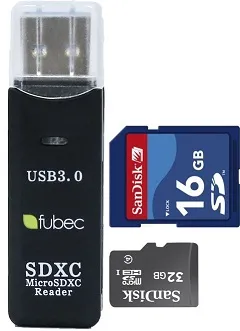
was wondering what be best storage space for recording on such a small USB micro SD card
In another thread you say
wherever to get these practical hard drives particularly the HDD drives I should think right?
1) It is against forum rules to ask the similair question in different postings.
2) Why are you asking for microSD advice in one thread and about HDD drives in another?
