How to factory reset Z mini

We asking all new users to read the articles below, before creating their first posting or thread.

  • 4. Instruction Articles

    • Please note, in this forum are only English threads and postings allowed, without any exception!

      Please follow the forum rules, thank you for your understanding.

  • Just , I was wondering how to do a hard reset on the Z mini ? :thinking_face:

  • Hi,

    1. Software reset:

    Home menu -> Settings -> Device Preferences -> Factory reset.


    2. Hardware reset:

    On z mini you have one small button.

    • Disconnect power from Z mini
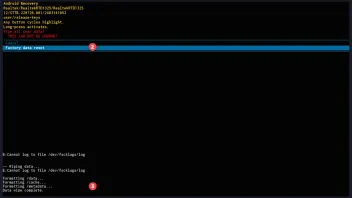
    • Connect power to z mini and press instantly the small button and hold, until this Message appear.
    • One single press on button moves down through menu. Longer press opens the menu.
    • After successful reset chose "Reboot system now"
  • Thank you, I haven't needed it yet, the Z mini works perfectly :OK_hand: