
How to stop the virtual keyboard from popping up

We asking all new users to read the articles below, before creating their first posting or thread.

  • 4. Instruction Articles

    • Please note, in this forum are only English threads and postings allowed, without any exception!

      Please follow the forum rules, thank you for your understanding.

  • How do you stop the virtual keyboard from popping up. I've turned off the virtual keyboard in settings in all locations I can find, I use a hardware USB keyboard to setup new portal or make changes, but the virtual keyboard will not stop popping up and this causes me to not be able to see what I'm inputting. Thanks
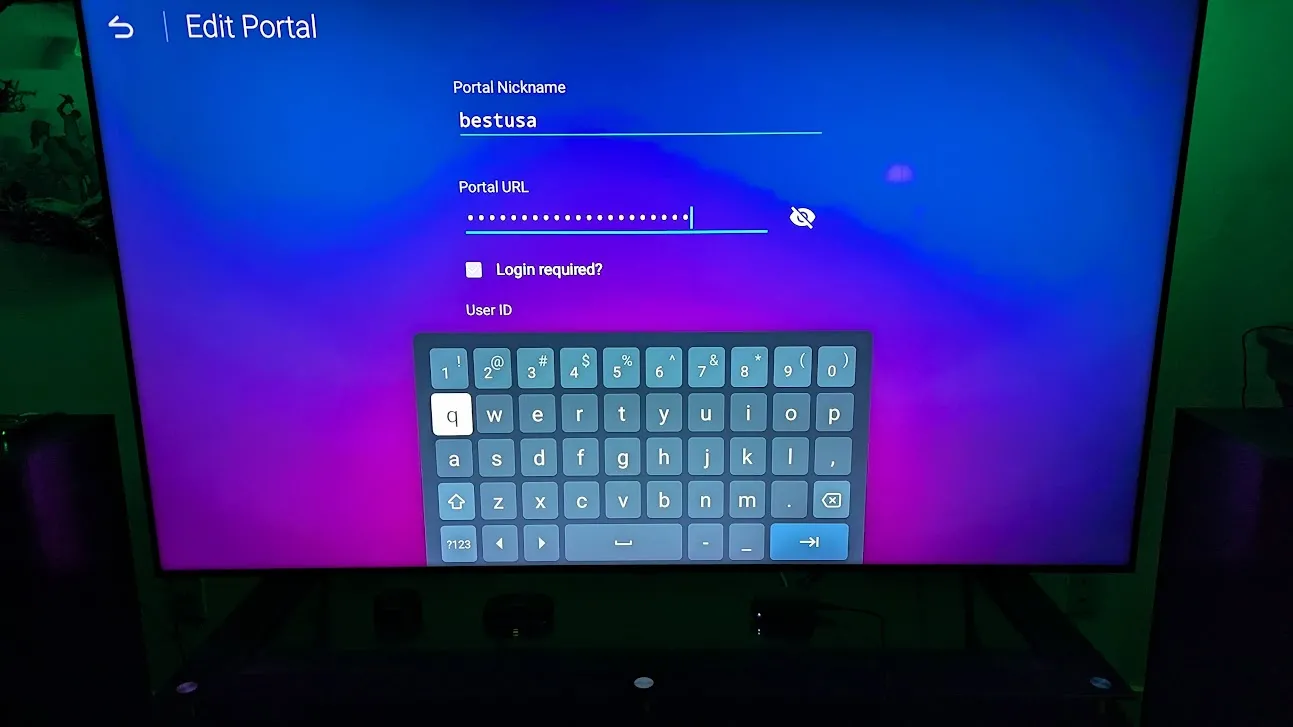

  • How do you stop the virtual keyboard from popping up. I've turned off the virtual keyboard in settings in all locations I can find, I use a hardware USB keyboard to setup new portal or make changes, but the virtual keyboard will not stop popping up and this causes me to not be able to see what I'm inputting. Thanks


    In android settings at apps section, there you can force stop the app. Bit don't know if thats enough. It's a system app.


    And if you are handy with android.

    Download adb manager from playstore.

    Follow all the 7 steps and enable then usb debugging if app says.

    Then you can delete the systemapp google keyboard/gboard.


    If it won't work for you i can maby make a step by step tutorial.

    Edited once, last by Lucky13 (February 21, 2026 at 11:32 AM).