
Z12 Display Glitch/Flicket/Blip. Hardware or Software Glitch?

We asking all new users to read the articles below, before creating their first posting or thread.

  • 4. Instruction Articles

    • Please note, in this forum are only English threads and postings allowed, without any exception!

      Please follow the forum rules, thank you for your understanding.

  • So i notice random flickers/glitch/blip in the display. It is not the hdmi cable or hdmi input port on the tv.


    Problem has been documented using 2 different hdmi cables. 1 that comes wuth z12 ultra from the factory and also another very high quality 8k cable. Also happens on multiple hdmi inputs on back of tv so its not hdmi tv port input related. Doesnt matter what is being displayed from the box as it happens when watching live tv… vod… even the home screen.

    Attached is a few photos i took with the phone and then snapshot of the glitch. First image is not too obvious as it looks out of focus. But it is not. It is a glitch. 2nd and 3rd photo more obvious.
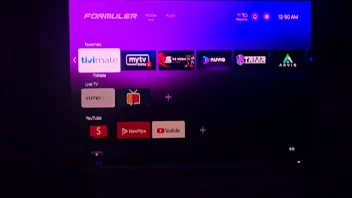
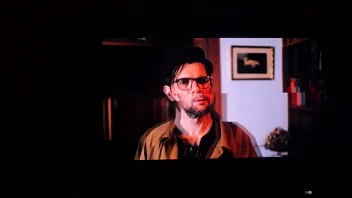
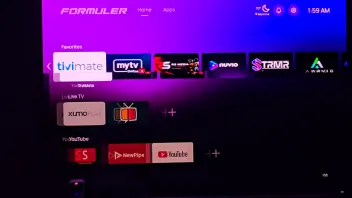
    You can also see it in these videos

    External Content youtu.be
    Content embedded from external sources will not be displayed without your consent.
    Through the activation of external content, you agree that personal data may be transferred to third party platforms. We have provided more information on this in our privacy policy.


    External Content youtu.be
    Content embedded from external sources will not be displayed without your consent.
    Through the activation of external content, you agree that personal data may be transferred to third party platforms. We have provided more information on this in our privacy policy.

    External Content youtu.be
    Content embedded from external sources will not be displayed without your consent.
    Through the activation of external content, you agree that personal data may be transferred to third party platforms. We have provided more information on this in our privacy policy.

    Edited once, last by skillzo1 (June 21, 2026 at 8:50 PM).

  • Hdmi handshake doenst look good.

    Can you check other hdmi port in tv?

    Use original hdmi cable and have a look at screen settings in android settings.

    Do you live in europe country? Or usa?

  • Hdmi handshake doenst look good.

    Can you check other hdmi port in tv?

    Use original hdmi cable and have a look at screen settings in android settings.

    Do you live in europe country? Or usa?

    I checked 3 different hdmi ports in the tv input. Im in the usa. I confirmed it using the hdmi cable that comes with the formuler and my own cable. There is no issues when using my shields with either of these cables and either of the tv inputs.

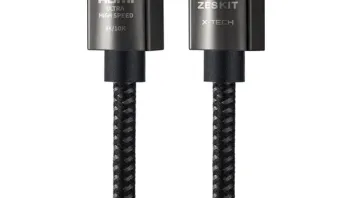
    Here is the cable i use.

    Edited once, last by skillzo1 (June 21, 2026 at 9:01 PM).

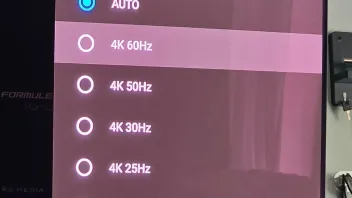
  • Set correct resolution for your TV and area 50HZ EU or 60HZ NA and try again.

    How do i set the resolution and to what??

    So you want me to take the z12 display mode off auto? And put it to 4k60? Im in the usa.


    Im in the usa and here are my tv specs

    The Samsung 77-inch S90F (QN77S90F) features a native 4K Ultra HD resolution (3840 × 2160 pixels) HDR10+


    • Display: 4K UHD Self-Illuminating OLED panel
    • Processor: NQ4 AI Gen3 for AI upscaling
    • Gaming Specs: Supports 4K at 120Hz natively (and up to 144Hz for PC), FreeSync Premium Pro, and ultra-low input lag


    Edited 2 times, last by skillzo1 (June 21, 2026 at 9:07 PM).

  • You checked in android settings (cogwheel upper right corner)?, device Preferences, display and sound, screen resolution, and test there some options.

    Display mode, (from auto to other setting)

    color space settings an other option. 10 bit or so?

    Hdr output mode in display and sound to: adaptive!! or try off.

    Hdcp from 2.2 to 1.4?

    Image settings: everything 50%


    Hopefully you find a solution.


    Goodday my friend

    Edited once, last by Lucky133 (June 21, 2026 at 6:57 PM).

  • Appreciate yoyr help and reply.


    No i havnt messed around with any of that. Im not a tv tuner or avs tech so i dont really know what to mess with and dont want to make anything worse. I can do some things but im not a developer. Im happy with the picture now but that flutter is def annoying. Even my wife saw it and was like whats going on.


    Im comming from shield tvs and i never had to touch any of that. Ive had 4 shields on 4 different tvs since 2017 and never saw this happen. I kinda feel like it should adjust itself to what it needs.