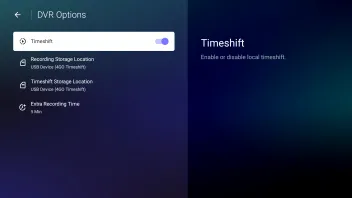
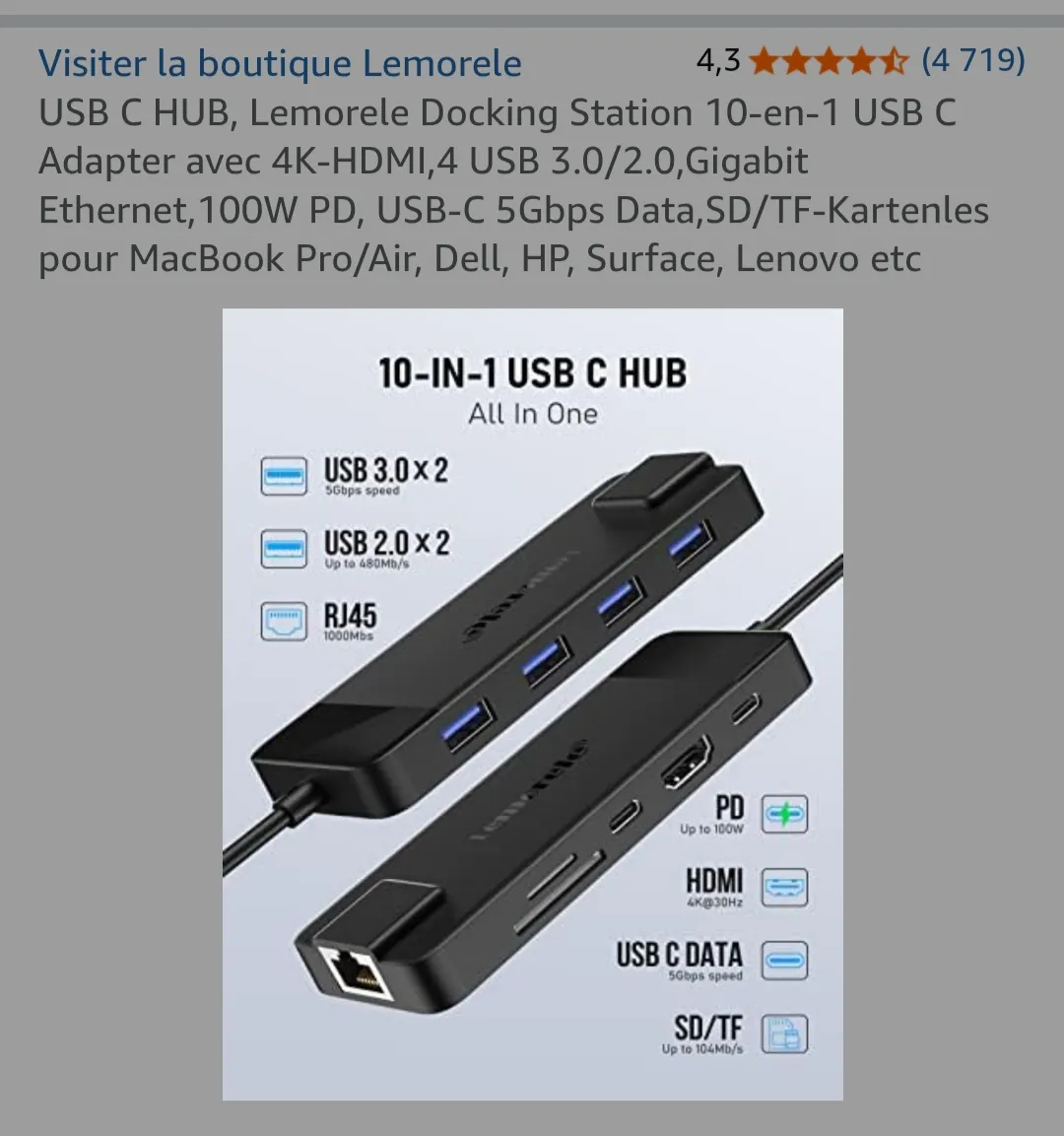
Play/Pause (Local Timeshift??) with MOL3 not working for me.

We asking all new users to read the articles below, before creating their first posting or thread.

  • 4. Instruction Articles

    • Please note, in this forum are only English threads and postings allowed, without any exception!

      Please follow the forum rules, thank you for your understanding.

  • On Z11 Pros or Z minis, runing 12.1.18 on system v11.3.3.
    I have USB thumb drive installed, formatted as NTFS and selected in Formuler's settings (See attached picture)
    I have configured MOL3's DVR Options to enable Timeshift, on my selected storage device.

    Was there something else I needed to do?
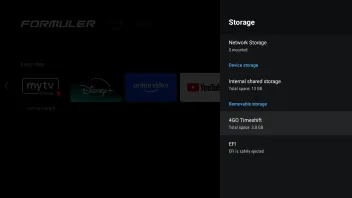
    .


    I was under the impression we could use the Play/Pause button to pause and we could rewind/forward any program, not only the ones with the Timeshift logo.

    My Play/Pause button does not do anything, pressing right will only go in Timeshift for channels that are enabled. It does not seem to use my USB thumb drive at all.


    Note that pressing "Record" or scheduling a recording from the EPG DOES record properly.

    Were my expectations wrong?

  • I was under the impression we could use the Play/Pause button to pause and we could rewind/forward any program, not only the ones with the Timeshift logo.

    When you start with some channel and press after let me say 10 sec. the right arrow on joystick, the local timeshift timeline appear, you are now able with Ok button to pause and with same also again to continue. Rewind/forward when timeline active with left/right arrow (of course arrows not visible on rcu). Jump interval need also to be set from you.

    Local timeshift buffer is 2 hr and after channel change automatically deleted because new channels start with local timeshift.

  • When you start with some channel and press after let me say 10 sec. the right arrow on joystick, the local timeshift timeline appear, you are now able with Ok button to pause and with same also again to continue. Rewind/forward when timeline active with left/right arrow (of course arrows not visible on rcu). Jump interval need also to be set from you.

    Local timeshift buffer is 2 hr and after channel change automatically deleted because new channels start with local timeshift.

    The 2 hour limit seems buggy, I would expect it to remove anything >2 hours and let me seek more recent content, but it doesn't let me skip back properly, instead just skipping to the beginning of the initial 2 hour window, then seemingly getting confused when I try to skip back/forward.

  • When you start with some channel and press after let me say 10 sec. the right arrow on joystick, the local timeshift timeline appear, you are now able with Ok button to pause and with same also again to continue. Rewind/forward when timeline active with left/right arrow (of course arrows not visible on rcu). Jump interval need also to be set from you.

    Local timeshift buffer is 2 hr and after channel change automatically deleted because new channels start with local timeshift.

    Hi, I got the same issue as the topic starter trying to use Timeshift, with some differences at my setup:

    - Z mini, running IPTV 12.1.20 on system v12.1.5

    - neither of my 2 providers have any channel with cloud timeshift enabled

    - USB Stick of 64GB, formatted by Z mini system menu

    - local timeshift enabled in MTO3 menu, recording paths pointed to USB Stick

    - scheduled and by-request recording is working well for given Channel/USB

    When I press right arrow on the remote - nothing happen, neither play/pause bottom produce any effect. Long press on "play/pause bottom" triggers error message with MTO3 logo - "Not supported", in the middle of the bottom of the screen (subtitles area).

    Already tried reset MTO3 app, clear cache etc., without success.

    Any help will be appreciated

  • - USB Stick of 64GB, formatted by Z mini system menu

    Format the USB Stick on PC with NTFS and check if Timeshift is enabled in DVR options (MOL Menu/Settings).

  • Format the USB Stick on PC with NTFS and check if Timeshift is enabled in DVR options (MOL Menu/Settings).

    I’ve already tried this experiment, as suggested by another user.

    First, I formatted the USB stick with the NTFS file system on my laptop. After that, I updated the DVR options to point to the USB stick (its ID changed after formatting), then deactivated and reactivated the Timeshift feature in the DVR menu. I even performed a full factory reset on the Z Mini, updated it to the latest available version, and attempted to reactivate Timeshift. I also tried using a different USB stick, but none of these steps worked.

    I have access to two different provider portals, but Timeshift doesn’t work on either of them.

    It’s worth mentioning that "scheduled" and "by-request" recording functions work perfectly fine with the same USB stick and channel setup.


    What additional steps can I try?

  • What are you using as hub for the usb stick and does the hub have also full power. Is the Box connected with original power supply from Formuler?

  • What are you using as hub for the usb stick and does the hub have also full power. Is the Box connected with original power supply from Formuler?

    I'm using the hub that support up to PD 25W delivery, has USB-C f input of 45w PD, Outputs - 1xUSB 3.0, 1x HDMI, 1xUSB-C m up to 20W PD.

    Hub is fed by Formuler's original power supply + original USB m to USB-C m cable. I also tried with 2 different power supplies of 21W PD and 65W PD. ,Also I've tried a common 5V 2.0A power supply. All the power supplies worked as intended within every test setups.

    While the hub itself appears relevant, all other operations with the USB stick are functioning as expected, including 'on-demand' and 'scheduled' recordings. The usual Android folder structure (created automatically by Formuler itself) is also visible (see attachments). Therefore, it is reasonable to conclude that this is unlikely to be a hub-related issue.

  • Hello, did you resolve your issue? I encountered the exact same issue and I have no solution. Perhaps my USB-C hub is not recognized? Everything else is working perfectly. Thank you for your help.

  • Hello, it finally seems to be working. In the "DVR Options" menu, I enabled the "Extra Recording Time" to 1 minute then disabled the option and enabled then disabled the "Timeshift" option. Play/Pause now works as well as recording to my network SSD. It's strange but everything works, so that's good!

  • Hello, it finally seems to be working. In the "DVR Options" menu, I enabled the "Extra Recording Time" to 1 minute then disabled the option and enabled then disabled the "Timeshift" option. Play/Pause now works as well as recording to my network SSD. It's strange but everything works, so that's good!

    From your description it sounds like that you now have

    - extra recording time disabled

    - time shift option also disabled


    And now time shift works for you? Or did I miss a step?

  • From your description it sounds like that you now have

    - extra recording time disabled

    - time shift option also disabled


    And now time shift works for you? Or did I miss a step?

    Hi, I forgot to add that I obviously reactivated everything (recording + timeshift) at the end of the procedure. But having activated then deactivated the additional recording time seems to have unblocked the situation. Everything has now been working without problems for 1 week. Good luck with your efforts.