Install 1.1.1.1 + WARP: Safer Internet

We asking all new users to read the articles below, before creating their first posting or thread.

  • 4. Instruction Articles

    • Please note, in this forum are only English threads and postings allowed, without any exception!

      Please follow the forum rules, thank you for your understanding.

  • Hello,

    I'm trying to install the latest version of 1.1.1.1 + WARP: Safer Internet "6.38.1" from APK Mirror, but starting with version 6.33, the only APK bundle format available is "APKM."

    The Google Play Store says the device is not supported.

    When I manually install version 6.33, I can't get it to connect to Cloudflare servers.

    Thank you.

  • Hello,

    I'm trying to install the latest version of 1.1.1.1 + WARP: Safer Internet "6.38.1" from APK Mirror, but starting with version 6.33, the only APK bundle format available is "APKM."

    The Google Play Store says the device is not supported.

    When I manually install version 6.33, I can't get it to connect to Cloudflare servers.

    Thank you.

    hello my friend, Dont install it on your z10 Please.

    go to Settings > Network & Internet > Private DNS > Private DNS provider hostname > Quad9.


    Reason: cloudfare (1.1.1.1) blocking some iptv services.


    Goodluck my friend.

    Goodday

  • Hi.
    It is possible to use Cloudflare in your z10, however you need to do the following... ( i have it on both my boxes [ Z11 Pro Max & GTV ]. You´ll need to go and make a account, which is super easy, and the best thing, its completly free, and you get a personal DNS server(s) and if you need it, a reverse proxy also.
    Okay, here we go...

    First go here Cloudflare and make a free account. when youve done that, do the following :

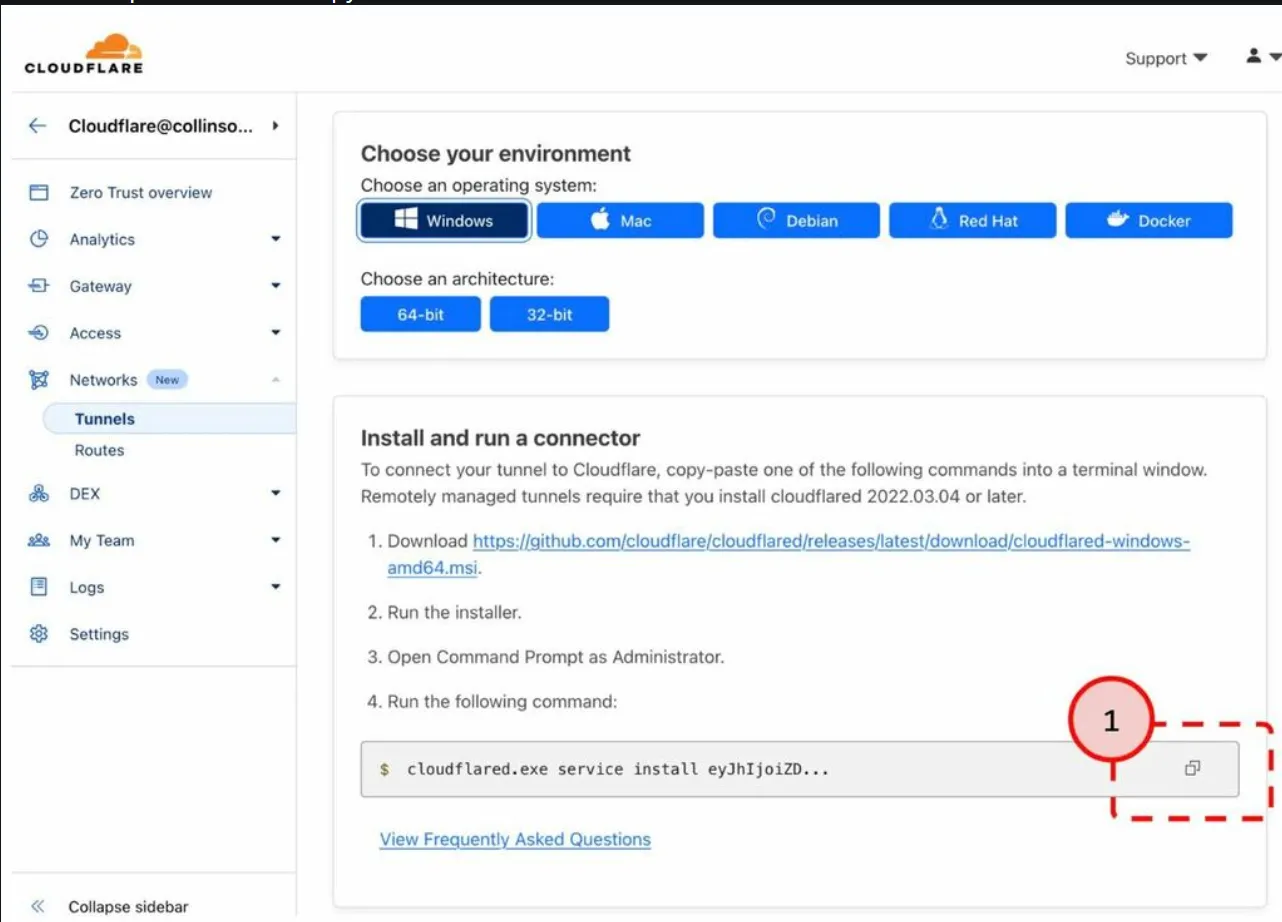
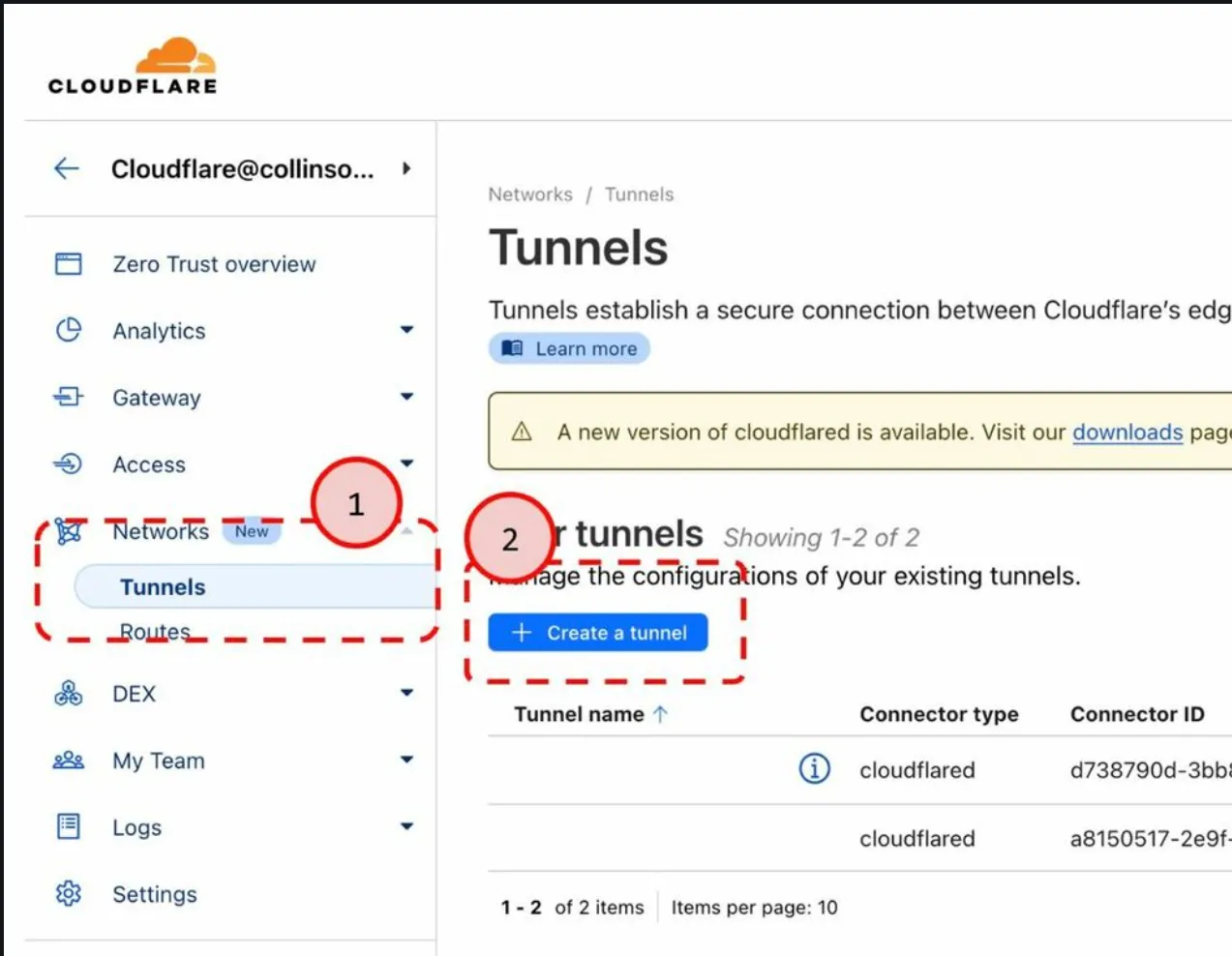
    Go to Cloudflare Zero Trust.

    2. Network > Tunnels > Create a Tunnel

    3. Cloudflared > Next

    4. Type a Tunnel name such NAS or My Tunnel and save tunnel.


    5. Click the clipboard icon to copy the run command.

    6. Paste that into a text editor so you can copy the token from the end of the command.

    cloudflared.exe service install eyJhIjoiZDA4ZGNiMTUXXXXXXXXXXXXXXXXXXXXXXXXXXXXX


    Now you have a free and ready to use Reverse Proxy tunnel, and the Token is all you have to copy/paste in to a NAS or any cloud server you might have.


    And next DNS servers....

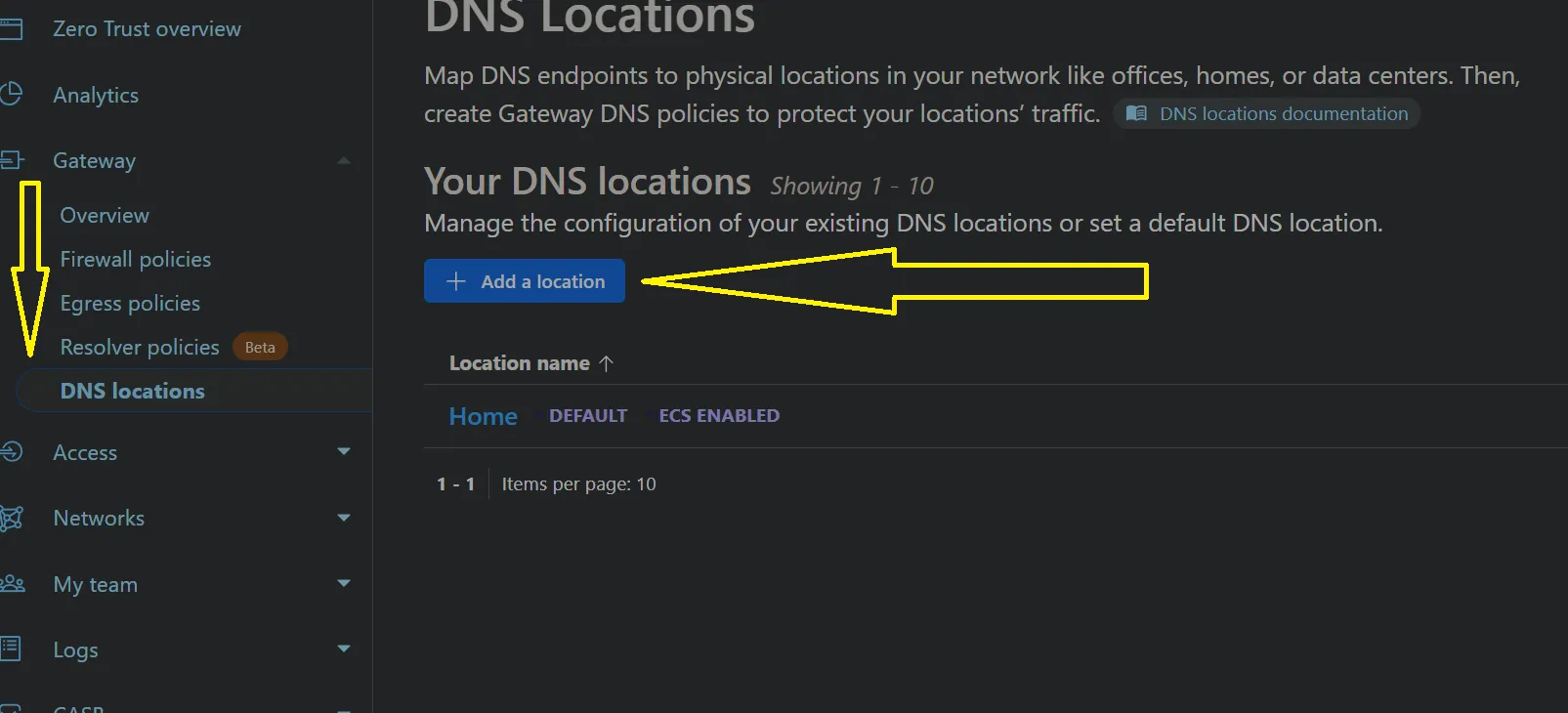
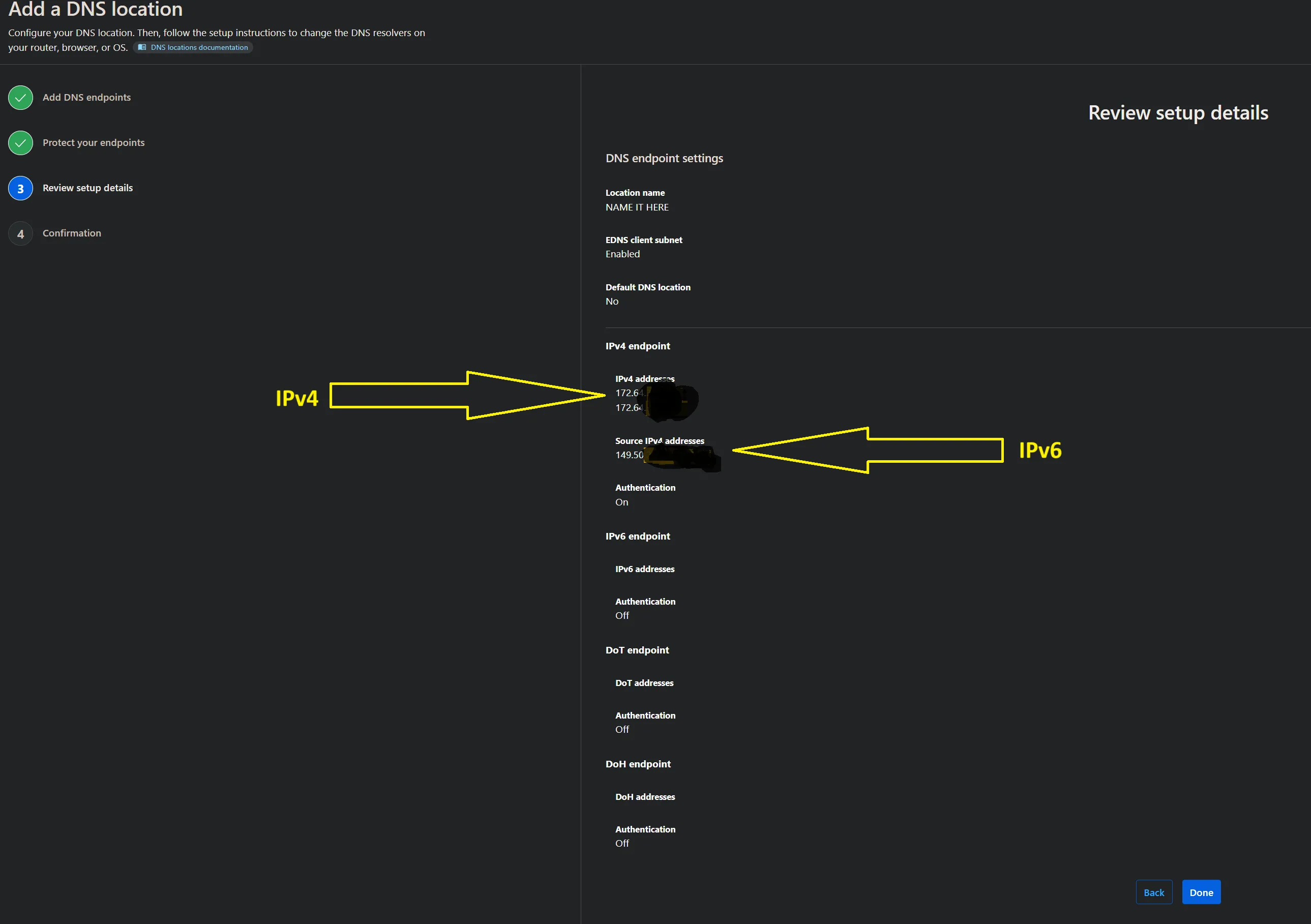
    1. Click on Gateway -> DNS Location and ADD A LOCATION


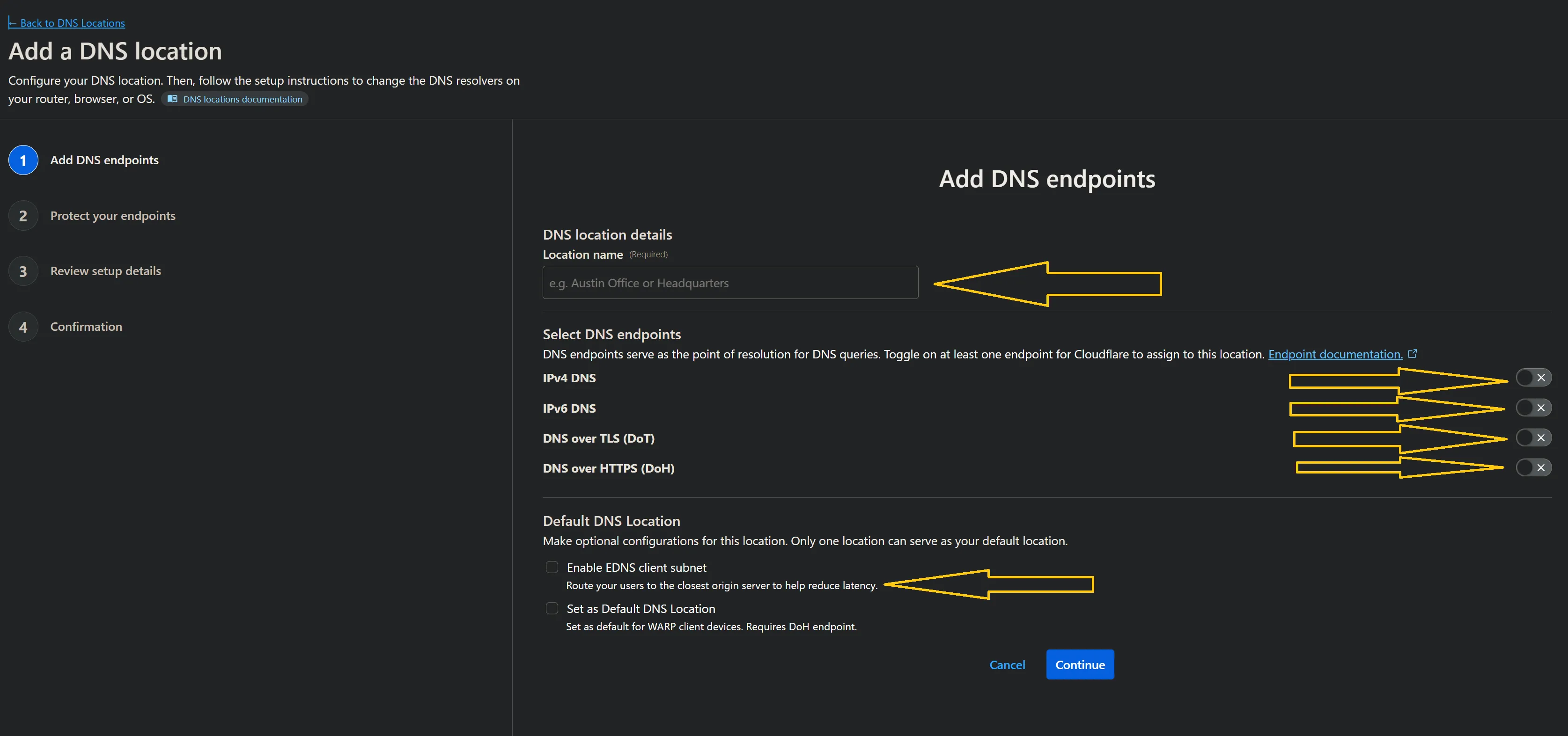
    2. Enter a name and click the options where the arrows is..


    3. When done, click Continue...


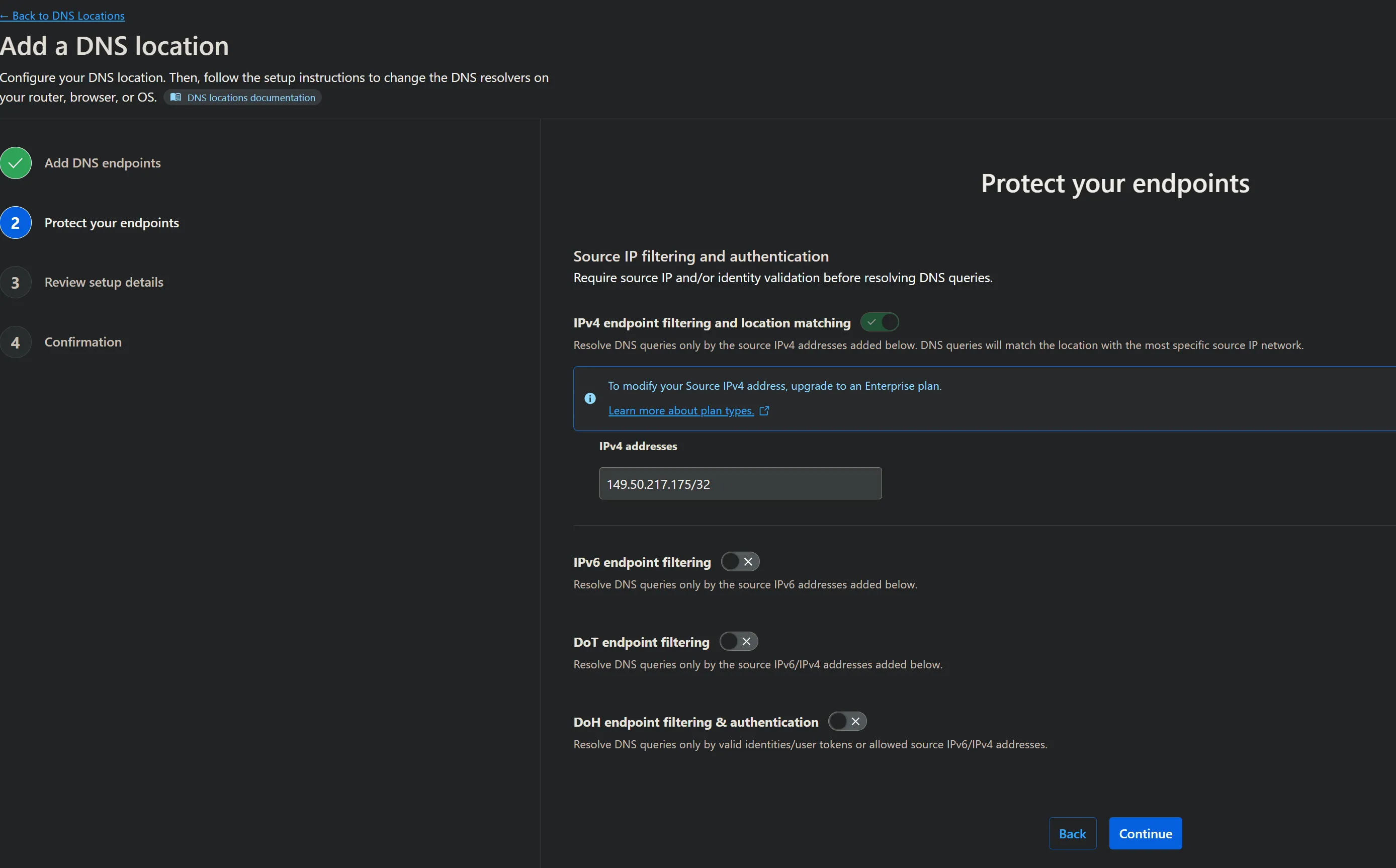
    4. And just cllick Continue again...


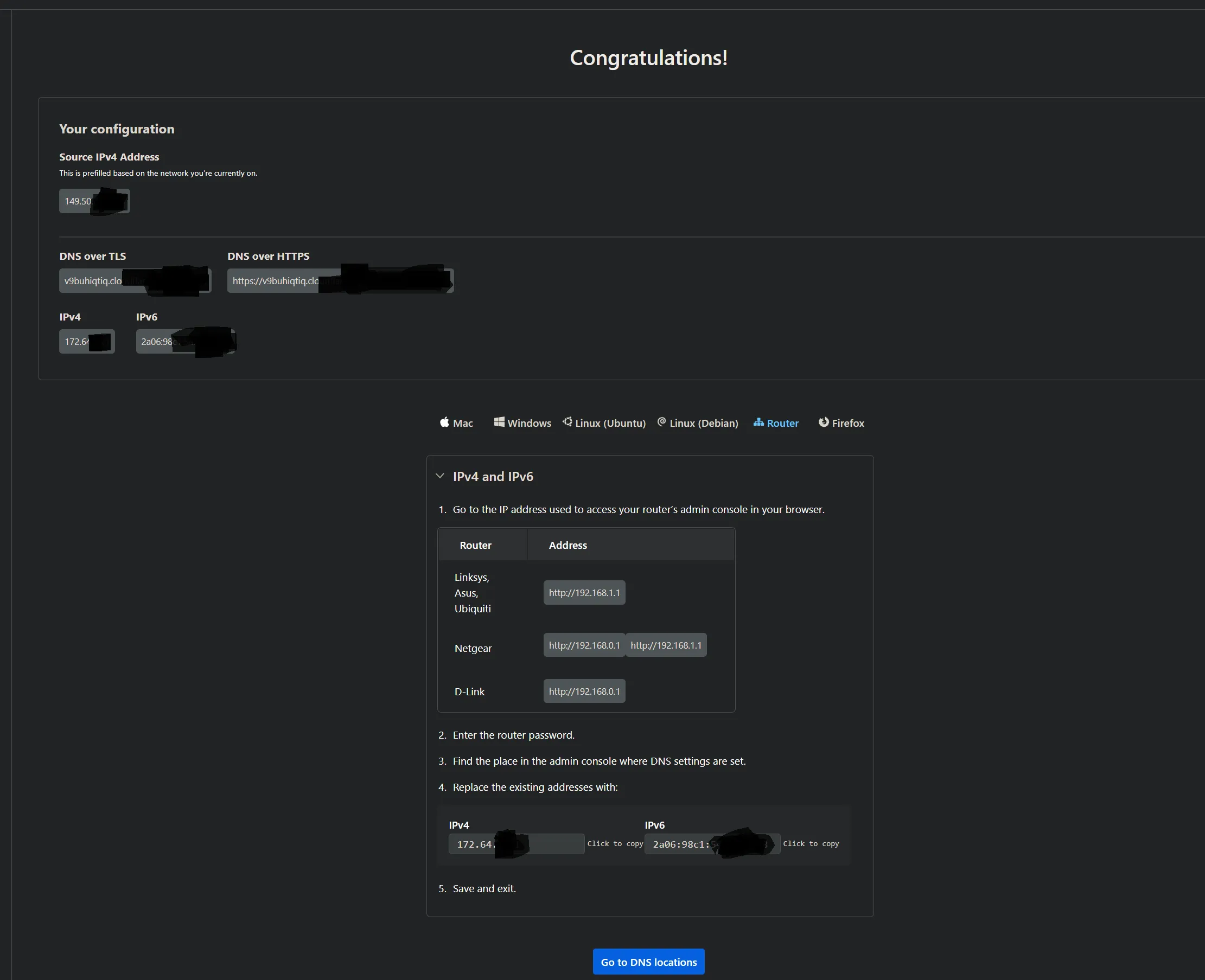
    5. And on the next and last page, you now have your very own Cloudflare DNS servers, you can use as much as you want, in as many devices as you want...
    Click Done!


    6. And on this Summary Page, you get all the information you´ll ever need to use Cloudflare DNS servers, and i have 4 different portals on my Z11 Pro Max, and my router is setup with these also, and i have zero issues with any channels.


    :winking_face::smiling_face: Have Fun

  • Hi.
    It is possible to use Cloudflare in your z10, however you need to do the following... ( i have it on both my boxes [ Z11 Pro Max & GTV ]. You´ll need to go and make a account, which is super easy, and the best thing, its completly free, and you get a personal DNS server(s) and if you need it, a reverse proxy also.
    Okay, here we go...

    Thank you very much for your response. Good work.

    Best regards.

  • Good to know!

    I didnt expect cloudflare dns to censor that is the dns im using right now!! I will be switch to what you recommend thank you!