

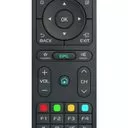
Highlight your App icon you want to delete, press the OK button and hold (not only press once, you must press and hold pressed), then appears pop up window where you can chose to delete.
This does not work for the top category on the home screen.
The name of the top category is "Apps".
When you "press and hold" "OK" you can only rearrange them to the left or to the right.
You do not get a popup to delete icons from that specific top Apps bar.
Also in the "Launcher Settings" this "Apps" menu bar does not allow any customization, because it simply cannot be chosen in the "Launcher Settings".
Hardware Z8
Version: 7.0
MOL: 7.15.5







 time to update ddd