Just came across realising that Formuler for some reason wont stay in 4K resolution on tv capable of, automaticly switching and staying on 1080p no matter what i do.
HDMI cables are fine, tv is able of 4K, other android box is showing and running in $K resolution.
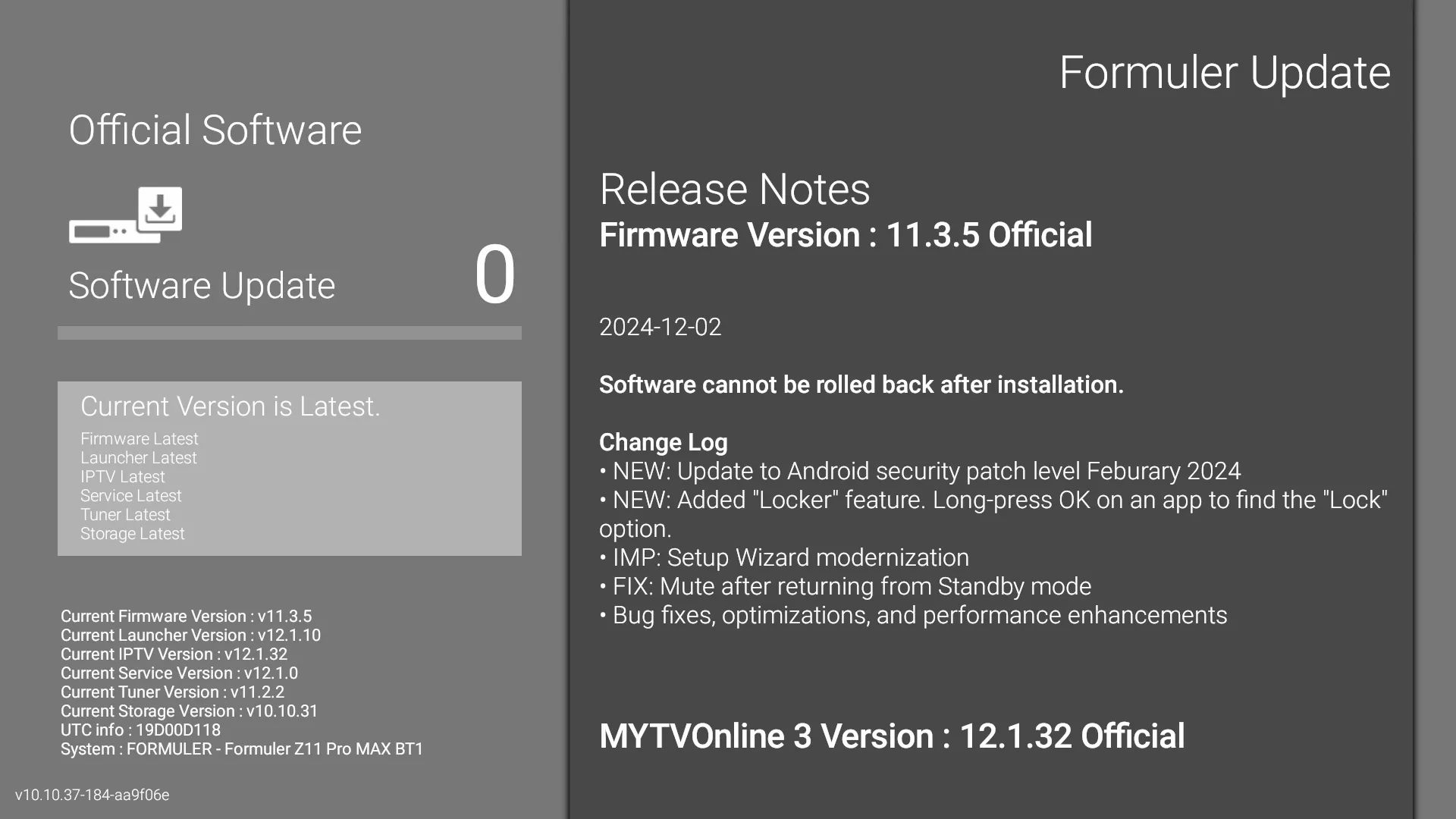
Latest software installed
Any thoughts?
Thanx

Formuler z11 pro max not showing in 4k
-
- Help
- Z10 Pro Max
-
gemini6791 -
April 17, 2025 at 2:32 PM
We asking all new users to read the articles below, before creating their first posting or thread.
- 4. Instruction Articles
Please note, in this forum are only English threads and postings allowed, without any exception!
Please follow the forum rules, thank you for your understanding.
-
-
- Official Post
Can you provide details about your A/V setup?
What is the brand/model of the TV?
Is the Formuler plugged directly into the TV with the HDMI cable? or are there any intermediate devices between the Formuler and the TV?
-
If you have lg tv, put hdmi directly in hdmi 4.
But waiting for your answer which brand youn have.
-
Hi, thanx for help, my apology, had to mention that hdmi is going to asus capture card Asus CU4K30.
When Formuler plugged directly to tv, seems like all is good, get 4K output.
Tried to disable HDCP feature on Asus capture card but without sucess. 4K resolution stays for a about 10-15 seconds then it switches itself back to 1080p.
Is there any option on Formuler do activate/deactivate in order to video signal goes to Asus CU4K30 capture card goes in UHD format?
Many thanx -
Hi, thanx for help, my apology, had to mention that hdmi is going to asus capture card Asus CU4K30.
When Formuler plugged directly to tv, seems like all is good, get 4K output.
Tried to disable HDCP feature on Asus capture card but without sucess. 4K resolution stays for a about 10-15 seconds then it switches itself back to 1080p.
Is there any option on Formuler do activate/deactivate in order to video signal goes to Asus CU4K30 capture card goes in UHD format?
Many thanxLooks to me that if its supported its should work automatically. Check the settings and specifications.
But maby someone else has an solution.
But formuler boxes always direct on hdmi on your tv! Is my advice
-
- Official Post
Hi, thanx for help, my apology, had to mention that hdmi is going to asus capture card Asus CU4K30.
You must know, if you send 4K AV to capture card and this then to TV, this must be able to forward 4K AV to TV and tell the Formuler Box it works in 4K Mode in both directions. If the card doesn`t allow or is not set correctly, you will get only 1080p. Check the Card settings and specs.
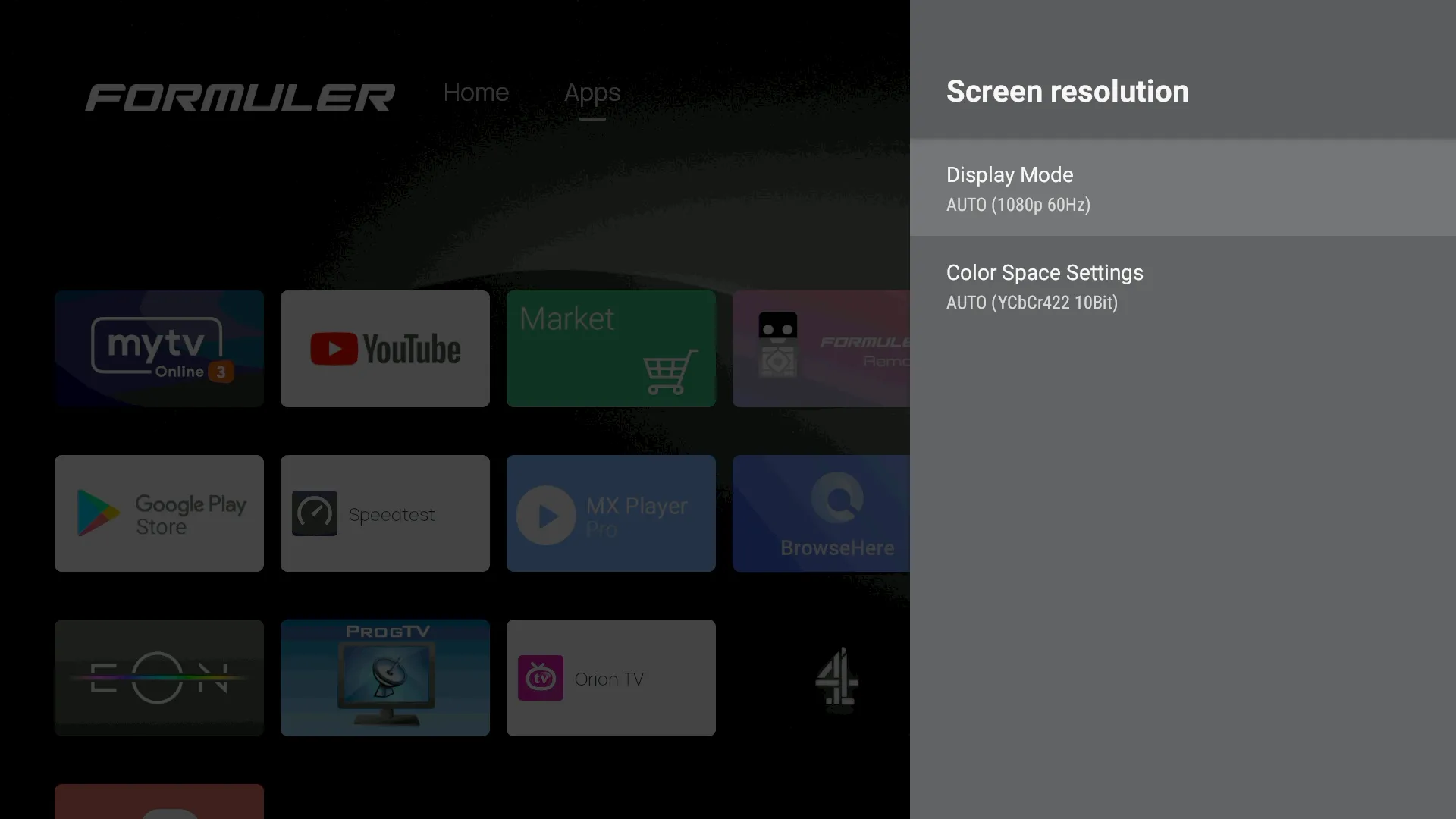
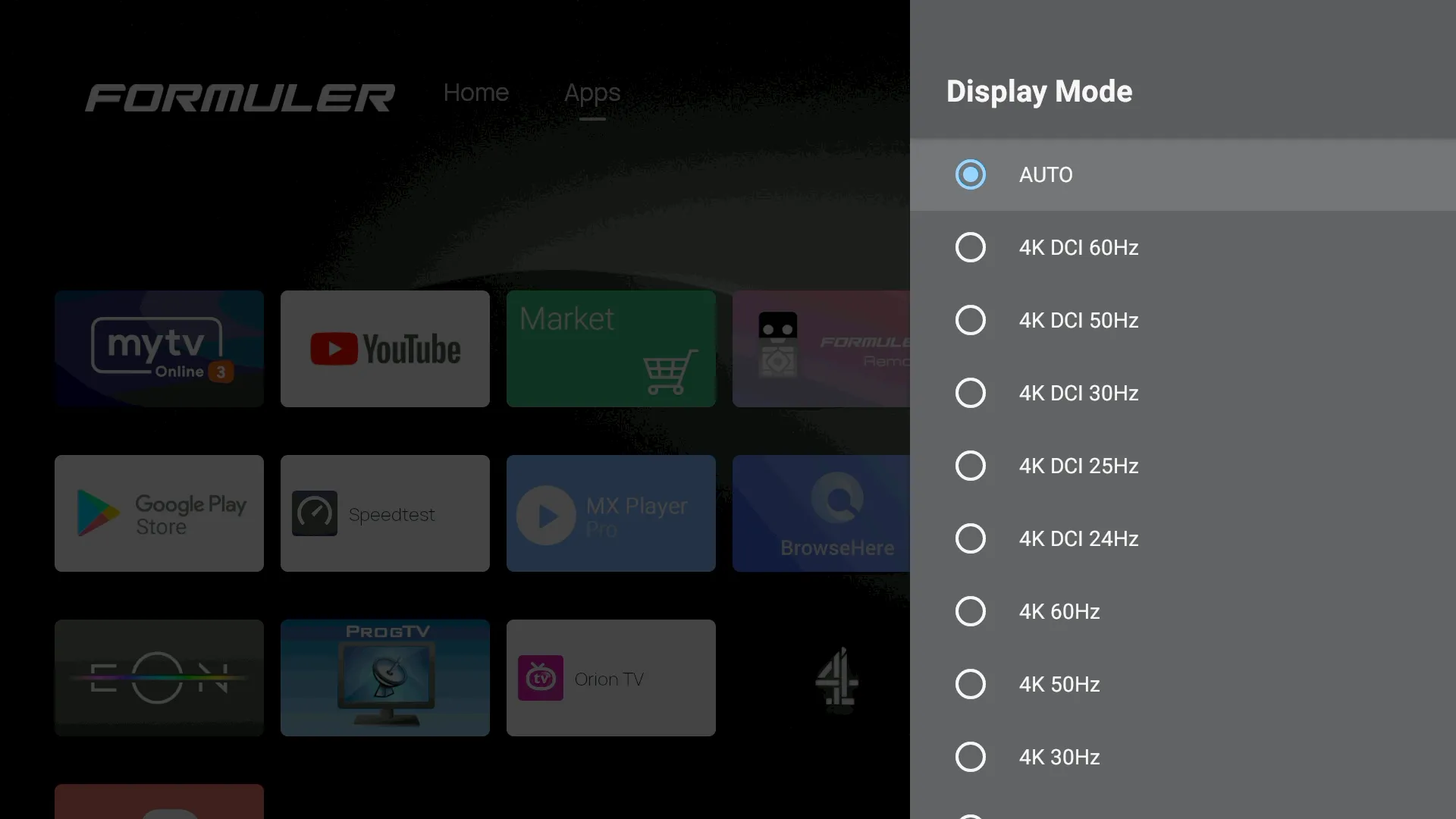
Try also to set manually 4K and not AUTO resolution on Formuler Box and test again.
-
Hi, just an update.
This doesnt make any sense to me but it worked.
Went into Developer options where i have found option for HDCP which were turned off.
Just out of curiosity i turn it on then back off.
Went to HDR option and turn it to Adaptive anf presto, it stayed on UHD resolution, hadnot change it back to 1080.
In Asus Video capture console checked and saw that input is 3840x2160.
OBS values changed onto 4K and video files are now rerorded in 3840x2160 resolution.
Thanx everyone. -
Display More
Hi, just an update.
This doesnt make any sense to me but it worked.
Went into Developer options where i have found option for HDCP which were turned off.
Just out of curiosity i turn it on then back off.
Went to HDR option and turn it to Adaptive anf presto, it stayed on UHD resolution, hadnot change it back to 1080.
In Asus Video capture console checked and saw that input is 3840x2160.
OBS values changed onto 4K and video files are now rerorded in 3840x2160 resolution.
Thanx everyone.Hi, i also went in developer mode,in order to get my 4K&8K streams go up to 3840*1260,but i dont understand from you post,where you found the HDR option?
Cant seem to find them in dev.options or do i have to go back to Device Preferences?
Maybe Lucky133 has any suggestions?
-

Hi, i also went in developer mode,in order to get my 4K&8K streams go up to 3840*1260,but i dont understand from you post,where you found the HDR option?
Cant seem to find them in dev.options or do i have to go back to Device Preferences?
Maybe Lucky133 has any suggestions?
Hi, will this page accept a video of how to if i attached it to it, not sure about forum rules.
Will be easier for those who are in needs to work this issue.
Thanx -
Hi, will this page accept a video of how to if i attached it to it, not sure about forum rules.
Will be easier for those who are in needs to work this issue.
ThanxGoodday my friend,
Video's can you upload on https://streamable.com/
(Makr account first). Upload video and then share videolink here.
-
Hi, i also went in developer mode,in order to get my 4K&8K streams go up to 3840*1260,but i dont understand from you post,where you found the HDR option?
Cant seem to find them in dev.options or do i have to go back to Device Preferences?
Maybe Lucky133 has any suggestions?
I thought hdr you can find in android settings somewhere. Not at home now do the steps i cant tell you yet
-

Goodday my friend,
Video's can you upload on https://streamable.com/
(Makr account first). Upload video and then share videolink here.
Hi all, hope you will find it helpful.
Watch tutorial | Streamablestreamable.comThanx
-
Hi,
I followed your video tutorial(many thx for that),however when i check my 4K and 8K channels,by pressing info button twice,i am having streams 1920*1080,50 fps.
Is this the same in your case,when you press info button,or do you get 3800*2100 range as a streaming result?
-
Hi,
I followed your video tutorial(many thx for that),however when i check my 4K and 8K channels,by pressing info button twice,i am having streams 1920*1080,50 fps.
Is this the same in your case,when you press info button,or do you get 3800*2100 range as a streaming result?
Hello
Can you post screenshots?
What is your scenario, Formuler -----> TV directly or Formuler -----> capture card -----> Tv?
Your HDMI cables are certified for 4K, 8K?
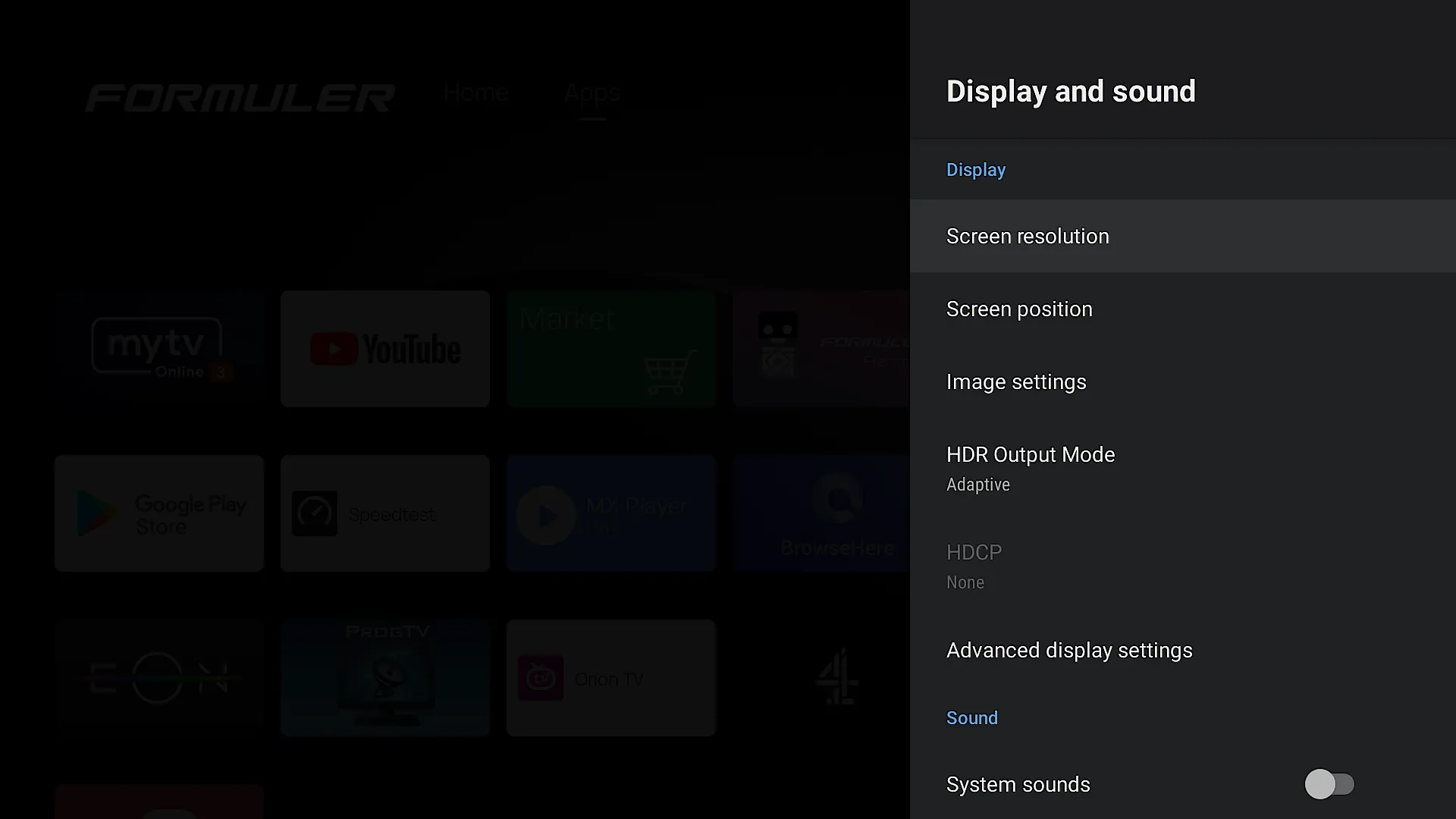
Have you checked on tv set options for HDMI, does it give you some broader options? In my case HDMI is set HDMI 2.0 Format from Standard to Enhanced.
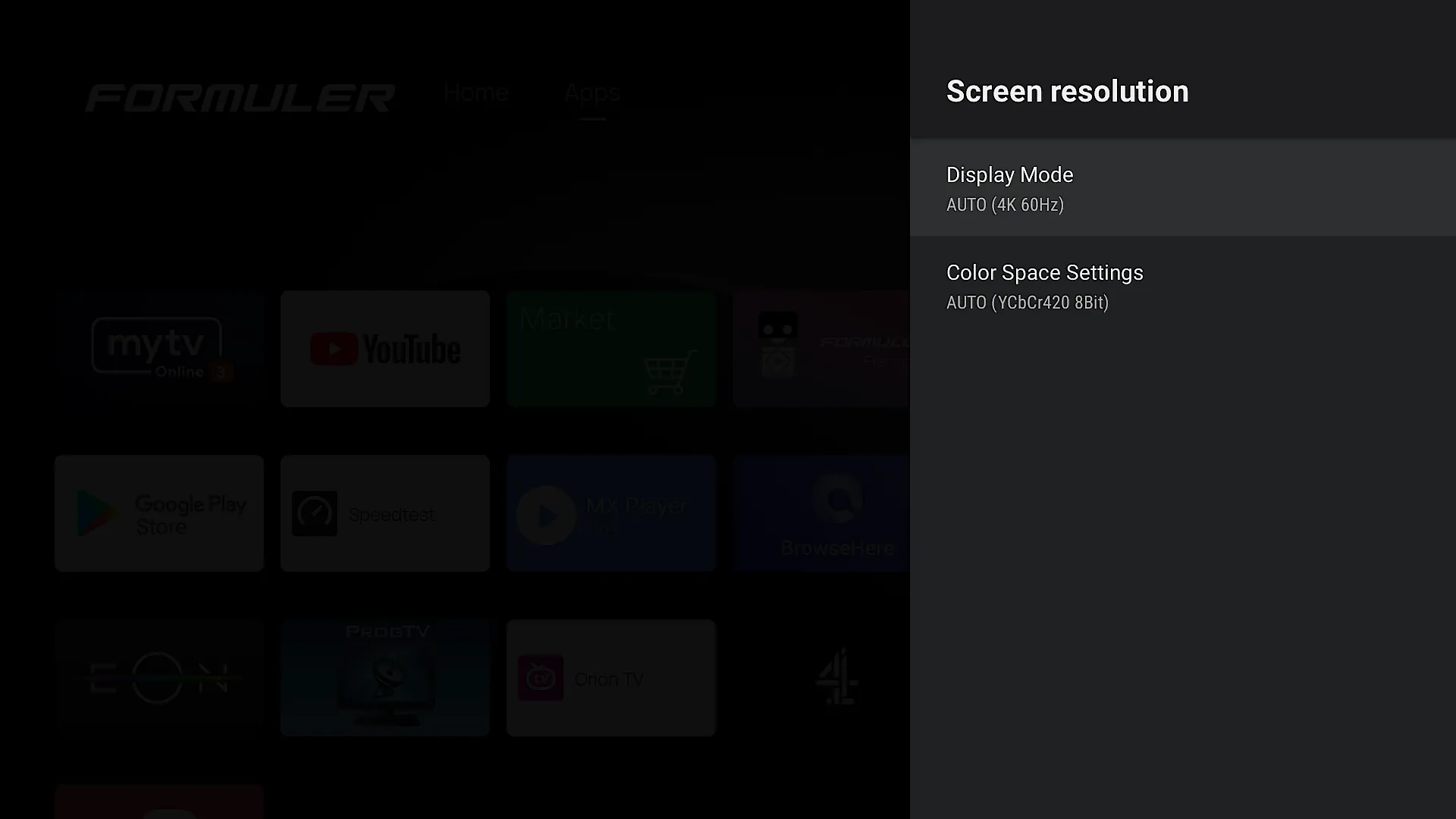
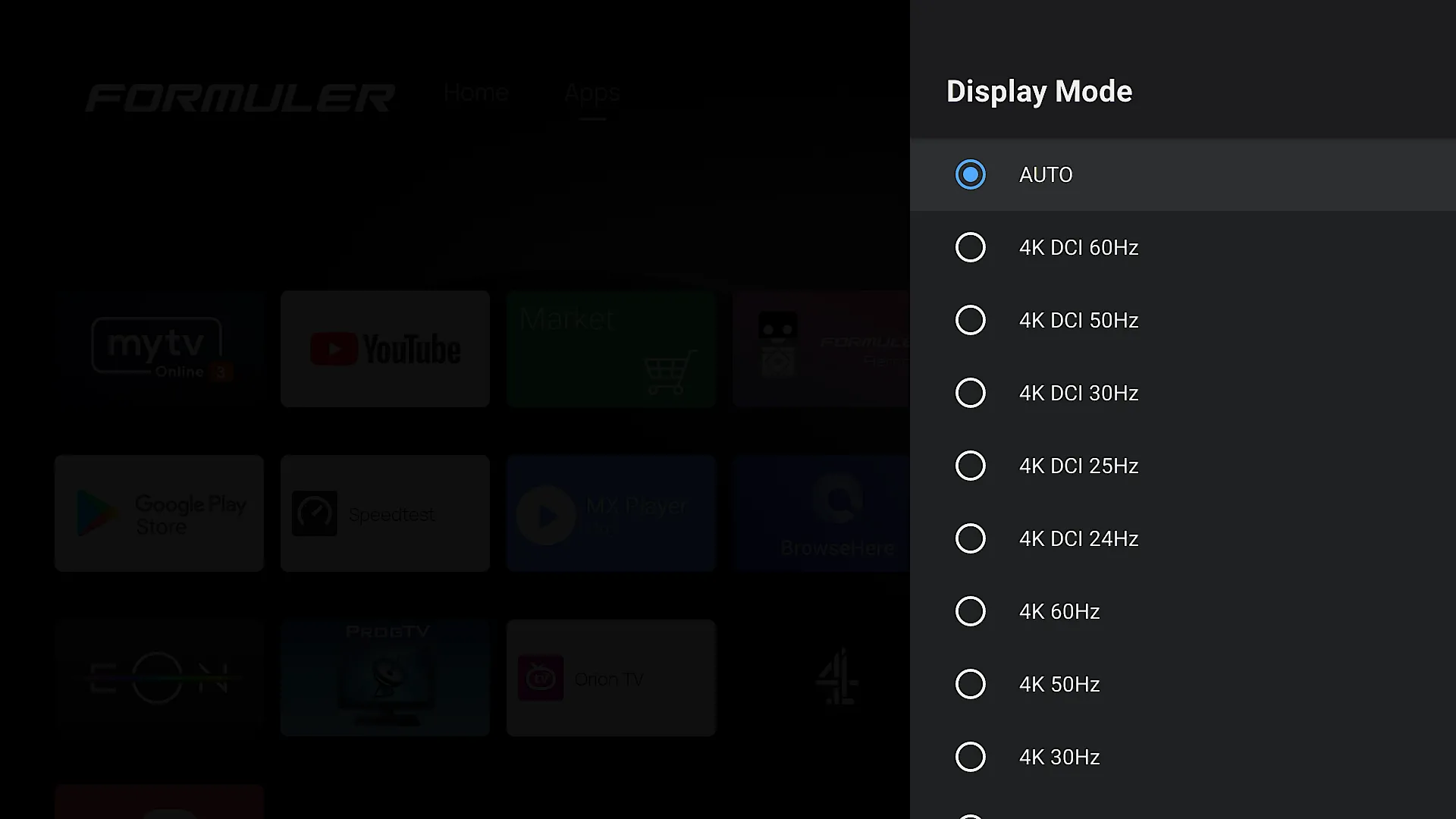
My TV is set for automatic resolution and that is how it shows, 4K 60Hz, although there is smoething like 4K DCI 60Hz for which i dont even havent got a clue what is it, how is it different from 4K 60Hz.
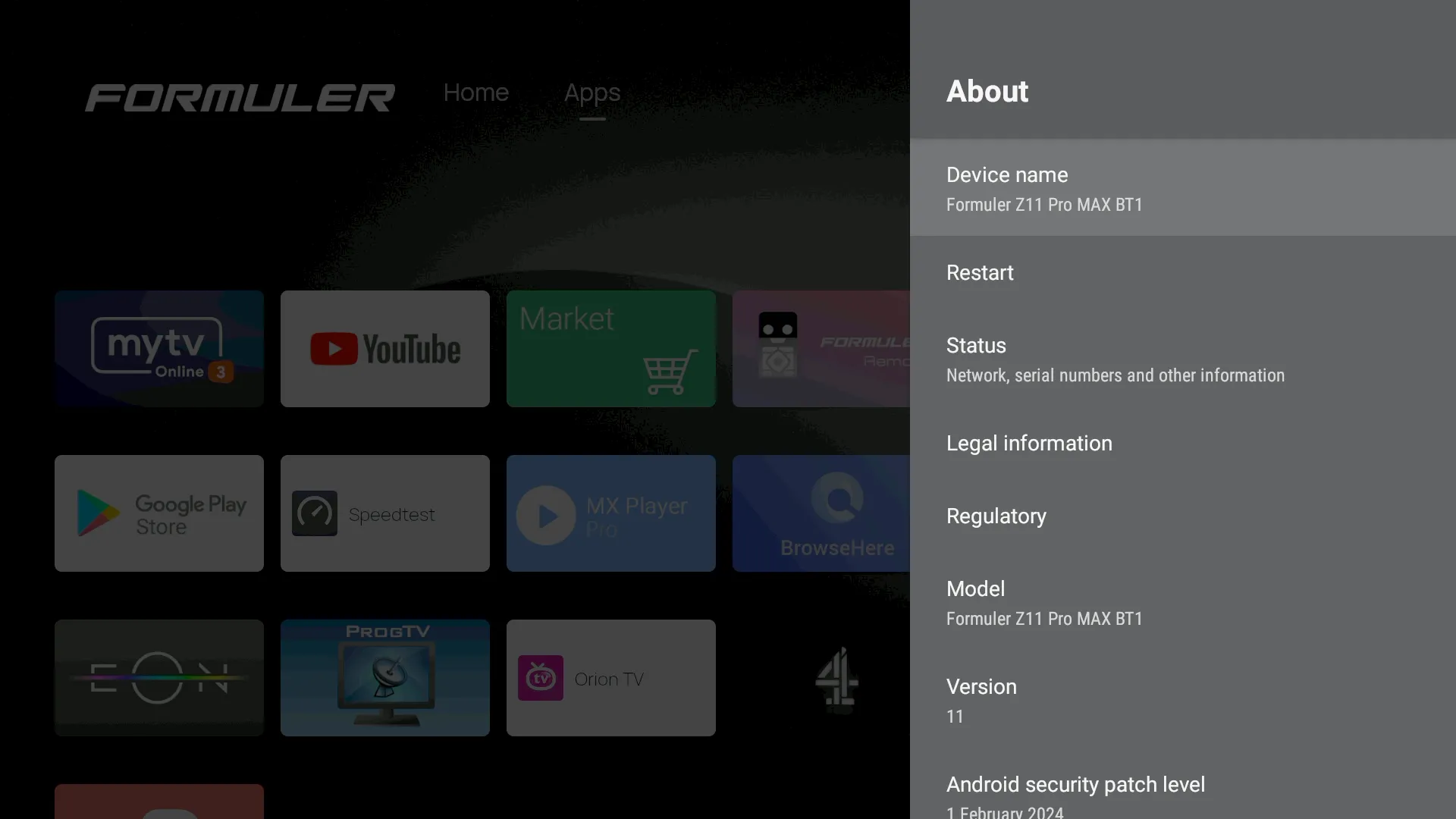
Here are some screenshots of my unit.
-
Hi,gemini,
Unfortunately i cant show screenshots,as i am one of the dinosaurus race that does not have a smartphone,because i cant handle one due to arthritic hands

My Formuler is directly connected to my HDMI port on the tv,so no cards.
My HDMI cables are the standard one that came with the Formuler box,so i guess they are certified for at least 4K.
The HDMI options on tv set i will have to check.
My tv is also set for auto resolution (Sony Bravia) and are similar to the pictures you included.
That leaves one question open,when i go into VOD section and select a 4K movie,e.g.the Expandables and play it and press on info button of the remote it says resolution in the range of 3800*2100,fps 24
When on a 4K live channel,pressing the info button twice it says 1920*1080,50 fps,where i would expect it to be similar resolution as in VOD.
If you press info button twice,on your side,on a 4K channel what does it show?

-
Display More
Hi,gemini,
Unfortunately i cant show screenshots,as i am one of the dinosaurus race that does not have a smartphone,because i cant handle one due to arthritic hands
My Formuler is directly connected to my HDMI port on the tv,so no cards.
My HDMI cables are the standard one that came with the Formuler box,so i guess they are certified for at least 4K.
The HDMI options on tv set i will have to check.
My tv is also set for auto resolution (Sony Bravia) and are similar to the pictures you included.
That leaves one question open,when i go into VOD section and select a 4K movie,e.g.the Expandables and play it and press on info button of the remote it says resolution in the range of 3800*2100,fps 24
When on a 4K live channel,pressing the info button twice it says 1920*1080,50 fps,where i would expect it to be similar resolution as in VOD.
If you press info button twice,on your side,on a 4K channel what does it show?
Hello, hope this is an answer you were asking me a question.
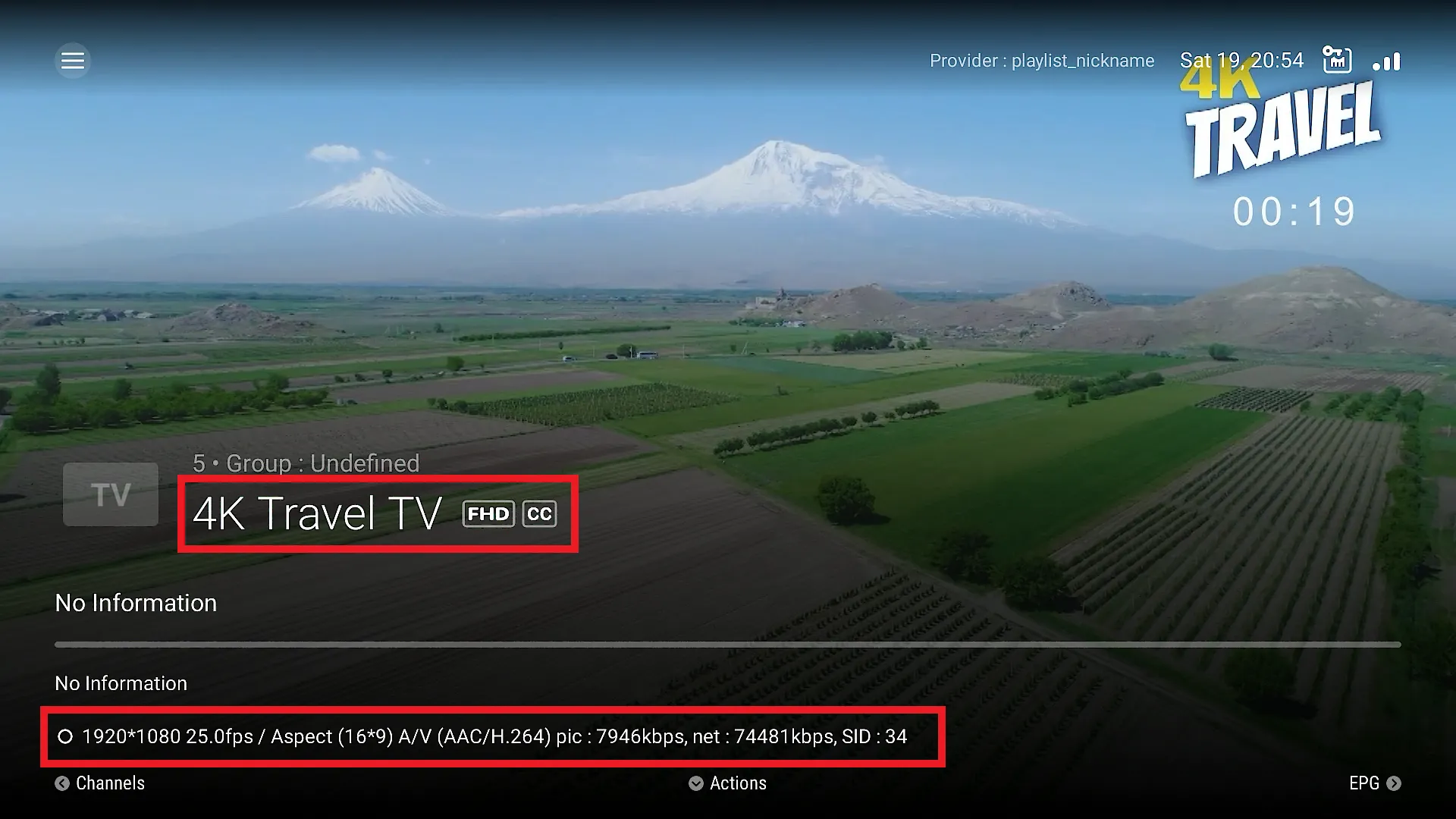
Stating 4K channel in My TV online 3 app doesnt mean that is a true UHD channel.
4K channel in this instance is displayed as 1920x1080 resolution.
4K Travel TV FHD (4K???)On my Sharp TV 55BJ2KO OSD info says 1920x1080p, changed from 3840x2160p.
-
Hi,
I followed your video tutorial(many thx for that),however when i check my 4K and 8K channels,by pressing info button twice,i am having streams 1920*1080,50 fps.
Is this the same in your case,when you press info button,or do you get 3800*2100 range as a streaming result?
Without beating a dead horse as this answer is used all the time, it really is down to your provider.
The channel names can be anything that the provider names it. The actual source quality is the important part.
Mol3 will report what the stream resolution actually is. The output settings won’t affect that.
I’ve noticed a lot of Chinese based providers will name everything 4k/8k but with many channels your lucky to get hd let alone fhd.
Fact is there aren’t many 4k streams, and afaik no 8k. So it won’t be an issue with mol3 or settings
Attached is what a 4k stream info looks like on mine. My provider is accurate with naming but my backup can sometimes be hit and miss. Eg hd for a fhd channel etc. -
 Display More
Without beating a dead horse as this answer is used all the time, it really is down to your provider.
The channel names can be anything that the provider names it. The actual source quality is the important part.
Mol3 will report what the stream resolution actually is. The output settings won’t affect that.
I’ve noticed a lot of Chinese based providers will name everything 4k/8k but with many channels your lucky to get hd let alone fhd.
Fact is there aren’t many 4k streams, and afaik no 8k. So it won’t be an issue with mol3 or settings
Attached is what a 4k stream info looks like on mine. My provider is accurate with naming but my backup can sometimes be hit and miss. Eg hd for a fhd channel etc.Thanks samis
 ,thats the result i wanted to see,4K channel with accompying resolution.
Just out of curiosity is the picture you attached from a z11promax box or a z mini?
-
Thanks samis
,thats the result i wanted to see,4K channel with accompying resolution.Just out of curiosity is the picture you attached from a z11promax box or a z mini?
Z11 pro max