


Are you talking about this ?
Home -> Settings -> Apps -> Clear cache
Yeah this doesnt work on z11 pro max

We asking all new users to read the articles below, before creating their first posting or thread.
Please note, in this forum are only English threads and postings allowed, without any exception!
Please follow the forum rules, thank you for your understanding.
Are you talking about this ?
Home -> Settings -> Apps -> Clear cache
Yeah this doesnt work on z11 pro max

So got my delivery today of units and set up my z11 pro max, initial thoughts are bit mixed as epg does not clear at all for guide etc but when you bring up info and press right the info is all there. Can you advise when this will be fixed as I have substantially commited to this box both pro and max and a guide is pretty much a must. Have a GTV, Z10 and Z10 pro max here on the same provider and all clear guide perfect. Have tried deleting and refreshing epg to no avail and also deleting portal and readding.
Please check your PM and reply to the message.

Hello guys
Let's say that I want to watch a TV programme from yesterday. In order to get the app setup to let me show that actual programme, I have to select the tv-programma that start before the one I would like to see.
There's no timeshift set in my device and also not in MyTVOnline3.
This bug started at the same time that the clock was set 1hr last weekend. Here is Holland we do this because of summer- and wintertime.
Can someone explain me how to fix this?
Please check your PM and reply to the message.
After Shut down, I can't start it with the remote, I have to cut the power for it to start. Stand by works fine. Tried reinstalling, same thing happens. Should I send it back, or is it a software problem?
tracking# CA23F3
We're constantly monitoring all feedback and applying improvements based on your comments. We appreciate you all for letting us know about the issues and we'll try our best to fix what's reported here as soon as possible.

After Shut down, I can't start it with the remote, I have to cut the power for it to start. Stand by works fine. Tried reinstalling, same thing happens. Should I send it back, or is it a software problem?
Please provide a video that shows the exact issue for further investigation. You can upload the Image/Video file here: https://streamable.com/ > Upload file > Copy link > Paste the link with your reply.
Also send logs right after the issue reappears following the next instructions: How to send logs
”Newly Added” in MTO3 shows content from hidden groups.
In VOD/Series, newly added VOD is displayed by default or can be set using the sorting function.
Please check again or compare with MYTVOnline2
I am on about the section called NEWLY ADDED, this is not sorted by newest first, which is a shame as you need to scroll right to the end to see newest stuff which is plain stupid
Quick question, I’m on Z10 and thinking about the Z11, how are you Z11 users experiencing the product as of now? Not quite sure if I should wait a bit until things get more stable as I’m enjoying the Z10 and don’t want to make the switch if it brings down the experience.
Don't worry to much about the initial hickups with the Z11promax,why don"t enyoy the experience with both of them.I intend to sell my z10pro,in a few months,as the Z11 will be stable
When I try to go from one provider to another (I have 2 lines) I can't do it on mytvonline. With the gtv I went to calls and turned off one to activate the other, in this new mytvonline I can't find the connections. If you do leave it leaves, but does not turn off the provider. Z11 MAX PRO Help please

When I try to go from one provider to another (I have 2 lines) I can't do it on mytvonline. With the gtv I went to calls and turned off one to activate the other, in this new mytvonline I can't find the connections. If you do leave it leaves, but does not turn off the provider. Z11 MAX PRO Help please
You don’t need to disconnect from one provider to the other in this version.
Once you’ve added your connections, you can view all information in one playlist
Example:
You’ve entered connection (A) at setup and also connection (B) at setup
When you open MYTVONLINE3
Go to your TV channel listing and you’ll see for the groups
Connection (A) list is first and as you scroll to the bottom of that connection (B) list appears
Also when you’re on connection (A) and watching a channel, if you press the info button on your remote, at top right of the screen it will show the provider name you entered so you know which connection you’re on. Assuming you didn’t know already.
Same with vod however it will appear at bottom right showing which connection you’re on.
To setup again or edit connections
On any channel press menu button on the remote
From the drop-down menu go to content manager
Select content sources
You can view / add / remove from there
 Display More
You don’t need to disconnect from one provider to the other in this version.
Once you’ve added your connections, you can view all information in one playlist
Example:
You’ve entered connection (A) at setup and also connection (B) at setup
When you open MYTVONLINE3
Go to your TV channel listing and you’ll see for the groups
Connection (A) list is first and as you scroll to the bottom of that connection (B) list appears
Also when you’re on connection (A) and watching a channel, if you press the info button on your remote, at top right of the screen it will show the provider name you entered so you know which connection you’re on. Assuming you didn’t know already.
Same with vod however it will appear at bottom right showing which connection you’re on.
To setup again or edit connections
On any channel press menu button on the remote
From the drop-down menu go to content manager
Select content sources
You can view / add / remove from there
Tks my friend
I cannot get my Mac subscription to populate all the channels on my Z 11 I put a message up yesterday. It was working fine on my Z 10 now it will only populate a few of the channels. It is not being used on any other device. The other device was logged off correctly and wiped clean, not sure where to go from here suggestions please
Hi.
I run 3 providers on my new formula z11 pro max.
I like the way you don't have to change portals anymore but I think a folder needs to be added so you can select what portal you would like to view the channels on ?
I understand that you can create groups but then this still leaves so much to scroll down and find what I want to watch.
Thanks Dan
Any idea when config file option will be available for the z11 ?
Thanks
Hello, I buy z11 pro but is not working correctly, when I put the portal only appears 14 channels, in formuler z plus the same portal I have 400. Someone can help me to fix it. Thank you
Series history isn’t showing anything despite us watching something. When I then search for what we were watching it doesn’t show a progress bar up to where we were in the episode either.

I run 3 providers on my new formula z11 pro max.
I like the way you don't have to change portals anymore but I think a folder needs to be added so you can select what portal you would like to view the channels on ?
I understand that you can create groups but then this still leaves so much to scroll down and find what I want to watch.
Is already requested and forwarded to Formular as future request. Switching IPTV providers
Any idea when config file option will be available for the z11 ?
Is not implemented yet, will take some time (Bugs have priority) and no date for this.

I buy z11 pro but is not working correctly, when I put the portal only appears 14 channels, in formuler z plus the same portal I have 400. Someone can help me to fix it.
Please post more detailed infos about your Portal/subscription!
@All
If Bugs or Issues are reported please post each time what is in use, so we have more infos to understand what`s going on.
1. Stalker MAC/ID Portal
2. XC APi Portal
3. or M3U Playlist.
I have Stalker MAC/ID Portal
VOD and Series TV is working good.
Categories appears all groups but don't have any channels, only the group Adults have 14 channels.

Series history isn’t showing anything despite us watching something. When I then search for what we were watching it doesn’t show a progress bar up to where we were in the episode either.
I can recreate this fault.
If I am watching a series episode, and I press the hotkey ii which is mapped to go to live tv, it forgets I was watching. This is repeatable.
I have three portals with username and password and the latest updates on the box.
I have Stalker MAC/ID Portal
VOD and Series TV is working good.
Categories appears all groups but don't have any channels, only the group Adults have 14 channels.
Turn off MOL3 or reboot your box. Reopen the app and go to Content Manager > Data Sync > Contents data and click Refresh.
If channels don't come back, please send logs right after the issue reappears following the next instructions: How to send logs.
May need additional information. Will send you a PM if the issue remains.
My connection on my Z11 pro via vpn surfshark is very slow. It is more than halved. The funny thing is that there is hardly any delay on other devices with Surfshark. And when I turn off the vpn on the Z11 pro the connection is fast again. Is the problem recognizable and does anyone know a solution.
I am using 2 portals but after a while the portal in second position stops and I have to restart it manually via the content manager.
If the screen saver is activated, it starts during VOD or Series, it's quite disturbing, on the other hand, in live tv, everything is fine.
It would be nice to have for each portal a separation in the list of channel groups.

I am on about the section called NEWLY ADDED, this is not sorted by newest first, which is a shame as you need to scroll right to the end to see newest stuff which is plain stupid
Reported. Will get back to you when there's an update

My connection on my Z11 pro via vpn surfshark is very slow. It is more than halved. The funny thing is that there is hardly any delay on other devices with Surfshark. And when I turn off the vpn on the Z11 pro the connection is fast again. Is the problem recognizable and does anyone know a solution.
Could be the IP change. Take a video of each situation and post it here. You can upload the Image/Video file here: https://streamable.com/ > Upload file > Copy link > Paste the link with your reply.
I spotted that all channels show 50fps from sd to HEVC 

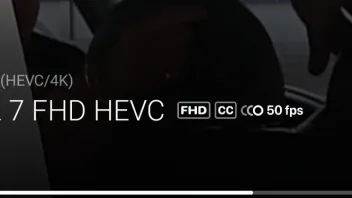
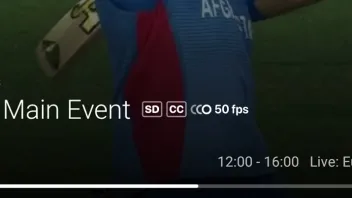

I spotted that all channels show 50fps from sd to HEVC
I spotted that all channels show 50fps from sd to HEVC
Is that a good thing,or not? 
Guide cuts off top and bottom line only showing half text.
z11 max pro using a m3u with 3 different providers and no other hardware except z11

Is that a good thing,or not?
I wish SD channels were 50fps Henkie! the UK has far too many SD channels that are only 25 to 30fps, it's like watching tv with cataracts 

Guide cuts off top and bottom line only showing half text.
z11 max pro using a m3u with 3 different providers and no other hardware except z11
Try going into device preferences - display and sound - screen position
there's a zoom in/zoom out feature that should get you lined up properly 

Turn off MOL3 or reboot your box. Reopen the app and go to Content Manager > Data Sync > Contents data and click Refresh.
If channels don't come back, please send logs right after the issue reappears following the next instructions: How to send logs.
May need additional information. Will send you a PM if the issue remains.
I have send logs
Try going into device preferences - display and sound - screen position
there's a zoom in/zoom out feature that should get you lined up properly
This is not a screen issue but a bug in the guide display.
Can you translate your post in English,please?
He has a Formuler Z11 Pro Max and he is having problems with replay. It is impossible to rewind or fast forward on a movie in replay mode.
I'm trying to help, just got my Z11 pro today and haven't got far with it as this is my first Formuler box. Looking forward to discover it.
VE and JD, i also are exploring my new z11promax,i am mainly focussing on live tv,so i do not have an answer to your question.
Don"t forget to mention in your posts on what Protocol your on (MAC/ID,XC or m3u) and wheter you have multiple subsriptions.
More in general you can move a movie forward or backward, by using the right resp. left arrow on your remote,this is the circle around the OK button,from there you should be able to navigate to fast forward or fast rewind (Quote VE)
I have 2 different providers in the Z11 Pro Max and the function of pin channel list is genious and i love it. But i noticed that in my TV list when i refresh the content (I have pinned my live sport categories) the pinned groups dont get refreshed.
I tried to unpin them and then they where refreshed. So my pinned groups dont get refreshed. Only unpinned.
Hi,
I have bought one Z11 pro max.
I cannot connect to the portal thru myonlinetv 3, i get this error message below.
Updated to the latest firmware i have tested the portal via Smartstb directly on the TV an it works great, so it feels its something with the box.
Any ideas what it can be?
i have made a factory rested and tested it without updates but with the same problem.
Thanks in advance.

 Display More
Hi,
I have bought one Z11 pro max.
I cannot connect to the portal thru myonlinetv 3, i get this error message below.
Updated to the latest firmware i have tested the portal via Smartstb directly on the TV an it works great, so it feels its something with the box.
Any ideas what it can be?
i have made a factory rested and tested it without updates but with the same problem.
Thanks in advance.
Did you try with xtream codes api? Portal url, username and password?

Did you try with xtream codes api? Portal url, username and password?
Hi, Sorry i am new to this box thing, but what is xtream codes api? i use a portal URL, but no username or password is needed.
