- Official Post
Adjusting instruction for your portal ID
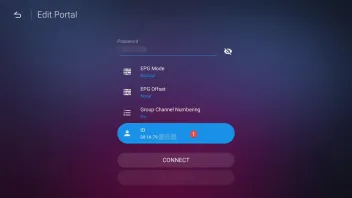
What means this and how to adjust the portal ID?
With MOL2 v. 7.10.4 Formuler added new feature. If your provider and your box have issues to establish Portal connection it could be the wrong send or interpreted ID. Also, If your service provider tells you that a certain ID already exists in their system (Someone else is already using the same ID), now you can create a new unique ID of your own to get around the issue.
In this case you are now able to change the first 6 digits, the last 6 digits are always fix and unchangeable. The default ID (first 6 digits) is 00 1A 79 but can change it to 00 1E B8 (alternative) or your own. It might be similar to STBEMU where you can change MAC in settings.
Please use this feature careful, only if necessary and have ID issue with Stalker portal. If all works fine from start with your Box and MOL2, there is no need to change this.
Important for Formuler CC users:
You may be required to adjust your portal ID after installing the update v 10.7.4.
Applies to:
Current Formuler CC users who have already registered a MAC portal in MYTVOnline and are already using it without problems.
How to toggle your ID prefix: MYTVOnline2 > Menu > Connections > Disconnect portal > Edit portal > Change ID prefix to "Alternate".