

How do you clear the cache on a formuler Z7+please?

How do you clear the cache on MOL1?
-
- MYTVOnline1
-
redrooster -
November 9, 2019 at 5:37 PM -
Closed
We asking all new users to read the articles below, before creating their first posting or thread.
- 4. Instruction Articles
Please note, in this forum are only English threads and postings allowed, without any exception!
Please follow the forum rules, thank you for your understanding.
-
-
- Official Post
For what exactly, MOL1?
-
Well the cache in an app I am using specifically as the app is not working properly and I was told by support to try clearing my cache and data?
-
-
Factory reset
-
Go to Main screen, select on left bottom Settings.
Then on the right side Apps.
Select the app you have problems with and then clear cache.
-
- Official Post
Well the cache in an app I am using specifically as the app is not working properly and I was told by support to try clearing my cache and data?
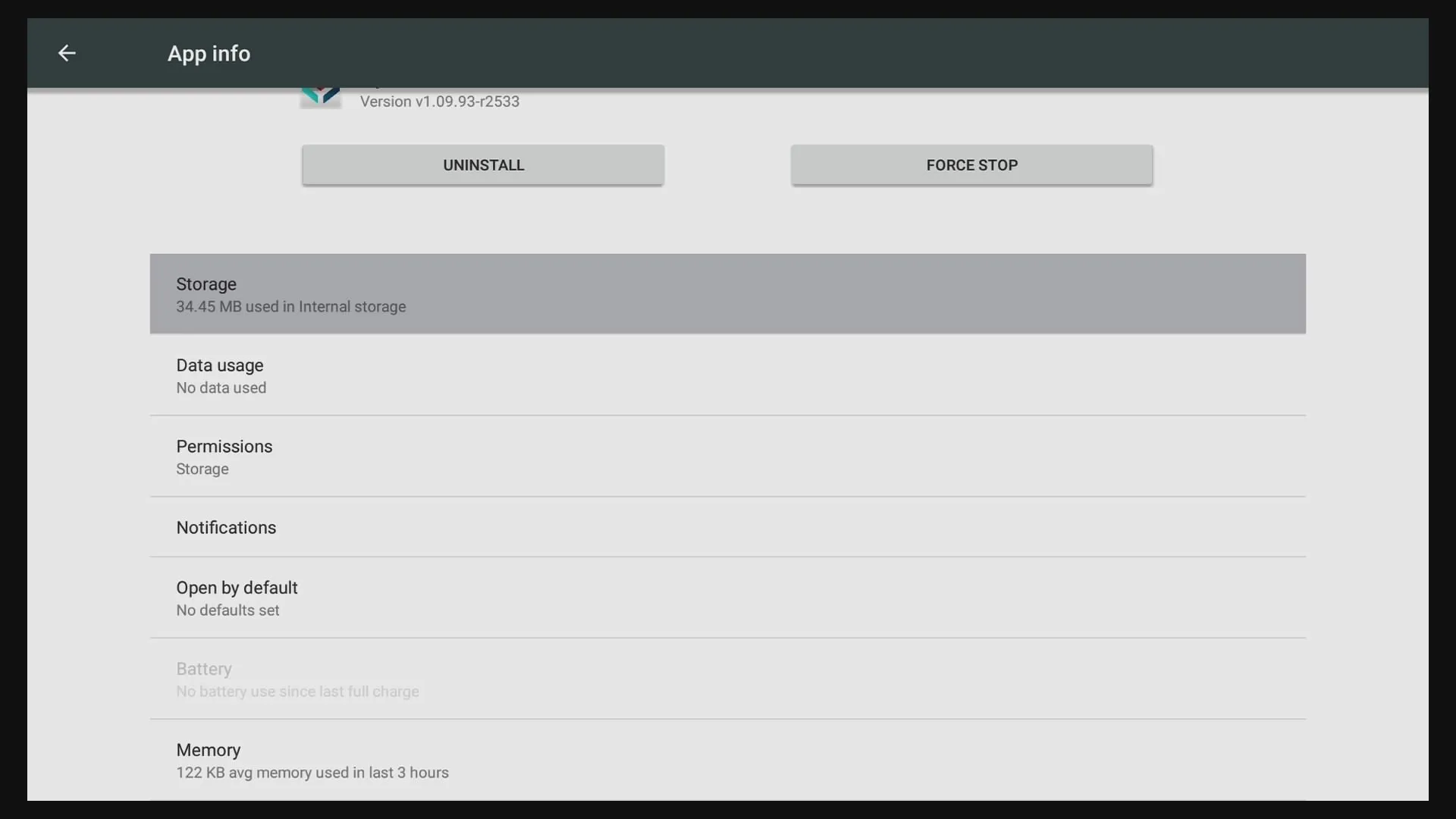
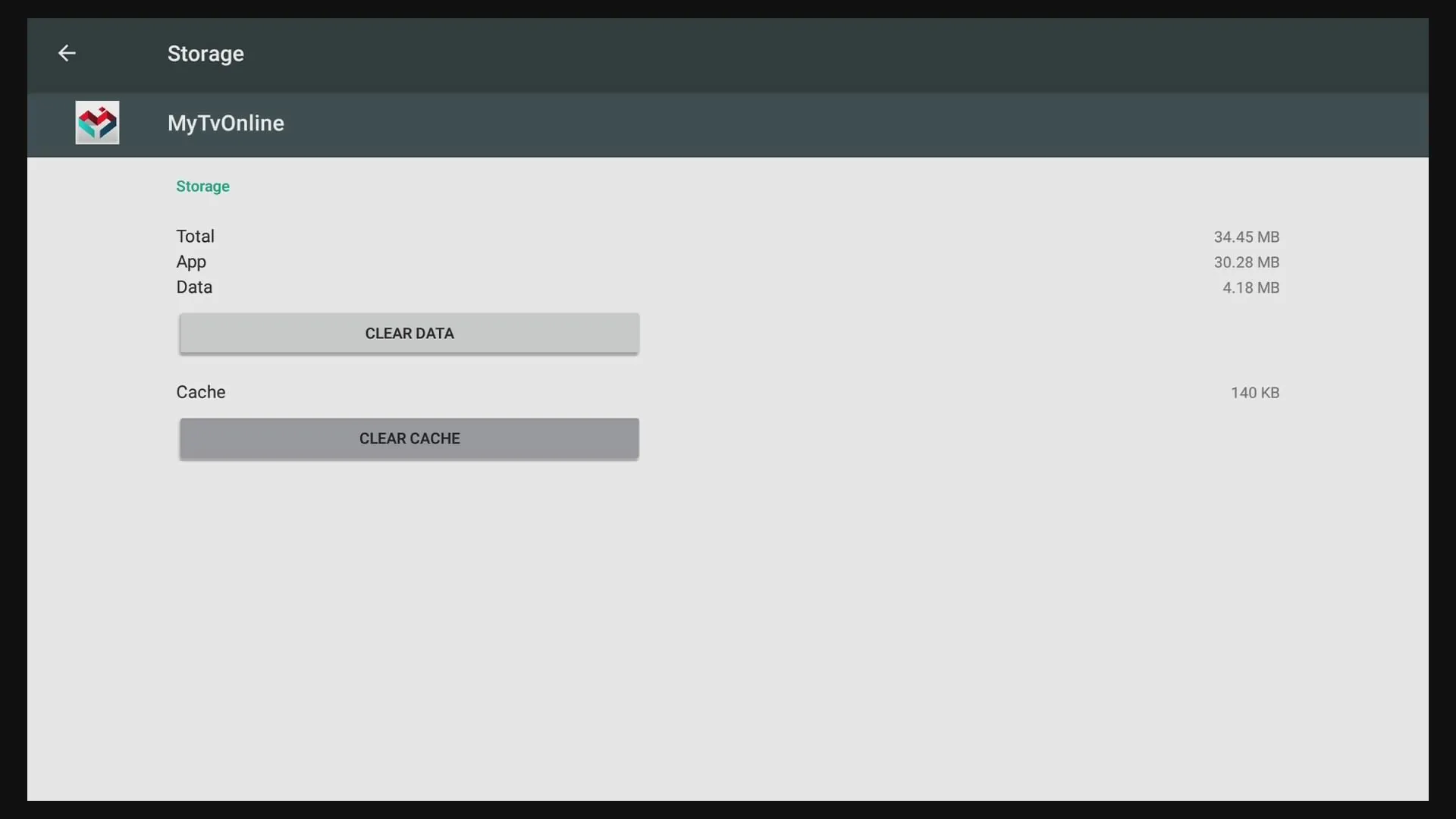
Clearing Cache and data in MOL1:
1. Home Menu -> Cog wheel
2. Android
3. Apps
4. Mytvonline
5. Storage
6. Clear Cache + Clear Data
-
Uh now I know what "MOL1" is, My To On-line but that is not the app I am having trouble with it is OK3 app.
However I tried above solution and it worked. Thank you for the help Sam.
-
- Official Post
Of course, clearing cache and data how to, works also for all other apps.
-
will this clear all user data including line data, favourite folder?
-
- Official Post
Data clearing means deleting all included text and settings from this app.

