MOL2 update 12.1.1 for Formuler GTV released.

We asking all new users to read the articles below, before creating their first posting or thread.

  • 4. Instruction Articles

    • Please note, in this forum are only English threads and postings allowed, without any exception!

      Please follow the forum rules, thank you for your understanding.

  • Software Update for Formuler GTV released.

    MYTVOnline 2 Version : 12.1.1


    WARNING:

    Software cannot be rolled back after installation.

    If serious errors occur, please do factory reset.


    Changelog:


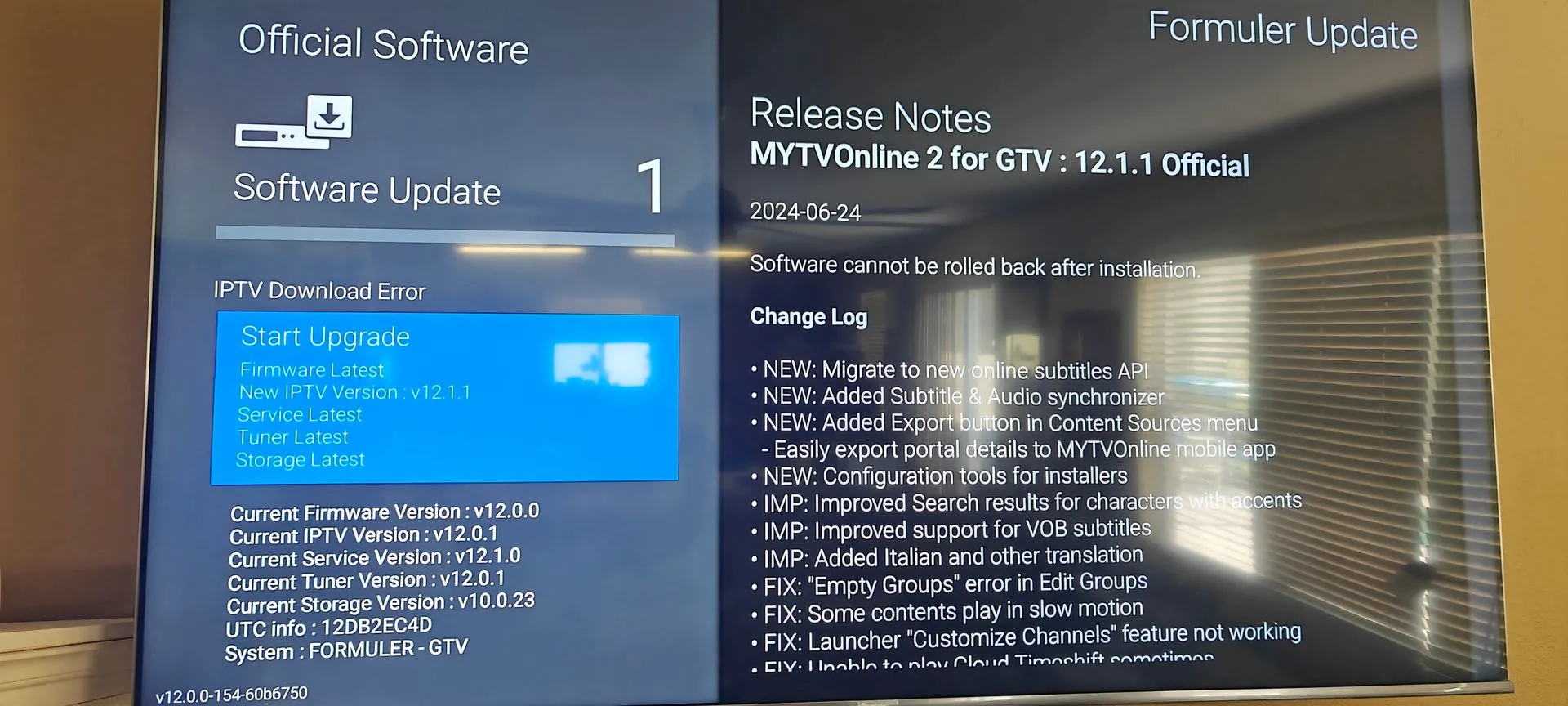
    MYTVOnline 2 for GTV Version: 12.1.1 OFFICIAL


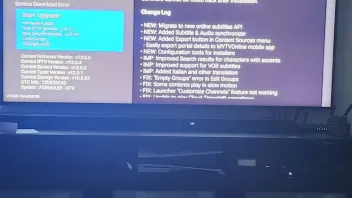
    • NEW: Migrate to new online subtitles
    • API NEW: Added Subtitle & Audio synchronizer
    • NEW: Added Export button in Content Sources menu
      • Easily export portal details to MYTVOnline+ mobile app
    • NEW: Configuration tools for installers
    • IMP: Improved Search results for characters with accents
    • IMP: Improved support for VOB subtitles
    • IMP: Added Italian and other translation
    • FIX: "Empty Groups" error in Edit Groups
    • FIX: Some contents play in slow motion
    • FIX: Launcher "Customize Channels" feature not working
    • FIX: Unable to play Cloud Timeshift sometimes
    • FIX: "Failed to load VOD data - -1" error when selecting online subtitles
    • Bug fixes, optimizations, and performance enhancements
  • When i try to download it says: Service Download Error.

    when will the error be good for download? or is it something wrong whit my GTV?

    Thx for reply in advance

  • Hi Thx for the reply, That didnt work for me, i can watch all my channels, I restarted the box it downloads and connect to the portal and i can watch tv as usaly. but when i try to instal/download the new software it still says "service download error" i´m connected by line, do not use the wifi. in internal shared storage is 9.0GB of free space, i have cleared all cache i can, even formuler update, and tryed again, and all i get is the same download error.

    It´s like it cant connect to just that spot... i downloaded updates before whit no problems.

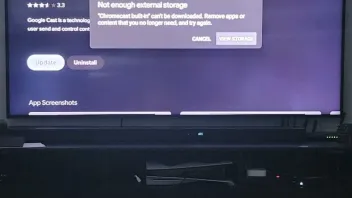
    i got another problem whit google play store, i cant download/update my apps, it says i -not got enough external storage, can this be linked to my mol2 update issue?, do you think i should put it to factory reset and hope it helps???

    i had a usb stick connected ones for rewinding and record programs before, its not connected now, i had it connected and formated for the box again the it shows two "kingstone usb" never got it to work after that so i disconnected and left it be. that was before all my issues, not a big deal if the recording not works.

    Hope you all good folks can help me whit this problem. My self think i need to do a hard reset.... hope too not to do that so many channels to sort to favorits and so on. :thumbs_up::smiling_face:

  • Hi,

    I have 3 different GTV boxes. Ever since they updated, I've had issues streaming with my providers and the app often crashes back to the google TV home screen.

    Nothing else has changed other than this update. All 3 boxes updated the first time I tried, with no issues.

    I've tried connecting with my VPN, without my VPN, and it's the same providers I've been using. I was having no issues at all prior to the update.

    Is this a known issue, and is a fix being released? I'd really prefer not to do a factory reset and lose all my portals.

  • Hi,

    I have 3 different GTV boxes. Ever since they updated, I've had issues streaming with my providers and the app often crashes back to the google TV home screen.

    Nothing else has changed other than this update. All 3 boxes updated the first time I tried, with no issues.

    I've tried connecting with my VPN, without my VPN, and it's the same providers I've been using. I was having no issues at all prior to the update.

    Is this a known issue, and is a fix being released? I'd really prefer not to do a factory reset and lose all my portals.

    After update do factory reset!

    Everything fresh.

  • Hi Thx for the reply, That didnt work for me, i can watch all my channels, I restarted the box it downloads and connect to the portal and i can watch tv as usaly. but when i try to instal/download the new software it still says "service download error" i´m connected by line, do not use the wifi. in internal shared storage is 9.0GB of free space, i have cleared all cache i can, even formuler update, and tryed again, and all i get is the same download error.

    It´s like it cant connect to just that spot... i downloaded updates before whit no problems.

    i got another problem whit google play store, i cant download/update my apps, it says i -not got enough external storage, can this be linked to my mol2 update issue?, do you think i should put it to factory reset and hope it helps???

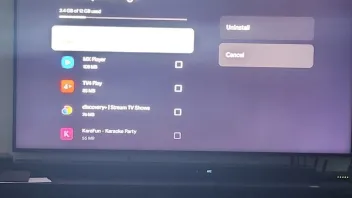
    i had a usb stick connected ones for rewinding and record programs before, its not connected now, i had it connected and formated for the box again the it shows two "kingstone usb" never got it to work after that so i disconnected and left it be. that was before all my issues, not a big deal if the recording not works.

    Hope you all good folks can help me whit this problem. My self think i need to do a hard reset.... hope too not to do that so many channels to sort to favorits and so on. :thumbs_up::smiling_face:

    Hi RMJ,

    Could you provide a screen capture of the error screen you are getting?

    Also, please send logs and let me know the tracking number.

    Here is the guide to send logs.

  • My opinion is:


    Do a factory reset!

    Then update your box by formuler update.

    And then use playstore to install your favorite apps again.

    Problem solved.

    P.s. make photos of your favorites, portal credentials and apps.

  • enable IPv6 must be off

  • Some apps struggle with it, others don't :crossed_fingers:

  • Thanks for the feedback. I have IPv6 enabled now and things seem to be working better using WIFI. But originally I was directly connected to my router via ethernet and had more problems (especially with VOD). While connected via ethernet I think I tried fiddling with every setting possible including IPv6 enabled and disabled.

    I just want to get optimal performance from the GTV. Do we think ethernet with IPv6 enabled or disabled may have been the problem?

  • Thanks for the feedback. I have IPv6 enabled now and things seem to be working better using WIFI. But originally I was directly connected to my router via ethernet and had more problems (especially with VOD). While connected via ethernet I think I tried fiddling with every setting possible including IPv6 enabled and disabled.

    I just want to get optimal performance from the GTV. Do we think ethernet with IPv6 enabled or disabled may have been the problem?

    If its directly connected to your router with ethernet is should have 1gb port.

    So full speed for your gtv. (But if you have a 200mbit internet connection, then you got 200mbit ofcourse)

    Set dns to cloudfare on you gtv and should be good. And yes, try it with ipv6 on and off.

    Edited once, last by Lucky133 (September 19, 2024 at 11:14 AM).

  • I installed Tivimate on the GTV, it works just as well, even better than MOL

    Then why buy a Formuler box?:grinning_squinting_face:

  • If you had read my previous message, you would know :smiling_face::smiling_face:

    You mean post#21,in that case you are right,but what i was trying to say "Why buy a Formuler,if not for MOL"?

    On a half decent Smart tv you can use Tivimate directly,without any streaming device,or a cheaper iptv streaming device:winking_face:

  • Formuler Gtv. MTV2

    In some groups channels are empty. I believe anything over 30000 list of channels is empty

    I wanted to watch from a specific country and when i clicked it says no channel. i checked on other player it was fine then i asked my provider to remove some unwanted channels group from my list then i realized my favourate group had channels. Can anyone help me with this i have GTV and using mytvonline2 thanks in advance

  • I have GTV Box. I was having trouble with my EPG loading (got EPG only on catchup channels) so I uninstalled updates on the MyTVOnline2 App. Now I'm trying to update the app, and it's telling me "IPTV Download error". Doesn't even start the download. IPV6 is off.

    Any ideas on how I can get it to download updates? I have a working internet conenction.

    I tried entering "0228" in the software update screen which then prompts me for the firmware code, but I don't have the firmware code for the GTV. I only see the firmware codes for the Z series boxes.

    TIA

    Edited once, last by mavblues (September 20, 2025 at 11:28 PM).

  • I have GTV Box. I was having trouble with my EPG loading (got EPG only on catchup channels) so I uninstalled updates on the MyTVOnline2 App. Now I'm trying to update the app, and it's telling me "IPTV Download error". Doesn't even start the download. IPV6 is off.

    Any ideas on how I can get it to download updates? I have a working internet conenction.

    I tried entering "0228" in the software update screen which then prompts me for the firmware code, but I don't have the firmware code for the GTV. I only see the firmware codes for the Z series boxes.

    TIA

    Goodday,

    Don't use code 0228!

    Your gtv is already uptodate. You need to go the "market app" (green logo) and there you find mytvonline2

    Edited once, last by Lucky133 (September 21, 2025 at 10:22 AM).

  • Hi Lucky133 thanks for the reply.

    My box is a GTV. I do not have a green Market app, like on the older Formuler boxes. I only have the green Formuler update app (which fails to download) and the formuler remote app.

    GTV box uses regular Google market, plus the 2 Formuler apps listed above.

    Any other suggestions for me to try?

    TIA

    Edited once, last by mavblues (September 21, 2025 at 6:20 PM).

  • Hi Lucky133 thanks for the reply.

    My box is a GTV. I do not have a green Market app, like on the older Formuler boxes. I only have the green Formuler update app (which fails to download) and the formuler remote app.

    GTV box uses regular Google market, plus the 2 Formuler apps listed above.

    Any other suggestions for me to try?

    TIA

    I had also a gtv. Now a z11.

    But i thought there was really formuler market app on it were you could find mytvonline.

    Check it again please.

    You factory reset box etc.

    SAM  F_Peter

    Can you help her?

  • I have GTV Box. I was having trouble with my EPG loading (got EPG only on catchup channels) so I uninstalled updates on the MyTVOnline2 App. Now I'm trying to update the app, and it's telling me "IPTV Download error". Doesn't even start the download. IPV6 is off.

    Any ideas on how I can get it to download updates? I have a working internet conenction.

    I tried entering "0228" in the software update screen which then prompts me for the firmware code, but I don't have the firmware code for the GTV. I only see the firmware codes for the Z series boxes.

    TIA

    Access your network settings, and try changing the DNS setting under advanced options.

    If the issue remains, please provide a picture of the update screen, as well as logs after the error shows up.

    How to send logs

  • This must be some issue with update app. Go to Android settings -> Apps -> See all apps -> Formuler update -> clear cache and data first and then uninstall updates. Start the update app again from home menu, if this close 1-2 times, start again until it works.

  • SAM There's no no option for updates to uninstall, since MOL2 hasn't updated.

    Cleared cache and data many times for both apps. Tried closing and reopening. No difference.

    Tried changing DNS and using VPN. I'm stumped.

    I did notice that now it says there's 2 updates (IPTV and Service) when it only showed 1 update before (IPTV), but it just won't connect.

    Edited once, last by mavblues (September 23, 2025 at 8:53 PM).

  • SAM I already used a VPN. (I used Torguard from multiple different countries.) Also changed my DNS. Also tried downloading while connected to my mobile hotspot. It doesn't seem like it's even contacting anything for the download. I get the error immediately after pressing the button to start the update. It doesn't "think" about it at all. (No delay from when I press the button to update to when the "Download Error" appears.

    Trying to avoid the factory reset route if possible.

    Thanks to all you guys for your continued suggestions - I really do appreciate everyone taking the time to assist!!

  • The picture say inet is available and works, since there is big difference in sw i would really do factory reset in your case.