"Please check your internet connection (0) - A network error has occurred."

We asking all new users to read the articles below, before creating their first posting or thread.

  • 4. Instruction Articles

    • Please note, in this forum are only English threads and postings allowed, without any exception!

      Please follow the forum rules, thank you for your understanding.

  • Hello,

    I have owned a Formuler Z11 Pro Max for almost 9 months. In August, an error occurred on MyTVOnline 3, displaying the message:

    "Please check your internet connection (0) - A network error has occurred."

    I experienced this issue for a few hours, and then everything went back to normal. It is worth noting that during this error, I had no issues with my internet connection at home, and I could access other applications like YouTube, which worked perfectly fine.

    However, for the past few days, the problem has reappeared, but this time it is much more persistent. I have tried several solutions: clearing the cache, clearing the data, and even performing a factory reset. Unfortunately, the issue still persists. I then requested a replacement box, which was provided, but to my surprise, the same problem appeared with the new box.

    What is even more surprising is that my neighbor, who owns the exact same box as mine, is experiencing the exact same error.

    When the error occurs in the Live TV section, the VOD and TV Series sections remain functional and do not have any issues.

    Do you have any solutions? Is this a known issue with Formuler that has not yet been resolved? I noticed that a ticket was created for a similar problem with the Z10 two years ago.

    Thank you in advance,

  • What’s strange is that with the same provider, when the issue occurs, I launch Tivimate on the Formuler, and everything works perfectly. Moreover, my neighbor doesn’t have the same subscription as I do. My father, who also lives in the same household, uses a Formuler box with a subscription from the same provider (but different from mine), and he doesn’t experience any issues. It’s really very strange.

  • IPv6 was enabled during the issue, so I disabled it, but the problem persists. The issue is resolved for a few moments when I disable and re-enable Wi-Fi, or when I delete the network and reconnect to it again. When I contacted my provider, they told me they had never encountered this problem in 4 years with Formuler. I’ve really tried everything, but at this point, I’m out of solutions. For now, it has been working since last night without any issues. The Wi-Fi settings are default, no DNS, IPv6 disabled, on DHCP, but for how long? 🤷‍♂️
    I posted a question on the forum to see if anyone else has experienced this issue or if it’s a known problem, but that doesn’t seem to be the case. 😅
    In any case, thank you for your responses!

  • What your provider suggested is not entirely true,in october 2023 an extensive conversation was opened by F_Peter,with about 10-15 participants,about the "Network error issue",so its not an uncommon issue,but also not a well known issue.

    Asking for details like video&logs that time did not result in a solution as the issue was very random and difficult to reproduce.

  • Alright, I understand. Oh well, we’ll just wait and hope the issue doesn’t come back. Otherwise, if it persists, we’ll have to consider changing the device, which is a shame because I’m very happy with it, except when this issue occurs... :thinking_face:

    Thanks to everyone for your responses. 😉

  • Restart the Router, execute DHCP again on Formuler Box and restart the Box. Check also on your Router for any filters, power saving and lease time.

  • Hi,

    I have read all the notes regarding this issue and I have the same issue. I purchased the Z11 ProMax in October 2024 and during the first month experienced the IPTV working fine but then stops working for hours. I tried upgrading my internet to the fastest available package as per my IPTV provider suggestion but it didn't help. Possibly too many users during peak times of the day, that is evenings and most of the weekend no IPTV. From about 11pm to 11am weekdays everything worked fine, but then during a show, usually around 6pm the screen went black and just the white circle appeared while it searched for internet signal and then displayed the message "please check internet connection....". After a few weeks of various experiments with boxes, cables, internet providers, tests, and frustration as I was very limited to only a few hours of available IPTV, my IPTV provider assisted me to set up a different portal from their 10 available packages, and from that moment on worked perfectly, 24/7 from November till almost March. For the last two weeks the same issue as before is occurring once again. Different from Skamerzz noted above, when I lose the live tv, I also lose VOD and TV series. Sometimes the tv show name will appear beside each channel but usually it reads no information when this occurs. I can try many things when this occurs, but the only fix is to turn off my tv and when I wake up in the morning or even during the night, everything is working perfectly.

    I tried everything mentioned here as I would like to watch tv during the evenings, including using a different internet even though all other devices work perfectly, hotspot from phone, turning ipv6 on/off, executed DHCP, checked all router settings (no filters, timers, changed lease from one day to forever), tried private dns on Cloudfare, Quad9, Google, and back to automatic but no difference.

    As everything works perfect outside of peak hours, this is the only thing I could come up with in my very limited knowledge of IPTV, that maybe too many subscribers accessing the Portal? Maybe since November they had many new subscribers to this Portal and it's bogged down?

    Thank you.

  • After a period of about 2 years,yesterday the issue played up again,lost wifi connection,black screen on both providers.

    Did unplug modem,restarted router,only after about 60 minutes wifi was up and running again on z11pm.

    In the mean time i tested on my chinese box and wifi worked instantly,with i*player as iptv player.

    Anyone for an explanation of this?

    ISP throtling,VPN usage or other suggestions?

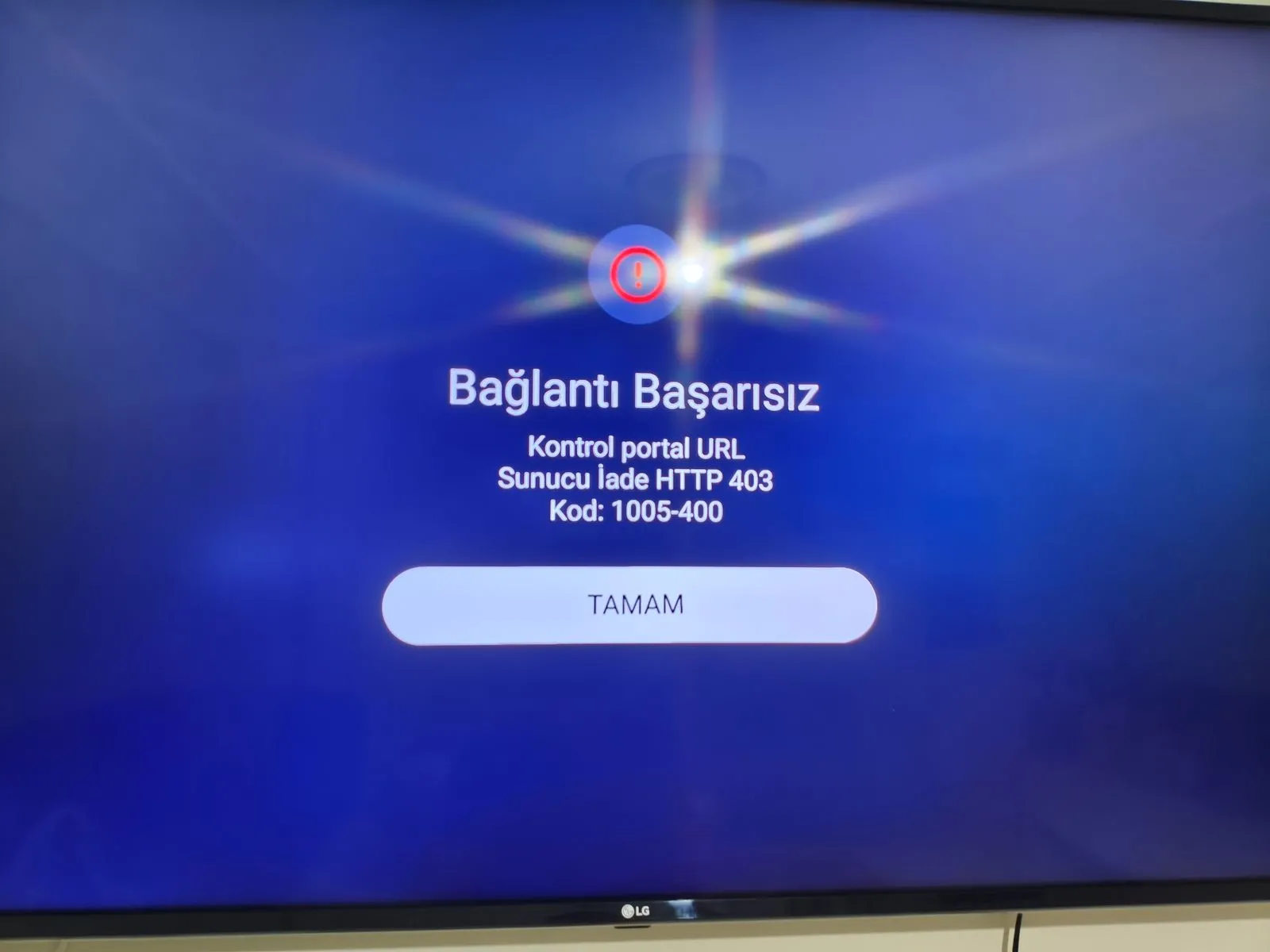
  • Merhaba benim iptv panel tivimate de sorunsuz bir şekilde çalışıyor. Ama Formuler z11 pro max mytvonline 3 bu şekilde hata veriyor yardımcı olursanız sevinirim. İyi günler .

  • After a period of about 2 years,yesterday the issue played up again,lost wifi connection,black screen on both providers.

    Did unplug modem,restarted router,only after about 60 minutes wifi was up and running again on z11pm.

    In the mean time i tested on my chinese box and wifi worked instantly,with i*player as iptv player.

    Anyone for an explanation of this?

    ISP throtling,VPN usage or other suggestions?

    Was youtube working?

    Then you can try set dns to quad9.

    Restart device.

    Then test it with dns cloudfare.

    restart device.

    Then test it with dns automatic.

    restart device.

    And test is also with the private dns settings "OFF"!!!

  • No,YT was not working either,it was complete blackout for about 1 hour,private DNS was on off.

    Just hope the issue does not reoccur,as it was very troublesome about 2 yrs ago.

  • Was Private DNS active when the issue occurred?

    No,private DNS was set to Off

  • And wifi on tour mobile phone worked well then?

    And wifi on tour mobile phone worked well then?

    Sorry dont use mobile phone,so dont know.

    Wifi on my laptop was also off,i think it all went wrong when i suddenly was offline,and my Nordvpn did not reconnect,after a update of NORD yesterday everything was fine again.

    Still strange that in this offline period of 60 minutes i was able to use my chinese box without issues?

  • Latest version on box :8.13.1-tv