
Random Picture Freezes

We asking all new users to read the articles below, before creating their first posting or thread.

  • 4. Instruction Articles

    • Please note, in this forum are only English threads and postings allowed, without any exception!

      Please follow the forum rules, thank you for your understanding.

  • I am new to the Z11 having previously used a Firestick for streaming. Since the start I have found the number of options available a bit mind blowing, as is the possibility of getting it wrong.
    From the start I have had a few issues, which I hope I can get some advice with.

    1. At startup I occasionally get a static live TV image. When watching a VOD program this can also freeze. When switching from one source to another this. Can freeze. In other words it’s all pretty random. All menus etc are fully functional, but selecting a working channel is impossible. A couple of power cycles normally gets things going, but obviously it’s a bit annoying. At the moment instead of standby the power option is set to off. This helps a bit, and seems to reduce the incidence of problems, but obviously it’s not perfect as the box is slow to get going and messes up the ARC. I have tried changing various settings, changing cables, using a cabled internet connection, a factory reset and anything else I can think of to no real effect. The system can work normally for a few hours and up to about three days, but the issue always returns eventually in some form or other.
    The setup is the Z11 box to sound bar and then to TV via HDMI ARC.

    2. The other issue is a sound one. Newer programs and films etcwork normally and have a good volume. Programs shown on some of the smaller channels showing older shows or maybe at lower bit rates the sound is so quiet i have to turn the sound up to maximum. The big problem being that if you forget the sound setting and turn to a different channel the sound blasts out and scares the pants off everybody in the street.
    I used the sound utility app(forget its name now) during setup, and tried to do it again since, but it seems it’s a single use app. I have tried playing g with all sorts of sound settings but nothing seems to make any difference. Currently it’s set on HDMI auto, RAW.

    Apologies for the long posting, and I am sure some of this has been covered elsewhere, but I couldn’t find it - I did try. Any suggestions or others experiences and fixes welcome.

  • Thx. for detailed error description, would each error report start this way, it would be very easy to give support.

    1. Could you please record some video of the issue, upload to streamable com (make free account there first) and post the link to video? Thank you.

    The setup is the Z11 box to sound bar and then to TV via HDMI ARC.

    Please change your config, this could solve your issue at point 2.

    Formuler Box connected directly to TV, TV connected over ARC to Soundbar.

  • Have you tried clearing cache of mol3 app (this may reduce freezing)

    Other option is to uninstall mol3 app and reinstall from Formuler Market

  • Thanks for the quick responses, it’s much appreciated.
    The first thing I tried is to connect the box directly to the TV. I had delayed making this change as it’s such a pain to do, but I thought the time had come. This has improved response time and seemed promising at first, but the sound is now out of sync with the picture and I have also had another occurrence of the picture becoming unresponsive. It’s also made no difference to the volume issue

    I will try to get a video taken and sent over, but this may take a bit longer to sort out.
    I would also try clearing Mol3 cache, but don’t know how to do this, so some advise here would be helpful.


  • I would also try clearing Mol3 cache, but don’t know how to do this, so some advise here would be helpful.

    copy from another's post: Home screen > Settings > Apps > MYTVOnline 3 > Clear Cache

    Formuler Z11 Pro Max - XC API Portal - Mol3 (standard and occasional TiviMate as backup) - External HDD Toshiba 1 TB (usb 3.0) - Nord VPN

  • Sam, could you advise what it is you want to see in the video? Mostly it’s going to be screens with static video of both live TV and VOD content as I move around the menus which doesn’t seem to be very helpful. If there is something specific you want to see I will try to include it.
    It looks like I am going to have to revert the HDMI cable from the box back to the soundbar as the sound sync issue is so bad it’s unwatchable. Had a bad freeze last night with the cable plugged directly into the TV which needed the box to be unplugged and left for a while to get it working again. It’s back up now, but voice sync issue still just as bad.

  • Will do, but if I do this can I restore settings from my USB drive. If not I am going to have to take notes of my favourites etc and reload them. It took ages last time I did it.

    Also, would there be any advantage in downloading a fresh version of Mol3 whilst I am doing the factory reset?

    fYI I can see now that the problem is now mainly moving between programs/functions etc so going from live TV to menu, from VOD to live TV - or the other way around. It looks like maybe a handshake issue between functions or resolutions
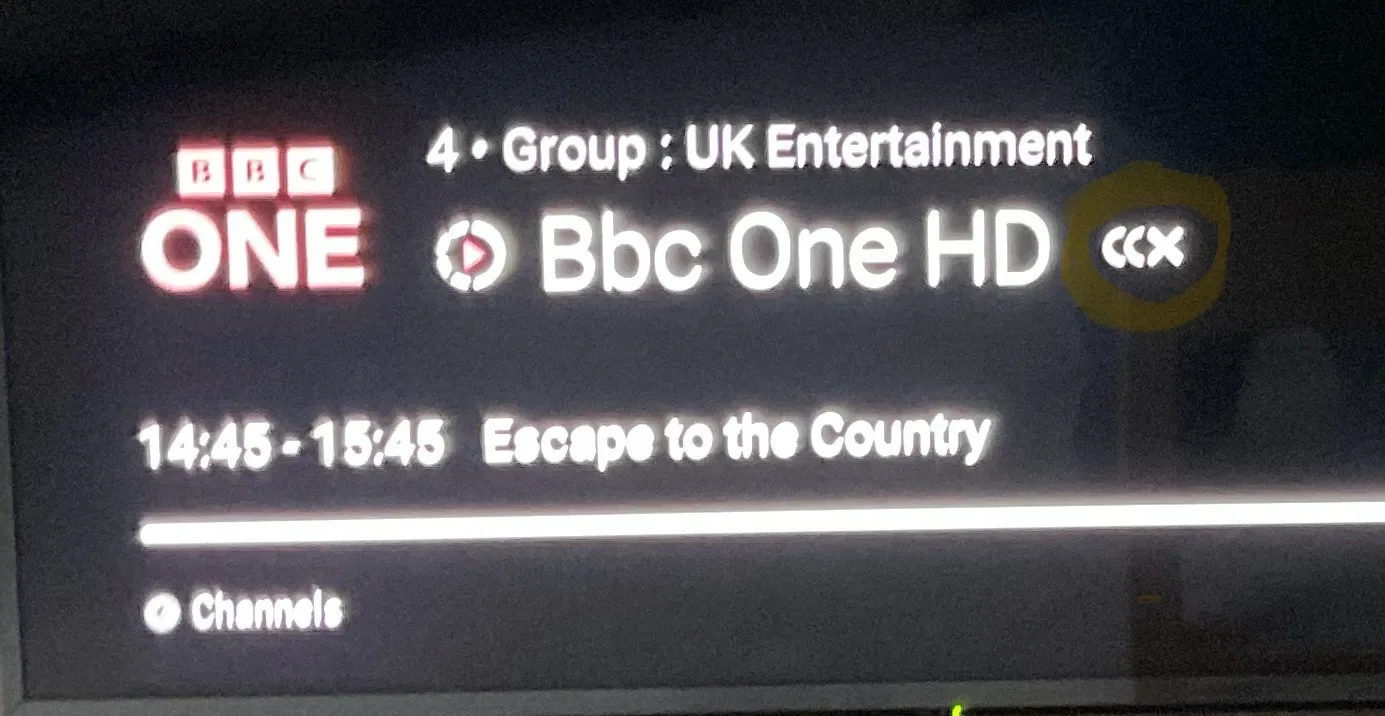
    Can you also advise what the three rings are on the right of the screen. They seem suggest a network issue, but I have pretty much ruled this out already and the network always reports it’s connected and running at full speed

    Edited 2 times, last by Dicky1 (December 22, 2024 at 12:48 AM).

  • Will do, but if I do this can I restore settings from my USB drive. If not I am going to have to take notes of my favourites etc and reload them. It took ages last time I did it.

    You have to do MOL3 Backup first.

    fYI I can see now that the problem is now mainly moving between programs/functions etc so going from live TV to menu, from VOD to live TV - or the other way around. It looks like maybe a handshake issue between functions or resolutions
    Can you also advise what the three rings are on the right of the screen. They seem suggest a network issue, but I have pretty much ruled this out already and the network always reports it’s connected and running at full speed

    Turn off AFR in Mol3 menu -> Settings

  • Why do we need to turn off AFR for live TV?

    Is there an issue with AFR with the last firmware ,? Is it a known issue from Formuler devs?

    If yes, we would need a fix urgently .

    We are many users having similar issue with freezing and black screen so it cannot be a provider issue .

    From my side when I have black screen I need to recheck the DHCP connection and generally it is running just after that but sometimes I need to clear the cache also .

    I confirm the description from Dicky1 , I watch Vod ( AFR 24p) for 1 hour without any issue then I go back to live TV and I have black screen.Then I try to reload VOD but it failed .

    There's clearly a problem of stability with MOL3

    I m connected with MAC address .

  • A disappointing result for me. Having turned off AFR the system sped up considerably and tolerated a lot of moving around, starting and stoping live TV and VOD without complaint. I thought we had found a solution!

    Unfortunately this evening watching a VOD program it suddenly froze without warning, and refused to start again. Live TV also went and nothing I tried would restore it. Had to leave it and watch SKY for an hour or so, came back to the box and found that it was working again I think one of the really annoying thing about this fault is the inability to get the box working again. All I can do each time is wait for the box to sort itself out.

    Do we go back to the factory reset, or do I try something else?

    List of things I have tried /changed so far:

    1. Connect the box directly to the TV

    2. Replaced cables

    3. Turned off CEC

    4. Changed DHCP settings on box and TV

    5. Tried Ethernet connection

    6. Changed WiFi frequency

    7.Power mode to off instead of standby

    8. Changed HDMI output setting modes

    9. Changed HDMI Rx audio format

    10. Cleared Mol3 cache

    11. Turned off AFR

    I frequently check WiFi when a fault occurs and each time Speed Test reports a strong signal with steady speed even when Formuler displays on screen message that network has been lost.

  • Sorry to pile things on, but can you advise on this.

    I mentioned sound problems previously, but the sound on any channels not broadcasting in HD the sound volumes are extremely low, to the degree. The program can barely be heard even on full volume. Any ideas on this as well please.

  • Could you please test 24 h trial from other Provider and report back your results?

  • Not sure if this helps or what you wanted, but I have loaded Netflix and Prime onto the box, and both appear to be working normally.

    I have loaded a different app for my content, but getting sound issues here as well. Will see how reliable playback is.

  • Contact someone in your area and ask for good provider, test the trial subscription and compare with your current, i bet it will work much better.

    About provider names we can not discuss for obvious reasons.

  • I had no problems when using my Firestick. Don’t know why using a Formuler box needs to be so problematic.

    Its not,once you get the hang of it.

  • I had no problems when using my Firestick. Don’t know why using a Formuler box needs to be so problematic.

    Dicky1 as a newbie to formuler devices I will urge you to be patient as you familiarize yourself with the device. As soon as you understand your device you will love it. On the question of sound do increase the volume on the formuler device to max after a reset and then use the tv remote to do the up or down. Also turn on Automatic Volume Adjustment on your TV if it has one. I hope this helps.