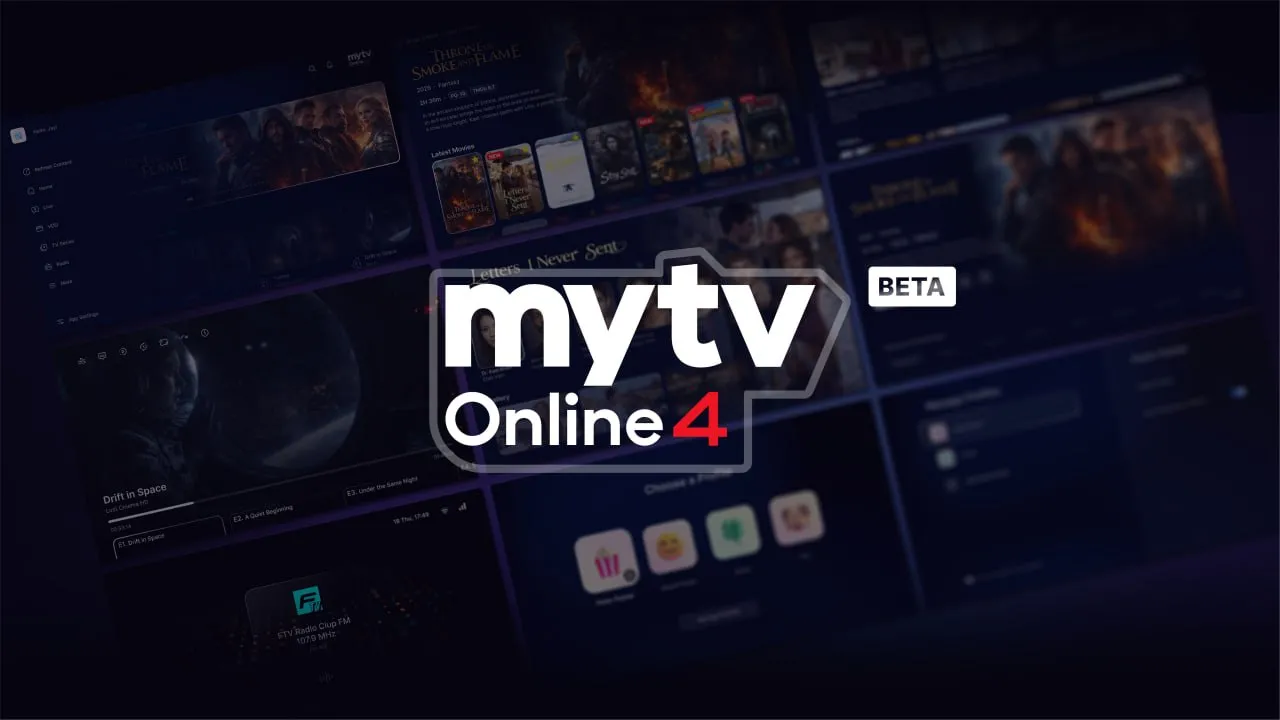
MYTVOnline 4 v14.1.0 BETA 2 for Z12 released

We asking all new users to read the articles below, before creating their first posting or thread.

  • 4. Instruction Articles

    • Please note, in this forum are only English threads and postings allowed, without any exception!

      Please follow the forum rules, thank you for your understanding.

  • I'm in the same boat as everyone else with this. Same errors etc

    Tried to update which has downgraded the remote app, MTO4 downloaded but wouldn't run, neither would MTO3 which, when it gave the error message reinstalled software which suddenly meant MTO3 stated working again.

    I wiped the box and got the same android lying flat with an error message.

    The weather doesn't show, the remote app is showing old versions, the new hotfix doesn't show up either.

    I think one of the beta versions has done something screwy. I still have MTO3 working now so just going to leave it for now because there's something definitely odd going on.

  • Good morning friend huchters35, I installed the app on my phone via the Play Store and it always gives an error saying it can't find the server, even though the data is correct and works fine with the Mytvonline+ app. I haven't tested it on my Z12 Ultra box. P.S.: Is this app paid or not? Because the Play Store says it's paid, €0.99 per month.

  • A friend tried to upgrade to MyTvOnline4 now. Pressed 1339 and and the upgrade started. After a while, the box started, but the appscreen showed version 3. When he presses on the 3, it is just a black screen. Been so for an hour now. What's the problem?

    EDIT: Difference between his and mine box. (Both on Z12 Ultra). He has firmware 12.10.08 official. I have 12.11.2 Beta. The info says he has MYTVOnline 3 Version 12.2.0 Beta (even if he just downloaded ver 4).


    EDIT 2: He tried another time, and then there was a difference. Now it looks different. It started to download, but he received an error-message. Tried several times now, but different results every time, but no luck to get v4.

    Edited 2 times, last by NorFor (July 18, 2026 at 2:32 PM).

  • A friend tried to upgrade to MyTvOnline4 now. Pressed 1339 and and the upgrade started. After a while, the box started, but the appscreen showed version 3. When he presses on the 3, it is just a black screen. Been so for an hour now. What's the problem?

    EDIT: Difference between his and mine box. (Both on Z12 Ultra). He has firmware 12.10.08 official. I have 12.11.2 Beta. The info says he has MYTVOnline 3 Version 12.2.0 Beta (even if he just downloaded ver 4).

    That's the problem (new) users have now who wants to install mol4.

    Next week i think they fix it soon as possible i hope, hopefully for you guys, that they can bring out the fix on monday.

    Edited once, last by Lucky13 (July 18, 2026 at 2:37 PM).

  • A friend tried to upgrade to MyTvOnline4 now. Pressed 1339 and and the upgrade started. After a while, the box started, but the appscreen showed version 3. When he presses on the 3, it is just a black screen. Been so for an hour now. What's the problem?

    EDIT: Difference between his and mine box. (Both on Z12 Ultra). He has firmware 12.10.08 official. I have 12.11.2 Beta. The info says he has MYTVOnline 3 Version 12.2.0 Beta (even if he just downloaded ver 4).


    EDIT 2: He tried another time, and then there was a difference. Now it looks different. It started to download, but he received an error-message. Tried several times now, but different results every time, but no luck to get v4.

    could you get the video of the issue?

    You can upload the video to streamable.com and send me the link to it.

  • I'm not a beta tester but I'm watching this with interest as I currently having to use tivimate on the box and cannot use MOL3 due to the frame rate bug which defeats the main selling point of the box.

    I thought I had a faulty OLED tv and tried for days messing around with settings on the tv and box but still had the slight glitch/pictur shudder until I tried tivi and that runs smoothly, noticed there are a few posts with this framerate issue around.

    Anyway enough of the rambling can beta testers who experienced the same issue confirm it has been solved with MOL4?

    Did your jutter look like this by any chance? I get this flicker no matter what i use. Even the homescreen of my z12 ultra. Ive tried every setting hdmi cable and port on my tv. Every setting on the z12 box. Im starting to think it my tv but i have no issues with any other device, yet the same z12 box has no issue on my other tv at all. Or atleast from what ive seen.

  • Hi, after testing the beta, I've run into an issue with the audio being out of sync when using surround sound. I'm using a soundbar.
    To fix it, I have to set the audio sync to -450 ms, and I have to do this every time.
    However, if I go to Home > Settings > Device Preferences > Display & Sound > Advanced Sound Settings > Select Formats and choose "None", the audio sync is fixed. The downside is that Dolby Atmos and Dolby Vision no longer work.


    Is anyone else experiencing the same issue?

  • Personally, the issue with moving on to the next episode makes using it unbearable. On top of that, I’m experiencing random audio problems (voice audio cuts out while ambient sounds remain, and there’s also a sync issue between the sound and the picture — grrr); I have to exit the movie or series to get the sound back to normal. Beta 1 worked much better on my Z12 than Beta 2. I hope all these issues get fixed in the next version. In the meantime, I’ve gone back to using my Z11 Pro Max.

  • Personally, the issue with moving on to the next episode makes using it unbearable. On top of that, I’m experiencing random audio problems (voice audio cuts out while ambient sounds remain, and there’s also a sync issue between the sound and the picture — grrr); I have to exit the movie or series to get the sound back to normal. Beta 1 worked much better on my Z12 than Beta 2. I hope all these issues get fixed in the next version. In the meantime, I’ve gone back to using my Z11 Pro Max.

    What happens if you go to android settings (cogwheel), device Preferences, display and sound, and set Sound to "legacy sound".

    Then reboot device.

    Check again for sure if legacy sound is ON and start a series.


    Hope it helps my friend.

  • What happens if you go to android settings (cogwheel), device Preferences, display and sound, and set Sound to "legacy sound".

    Then reboot device.

    Check again for sure if legacy sound is ON and start a series.


    Hope it helps my friend.

    Thanks for your reply. When I try this, here's the message I get if I want to change the volume: "Audio passthrough active. Use TVIR to control the volume."

  • Hello,
    The MTV 4 beta was released on April 14th, and while I understand that finalizing it takes time, could we at least get an approximate date for the official version ?
    Thanks for the reply.

    Hello

    MYTVOnline 4 v14.1.0 BETA 2️⃣ for Z12 released on 26 june, so please give it some time.

    Have a nice day! 🌞🙋🏼‍♂️

  • Hello

    MYTVOnline 4 v14.1.0 BETA 2️⃣ for Z12 released on 26 june, so please give it some time.

    Have a nice day! 🌞🙋🏼‍♂️

    Hi, Belgiumuser,i gave sirroco s post a like,because i wasnt able to do the beta update2,so i am also looking forward to the Official Update,hoping that beta 2 wont become Official,but you are right about release date:winking_face: Have a nice dinner with some quality belgium beer.
  • Even after Beta 2, there is still work to do (Reports must be checked and fixed) until the official comes out.

  • Hi Sam,

    I have successfully upgraded one of my z12 box's to mytvonline4 but I get the following error on my other Z12 when trying to upgrade to mytvonline4, any help on this would be appreciated

    "unfortunately an error occurred during the process. Please try again in a few minutes

    (M6.0|10|)

    I get the above error code evey time I try to upgrade

  • Hi Jasper,

    Looks like server error or some inet blocking.

    Do you use wifi or ethernet? Try to connect with mobile hotspot and test again.

  • I use a wired connection but strangely enough the z12 that upgraded was connected to wireless and had no problem with that! I'll try connecting to wireless and see if that works! Thanks Sam I'll get back to you with results

    Edited once, last by jasper78 (July 23, 2026 at 11:37 PM).

  • I found an issue when trying to install the my tvonline4 it shows "no beta update available" see attached! Sam it looks like when I upgraded the box it didnt include the mytvonline4 file and that is why it is not installing

    See attached photo

    What do you see above the screen? What when you push "view details" my friend?

  • I found an issue when trying to install the my tvonline4 it shows "no beta update available" see attached! Sam it looks like when I upgraded the box it didnt include the mytvonline4 file and that is why it is not installing

    Ok, then is Beta offline now. Await official update.

  • Hello,

    I'm having a serious issue with my Formuler Z12 Ultra after installing the MYTVOnline 4 Beta (Beta Code 1339).

    After installing the beta, the device asked me to install a firmware update. Once the update finished, MYTVOnline 4 disappeared and reverted to MYTVOnline 3.

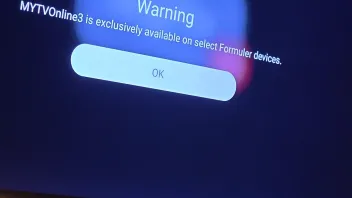
    The problem is that MYTVOnline 3 doesn't work either. It only shows this message:

    "MYTVOnline3 is exclusively available on select Formuler devices."

    I have already performed a factory reset from recovery mode, but the issue is still there.

    Has anyone else experienced the same problem? If yes, were you able to fix it? How?