We asking all new users to read the articles below, before creating their first posting or thread.

  • 4. Instruction Articles

    • Please note, in this forum are only English threads and postings allowed, without any exception!

      Please follow the forum rules, thank you for your understanding.

  • Hi folks,

    I'm new around here and I hope this helps a few people and welcome any suggestions or other tips.

    I do not personally watch 4k material through the Z8. My sources are both European and North American IPTV never exceeding 1920x1080i/60fps.

    I change the Z8 between 1080p/50Hz and 1080p/60Hz and I prefer to let my TV convert to 4k at the display itself as it displays the best PQ for SD/HD IPTV material.

    The output of the Z8 was metered with a calibrated i1 Display Pro whilst running slides and test material.

    TV: LG OLED B7 Professionally calibrated to Dark Room 40ftL 2.4 Gamma

    Formuler Z8 Settings

    Settings - Advanced Options

    YCbCr444 8Bit **Safe output for material viewed**

    TV HDR Mode: SDR

    PQSetting

    Display Mode: User Defined

    Brightness: 49 **At default 50 black is not completely black**

    Contrast: 50 (Default)

    Hue: 50 (Default)

    Saturation: 49 **Saturation 50 is slightly above what saturation should be. 49 is the closest available and helps offset color/skintone anomalies**

    Imprex Engine

    Display Mode: Full Screen

    Intelligent Color: Optimal **Best available skin tone and overall color setting**

    Dynamic Contrast: Off

    Sharpness: 20 **Personal choice to help offset sharp edges of compression blocks inherent in IPTV**

    Noise Reduction: Off

    MPEG Noise Reduction: Off

    Motion Compensation: Off

    HDR Saturation: 50 (Default) **I do not use the Z8 in any HDR mode**

    :winking_face_with_tongue:

    Edited 9 times, last by mangochutney: Added more data (February 12, 2020 at 3:32 AM).

  • How can I get Imprex Engine?

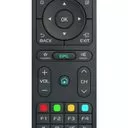
    Press VFormat Button on your RCU longer then 2sec.

  • Thanks a lot, the faces actually turn orange if we do not modify the parameters indicated

    Saturation: 49 or 48 solves this. I use 48.

  • Good evening

    I have a Sony KD65A8 4k TV, a Yamaha YSP 5600 sound bar and the Formuler Z8 pro box.

    I wanted to know what you have entered in the settings parameters, in particular for sound, display and video in order to have the best possible rendering.

    His :

    - His system?

    - Surround sound?

    - HDMI Output?

    - SPDIF Output?

    - HBR Degrades Output?

    Display:

    - UI Size?

    - Auto select best resolution?

    - Custom Display format?

    Video output:

    - Output format adaption for 2D stream?

    - Enforce 3D Frame Packing Output?

    Advanced options:

    - Video color space & HDMI deep HDMI deep color?

    - TV HDR Mode?

    - Ipv6?

    Thank you for your valuable feedback

  • Code
    Hello,
    
    I also have the LG oled B7.
    
    You can give us the details of your Dark Room cabilbrage on the tv please.
    
    Thank you