

I formatted my external hard drive on my formuler z8. Is there any way I am able to use it again outside of my formuler box? Please help.

External Hard Drive
-
- Hardware
-
Drew4 -
April 27, 2020 at 6:20 AM
We asking all new users to read the articles below, before creating their first posting or thread.
- 4. Instruction Articles
Please note, in this forum are only English threads and postings allowed, without any exception!
Please follow the forum rules, thank you for your understanding.
-
-
Plug into PC then Try Disk manager .It should show in there.
To open Disk Management, right-click the Start Windows logo Start button button and select Disk Management.
-
Personally only have a Mac, so i took it over to my neighbors to check it on his Windows and it still didn't show. I went through the format process on the Formula as directed. Just odd how the Formuler Z8 can detect but a computer can not.
-
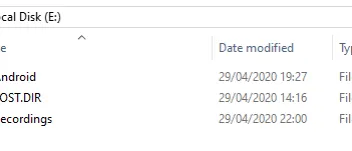
Morning, I added an external WD 1tb usb drive to my Z8 set recording that has recorded. Plugged into PC with Disk manager open and it
showed up straight away. It then popped up on desk top. Whenever i have problems with a Disk I get my sons Macbook to sort so that is strange.
-
Who knows. Thank you for help. I have tried everything to my knowledge and the Z8 is the only thing that will recognize it.
-
- Official Post
Format your HDD with NTFS like in our Article and you can use it on both. Btw. you don`t need each time to connect and disconnect your hdd to transferee data to pc or backward, use instead your network for transfer. Win explorer -> type as address "\\ip from your box\share" and you can copy your data from Z8 hdd to pc.
-
Can you send me a link to the article please? I don't understand how I am going to format it when no computer will recognize it.
-
-
Thank you. If my computer does not see it how is that supposed to work? Once again only the box is seeing it.
-
- Official Post

Plug into PC then Try Disk manager .It should show in there.
To open Disk Management, right-click the Start Windows logo Start button button and select Disk Management.
1. V8rick wrote you already what to do. Connect your hdd to pc, open Disk Management, choose your connected hdd, delete the current partition and make new one, format. Now should Windows recognise your hdd.
2. Format again with Rufus tool and connect with Z8, reboot once.
3. Thats all.
-
You are not understanding what I am saying. I have tried that on both my Mac and my neighbors Windows. Nothing can detect it all besides the Formuler box. I have tried several different options. I thought maybe it was my MacOS not seeing so I my neighbor took it (who is a developer) and he could not seem to find it either. I have connected two WD external hard drives to the formula and neither one of them can be found on computers now.
-
You are not understanding what I am saying. I have tried that on both my Mac and my neighbors Windows. Nothing can detect it all besides the Formuler box. I have tried several different options. I thought maybe it was my MacOS not seeing so I my neighbor took it (who is a developer) and he could not seem to find it either. I have connected two WD external hard drives to the formula and neither one of them can be found on computers now.
You say your PC cannot detect your hard drive via your network, right? They are suggesting you to connect the drive directly to your laptop, by USB cable, I guess.
I'm a Linux user so I could only suggest to check for your hard drive's health. In Windows I'm pretty sure you can do the same. Otherwise, delete partitions, create new ones, format, etc. You'll lose all data, obviously!
-
Personally only have a Mac, so i took it over to my neighbors to check it on his Windows and it still didn't show. I went through the format process on the Formula as directed. Just odd how the Formuler Z8 can detect but a computer can not.
Where did you see that you should format the disk in the formula box Here?
I think that if you format in formuler boxthen you will have problem connecting that disk to a computer.
-
- Official Post
Right, device formatting should be always done on pc and not on box.
-
Im not at the box right now, but I believe when you connect an external hard drive it directs you to format and gives you a warning that once you format it will only work on that box. Then if you go back in to that hard drive it tells you that you can format again so its visible to other PC's again. Am I wrong?
Thanks for the responses!
-
Yes it does say that somewhere I've seen it myself
-
- Official Post
Where is this shown? The box doesn`t have included format app on the box.
I`m trying to reproduce your issue but i can not come to the point where you was.
1. I deleted from some usb stick for test the partition to see how the box react, result is always "USB safely ejected" and not visible for MOL or any other app. Is normal because the partition is missing and not formatted but the box never ask to create partition or format.
2. Created primary partition on PC again and formatted with NTFS. Inserted into box, the box recognised the USB Stick + format and created automatically all necessary folders for work with the box. Result is, the stick works instantly for recording, screenshots, backups and what ever else. Disconnected and Connected to pc, all folders are here also visible and can be used.
Please don`t misunderstand, would only like to understand what gone wrong on your side.
-
In settings storage and reset ,i think i had a 1tb WD drive and someone had asked a question. I just plugged drive in and went to settings and that message came up I have just had a quick look but i can't see it. I have been having a Stella in the sunshine or 10 i will have another look with straight eyes tomorrow
-
- Official Post
Need screenshot from this to reproduce.
-
Settings --> Storage & reset --> Then I choose my WD USB drive -->Erase & format as removable storage.
The message:
Erase & Format
After formatting, you can use this USB drive in other devices. All data will be erased. Consider backing up first by moving apps to other device storage.
Keep in mind I am currently using this device storage right now. If you want I can follow the step above and reconnect to the box and tell you the message it gives me when connecting for what the box thinks the first time. When doing that the message is almost the exact opposite as the one above. Its telling you if you format this device then this box will only be able to use it.
Thanks again.
-
- Official Post
I found some 1tb HDD and trying to reproduce exactly your steps.
-
- Official Post
Ok, was able to reproduce everything what happen on your side but this way of formatting is not the recommended from me or our Article. The format and mount is different from usual way and with less features at end. Now i also understand the reported messages with hdd`s and empty files. Will test this more tonight and tomorrow and come back to you with solution. My hdd is now in same state like yours and this is what i wanted to reproduce everything

-
Thank you so much. I have actually have two external hard drives that are in this state right now. So a lot of money not being used correctly. I hope you can find a fix for this.
Thanks
-

Need screenshot from this to reproduce.
I can't reproduce this but i have remembered what I did, I was really bad and just plugged WD in without following the guide and this is when it happened to me. I will try again later, It's the 6th LOL
edit Just seen rest of posts
-
- Official Post
Ok, here is the solution for your issue, please do all steps like in following guide. I made for each step screenshots.
Once again for others, the Android possibility to format hdd on the box, is not recommended! Why? There are to many limitations with such way of format, like not visible folders, hdd is only visible and usable with box etc.
Before you use your fresh hdd with Z Boxes, please make one partition and format always on pc and connect then to your box. If formatted like in our Article -> How to format Micro SD card, USB flash drive, pen drive, hard drive or SSD for use with Z and S Boxes. you will be able to use the hdd with box and pc for data transfer and similar without any issues.
This Guide shows, how to make the hdd again visible on pc, so you are able again to make new partition, format and use it like from us recommended.
1. Disconnect your HDD from Box and Connect with PC (in Guide is Windows OS shown). In some cases the led from hdd will not instantly shine, because not recognised. Leave it connected and go to step two.
2. Follow all steps like in self explain Screenshots.


3. On Box.


4. PC

Done
-
Hello.
I would like to know, if possible, what are the limitations of the erase and format tool in the box. I'm not sure if you can go in detail but it would be interesting to dig a little bit about this, because I'm one of the interested as I'm using Linux and I had have problems formatting and using Pen Drives with my box that I tried to format several times to NTFS in my Debian laptop. And since Android shares a few things with Linux OS, it would be interesting how it works better with Windows actions (I mean formatting) than with Linux formatting tools such as 'dd', 'mkfs' and others that I've tried.
Thanks
-
External hard drive thread on last reply was more than 365 days ago.
For instructions on how to format ext hdd too NFTS format in Z10&Z11 do i need to create a new thread or is the info in old thread -mostly about Z8- still applicable?
-
Hi Henkie
I have an hard drive on my z11 pro max, it was originally formatted for z8, I just moved it over with no problems with it working.
-

Hi Henkie
I have an hard drive on my z11 pro max, it was originally formatted for z8, I just moved it over with no problems with it working.
Hi sherlock
The external hd i ordered today is FAT32,did you format yours to NFTS as recommended,and did you do this by connecting the hd to Laptop and right click the start button and go into Diskmanager and format (NFTS) before using it on box?
-

Hi sherlock
The external hd i ordered today is FAT32,did you format yours to NFTS as recommended,and did you do this by connecting the hd to Laptop and right click the start button and go into Diskmanager and format (NFTS) before using it on box?
I don't remember formatting it, I think I just plugged it in, set the paths and away it went, if it helps it is a western digital drive.
-
Hi sherlock
The external hd i ordered today is FAT32,did you format yours to NFTS as recommended,and did you do this by connecting the hd to Laptop and right click the start button and go into Diskmanager and format (NFTS) before using it on box?
Format it to NFTS on your laptop, then put it in your box and initialise to your box m8
-

Format it to NFTS on your laptop, then put it in your box and initialise to your box m8
You mean format it with Rufus tool?
What do you mean by"initialise to your box m8"
-
You mean format it with Rufus tool?
What do you mean by"initialise to your box m8"
Format it with whatever you want m8, once you attach it to the box, go to Menu, settings, dvr options, then look to see if your hard drive is showing under Recording storage location, then hit there to find the hard drive ( if i remember correctly )
-
You mean format it with Rufus tool?
What do you mean by"initialise to your box m8"
I was confused a bit with that too initially...
 But reading both of wullboy's posts, I assume that he is using 'm8' as a contraction of 'mate' (friend, buddy in British slang).
I could be wrong, I'm not as smart as I think I am.

-

I was confused a bit with that too initially...
But reading both of wullboy's posts, I assume that he is using 'm8' as a contraction of 'mate' (friend, buddy in British slang).I could be wrong, I'm not as smart as I think I am.
Thx,i was wondering if he meant something like m3u,but your explanation sounds very reasonable
-
- Official Post
Henkie, wullboy tells you same like in known how to in our article section, about formatting devices and rufus. Just follow the how to and all is fine.
-
Henkie, wullboy tells you same like in known how to in our article section, about formatting devices and rufus. Just follow the how to and all is fine.
Thx ,SAM,i only got confused by the selection i should make in Rufus,namely iso-images,non boothable etc,i just dont want to ruin the hd that i have not received yet,so i think i should choose non-bootable,is this correct?
-
- Official Post
All correct, because you dont need the hdd to boot some OS on it. Take the same settings like in how to and all fine. Btw. you can not damage anything.
-
After re-reading the Article "How to format ...etc" dating from 2019 you refer to a website,where in the example a rufus picture
-3.3.1400 Portable is shown.
When searching on the Rufus site it has now evolved too 4.3 series,i suppose there are some improvements made for formatting in these later versions,or does it make no significant difference which version you use?
Btw that was my final question on the topic
-
- Official Post
Lol Henkie, i think you worry to much. Same settings are still ok, no matter if old or newer tool.
-


