

I create my mac portal in mol2, when i try to connect after 3%, i get error 3 check connectivity, but i'm connected with teamviewer quicksupport, youtube work, everything seems to work, the portal is well enter i confirm more then twice. I've no clue what going on, could it be a block from the isp ???

Error 3
-
- Miscellaneous
- Zx
-
avenger_b -
April 15, 2021 at 4:46 AM -
Closed
We asking all new users to read the articles below, before creating their first posting or thread.
- 4. Instruction Articles
Please note, in this forum are only English threads and postings allowed, without any exception!
Please follow the forum rules, thank you for your understanding.
-
-
First of all have to look the cause .
Install Tivimate app and use your subscription one day with this app to see if the issue comes from provider or your box. If same freezes the box is out and the ISP or Provider is the issue.
-
Or if you confused to write you are connected with M3U?
This issue occurs when you attempt to connect an m3u file that does not exist.
Don't remove a USB from your device until the m3u file is connected.
-
- Official Post
Error code 3: The issue occurs when you try to connect an m3u file that does not exist.
e.g. MOL2 > Connections > Playlists > Input an m3u file from a USB > Remove the USB Before Connecting > "error code 3" Issue Occurs
Don't remove a USB from your device until the m3u file is connected.
-
thank for the info, i resolve the problem, i reinit the formuler, i change the country and reenter the mac portal and everything work like a charm.
-

Error code 3: The issue occurs when you try to connect an m3u file that does not exist.
e.g. MOL2 > Connections > Playlists > Input an m3u file from a USB > Remove the USB Before Connecting > "error code 3" Issue Occurs
Don't remove a USB from your device until the m3u file is connected.
I have this problem with a server, not m3u file access. Error Connection Error Check Connection Settings Code:3
-
I have this problem with a server
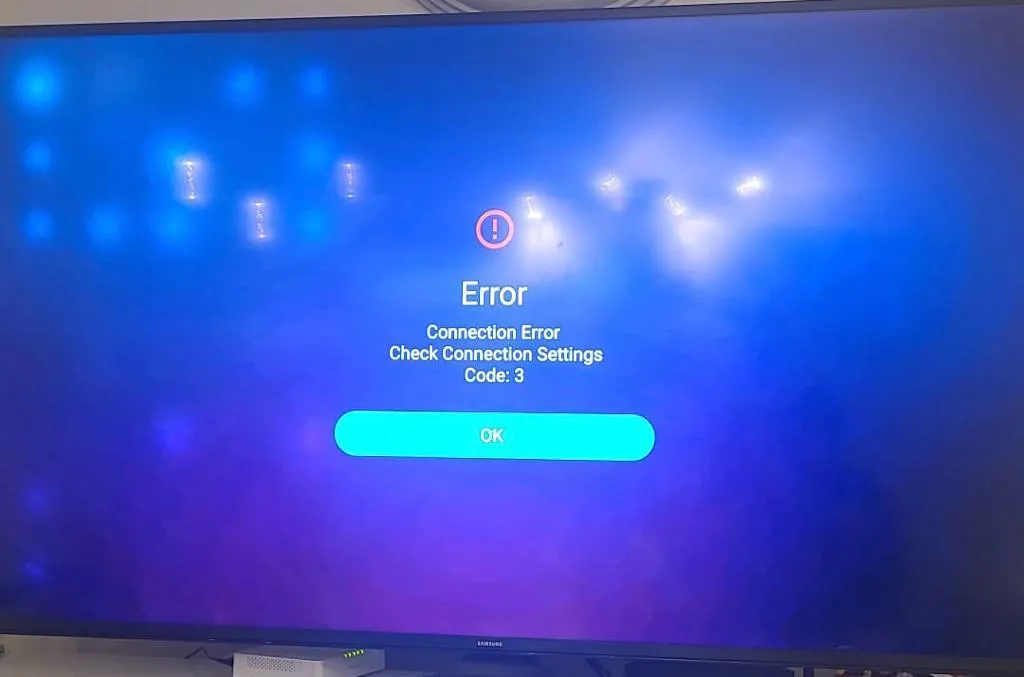
-
- Official Post
Check first if your box have inet connection, if yes, then check your portal url. Each char is important.
-
This internet connection call internet company





