i just got a z11pro max and search is fine while on live tv but when wife is going through vod and want to search is there a way to do this or do you have to back out to live tv to do it? as green button does nothing when in vod

Universal Search from TV Channel, VOD, Series etc.
-
- Z11 Pro MAX
- MYTVOnline3
-
slagheap -
May 19, 2023 at 11:49 PM
We asking all new users to read the articles below, before creating their first posting or thread.
- 4. Instruction Articles
Please note, in this forum are only English threads and postings allowed, without any exception!
Please follow the forum rules, thank you for your understanding.
-
-
- Official Post
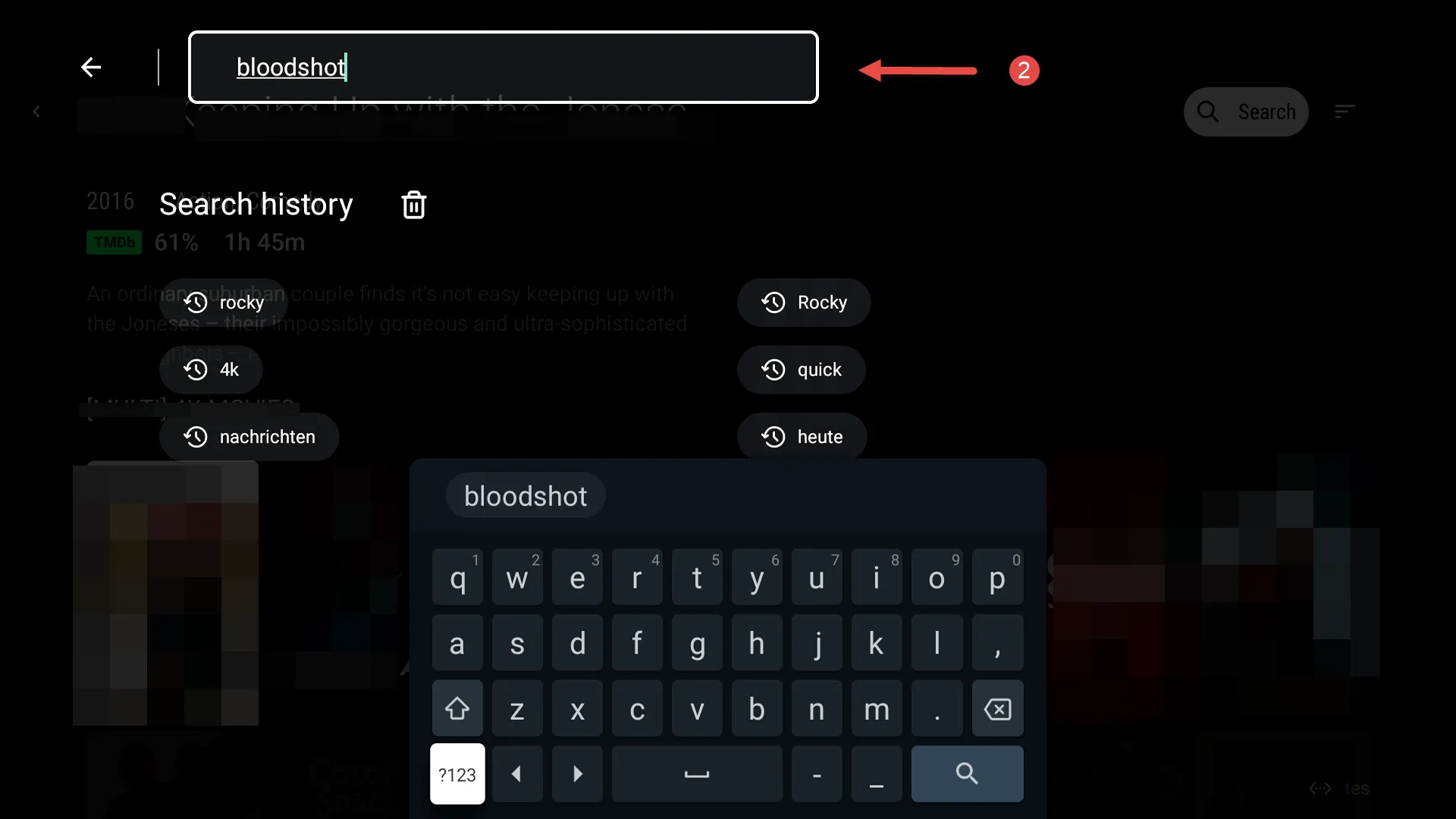
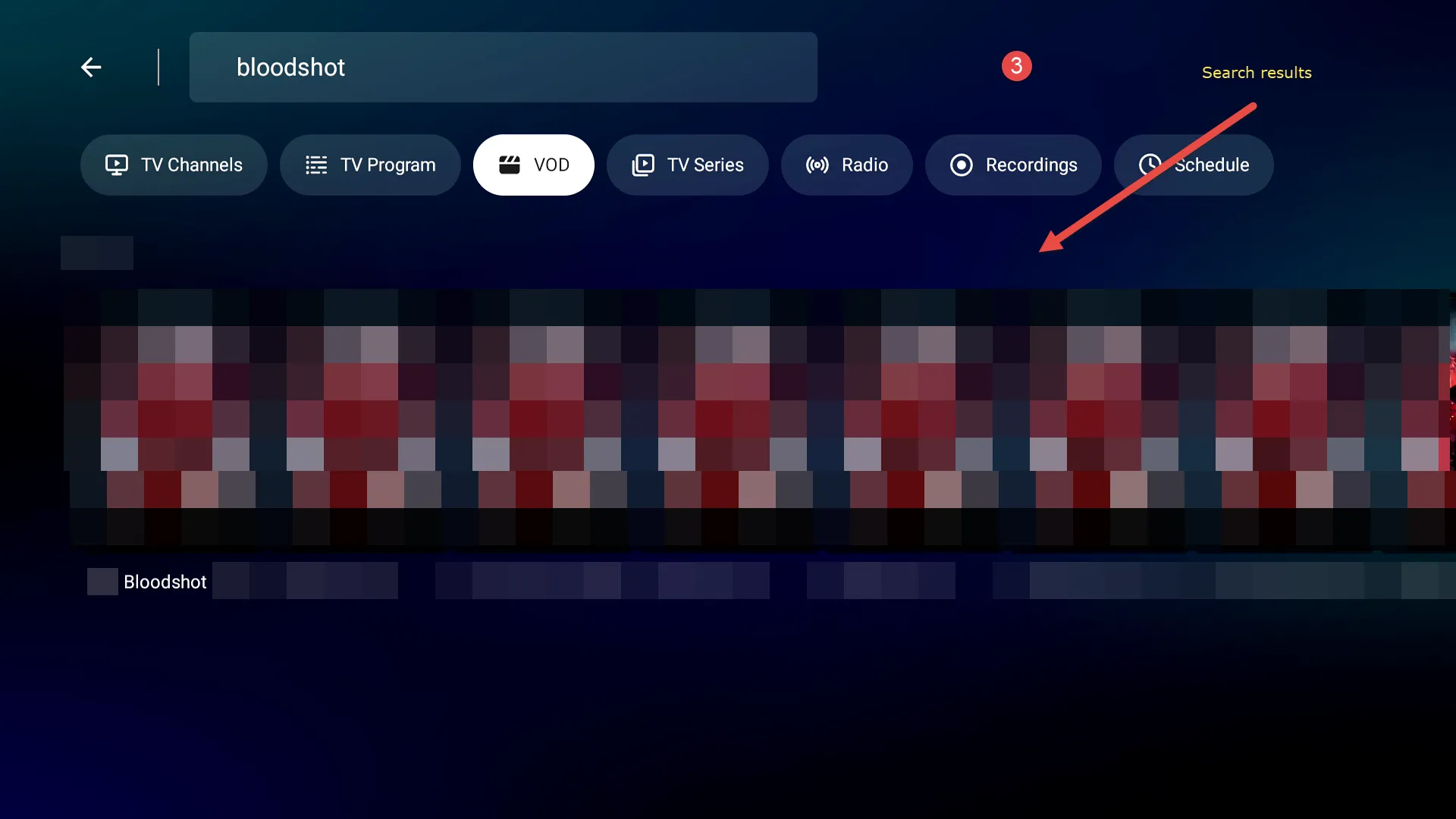
On MOL3 you can use "Universal Search" for all areas (TV channels, TV programs, VOD, Series, etc.) in one central place. Please check the pictures.
1. Universal Search from TV Channel:
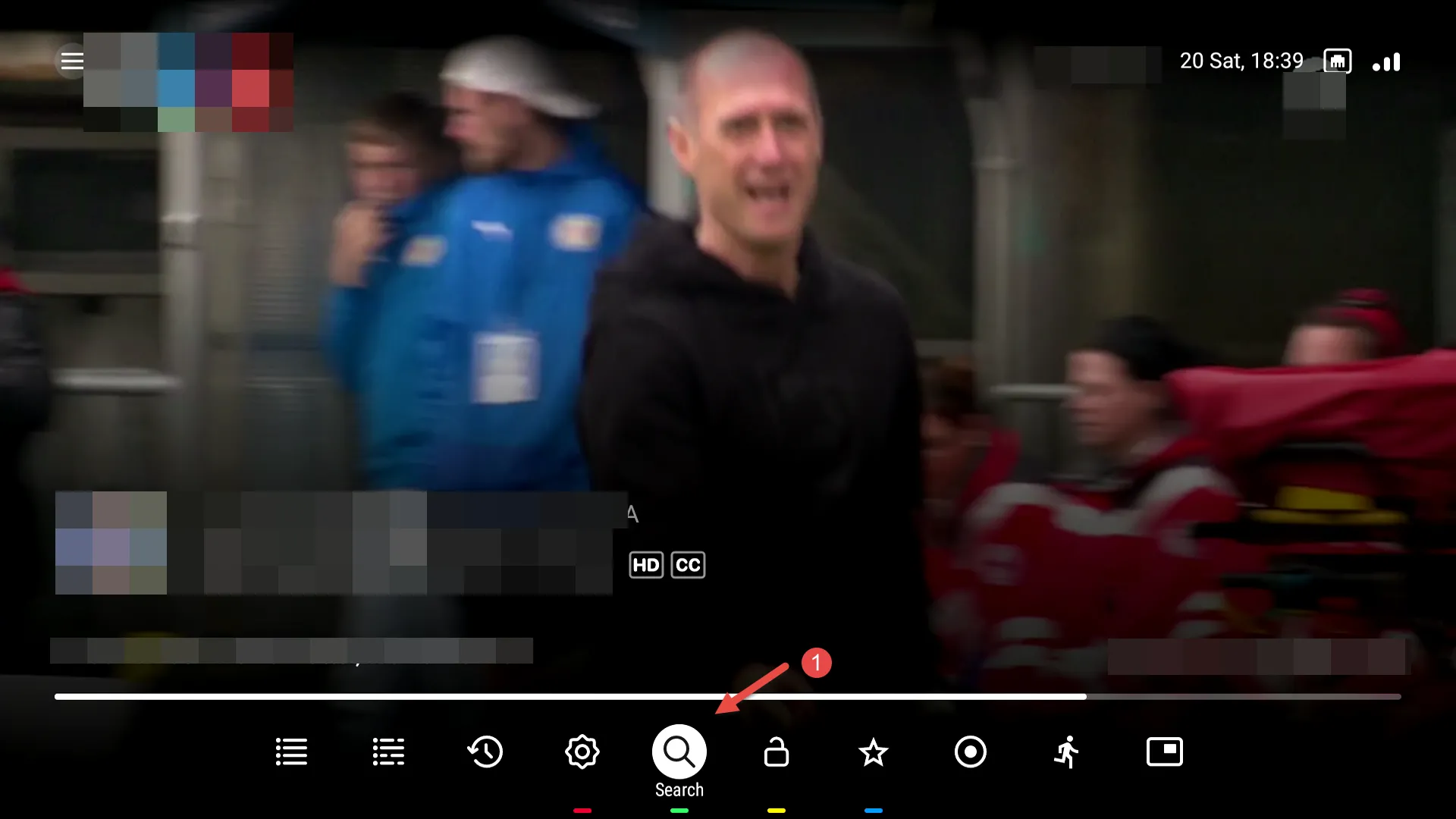
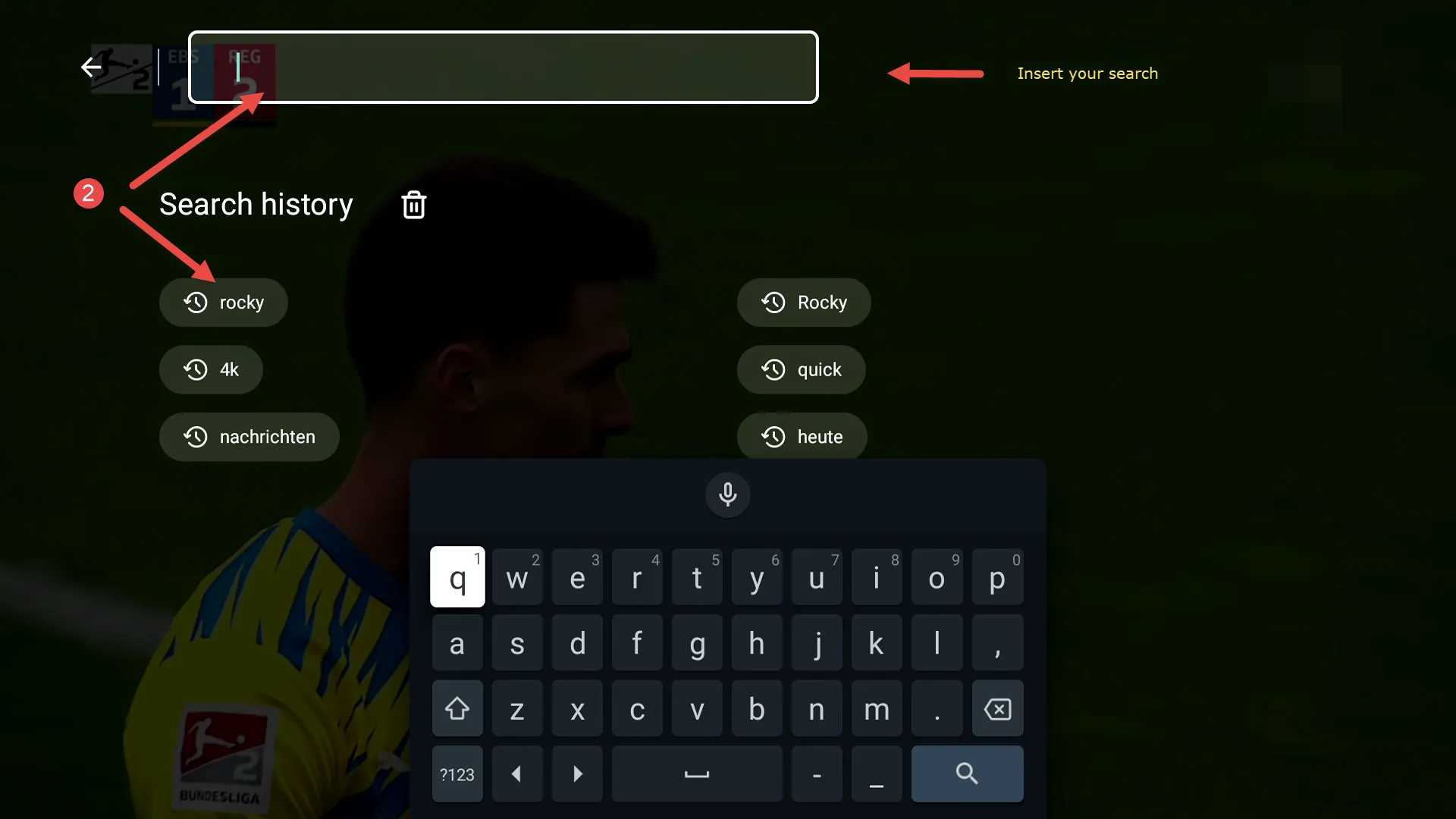
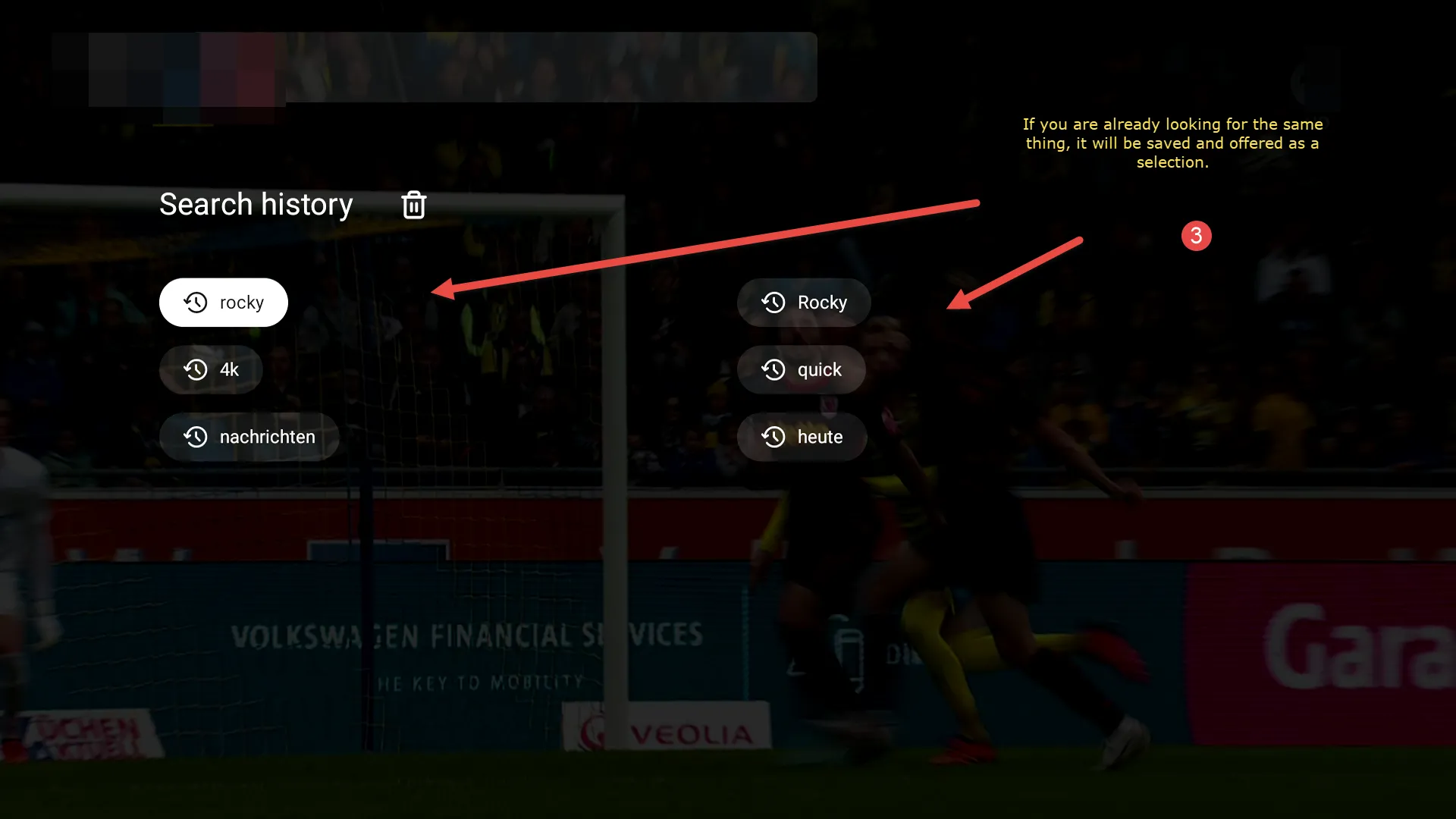
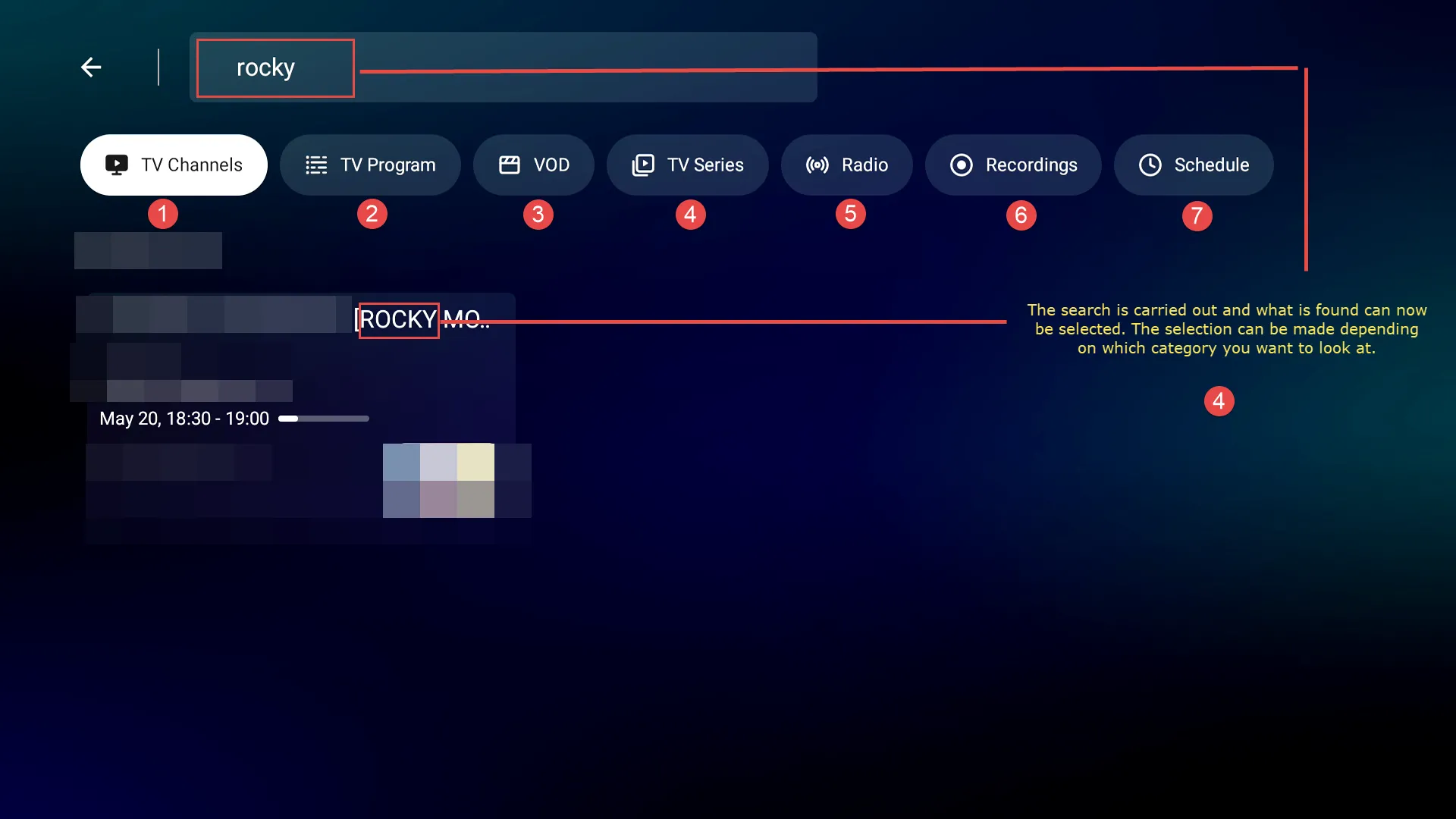
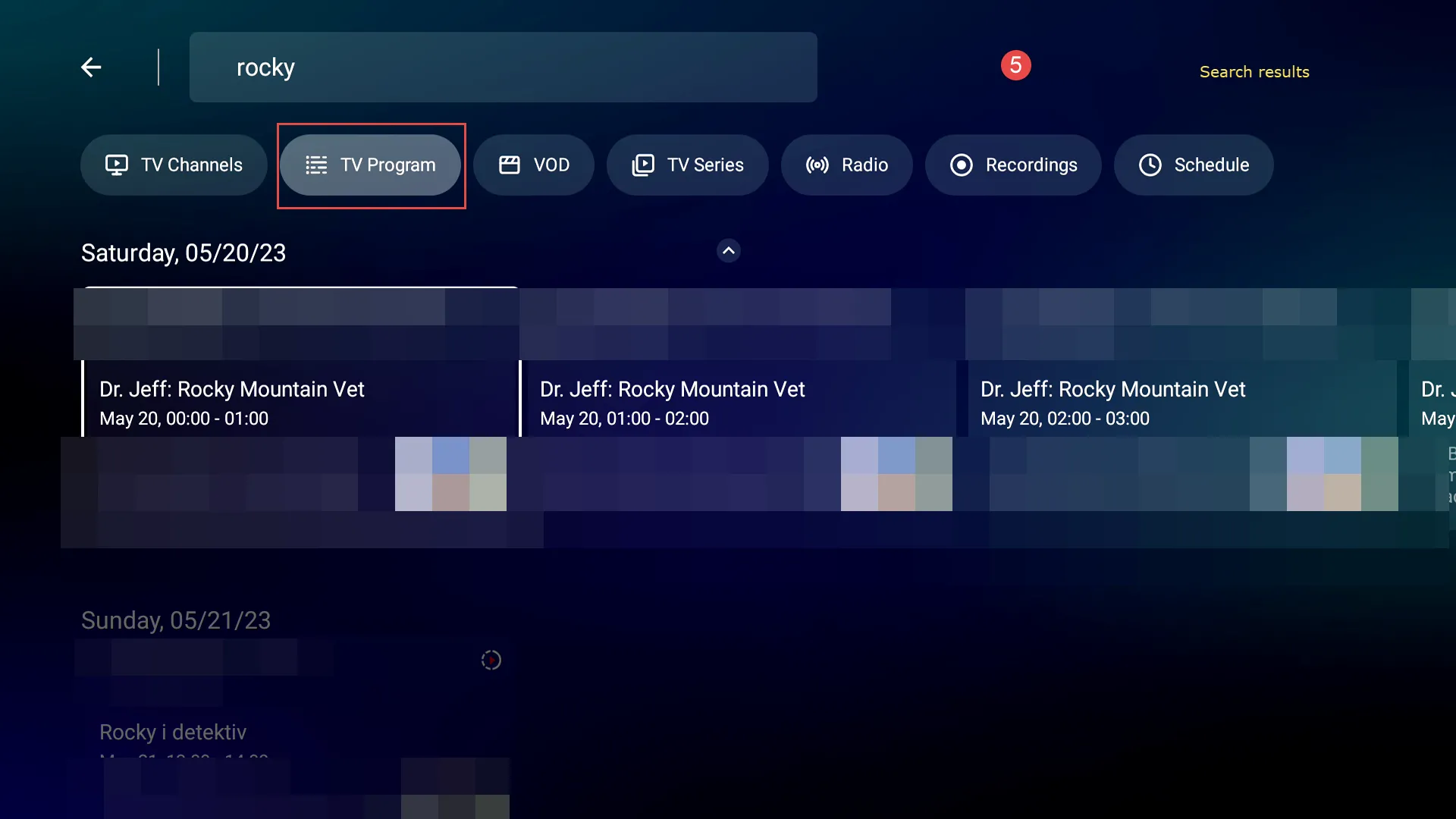
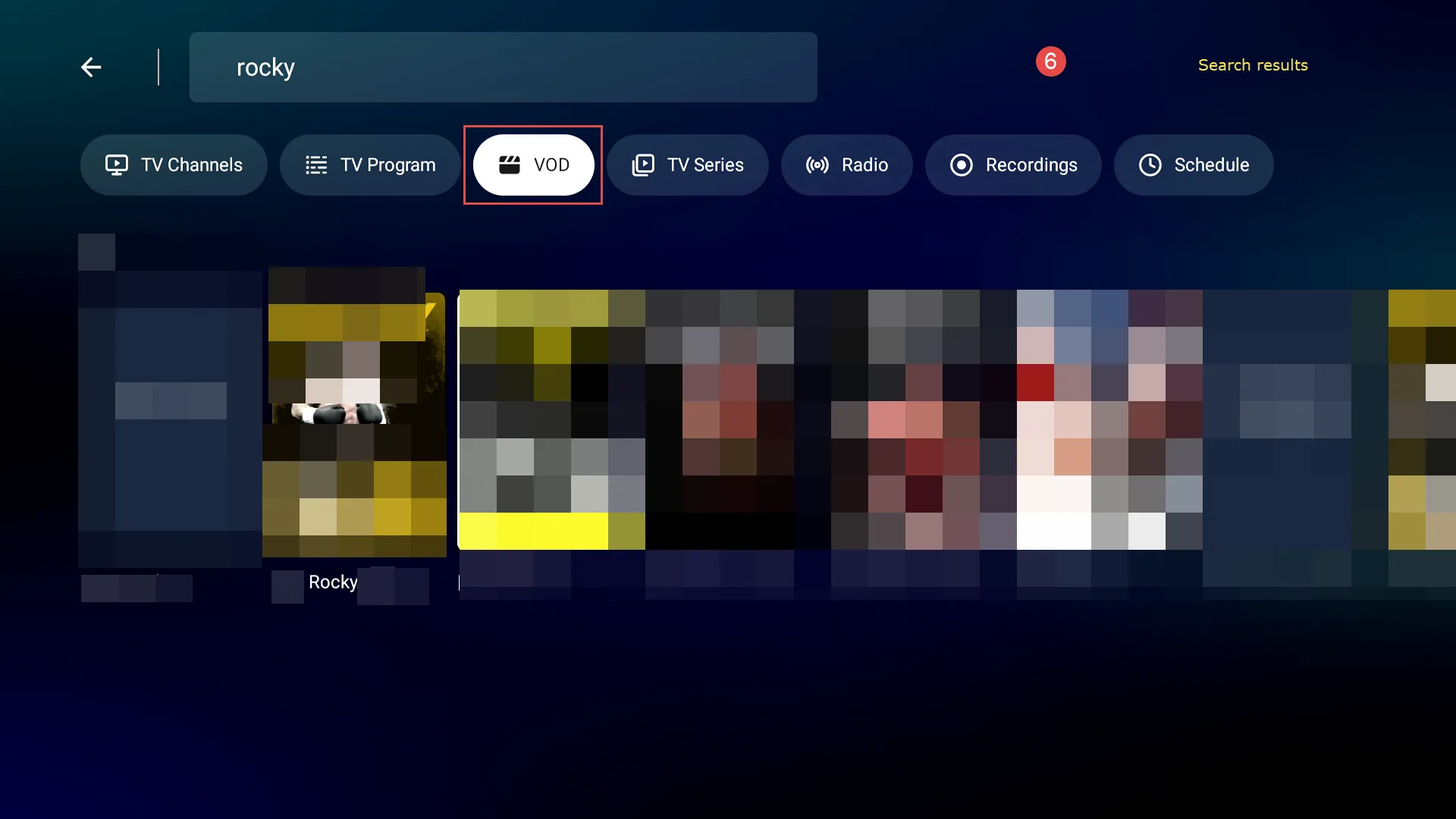
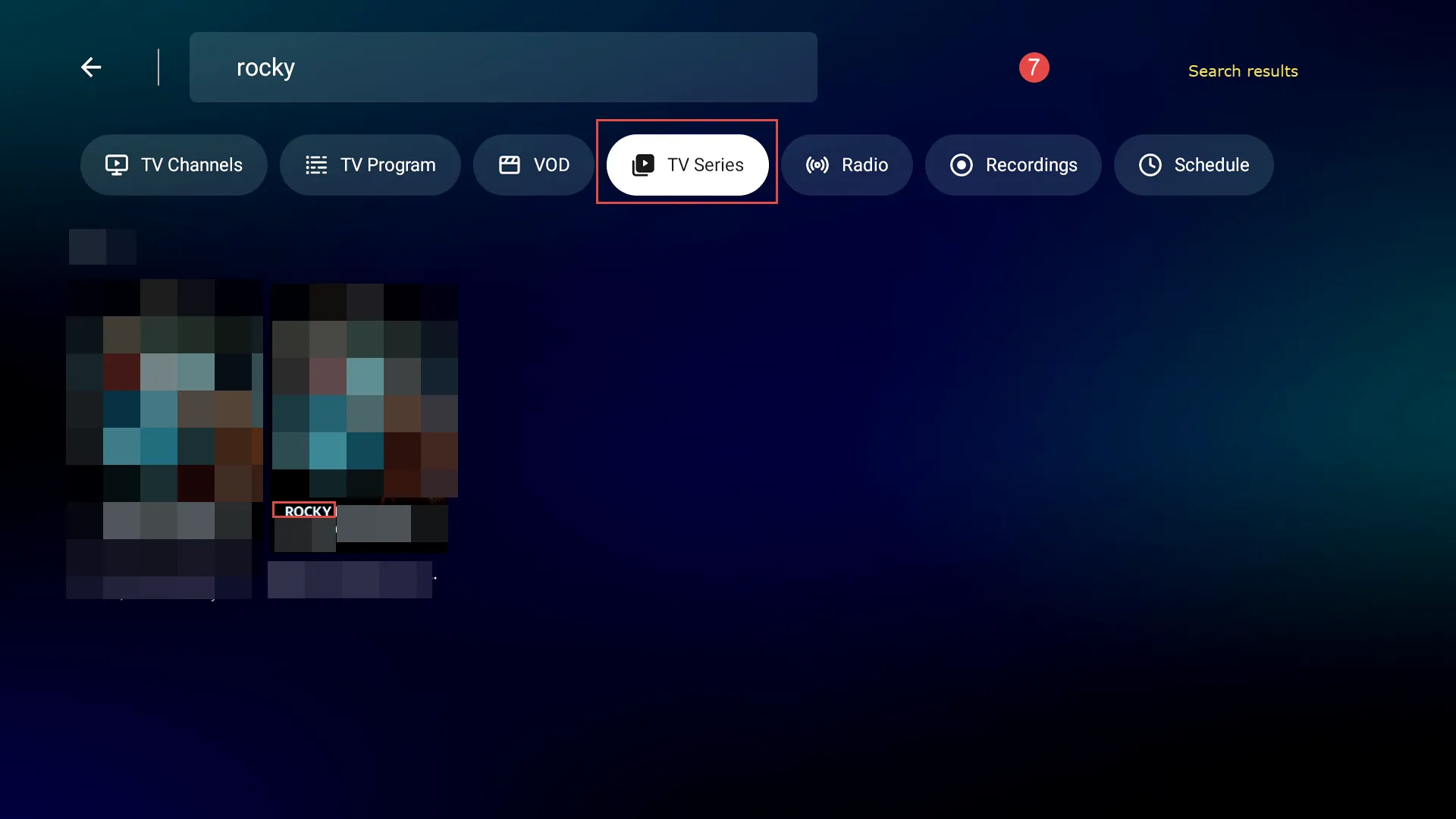
2. Search from VOD, shows also Universal Search:
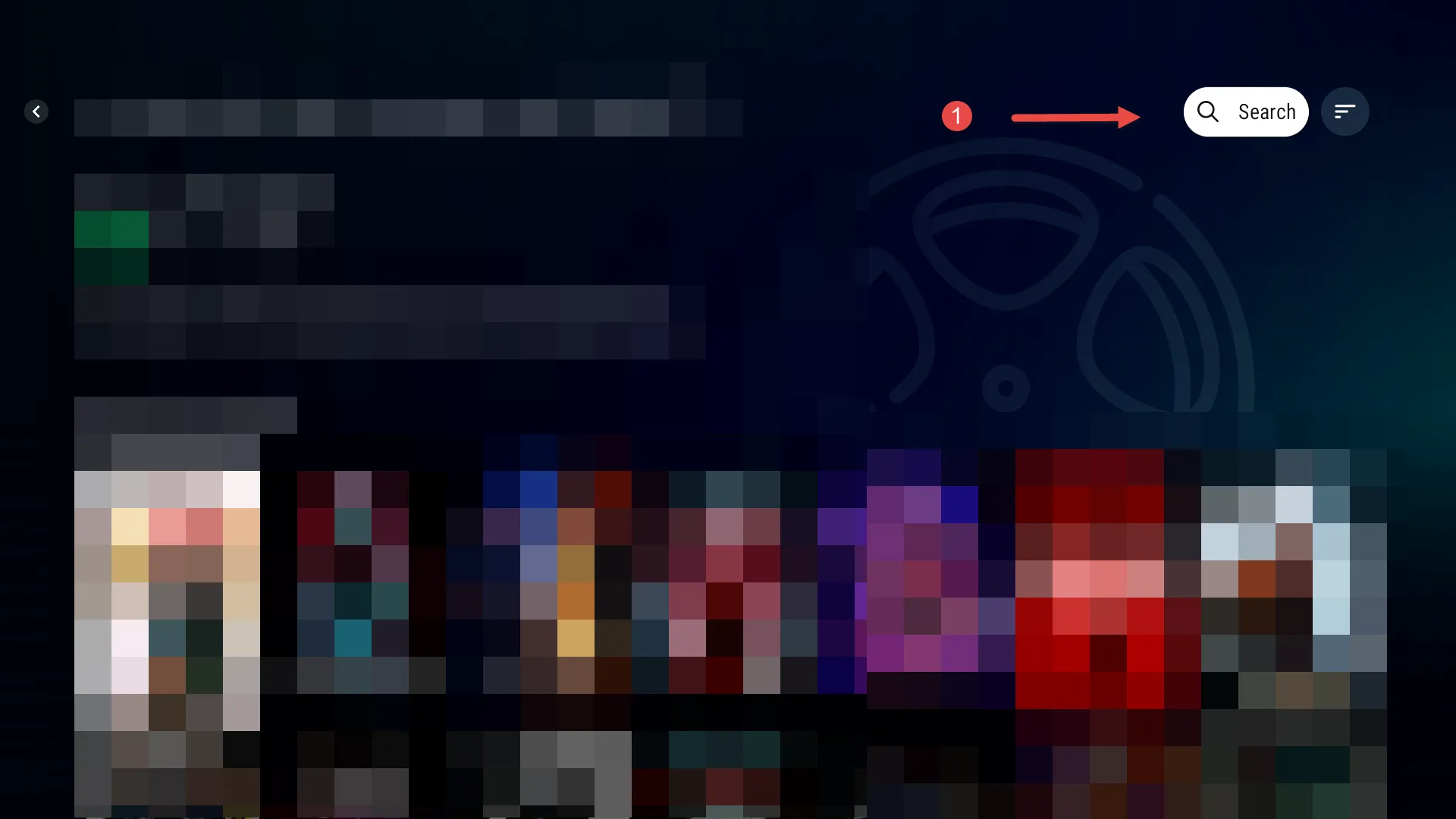
-
oh i know. but just a pain as wife was going through vod tv series to see what was on there and decided to look for specific show, so have to back out as universal search doesn't work once you scroll down past first row in any category
-
try updating to the
Cumulative BETA Software Update - FW 11.2.5 and MOL 3 11.2.13
because:
1. universal search display improved.
-
already on the beta.
-
- Official Post
Which protocol is in use, with xc api and stalker i do not see any issues in search? Try to change to other protocol and create new portal.
-
already on the beta.
In some cases, after an update the portal has to be deleted and re-added to see the improvements
clearing cache also helps.
-
add the portals after updated to beta
and as i said can search the vod as search option is on upper right of screen but only when when you first enter a category. soon as you move down a row that goes off screen and can't search unless go all the way back up
-
try using the right/left arrows on the remote to see if the edit box will come in focus.
with the z10 if the end of any row of results is reach the right arrow will bring the edit box in focus.
haven't try the z11 search much.
-
The search is not as good as the old search. Why can't I now choose ALL (as on MYTVOL2)? How do I search for a movie with a car on the poster?? I don't know the title.
-
Hi team,
I have noticed that there are updates more than once a day. Especially since I've got several subs.
But in settings I can only find the possibility to set updates to once every 24 hour.
Is it possible to extend that in a future update to 2 or even 3 times a day.
That would help me a lot. Because I've noticed it is neccesary. And I have to do it manually. Which is tedious and doesn't sit well while I'm supposed to record something...
Thaks a lot
/Nisse
-

The search is not as good as the old search. Why can't I now choose ALL (as on MYTVOL2)? How do I search for a movie with a car on the poster?? I don't know the title. Its seartching from all automatically now I guess. It’s fine.
-
problem
PostRE: search function In VOD and series
thanks
for me it is not found in VOD
very strange
I have a movie in VOD, 2022
see image nr 1
search "(2022)" - VOD not found image 2
search "(2022)" - serien OK image 3 relu
reluAugust 1, 2023 at 11:52 AM -
One has to go to VOD and then Select All.
Now click the right arrow to enter the right frame.
immediately you see the search button on the top left corner.
-
If you want to universal search from live tv simply have any live channel onscreen and press green button on your remote control.
To consider “All” category in Movies and Series, simply open the “Newly Added” option and search from there. Universal search will go search all categories anyway
There is one caviat with the universal search, in most cases it needs to be text specific so the spelling must be correct for it to locate the title.
Also with reference to the comment in the above posts, if you don’t know the title then you are correct, having no “all” category makes browsing limited if you don’t know what section your show is held. There is no workaround for this.
-
I've had a similar issue with my TV setup. Unfortunately, on some devices, the search function might not work in VOD mode, and you have to switch back to live TV. It's a bit of a hassle, but hopefully, they'll improve this feature in future updates. Here's a guide on how to watch tv without internet. I hope this helps!
-
 Display More
Hi team,
I have noticed that there are updates more than once a day. Especially since I've got several subs.
But in settings I can only find the possibility to set updates to once every 24 hour.
Is it possible to extend that in a future update to 2 or even 3 times a day.
That would help me a lot. Because I've noticed it is neccesary. And I have to do it manually. Which is tedious and doesn't sit well while I'm supposed to record something...
Thaks a lot
/Nisse
Content manager \ Content Sources \ Edit \ EPG Update Interval
-
1-I understand what they all say, and it disturbs me also a lot, it's really not as intuitive and easy to find the loop when you enter in the VOD. Before in MOL2 you made simply: All, and OK then you saw the loop,
Now in MOL3 when entering in the VOD you land on "Favorite" but , if you don't have anything in the category "Favorite", and in "History", you can click "ok" , or try right arrow or left arrow or up.. as many times as you want, you cannot find the loop.. instead.. it's tedious to go down 2 or 3 times to a category or to Newly Added.. then move arrow to the right.. then move arrow up. 'it requires at least 4 press of a button if you are not wrong..
I strongly suggest to ADD A LOOP in the left menu, directly VISIBLE on Top of Favorite. Then problem solved.
2- The search is maybe universal, which is a good thing, but contrarily to MOL2 where the search was dynamic and automatic since the 1st or the 2nd caracter typed narrowing the search while typing, which was very fast and useful, here in MOL3, it is not "dynamic", in other words it was simultaneous while you were typing..but here not ! You are forced to write all the title or name then exit the Keyboard and try a search...and maybe you wrote wrong so you need to start your search from the beginning.. in MOL2, u could just add a space, or delete/add 1 letter.. then you found automatically.
The fact that it is not dynamic (search in real time) is also a big step backwards when comparing speed and easy way of similar dynamic search in MOL2.
-

1-I understand what they all say, and it disturbs me also a lot, it's really not as intuitive and easy to find the loop when you enter in the VOD. Before in MOL2 you made simply: All, and OK then you saw the loop,
Now in MOL3 when entering in the VOD you land on "Favorite" but , if you don't have anything in the category "Favorite", and in "History", you can click "ok" , or try right arrow or left arrow or up.. as many times as you want, you cannot find the loop.. instead.. it's tedious to go down 2 or 3 times to a category or to Newly Added.. then move arrow to the right.. then move arrow up. 'it requires at least 4 press of a button if you are not wrong..
I strongly suggest to ADD A LOOP in the left menu, directly VISIBLE on Top of Favorite. Then problem solved.
2- The search is maybe universal, which is a good thing, but contrarily to MOL2 where the search was dynamic and automatic since the 1st or the 2nd caracter typed narrowing the search while typing, which was very fast and useful, here in MOL3, it is not "dynamic", in other words it was simultaneous while you were typing..but here not ! You are forced to write all the title or name then exit the Keyboard and try a search...and maybe you wrote wrong so you need to start your search from the beginning.. in MOL2, u could just add a space, or delete/add 1 letter.. then you found automatically.
The fact that it is not dynamic (search in real time) is also a big step backwards when comparing speed and easy way of similar dynamic search in MOL2.
totally agree to all here.... MOL3 search function made me go back to MOL2 on all home devices
Developers?? will there be same search option in MOL3 as in MOL2 in future ? will there be a All movies category like in MOL2 ?
-
Z11 programming for me is a nightmare (sorry to have to say so) vs Z8/Z10 series that were so intuitive and easy to setup...in all aspects not only to use the search Engine.
When will Formuler go back to the good old simplicity ?