Beta Update - Firmware v. 11.3.0 BETA and MOL 3 v. 12.1.0 BETA for Formuler Z11 Series released.

We asking all new users to read the articles below, before creating their first posting or thread.

  • 4. Instruction Articles

    • Please note, in this forum are only English threads and postings allowed, without any exception!

      Please follow the forum rules, thank you for your understanding.

  • This was implemented. Please check in the 2nd beta.

    hi

    thanks, this is about: in favourits and history of vods and series: possibility show the provider somewhere (= important for me)

    2nd beta is installed, but in favourits and history of vods & series I can't find the provider name anywhere. Where should I see it?

    Formuler Z11 Pro Max - XC API Portal - Mol3 (standard and occasional TiviMate as backup) - External HDD Toshiba 1 TB (usb 3.0) - Nord VPN

  • Anyone noticing audio micro stutters in the beta? On the latest beta and it’s still here, wasn’t present in the last official.
    Noticeable in mol3 and stremio. Happens once every 5 mins or so, lasts a milli second

    Depends on the content you're watching, probably 23,976fps movies being played at 24HZ. Already posted here. It's probably less than 5 minutes, but you only notice every 5 minutes when the audio is also affected, most of the stutters aren't really noticeable at the naked eye, some people won't even see or hear anything.

  • Bottom right of the favourite and history screens you should see <...> provider name, it is quite small could do with being a little larger.

    hi

    Oh man, just was there was another beta (I was a bit confused, as this is now the 3rd beta), anyway: this is ok, big thanks!

    + Little update/open items on my first reaction in this thread (post #12):

    - command center in home menu: possibility to change the available options & their position in the menu?

    - not possible to sort providers (I believe SAM wrote earlier this would be implemented in the next (beta) soft) -> will this come later (important for me)?

    - in the vods and series menu: no back option to go back to the MOL3 menu, only going back to live tv -> can this be added?


    General impression:

    - still: all changing in menus seem a bit slower then before


    Older oustanding issues:

    - in single EPG: possibility to record a program & playback

    - no changements noticed in EPG: some providers ok for about 4 days, some only 24h

    Formuler Z11 Pro Max - XC API Portal - Mol3 (standard and occasional TiviMate as backup) - External HDD Toshiba 1 TB (usb 3.0) - Nord VPN

  • hello

    Extra (as posted earlier), still present issues/questions:

    - Audio sync on live tv: if I change the audio delay, the (fixed) subtitles are automatically changed with the same delay. Can this be corrected or is there a reason that it works this way (in my case the subtitles are ok, but the audio sometimes needs a little delay - due to AAC and my receiver)?

    - Audio and subtitle delay: is is possible to change this, so we can keep pushing the RCU instead of having to click x-times for each 50 ms?

    - Extra: I noticed in recordings, that there's no audio sync option -> is it possible to implement (which I doubt, but would ask anyway)?

    Thanks in advance!

    Formuler Z11 Pro Max - XC API Portal - Mol3 (standard and occasional TiviMate as backup) - External HDD Toshiba 1 TB (usb 3.0) - Nord VPN

  • Hi, i just did the second beta update,released 10 th june,via the standard way 1339,press red etc.,for z11 series,

    after the standard installation and update process,the box reboothed,but nothing worked,not YT nor MOL3,when i went back to software there was an endless spinning of concentric circles,that took over 15 minutes,there were no release notes (changelog FW/SW),nor are the latest FW and IPTV etc given on the left handside of the Official update page.

    After going up and down several settings and resetting Nord vpn,all out of blue MOL3 worked again!

    I have never come across this erratic behavior after a beta update,can someone explain to me what this means?

  • Hi, i just did the second beta update,released 10 th june,via the standard way 1339,press red etc.,for z11 series,

    after the standard installation and update process,the box reboothed,but nothing worked,not YT nor MOL3,when i went back to software there was an endless spinning of concentric circles,that took over 15 minutes,there were no release notes (changelog FW/SW),nor are the latest FW and IPTV etc given on the left handside of the Official update page.

    After going up and down several settings and resetting Nord vpn,all out of blue MOL3 worked again!

    I have never come across this erratic behavior after a beta update,can someone explain to me what this means?

    I just updated to the second release beta update also but didn't encounter any of the issues you have mentioned.

    It did take around 15 minutes or so for it to fully download and reboot. Could it be that your box hadn't fully installed the beta etc and you stopped it from completing by mistake henkie?

  • I just updated to the second release beta update also but didn't encounter any of the issues you have mentioned.

    It did take around 15 minutes or so for it to fully download and reboot. Could it be that your box hadn't fully installed the beta etc and you stopped it from completing by mistake henkie?

    No,i let it install completely,but i never before saw the large concentric circles going in and out during the version check.I now have on the left handside(in SW update) FW latest,IPTV latest etc,but on the right hand side no release notes(?)

    I am now on Current FW version.v11.3.2 and IPTV version v.12.1.1

    @Bazzooka,do you have the same versions?

  • Installed 3rd BETA (Firmware 11.3.2 and MOL3 12.1.1). Everything fine, but my issue still remains (23,976fps played at 24HZ). Did backup, then factory reset and everything else seems ok, will test more in the next couple of days. For now i only see some changes in the player settings inside MOL3 where some settings disappeared and now at MOL3 start i get the MyTv+ mobile app message, but with a check to disable future notifications.

    Edited once, last by xateado (June 12, 2024 at 11:57 AM).

  • No,i let it install completely,but i never before saw the large concentric circles going in and out during the version check.I now have on the left handside(in SW update) FW latest,IPTV latest etc,but on the right hand side no release notes(?)

    I am now on Current FW version.v11.3.2 and IPTV version v.12.1.1

    @Bazzooka,do you have the same versions?

    Yes same version.

  • Installed and executed with box reboot?

    How is your configuration: Box-> TV -> AVR?

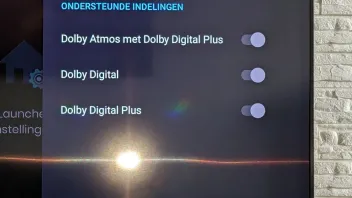
    Is Surroundsound activated in Audio Settings?


    Not to forget your screenshots doesn`t show if that stream have dts audio track!

    Today devs. checked if DTS works through passthrough - AVR and it works, just as info.

  • Hi

    Just to confirm at startup (after standby) and with direct or auto start of MOL3 I still get kicked to the homemenu. When I wait about 10-20 seconds before starting MOL3, all is ok.

    I'm on the 3rd and latest beta.

    Formuler Z11 Pro Max - XC API Portal - Mol3 (standard and occasional TiviMate as backup) - External HDD Toshiba 1 TB (usb 3.0) - Nord VPN

  • Does anybody else have this minor but annoying issue? This started a while ago in the Z11 Pro Max but continues in the latest Beta.

    I have favorite channels set up in Live TV. I will be watching a channel that was selected from my Favorites and at some point I hit the Guide button to get the EPG it should list the channels from Favorites. The channel is still highlighted but the Group is not Favorite, it is now the original Group that this channel was in. I have to hit the Favorite button again to get back to Favorites. I have not been able to recreate it but it happens at least 3 or 4 times a week.

  • Hi, could you send the log?

    Hi Peter

    I just tried +10 times (start MOL3 directly after off, directly after standby, with & without closing all apps before turning off), but I could NOT reproduce ...

    So, in case it should happen again, I'll send the log and post here.

    Formuler Z11 Pro Max - XC API Portal - Mol3 (standard and occasional TiviMate as backup) - External HDD Toshiba 1 TB (usb 3.0) - Nord VPN

  • For me i have an issue with EPG data. No information.

    Do you installed the Beta and which protocol is in use? Are date, clock and GMT set correctly?

  • Try without / at end of your provider url. If not inserted, then insert and test too.

  • Did you ask your Provider if EPG works at all or tested with similar App like Tivimate? If there is no EPG shown then have your Provider issues.

  • Greetings. I am new here but I would like to know if there is an ETA for when the stable firmware for v. 11.3.0 and MOL 3 v. 12.1.0 will be released? I have a Z11 Pro Max and a Z11 Mini.

  • Hi,origannaly the Official Update was announced for end of may,however a beta update replaced this.

    So ETA for Official update is hard to say,if not beta update becomes Official.

  • May I ask, will the sound volume level problem ever be fixed? In general, it is still lower in volume (volume level the same and does not change when switching) compared to default Google TV in a smart TV or Sheild TV pro. Thanks :smiling_face:

    That's a very good question!

    It is here only when surround sound is enable in android settings.

    Yeah, strange that there is now automatic adjustment so as on other device.

  • Not sure if this is a new issue (or known), but my network mount always breaks when enabling VPN.

    I have a mount to my NAS that I always want, so I set it to "mount on startup".
    And it does (even though it takes a while after restart/boot).
    But the second I enable my VPN, the mound fails with an error toaster, and I have to manually mount it again.

    This happens both when using NordVPN and their VPN-client and with Mullvad VPN (also their own client).
    When I used NordVPN I had it set to "automatically connect at startup", and then my network mount would never auto-mount at boot.

    Mullvad VPN doesn't have auto-connect, so it's always disconnected at boot.
    And then the network share auto-mounts as expected (but breaks when VPN connects)

  • Hi, could you send the log?

    Hi

    After a manual content update, MOL3 crashed again and couldn't be restarted at all. So had to delete MOL3 and re-install again (happened also a few weeks ago). Log 0000001735717 just sent again

    Formuler Z11 Pro Max - XC API Portal - Mol3 (standard and occasional TiviMate as backup) - External HDD Toshiba 1 TB (usb 3.0) - Nord VPN

  • Hi

    After a manual content update, MOL3 crashed again and couldn't be restarted at all. So had to delete MOL3 and re-install again (happened also a few weeks ago). Log 0000001735717 just sent again

    Thank you for sending the logs.

    The devs have checked the logs, and a possible fix for the issue will be included in the official update release.

  • Did you ask your Provider if EPG works at all or tested with similar App like Tivimate? If there is no EPG shown then have your Provider issues.

    EPG works for me if i use the EPG per channel. Using the Guide gives me No Information.
    All worked well before the beta update for me.

    EPG Guide - no information
    EPG Guide per channel - works