

I solved the problems I had, with a factory reset after the last update.
Everything looks ok now.
Thanks a lot.

We asking all new users to read the articles below, before creating their first posting or thread.
Please note, in this forum are only English threads and postings allowed, without any exception!
Please follow the forum rules, thank you for your understanding.
I solved the problems I had, with a factory reset after the last update.
Everything looks ok now.
Thanks a lot.

I solved the problems I had, with a factory reset after the last update.
Everything looks ok now.
Thanks a lot.
Its also better to do a factory reset after a upgrade/update sometimes.
If you have problems after a update, please do always a factory after that like i do.
Yes, you need install some apps and configure your box. But most times it fixes all the problems.

I just downloaded the update last night for my z11 pro max and to my disappointment the timeshift is worse now.
Before update timeshift would show zero on time bar and not work. I would cycle power off on on unit and timeshift would then work, now timeshift shows it's working, and if I rewind that's OK but when I ffwd it freezes and start over to 0.
The timeshift after this update is useless to me now. Please fix this
Yeah, I have the exact same experience with timeshift (live TV to local USB device, latest beta on three z11 pro max boxes). Have an ongoing support ticket with detailed step-by-step procedure to reproduce. There are various quirks, and quite easy to reproduce. Seems to get worse by setting a long playback buffer. So at least you are definitely not alone with these issues! 🙂
It has happened a few times that the box cannot be started with the remote control.
Restart the box and it works again.
Has anyone else had this error?
I having a a few problems since the last update,
1. Programmable hotkeys on my BTremote are not able to start MOL3
2. MOL3 doesnt start up automaticly, i did set it up as my startup app
Does someone know how to fix this ?

I having a a few problems since the last update,
1. Programmable hotkeys on my BTremote are not able to start MOL3
2. MOL3 doesnt start up automaticly, i did set it up as my startup app
Does someone know how to fix this ?
If nothing helps, like reprogram the remote with the remot app do factory reset.
No problems at my side my friend😃
If nothing helps, like reprogram the remote with the remot app do factory reset.
No problems at my side my friend😃
I will do a factory reset tomorrow, i hope it will fix the problem.
Does the setting of the start up app work at your device ? and also the programming of the hotkeys of your remote ? Did you test this for me ?
I will do a factory reset tomorrow, i hope it will fix the problem.
Does the setting of the start up app work at your device ? and also the programming of the hotkeys of your remote ? Did you test this for me ?
On startup after factory reset you only connect the remote again to your device.
I believe the programmed remote will be the same.
You can check that later and try it. Or go yourself to the formuler remote app and check your remote buttons my friend.
1-After update it become slow and laggy and when swith from chanel to another it become black.
2-Not all provider are compatible with mytv online 3 error 404 1001 not yet solved.
3-VOD Are too slow in loading.
(I make a factory reset still have the same problem)
I really was satisfied with mytvonline 3 and now i switch to another app till your team fix the issues.

1-After update it become slow and laggy and when swith from chanel to another it become black.
2-Not all provider are compatible with mytv online 3 error 404 1001 not yet solved.
3-VOD Are too slow in loading.
(I make a factory reset still have the same problem)
I really was satisfied with mytvonline 3 and now i switch to another app till your team fix the issues.
1: look in mytvonline menu for AFR. turn it off.
And set in android settings at screen settings the hdr option to "adaptive".
2: i tested many providers (25 a 30). Never ever one worked not with mytvonline. But thats my experience.
3: here it loads fine. Connected with ethernet cable, dns cloudfare. Direct to router.
Did you test other provider already?
1: look in mytvonline menu for AFR. turn it off.
And set in android settings at screen settings the hdr option to "adaptive".
2: i tested many providers (25 a 30). Never ever one worked not with mytvonline. But thats my experience.
3: here it loads fine. Connected with ethernet cable, dns cloudfare. Direct to router.
Did you test other provider already?
Yes i test many many provider but some provider doesn t work even in android application and withbthis latest update when you watch a live tv few second and you will be dropped directly to home screen.
And so laggy when moving from chanel to another freeze and after that the remote respond againe
Very minor, but has anyone noticed when it says refreshing contents, the spinning circle doesn’t spin. I’m sure it did before the update. Again minor but I can’t help notice it 
Bug: When selecting a VOD and marking it as Favorite (with the asterix) the Asterix is not shown in the Movie icon when marking the VOD as Favorite, the asterix is only shown in the Movie icon when switching back to the VOD group favorites.
I come back here because if the Problem with the No Sound after StandBy
My Uncle has a Samsung TV with Z11 Pro Max BT
Actually everything works, but now, every second day, after he turns on the TV (HDMI ARC, turns on TV / Formuler) there is no Sound at MOL3.
I also did the solution in the Formuler Remote App, where the Mute Button is located on the bottom right. I put away this button and there is no function now.
It worked for a couple of days, but now. This thing comes back every second day.
If you do Volume+\- you see the samsung tv volume indicator.
But there is just no sound coming out. Only after we restart the box, its working.
Please help 
 Display More
I come back here because if the Problem with the No Sound after StandBy
My Uncle has a Samsung TV with Z11 Pro Max BTActually everything works, but now, every second day, after he turns on the TV (HDMI ARC, turns on TV / Formuler) there is no Sound at MOL3.
I also did the solution in the Formuler Remote App, where the Mute Button is located on the bottom right. I put away this button and there is no function now.
It worked for a couple of days, but now. This thing comes back every second day.If you do Volume+\- you see the samsung tv volume indicator.
But there is just no sound coming out. Only after we restart the box, its working.
Please help
Why not temporary aet your box to full shutdown?
It cost 20 seconds of your time to start up your box. And you have sound?
Solved temporsry right?
Display MoreI come back here because if the Problem with the No Sound after StandBy
My Uncle has a Samsung TV with Z11 Pro Max BTActually everything works, but now, every second day, after he turns on the TV (HDMI ARC, turns on TV / Formuler) there is no Sound at MOL3.
I also did the solution in the Formuler Remote App, where the Mute Button is located on the bottom right. I put away this button and there is no function now.
It worked for a couple of days, but now. This thing comes back every second day.If you do Volume+\- you see the samsung tv volume indicator.
But there is just no sound coming out. Only after we restart the box, its working.
Please help
Open the Formuler Remote app > Setup Volume Control > Change the Volume Control back to "FORMULER"
Test for a few days and report back with the results

Open the Formuler Remote app > Setup Volume Control > Change the Volume Control back to "FORMULER"
Test for a few days and report back with the results
Thanks for response. But is this not the intention of the BT1 Remote, to only have one Remote?
But we will do and come back
Thanks for response. But is this not the intention of the BT1 Remote, to only have one Remote?
But we will do and come back
Yes, the above test is just a temporary suggestion in order to try to find the cause of the issue.
However, you can still control the TV using the BT1 by toggling the BT1 remote between TV and STB mode.
Press and hold the TV/STB button to toggle the mode.
Yes, the above test is just a temporary suggestion in order to try to find the cause of the issue.
However, you can still control the TV using the BT1 by toggling the BT1 remote between TV and STB mode.
Press and hold the TV/STB button to toggle the mode.
There is an other post about that problem, some peoples have it :

Or


bonjour,
le correctif résoudra la durée de décalage horaire incorrecte ( 00:00 ) par la nlle version bêta 12.1.3 HOTFIX BÊTA
LA version bêta pourrait contenir des bugs ou être instable ,si vous ne souhaitez pas tester, veuillez attendre la sortie officielle
English please.
Only English is aloud on this forum.
Display MoreI come back here because if the Problem with the No Sound after StandBy
My Uncle has a Samsung TV with Z11 Pro Max BTActually everything works, but now, every second day, after he turns on the TV (HDMI ARC, turns on TV / Formuler) there is no Sound at MOL3.
I also did the solution in the Formuler Remote App, where the Mute Button is located on the bottom right. I put away this button and there is no function now.
It worked for a couple of days, but now. This thing comes back every second day.If you do Volume+\- you see the samsung tv volume indicator.
But there is just no sound coming out. Only after we restart the box, its working.
Please help
Hi, Reported almost the same issue but in the wrong "GTV" no system sound or sound at all topic..sorry for that.
After 1 hour or so at standby, no sound...send some logs last week..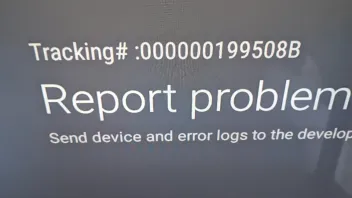
Hi, Reported almost the same issue but in the wrong "GTV" no system sound or sound at all topic..sorry for that.
After 1 hour or so at standby, no sound...send some logs last week..
The log has been forwarded to the devs. Will let you know once it is analyzed.