


thanks for the info
Np hopefully it’ll be fixed in an update 🙂 cheers

We asking all new users to read the articles below, before creating their first posting or thread.
Please note, in this forum are only English threads and postings allowed, without any exception!
Please follow the forum rules, thank you for your understanding.
thanks for the info
Np hopefully it’ll be fixed in an update 🙂 cheers
Good morning friends, I would like to know if the Z12 Ultra works well with the Microsoft Xbox One Digital TV tuner, so that it can capture the channels (RF) that are injected at home via my Vodafone operator's router, if so, does the MOLD3 do this capture work and create its own folder? Thank you to anyone who can give a tip.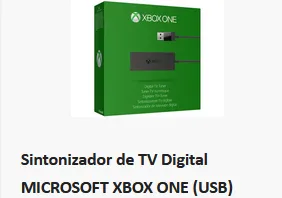
It is delivered with the F12

Is there a possibilty of covering the remote with e.g. some rubber sheet,for preventing damage in case of droping it to the floor?
As i understood the remote of the z11-BT1 has such cover
The remote actually comes with a rubber case as standard.
I was worried about it being dropped but seems Formuler thought of that 

Good morning friends, I would like to know if the Z12 Ultra works well with the Microsoft Xbox One Digital TV tuner, so that it can capture the channels (RF) that are injected at home via my Vodafone operator's router, if so, does the MOLD3 do this capture work and create its own folder? Thank you to anyone who can give a tip.
That's a thing my friend, normally xbox brings it out only for there devices. Like ssd etc. And works only on xbox.
Try it out, and if not work sent it back. In my country there a shops with free returning the parcel.
Hi
Is it possible to change location for the wether app?
ive just installed an update on my z12 ultra......i like the 12.....its smooth and everything is fine.
dont like the remote, its far too big, but i do have an older one that is lighter in the hand...
volume buttons on the side on the new remote is not an issue for me.

ive just installed an update on my z12 ultra......i like the 12.....its smooth and everything is fine.
dont like the remote, its far too big, but i do have an older one that is lighter in the hand...
volume buttons on the side on the new remote is not an issue for me.
same here, but have no problems with the remote, love it 
That's a thing my friend, normally xbox brings it out only for there devices. Like ssd etc. And works only on xbox.
Try it out, and if not work sent it back. In my country there a shops with free returning the parcel.
Can you tell me where to buy it and with free shipping, thank you.
I have an audio sync issue.
I reset it in synchronisation settings to -250ms but theres nowhere to save the setting.
After turning to another tv station and back its back to square one.
I've tried resetting modem,restored z12 back to factory settings and started again.. tried all 4 hdmi ports.
Formuler z7,z10,z11 all work fine on any port.
ive just installed an update on my z12 ultra......i like the 12.....its smooth and everything is fine.
dont like the remote, its far too big, but i do have an older one that is lighter in the hand...
volume buttons on the side on the new remote is not an issue for me.
I really hope that in future you can use the volume buttons on top of the remote can use for volume up.and down.
Just my opinion.
I really hope that in future you can use the volume buttons on top of the remote can use for volume up.and down.
Just my opinion.
I asked this here, but no response yet. Isn't that supposed to be what IR Control does? I'm confused about this and also don't understand what the point of fixing the main vol+- keys to the box's function as opposed to avr or tv is. Only use case I can see is for people that use headphones connected to the z12 - fine, so let the remaining 90% of us edit what the keys do and make it useful to us.
(edit: I noticed there's a new version which makes some updates to the remote app. I haven't tested to see if IR learning of vol keys now works, but one can hope.)
I have noticed one thing, minor and doesn’t affect anything but worth noting.
I set my express VPN to auto connect on boot
The box recognises the vpn connects and shows the notification, it then shows VPN Disconnected notification straight after but the VPN is actually still connected as shown by the key indicator and also me manually checking.
The same happens if I manually disconnect and then reconnect the VPN as a test. Notification shows connected, VPN shows connected and indicator by the key icon but if I open MTOL3, immediately the notification for VPN disconnected appears yet it is actually connected.
I hope that made sense

I asked this here, but no response yet. Isn't that supposed to be what IR Control does? I'm confused about this and also don't understand what the point of fixing the main vol+- keys to the box's function as opposed to avr or tv is. Only use case I can see is for people that use headphones connected to the z12 - fine, so let the remaining 90% of us edit what the keys do and make it useful to us.
(edit: I noticed there's a new version which makes some updates to the remote app. I haven't tested to see if IR learning of vol keys now works, but one can hope.)
From the start and within the remote app you are able to decide which device you want those buttons to control….
Either I’m missing something or no one has either noticed or tried to do it?
You can setup either IR TV option of which you’d press and hold TV STB button to switch from Bluetooth to IR.
If you don’t want to use IR in that way, you can setup either TV volume from the other menu, select your TV and it should control your TV volume using the top buttons.
The side buttons come in to play I think only when you want to independently control the soundbar for example. But I think you can only use one or the other and not both together as options.
On my TV, within sound settings, I can select the device the TV volume adjusts such as TV Speaker, Bluetooth Device, SPDIF etc.
so I expect if I set my tv sound setting to adjust the device and set the tv in the Formuler remote app, it should work as expected?
I haven’t tried it but for me that would be the logic. I appreciate though not everyone will have such options so it could be a trial and error situation to strike the balance for you.
Unsure if I explained all of that correctly but hopefully you get the idea.
Personally I keep the main volume buttons on the top for box volume and the side button for soundbar volume. Best of both worlds
Hi everyone,
I'm having a problem with the Time Shift feature on my new Z12 Ultra. When I start watching a show using Time Shift, I can't play it all the way to the very end. The playback stops just before it reaches the 'live' point. Has anyone else experienced this issue? Any help or advice would be greatly appreciated.
Thanks!
And lucky, sorry its not my adress mac but my url 😅
Also it seems that the "return to live" feature is no longer available on the Z12 Ultra model.
 Display More
From the start and within the remote app you are able to decide which device you want those buttons to control….
Either I’m missing something or no one has either noticed or tried to do it?
You can setup either IR TV option of which you’d press and hold TV STB button to switch from Bluetooth to IR.If you don’t want to use IR in that way, you can setup either TV volume from the other menu, select your TV and it should control your TV volume using the top buttons.
The side buttons come in to play I think only when you want to independently control the soundbar for example. But I think you can only use one or the other and not both together as options.
On my TV, within sound settings, I can select the device the TV volume adjusts such as TV Speaker, Bluetooth Device, SPDIF etc.
so I expect if I set my tv sound setting to adjust the device and set the tv in the Formuler remote app, it should work as expected?
I haven’t tried it but for me that would be the logic. I appreciate though not everyone will have such options so it could be a trial and error situation to strike the balance for you.Unsure if I explained all of that correctly but hopefully you get the idea.
Personally I keep the main volume buttons on the top for box volume and the side button for soundbar volume. Best of both worlds
Thank you for your answer. This is beginning to make a bit of sense. Excuse me as I'm new to formuler, but a lot of this is rather unintuitive coming from other boxes/remotes.
Still things are not working as I think they are meant to.
1) So in the Remote app 'Setup Volume Control', I have chosen my LG tv, and indeed the side volume buttons control the tv (and hence my avr as this is what lg remote is programmed to do). This was OK before too.
2) In the Remote app 'Setup IR Control', when I choose LG again as my tv, now as I've just learnt from you, when I press and hold TV/STB (nowhere is it written what this button does btw, pressing it turns everything off so I assumed that's its function) it goes into IR mode, and the top vol buttons, menu/settings etc all control the LG, which is actually a great feature.
However, what I most of the time need though, is that the top volume buttons control the tv's volume via IR, and the rest of the buttons (ok, home, settings) just control the z12. I do not need to control the box's volume - I have various boxes and want a uniform way of controlling volume, namely that of the avr. I assumed this is what going into 'Setup IR Control'>'Program Manually' does, but it does not: namely, I can now successfully pair (as of 2.0.2, this did not work in 2.0.1) the +- volume buttons to my avr's IR remote's vol+- buttons, and "Select your device" now reads "TV \\ Custom". However when I press the top vol buttons it still control's the z12's volume. If I press and hold "STB/TV" it goes into "full" IR mode where all those buttons are like on the LG's. Is this a bug, misunderstanding on my part, or does manual programming in 'Setup IR Control' not do anything?
I am having a bit of trouble parsing your second sentence here, which probably explains what I ask:
"You can setup either IR TV option of which you’d press and hold TV STB button to switch from Bluetooth to IR. (OK now)
If you don’t want to use IR in that way, you can setup either TV volume from the other menu (what other menu? "Program manually? This doesn't work as I explained), select your TV and it should control your TV volume using the top buttons."

Hi
Is it possible to change location for the wether app?
the widget should be based on your location. Why do you want to change it?
I have noticed one thing, minor and doesn’t affect anything but worth noting.
I set my express VPN to auto connect on boot
The box recognises the vpn connects and shows the notification, it then shows VPN Disconnected notification straight after but the VPN is actually still connected as shown by the key indicator and also me manually checking.
The same happens if I manually disconnect and then reconnect the VPN as a test. Notification shows connected, VPN shows connected and indicator by the key icon but if I open MTOL3, immediately the notification for VPN disconnected appears yet it is actually connected.
I hope that made sense
Are you able to reproduce the issue every time? I tried testing on my end, and it seems difficult to reproduce.
It automatically adjusts the display’s refresh rate to match the frame rate of the content. For example, if the content is 50Hz, the display will switch to 50Hz for smoother playback
the widget should be based on your location. Why do you want to change it?
Because it´s 600km difference from were i am and the location that Formuler uses.So i´m curious if there is a setting where i can change this.If not,no big deal.
It automatically adjusts the display’s refresh rate to match the frame rate of the content. For example, if the content is 50Hz, the display will switch to 50Hz for smoother playback
I don’t think it does. There’s no sign of it doing anything on the tv. Also there’s an option in mol to turn on afr for live tv and vod, so what’s the purpose? In other applications?
Because it´s 600km difference from were i am and the location that Formuler uses.So i´m curious if there is a setting where i can change this.If not,no big deal.
Same here right country but not the town I live

I have an audio sync issue.
I reset it in synchronisation settings to -250ms but theres nowhere to save the setting.
After turning to another tv station and back its back to square one.
I've tried resetting modem,restored z12 back to factory settings and started again.. tried all 4 hdmi ports.
Formuler z7,z10,z11 all work fine on any port.
Sorted.
In surround sound settings i picked never use surround sound... and all is well.
Are you able to reproduce the issue every time? I tried testing on my end, and it seems difficult to reproduce.
It seems to do this each time, I shall try to capture a video later on today and upload to streamable.
Hi
Is it possible to change location for the wether app?
Have you tried launcher settings> weather app>turn off vpn before locking location.
It only gives your location or the VPN location though.
This weather app is another sad thing, it doesn't let you change our location manually, it only works via Wireless, those who connect the boxes via cable don't have an app, and the app should appear with the time and date when changing channels, if we want to see the weather we have to go to the start menu without logic.
What is the point of the weather app for IPTV? ? 

Hi I received my box a few days ago Z12. I am not very technical, and don't know what to expect. Was using firestick with tivimate, and liked that could type with my phone, but wanted a better box. Spent ages researching, and received by amazon France,
I find the remote control (love the backlit, for my bad eyes) good, but the, Voice button, badly packed , very close to the up button. I have not been able to pair my remote control, to my tv one, even though, I found my tv, and got the sound up, indication working. Manual was awful, and not showing the same method, as found on youtube, for older models. On the formuler itself, teh manual set up shows, putting top to top to program, and also just saying push the button, on the tv, on formuler site, shows a different way, neither worked. Also no set manual anywhere.
On tivimate on searching for shows, the box restarts often, with message, no signal. We have fast fiber, and never had this before. Also annoying, as takes ages to type, then for a restart. It has also done this while watching a program, if this continues, will be sending back. Does anybody know of a bluetooth , keyboard, that would work with iphone?
I also stupidly thought the formuler was wireless by connection, obviously my mistake!
I would also liek to know, what people think of my mytvonline3, to tivimate, as I can't put my same code in both, to test. Any advice very welcome
The main reason for buying a formuler box is for MTVOL3. Really don't understand why you would buy the box and want to use tivimate! MTVOL3 is superb hands down the best iptv player on the market
Just to say you can add the same codes into both AFAIK you just can't play them at the same time
Hi, I'm having a major issue with the sound on my Z12 Ultra. It's truly awful and makes it unbearable to listen to anything, as the sound is shaky and distorted. The update they rolled out today didn't change much, so they need to do something quickly. This is a very unpleasant user experience, and I'm almost regretting my old Z10 Pro Max.
Thxs

Hi, I'm having a major issue with the sound on my Z12 Ultra. It's truly awful and makes it unbearable to listen to anything, as the sound is shaky and distorted. The update they rolled out today didn't change much, so they need to do something quickly. This is a very unpleasant user experience, and I'm almost regretting my old Z10 Pro Max.
Thxs
In surround sound settings choose never use surround sound...
Try it
It seems to do this each time, I shall try to capture a video later on today and upload to streamable.
Seems like it happens occasionally on my end. I was able to reproduce it after few tries.
We will look into the issue.
Display MoreI’m a little confused by your experience here because I don’t seem to have an issue?
Box sound is perfectly fine so I don’t see why there is such hate towards it.
I’ve used the remote app to sync my soundbar with the side buttons if I chose to use that instead of box sound?
I expect the option for both choices is by design and it’s not a bad design really.
Why such importance to control device volume from the main buttons on the keypad? I’m genuinely interested in the perspective here.
First of all, I have no issues with the sound. I have no idea how you came to that conclusion. Secondly, I have no hatred.
But if you're defending a company that markets this remote as 'ergonomic' and then places the most frequently used buttons on the side of this already bulky remote, in my opinion, you're missing the point.
The only way to use the main volume buttons on the system is in IR mode. Most people have multiple devices connected to their TV and want to control the volume of the device the sound is coming from. So, it's pretty cheeky to say you don't have 'the issue.' You're using the remote in the same way as the BT1, namely IR combined with HDMI CEC. Or you switch regularly between modes, which is very inconvenient. I won’t settle for that in a product in this price range.

Awesome tyvm
could you check the Game Day again? Should be fine now
could you check the Game Day again? Should be fine now
Btw wasnt working on z11 too,but now again perfect
Btw wasnt working on z11 too,but now again perfect
yes it should be working on the Z11 now too. Thanks for the confirmation 
This weather app is another sad thing, it doesn't let you change our location manually, it only works via Wireless, those who connect the boxes via cable don't have an app, and the app should appear with the time and date when changing channels, if we want to see the weather we have to go to the start menu without logic.
Just have a look out of the window 🪟, so you don't need an app on a IPTV box, by the way, it does work with Ethernet connection!

They constantly release TV box models to make money, and they put them up for sale without testing or reviewing them. You've been searching for solutions on this forum for months, even years. I use a Z11 Pro Max, and this device has 14 bugs. Who will fix these bugs?
I also have a Z11 Pro Max BT1 and I don't have any bugs.
There's a saying that the problem is often between the chair and the keyboard

