- Official Post
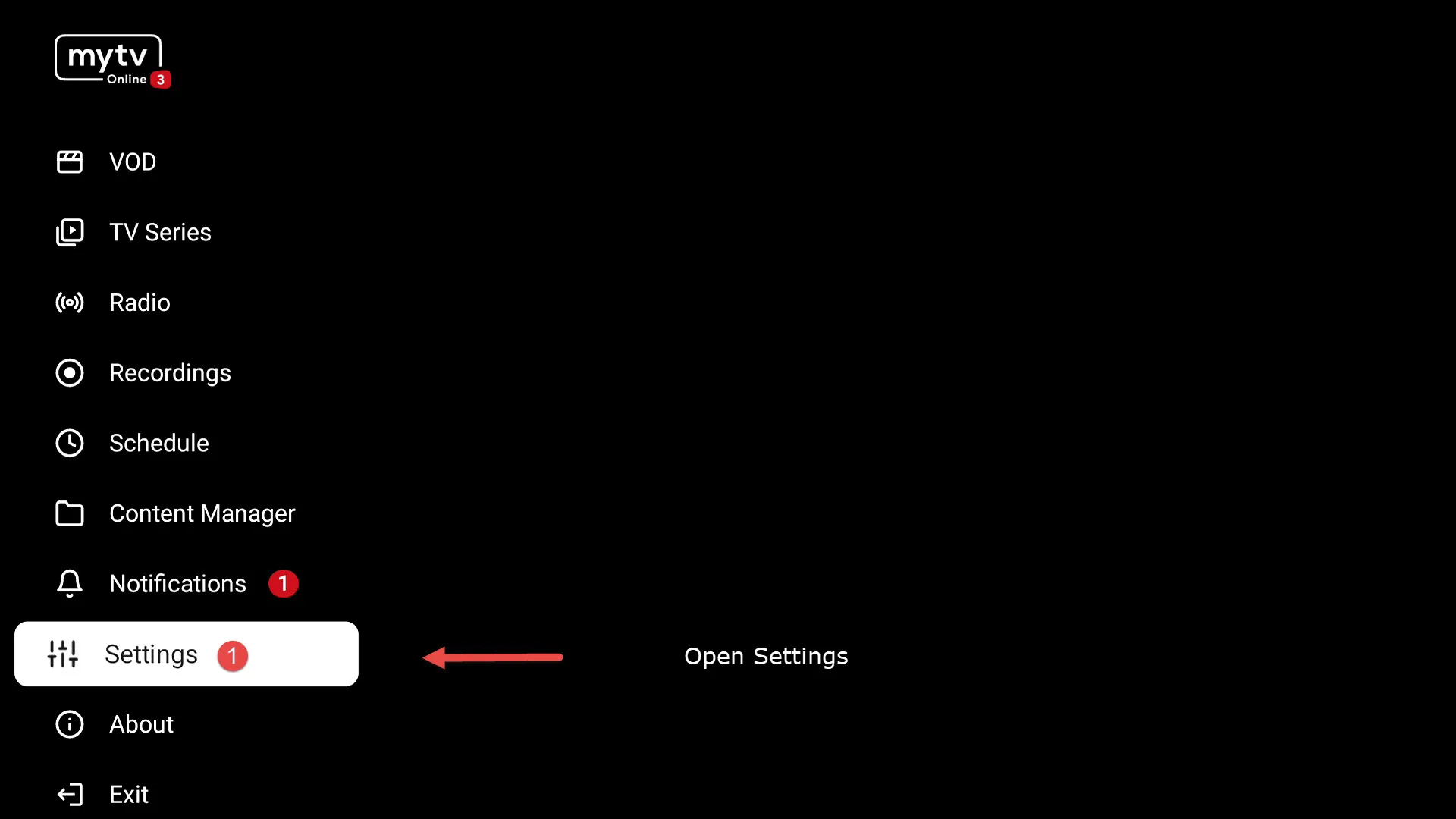
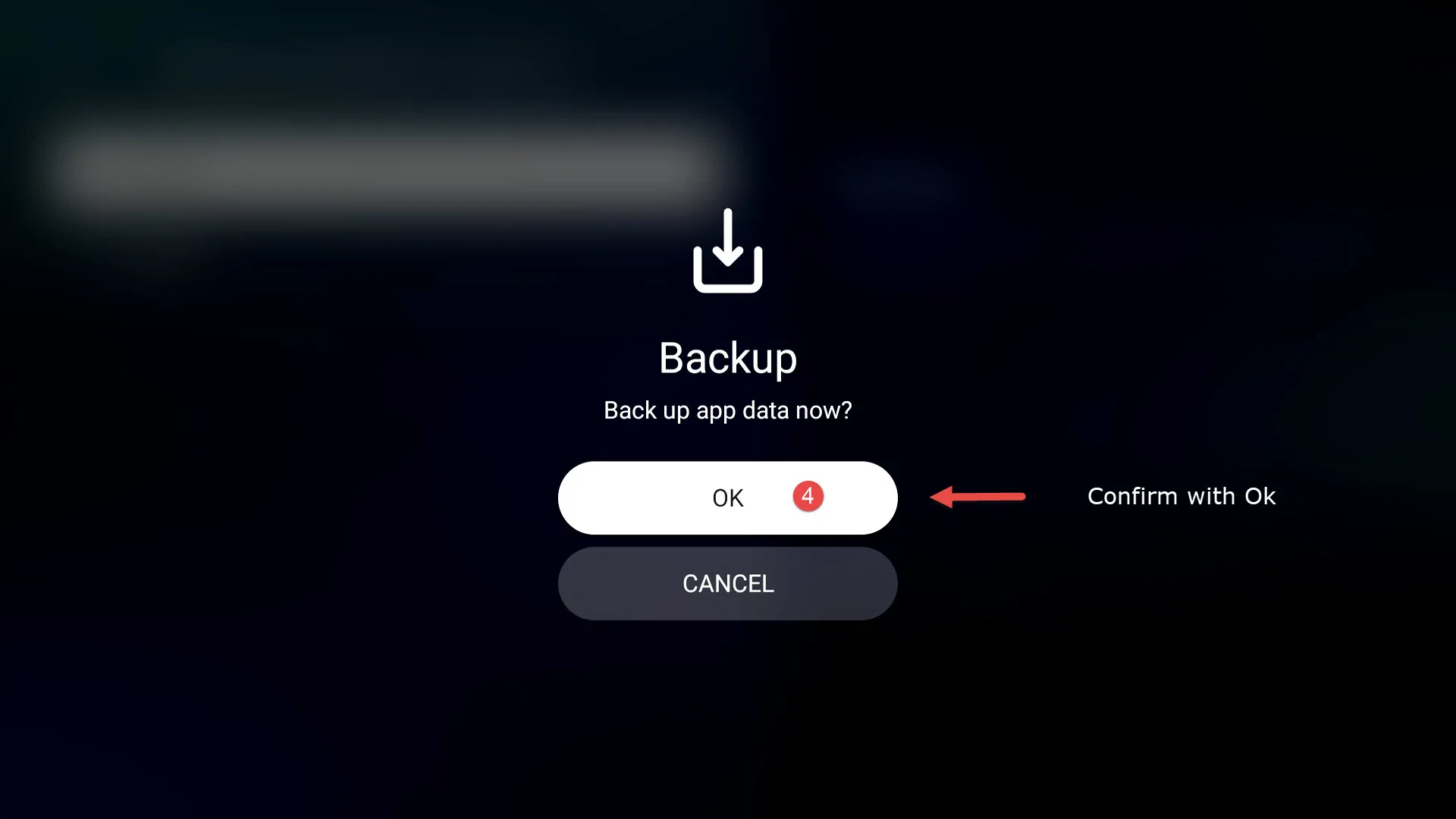
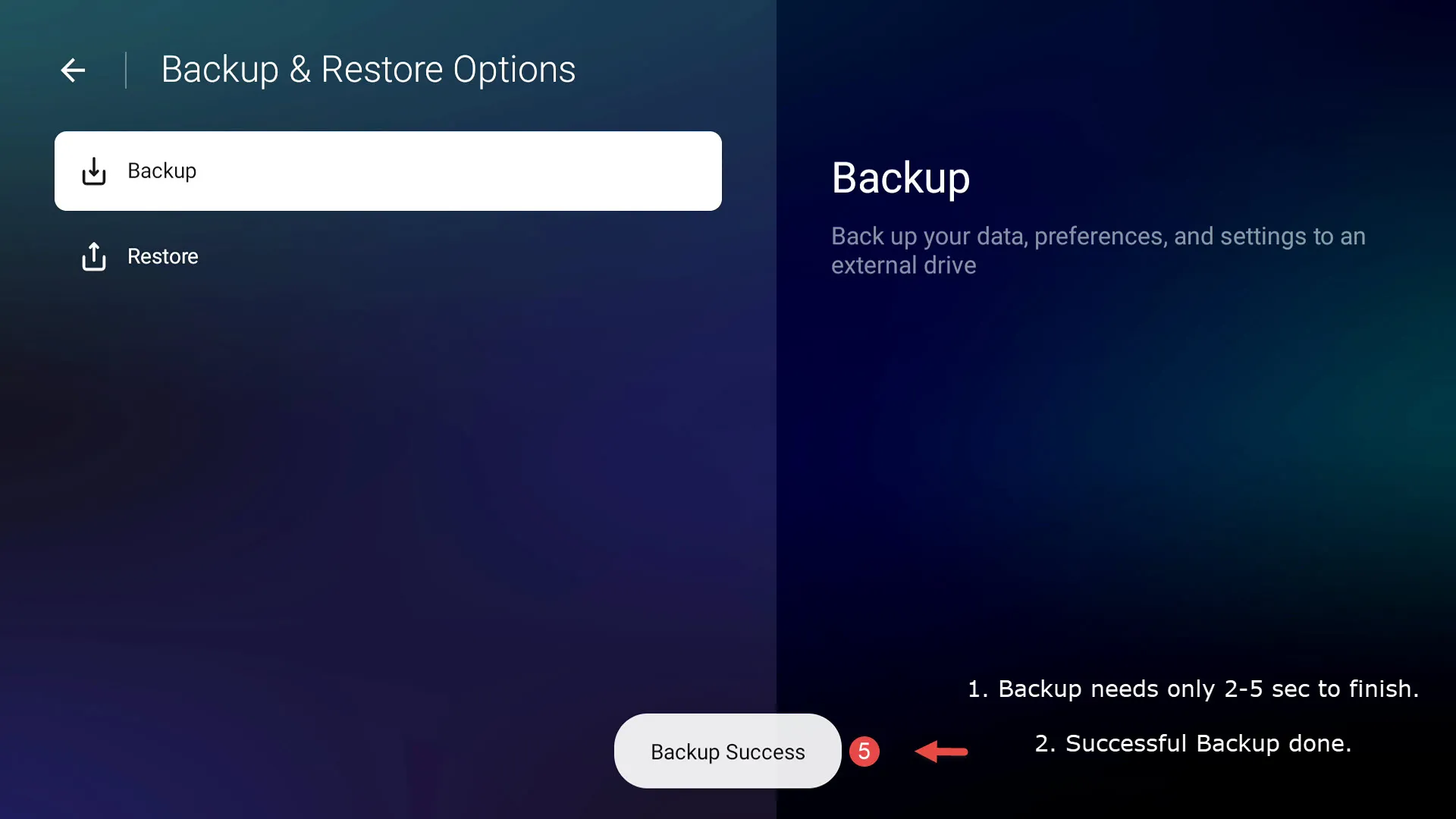
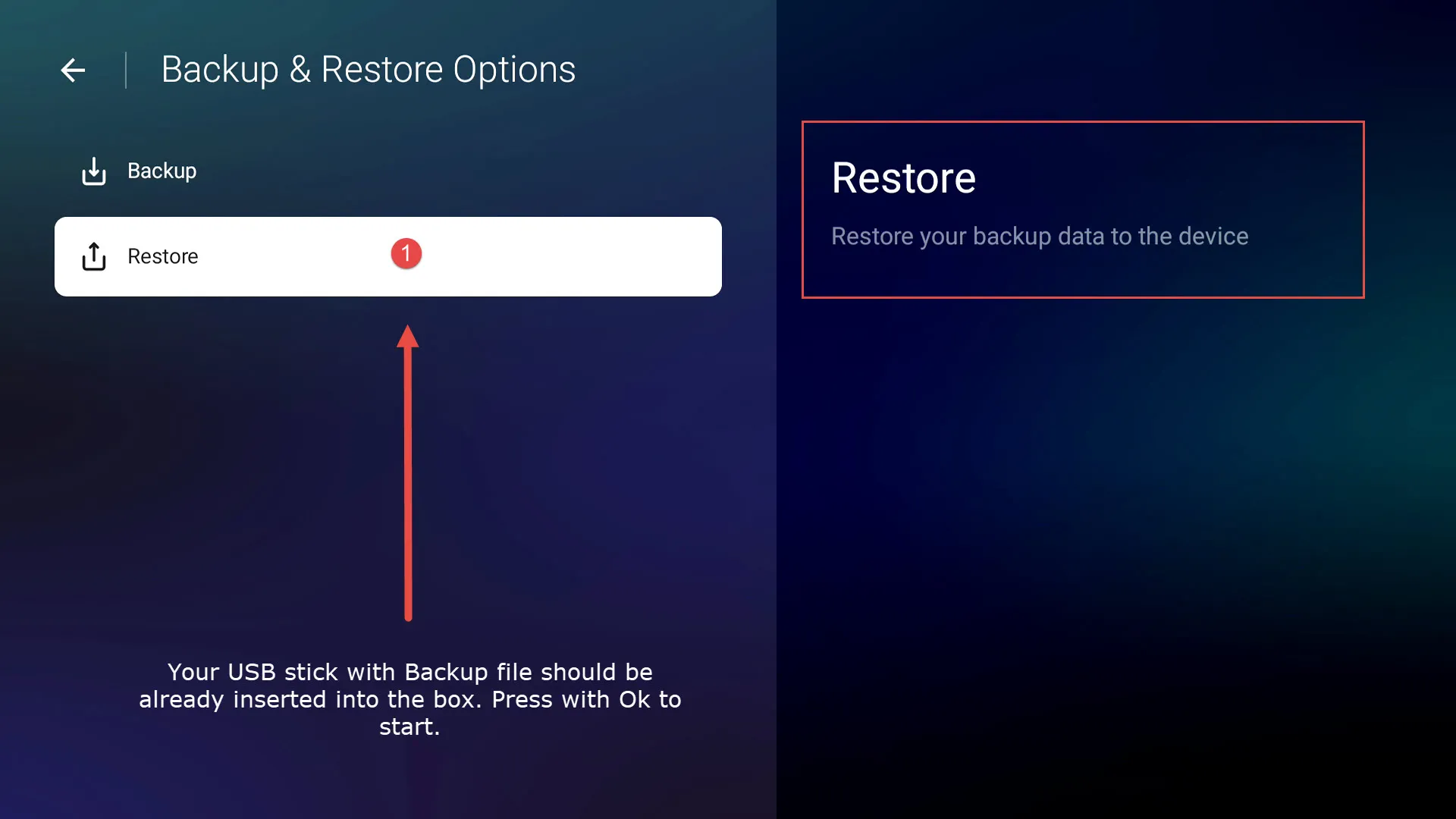
How to use Backup & Restore function?
-
- Z11 Series
- MYTVOnline3
-
SAM -
November 6, 2022 at 7:34 PM
We asking all new users to read the articles below, before creating their first posting or thread.
- 4. Instruction Articles
Please note, in this forum are only English threads and postings allowed, without any exception!
Please follow the forum rules, thank you for your understanding.
-
-
Hi all,
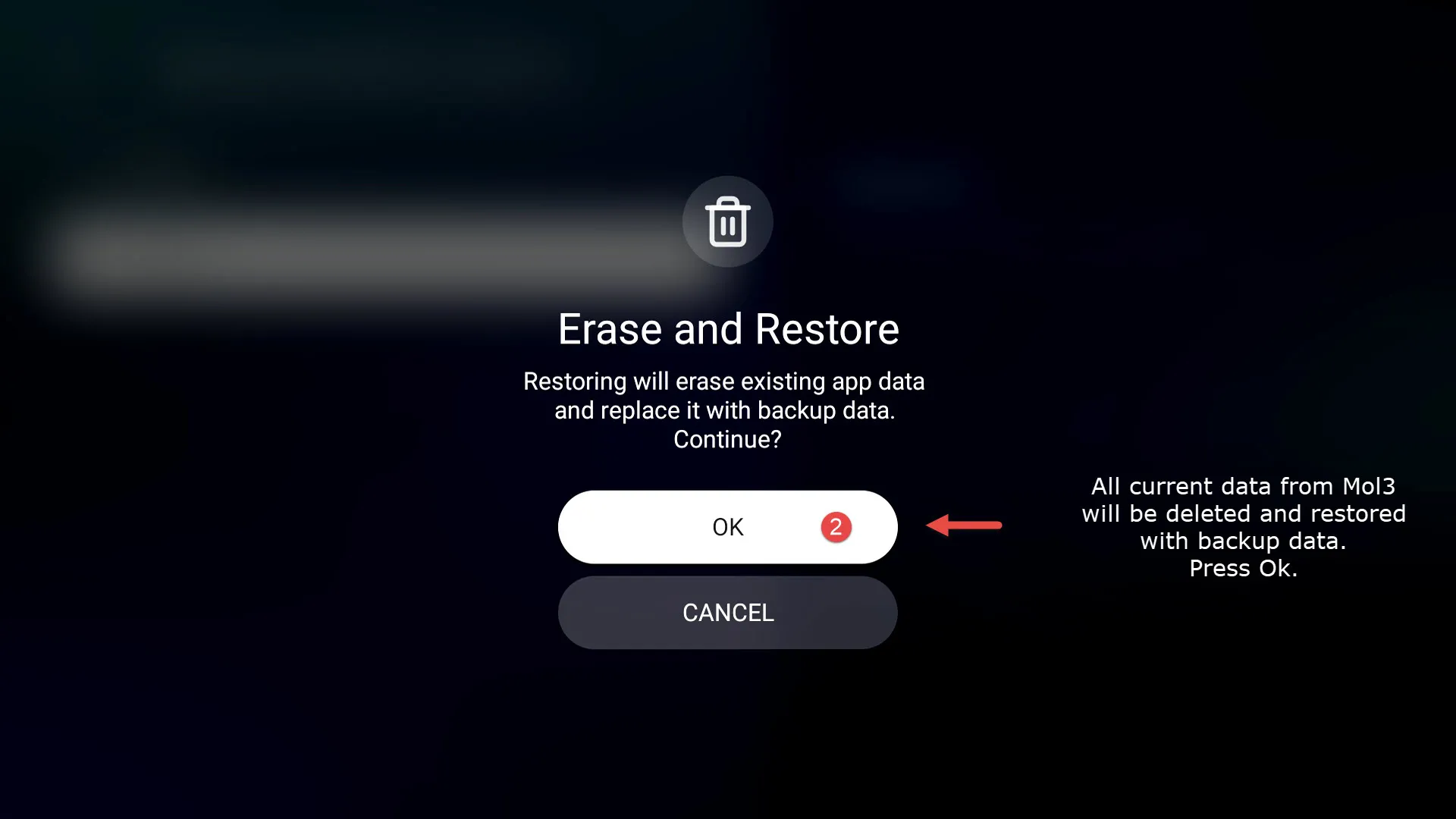
I’m new. Just got my new 11 pro max a few days. I backed up using mol 3. Backing up worked but restoring failed for some reason. I had to do a hard reset after my virtual keyboard disappeared.
Even now after the reset my backup says successful bit restoring fails. What am I doing wrong?
Thanks
-
- Official Post
Hi,
I guess the usb stick was formatted correctly with NTFS or FAT32? The reason for fail could be wrong format, stick fault or the backup file is damaged. When you connect your usb stick with pc you should see file calling (for example: molxyz_1668771578498) and ca. 5kb. To be sure your backup works fine is to check with instant restore after backup save.
-
I found with this version of the system, I didn’t have to format the usb first as in the case with previous versions for recording etc…
Upon inserting the unformatted usb in to the Z11 Pro, it asked me to format straight away so I did that onscreen and it worked perfectly.
In DVR options I simply toggled on timeshift and didn’t even have to select the usb, everything was automatic for me.
-
Hi,
I formatted the Ian stick with my Formuler z 11 pro max. Immediately after that tried to restore and it failed. Maybe a bad usb stick? Will try another one soon
-
ive tried this and it worked ok, and I'm running a 750gb external hard drive in its own usb caddie....
-
Can we do it to restore a MOL3 backuped on a first Z11 pm to a second Z11 pm ?
-
- Official Post
Due to security policy, it`s only possible to restore on same device where you created your backup and not on other box.
-
Could it be a feature in a near future ?
-
- Official Post
I don`t think, because of the security policy thing.
-
does this backup feature save the favorites and channel groups that were created?
-
- Official Post
Yes, all settings and saves in MOL3.
-
Does a second backup on the same stick overwrite the first update , or can you choose between several updates?
-
- Official Post
No, the old/last backup will be overwritten each time. You can create subfolder on your USB device and copy each backup into this folder, later you have more possibility's to pick up the needed one. File name for example: molxyz_xxxxxxxxxxxxx.
I recommend to do after each update and when all works fine, new backup.
-
SAM,good idea thx
-
I didn't see anyone yet mention that you can also backup to your microsd card (if inserted obviously) I tested it and it works. It's saved in the root of your card with the file format earlier mentioned by sam (ie molxyz_1668771578498)
-
Hello to everybody, which data are exactly contained in the backup? The firmware to? So with a backup i could restore an older firmware?
-
- Official Post
All settings, portals,favorites etc. from Mol3 are in backup. Backup points only to MOL3 and not entire box.
-
Hi all,
I’m new. Just got my new 11 pro max a few days. I backed up using mol 3. Backing up worked but restoring failed for some reason. I had to do a hard reset after my virtual keyboard disappeared.
Even now after the reset my backup says successful bit restoring fails. What am I doing wrong?
Thanks
How do you do a hard reset on 11 pro max? I saw one video using paper clip is this the only way to hard reset using paper clip?
-
- Official Post
How do you do a hard reset on 11 pro max? I saw one video using paper clip is this the only way to hard reset using paper clip?
Home Menu -> Settings -> Device Preferences -> Factory reset (Pin 0000)
-
Any one know why or how I get the back up setting bk? I had seen it there b4 but seems to of gone missing lol
-
- Official Post
Back up is always saved in the root of usb stick, check your usb stick, if not present then it`s deleted.
Back up files should also saved somewhere else too.
-
Thanks, useful.
-
Personally, I don't have the backup and restore option anywhere.
-
I think you have to scroll down further to get to the backup and restore function?
-
I am at the bottom of the list, and even at the top there is nothing. I even tried setting the language to English. But still nothing.
-
Yes,now i can see it too on your picture (my French is not to good!),very strange!
i do not see a reasonable explanation.
-
- Official Post
Personally, I don't have the backup and restore option anywhere.
Do factory reset, somehow it is missing on your side.
Ps.
Please follow the forum rules and post in English. Other languages are not allowed on English forum. Use Google translator. Thank you
-
Personally, I don't have the backup and restore option anywhere.
I have same problem on mine, was there before now nowhere to be seen lol
-
I’ve had to attempt restore from backup but since the latest updates it doesn’t appear to have worked.
When restoring it gets to 20% and kicks me out of MTOL3
Did a factory reset and also reformatted USB then backed up and tried to see if restore worked with the same result as above.
Tested on Z11 pro max and Z11 pro with different USB and same result.
-
- Official Post
I’ve had to attempt restore from backup but since the latest updates it doesn’t appear to have worked.
Is already reported to Formuler, i was able to reproduce.
-
Is already reported to Formuler, i was able to reproduce.
OK thanks Sam. I missed that.
-
No, the old/last backup will be overwritten each time. You can create subfolder on your USB device and copy each backup into this folder, later you have more possibility's to pick up the needed one. File name for example: molxyz_xxxxxxxxxxxxx.
I recommend to do after each update and when all works fine, new backup.
hi
Big problems today, first no vods & series at all, saw there was a Beta of MOL3, did a backup, installed the Beta MOL3, ater update content & refresh the vods & series were back, but NO favourits and NO recent viewed! After a restore, still no favourits&recent viewed.
Now my question: I copied/saved an earlier backup on the Z11 PM on a submap 'Backup', but how can I restore this one? Trying to copy from the Z11 to the usb (where I believe the file should be to do the MOL3 backup) doesn't work as the usb storage now seems to be read-only (so can't paste the file there). Tried with File Commander,
Any suggestions?
-
hi guys
Still problems, but here's a little update anyway:
Managed to copy an older backup from usb tot the Z11 PM with Xplore ; but a restore goes to 20% and then a black screen (no error). Not sure if the restore function on this beta (installed!) works or not. Question: should in vods and series the favourits and recent viewed be backed up and restored, or is it normal to loose them? As on my restore they didn't change after the restore.
-
- Official Post
With MOL3 11.2.24 you need to create new/fresh backup, then the restore will work.
-
Thanks, so no way to recover all my favourites (vods movies and series)? Shame, as that's the reason I took backups regularly ...
-
- Official Post
Like i wrote, after this new Backup fix you have to make new Backup file.
-
Hello I have successfully created a backup on 1 Z11 Pro Max to a usb I assume it backs up everything all the connections ,favorites ,etc, and I inserted the usb in my 2nd Z11 ProMax hoping to do a store of the successful backup on box 1 it fails to restore . Pain in the butt having to install everything and start from scratch on box 2
-
- Official Post
You can backup from box 1 only restore on box 1.
-
Sam thats not really a good option for restoring, That means I will have to have 4 backups for the 4 formuler's I have and have to input all 5 IPTV servers on each box , to me thats antiquated and dumb. You should be able to create 1 backup and restore to every box you have ,thats a big time saver.. The TiviMate app allows 1 backup of all your favourites, settings, options and restore to all Tivimate Installs

-