

Thanks all. Here the same, no unpleasant surprises. 👍

Official Update - Firmware v. 11.3.5 for Formuler Z11 Series released.
-
- Z11 Series
- Update
-
Staff -
November 27, 2024 at 1:57 AM -
Closed
We asking all new users to read the articles below, before creating their first posting or thread.
- 4. Instruction Articles
Please note, in this forum are only English threads and postings allowed, without any exception!
Please follow the forum rules, thank you for your understanding.
-
-
Everything working just fine

-
Everything works fine here! 🙏
-
Am I dreaming? This morning my Z11 Pro Max popped up a "software update" notice so I went ahead and did the update.
To my surprise I found that the update (11.3.5) is currently listed as beta but I didn't do a beta update - I did a normal update. Was I dreaming?
Also, to my surprise the update enabled (added ?) WiFi 6!
Later in the day I was experiencing stuttering on a few channels (as I sometimes do) and so I did a WiFi channel switch and there it was - the [6] symbol on my #2 5Ghz connection. And it WORKS!
A big thank you to the support people.

Cheers!
-
- Official Post
Yes, Beta changed to Official. Thread name edited.
-
Also here so far so good.
I do not have any EPG but it was confirmed this is provider related.
Thanks for the update
-
Hello, With my Z8 I have and had 14 days of EPG review with my provider, of which at least 7 days gave a picture. Now that I test my Z11 mp I only have 24 hours EPG and look back. If I don't watch via MOL3 but with MOL2 then this problem seems to be in MOL3. Everything else works perfectly... Who has the solution for this...
-

Hello, With my Z8 I have and had 14 days of EPG review with my provider, of which at least 7 days gave a picture. Now that I test my Z11 mp I only have 24 hours EPG and look back. If I don't watch via MOL3 but with MOL2 then this problem seems to be in MOL3. Everything else works perfectly... Who has the solution for this...
Only solution to have more epg is to switch to MAC connection,and set epg mode to alternate.
-
Beta version is same as official version.
Perfect..
Everything works fine.
-

I still frequently get “VOD failed to load” when selecting a movie or tv show. Tested on Z11 Pro Max.
-
Hello!
I installed the update. When it rebooted I had an error. Now, the logo Z11 pro appears for 5 seconds and it's restarting over and over. I did the manually factory reset and still the same problem. Is there a way to install a boot from a usb stick?
Thanks
-
-

bonsoir
mon Z11 pro Max ne veux pas prendre la derniere mise a jour
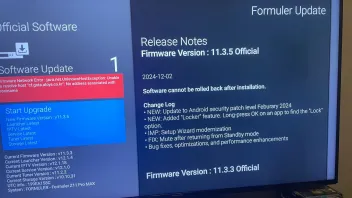
que faire ?
Merci
English please!
-
-
Good evening,
i also have the same problem on two different devices the update displays an error message unable to run it. do you have a solution to the problem?
Edit : the problem started 2 days ago, we will do the test again today
thank you.
-

Good evening,
i also have the same problem on two different devices the update displays an error message unable to run it. do you have a solution to the problem?
thank you.
I have the same problem with the same message.
-
- Official Post
I send Mail to Formuler, please check tomorrow again if it works.
-

I send Mail to Formuler, please check tomorrow again if it works.
Ok thank you very much
I will try again tomorrow and let you lnow if it works or not.
-
- Official Post

I have the same problem with the same message.
Good evening,
i also have the same problem on two different devices the update displays an error message unable to run it. do you have a solution to the problem?
Edit : the problem started 2 days ago, we will do the test again today
thank you.
Please access 'Home screen > Settings > Network and Internet > Private DNS > Private DNS provider hostname' and change the hostname to Quad9.
Let me know your results.
Also, please let me know which ISP you are using
-

Please access 'Home screen > Settings > Network and Internet > Private DNS > Private DNS provider hostname' and change the hostname to Quad9.
Let me know your results.
Also, please let me know which ISP you are using
It works this morning without changing DNS.
Do i still need to change DNS provider hostname to avoid any problems for the future softwar ?
Thank you for your help.
Best regards,
-
- Official Post
Not really, only when this happen again.
-
It works this morning without changing DNS.
Do i still need to change DNS provider hostname to avoid any problems for the future softwar ?
Thank you for your help.
Best regards,
Thank you very much the method works the updates have been made ✅✅✅
-
Everything s ***** up for me with the latest software update!

Had no problem whatsoever watching iptv before the update, now it has turned into a nightmare!
As soon as i go into to my epg and try to change channels, everything freezes! And ihave to install everything again, but the same scenario repeats itself.
After every new installation i can change channels maybe 5-6 times if i use the up/down buttons on my remote, then it freezes!
I have tried to do a factory reset on the box, reset my router, but nothing works so far. I´m about to give up, and feel resigned

-
- Official Post
 Display More
Everything s ***** up for me with the latest software update!
Had no problem whatsoever watching iptv before the update, now it has turned into a nightmare!
As soon as i go into to my epg and try to change channels, everything freezes! And ihave to install everything again, but the same scenario repeats itself.
After every new installation i can change channels maybe 5-6 times if i use the up/down buttons on my remote, then it freezes!
I have tried to do a factory reset on the box, reset my router, but nothing works so far. I´m about to give up, and feel resigned
I've sent you a message to get more info.
Please check your inbox.
-
Made a recording that lasted about 3 hours.
After watching about 30 minutes I did a fast forward.
After starting it starts from the beginning again and it shows that the recording length is only 39 minutes.
Has it been fixed? -
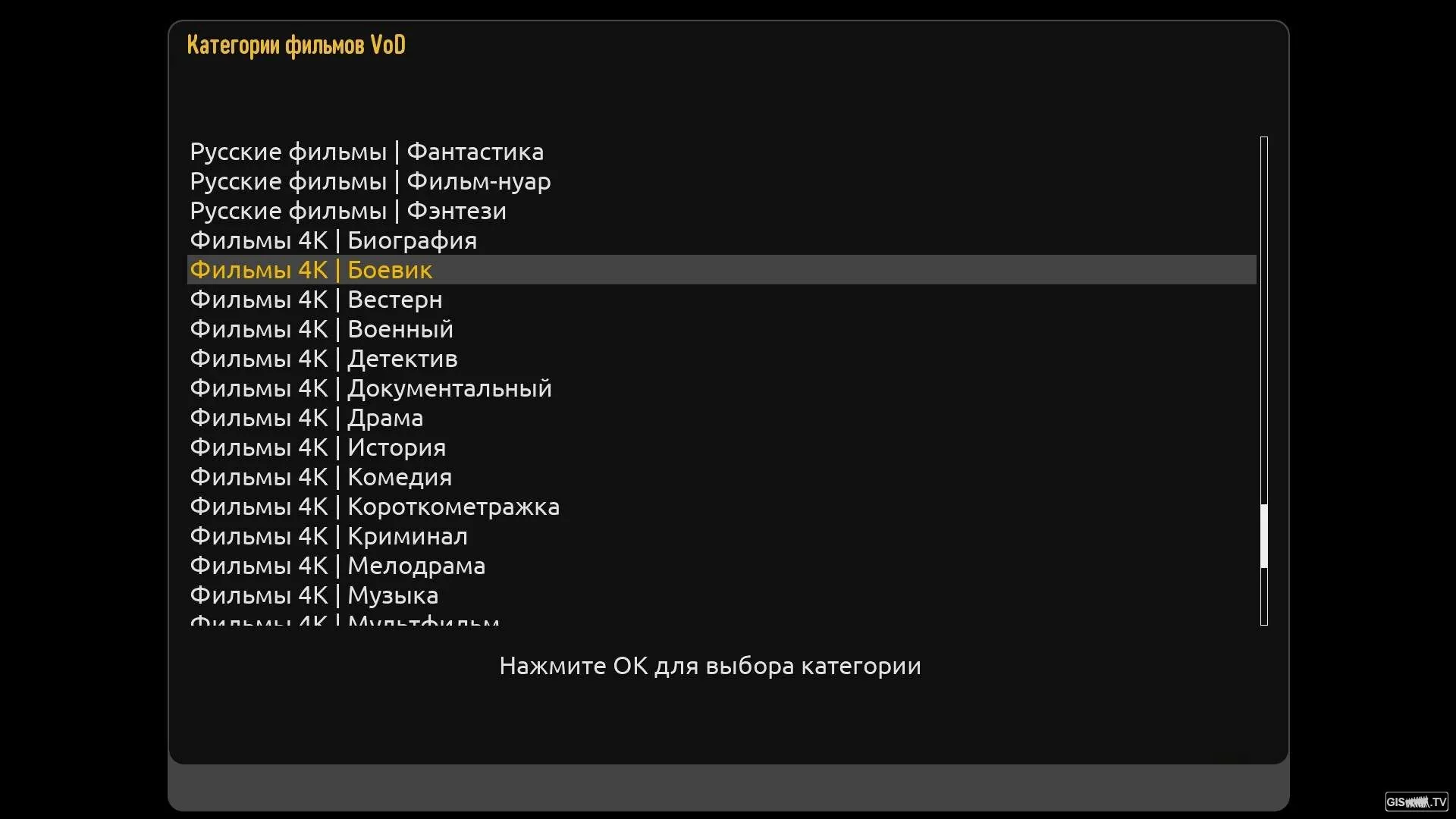
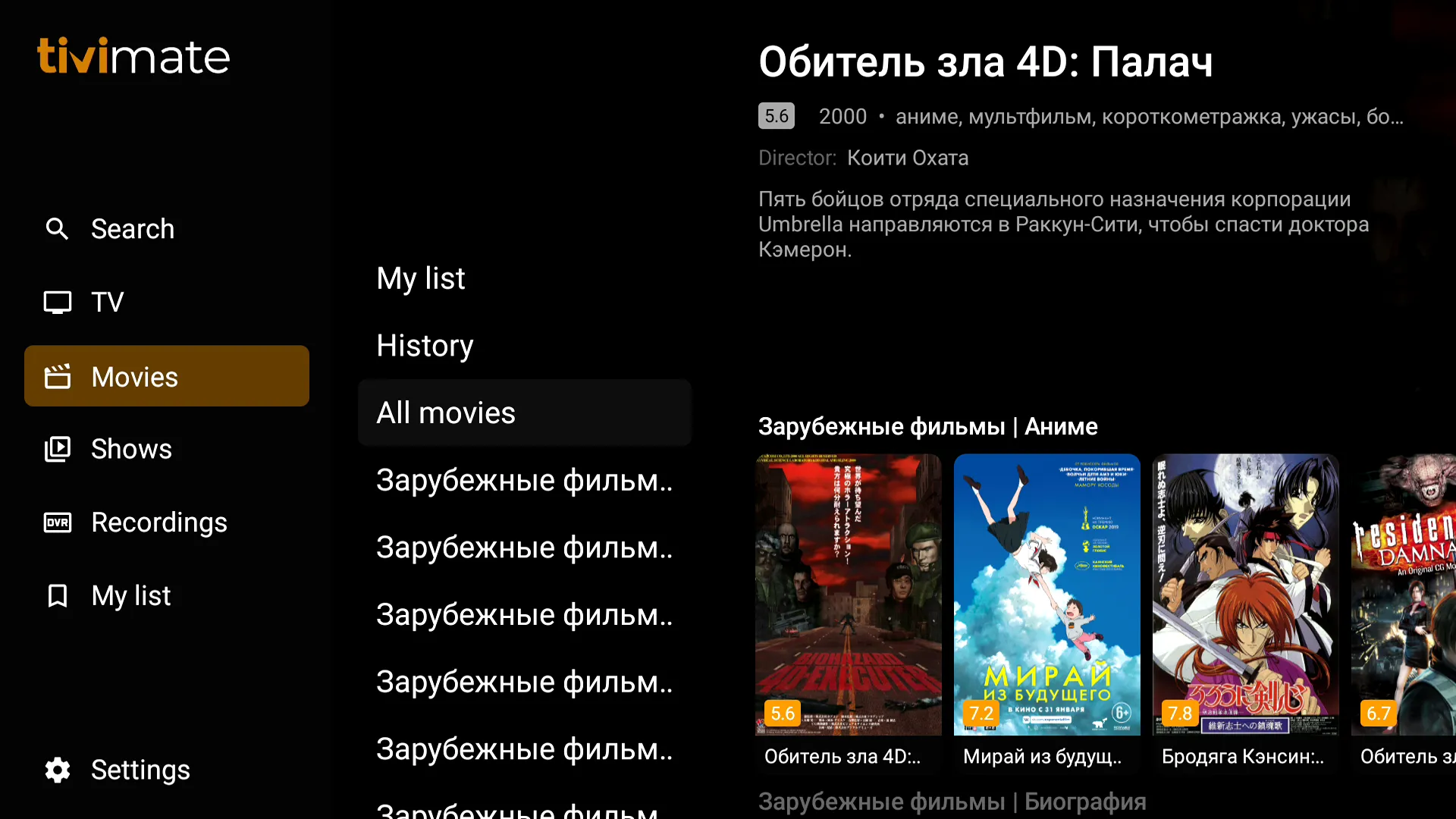
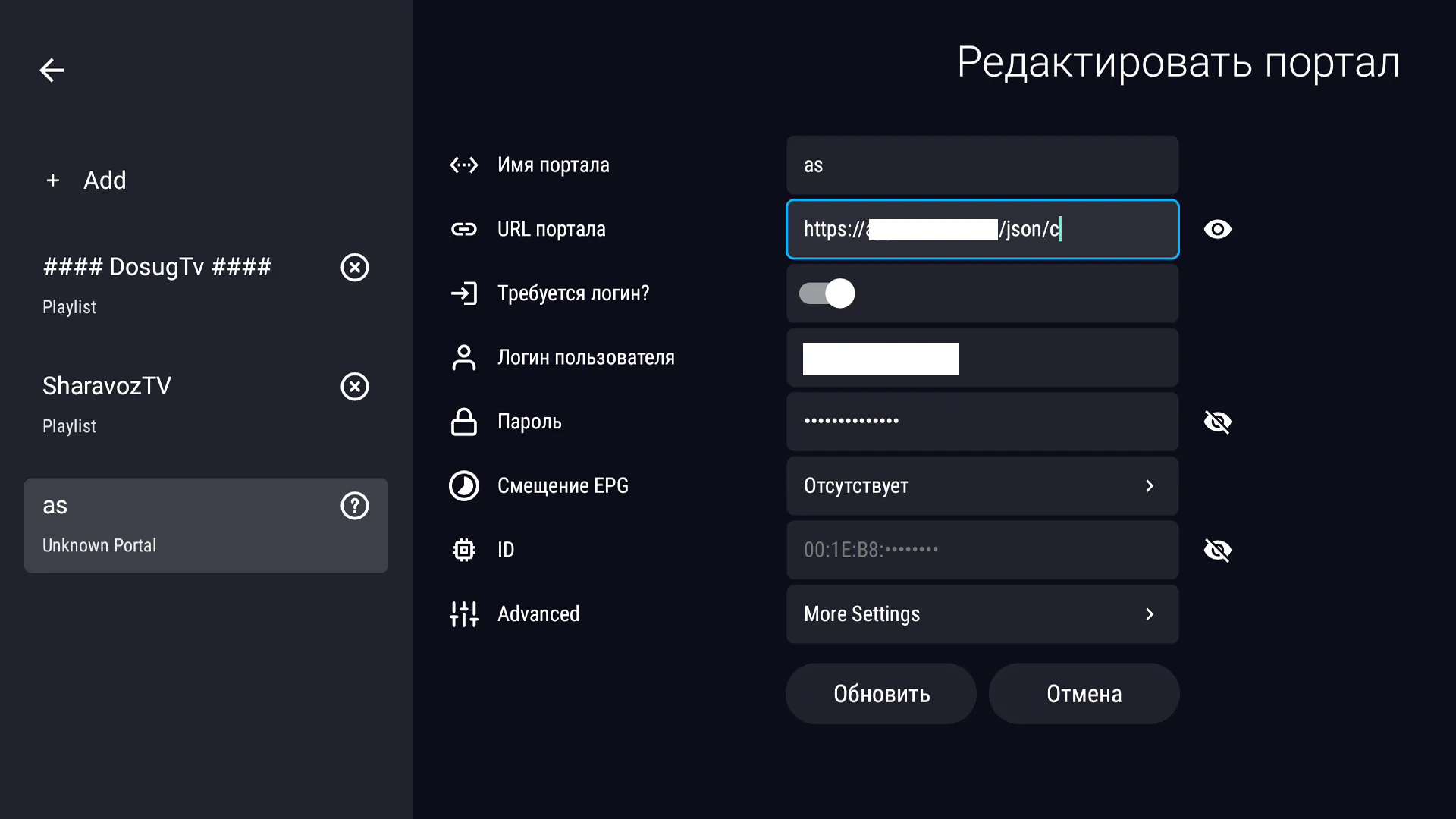
By the way I couldn't even connect to the Xtreme Codes portal, although it works flawlessly tivimate and on enigma2 without any problems.
Display Spoiler
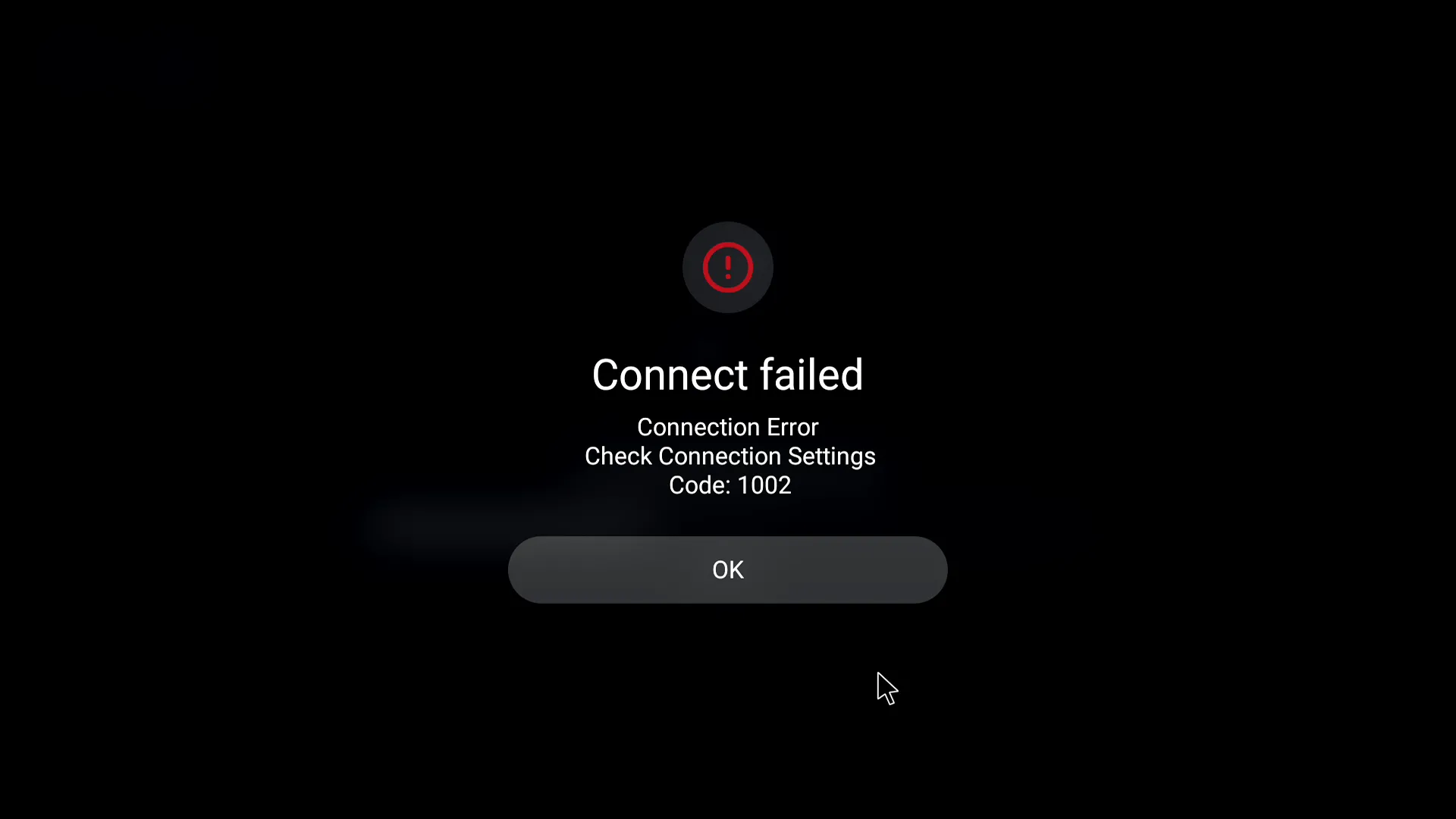
-
I did a factory reset on my Z11 pro max today to see if it solved my problem. But it got worse, now i can´t even download my portal url .
I just get the message: SERVER-HTTP 512 and the code: 1005-50
-
- Official Post

By the way I couldn't even connect to the Xtreme Codes portal, although it works flawlessly tivimate and on enigma2 without any problems.
Display Spoiler
Hi, thanks for the details of the issue.
Please try to connect again using MYTVOnline 3, send the log, and let us know the tracking number through conversation. F_Peter
-
- Official Post
I did a factory reset on my Z11 pro max today to see if it solved my problem. But it got worse, now i can´t even download my portal url .
I just get the message: SERVER-HTTP 512 and the code: 1005-50
Check the portal URL and see if you're using https protocol.
Also please check if VPN is running on the background and if it's necessary for the server access.
-
By the way I couldn't even connect to the Xtreme Codes portal, although it works flawlessly tivimate and on enigma2 without any problems.
Display Spoiler
Are you sure that the URL address of the portal is correct in Xtream code??
I see at the end "/json/c"
For me, the /c is only used for Stalker connection...
And I don't have /json either...
-
This link works fine on tiwimate and engma2 where there are Xtreme Codes. the screenshots I provided clearly confirm that it works.
-
I did a factory reset on my Z11 pro max today to see if it solved my problem. But it got worse, now i can´t even download my portal url .
I just get the message: SERVER-HTTP 512 and the code: 1005-50
I did it too on my Z11 Pro max. The box start to freeze and any remote fonctions the box not answer! I need to unplug and plug it back to get the box working again! This is verry frustrating!
-

Hello!
I installed the update. When it rebooted I had an error. Now, the logo Z11 pro appears for 5 seconds and it's restarting over and over. I did the manually factory reset and still the same problem. Is there a way to install a boot from a usb stick?
Thanks
When I do hard reset,the box start in English,and when i choose french,the box start to reboot on langage page. After complete setup in english i can change my language. But the box start to freeze in tv mode.
-

When I do hard reset,the box start in English,and when i choose french,the box start to reboot on langage page. After complete setup in english i can change my language. But the box start to freeze in tv mode.
Factory reset again.
If tv still freeze remove mytvonline3 and restart box and install it from market.
-
if anyone's interested, they can check it out.

Display Spoiler
The content cannot be displayed because it is no longer available. FYI: installed this beta a few hours ago on 2x Z11 PM without any problems so far.
-
I believe a hotfix BETA has arrived today: V12.1.19
06.01.2025I wasn’t having any issues but it may help some if you’ve not seen it.
Couple of nice features added 👌🏻
Software Update, Press 1339 on RCU > press red for beta
-
-

Yes installed it and didn’t have any problems anyway but can confirm it remains the same based on my usage.
> Notifications “Delete All” button works as expected, great little detail for us who like a clean sheet.
> Moving channels position in Groups also works as expected.
> QR Code for IOS app is present.> I didn’t check Timeshift previously but have this time and it seems when selecting a show, it starts at the advertisement stage before the show and not at the start of the show. Approximately 2mins before, so if this is the issue some had previously then I see it at the moment and potentially not resolved if that’s correct? Maybe someone can confirm…
Everything else I’ll monitor and report back if there’s an issue
-
Hi,installed the beta,at first Gameday gave failed to load data message,after uninstalling mol3 and reinsatallig it from Market it worked again,have to do further testing,but so far so good

-
- Official Post
Please, beta discussions only in beta thread, thank you -> Hotfix Beta MYTVOnline 3 Update - v. 12.1.19 for Formuler Z11 Series released.
-
